· reAPI Team
Kling Image 4.0 Long Image Tutorial
Learn how to use Kling Image 4.0 Long Image on reAPI for ecommerce detail pages and webpage layouts, with mode rules, reference IDs, pricing, and review steps.
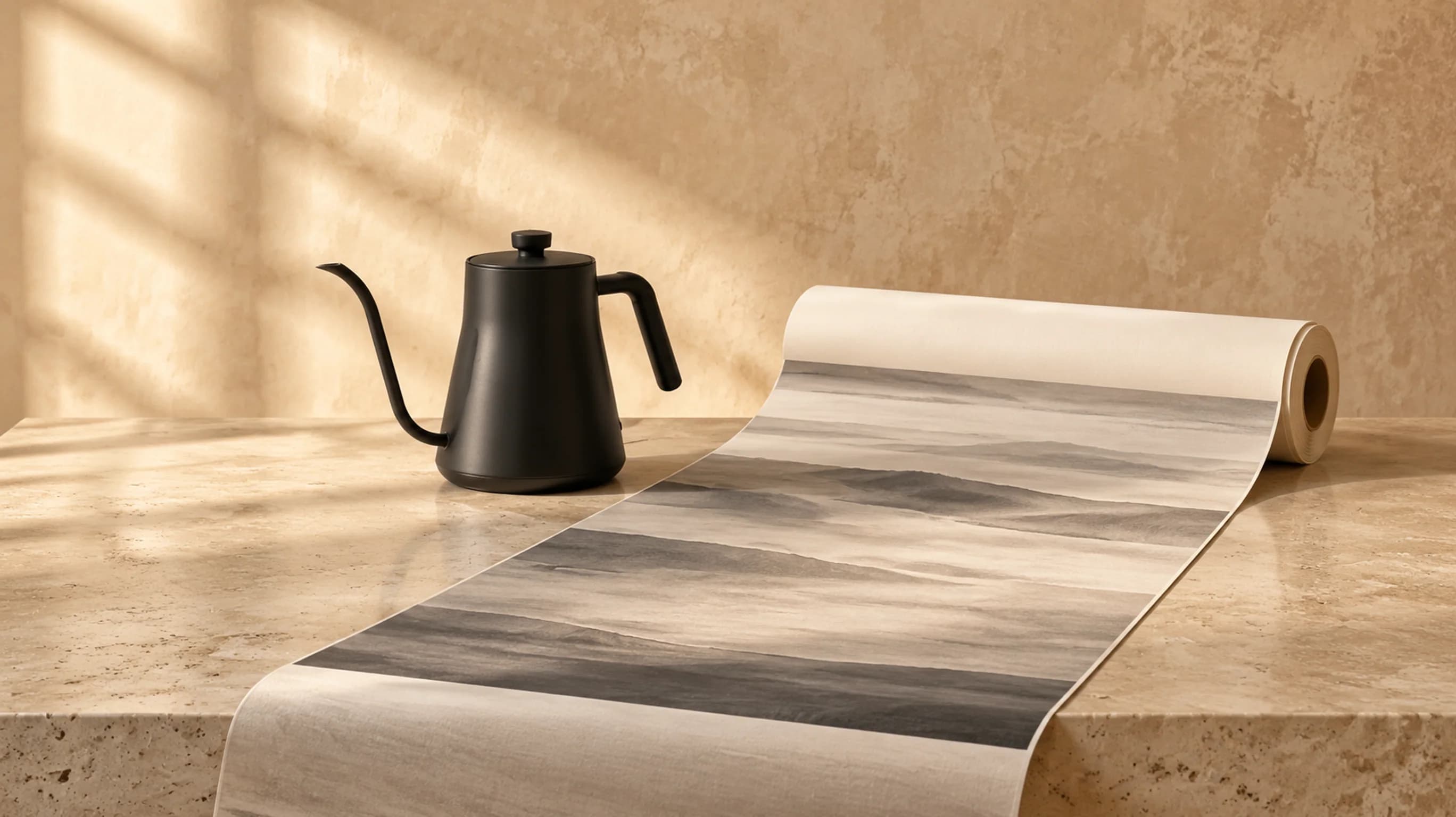
Most image generators hand you one square or 16:9 frame at a time. When you need a full ecommerce product detail page or a continuous vertical landing page, stitching six separate stills together almost always breaks lighting, margins, and typography across every seam. Kling Image 4.0 Long Image solves that problem by rendering one continuous tall PNG from top hero to footer in a single request.[1]
This tutorial walks through the exact contract on reAPI for both webpage and ecommerce modes, including reference image rules, @id mentions, 1K versus 2K resolution planning, current reAPI per-page pricing checked on November 20, 2026, and the polling and file-inspection checks required for tall PNG files.[2]
Quick summary
- Two distinct skills:
settings.skillis required on every call. Pickwebpagefor full-scroll landing page concepts (0 to 2 optional references, omitsettings.length) orecommercefor product detail pages (1 to 3 requiredrefer_imagephotos plusshort,medium, orlongdepth).[1] - One tall PNG per task: Output width is fixed to 1K (1024 px) or 2K (2048 px), while vertical height adapts to the sections in your brief.
4kis not supported.[2] - Reference roles cannot be mixed:
refer_imageworks only inecommercemode;style_refer_imageandsubject_refer_imagework only inwebpagemode. Element references are unsupported.[2] - Pay-per-page billing: As checked on November 20, 2026, reAPI rates run from $0.2269 (
ecommerce,short,1k) to $0.8319 (ecommerce,long,2k), withwebpageat $0.5294 (1k) or $0.5748 (2k), plus $0.003025 per input reference image starting from the first. See the live pricing table.[3] - Plan for long renders and large files: Multi-section renders typically take several minutes, and 2K tall PNGs can exceed 50 MB. Size HTTP download timeouts and image viewers accordingly.[2]
Start with one 1K webpage brief
Before uploading multiple product shots or paying for a 2K long layout, send a single text-only webpage request to Kling Image 4.0 Long Image at 1K width. A 1K webpage job lets you verify your vertical section pacing, color contrast, and visual hierarchy without spending extra time on high-resolution pixels or reference setup.
List every section in exact top-to-bottom order inside one prompt item. Name the hero banner, the middle feature bands, any grid or comparison strip, and the closing footer block. A vague request such as "make a modern coffee website" leaves section count and visual rhythm up to chance, whereas a numbered vertical outline gives you a concrete checklist when you review the output.
curl https://reapi.ai/api/v1/images/generations \
  -H 'Authorization: Bearer YOUR_API_KEY' \
  -H 'Content-Type: application/json' \
  -d '{
    "model": "kling-image-4-0-long-image",
    "contents": [
      {
        "type": "prompt",
        "text": "Design a tall landing page for a specialty coffee roastery. Section 1: full-bleed hero banner with warm morning light over a pour-over bar and headline space on the left. Section 2: three single-origin bean cards with origin notes and roast level tags. Section 3: brewing guide strip showing grind size, water temperature, and pour timing. Section 4: minimal footer with cafe address and opening hours."
      }
    ],
    "settings": {
      "skill": "webpage",
      "resolution": "1k"
    }
  }'
The endpoint returns a JSON object containing your task id and status: "processing". Save that ID immediately. Unlike single-tile image endpoints that finish in ten seconds, a continuous multi-section layout takes longer to render. Poll GET /api/v1/tasks/{id} with the same bearer key until status switches to completed or failed.[4]
Choose ecommerce or webpage mode in Kling Image 4.0 Long Image
Every request to Kling Image 4.0 Long Image requires settings.skill. Choosing the right mode matters because each skill enforces its own reference types and length controls, and mixing them triggers a validation error before billing.[2]
| Rule | ecommerce mode | webpage mode |
|---|---|---|
| Target output | Multi-section product detail page | Full-scroll webpage visual layout |
| Reference types allowed | refer_image only | style_refer_image and subject_refer_image only |
| Reference count | 1 to 3 required | 0 to 1 style and 0 to 1 subject (both optional) |
settings.length | short, medium (default), or long | Ignored (omit from request) |
settings.resolution | 1k (default) or 2k | 1k (default) or 2k |
options.watermark_info.enabled | false only | false only |
Use ecommerce mode in Kling Image 4.0 Long Image whenever you already have real product photography and need a cohesive vertical listing sheet for an online store. The three length tiers map to approximate section counts documented by the creator: short targets roughly 2 to 5 sections, medium targets roughly 6 to 10 sections, and long targets roughly 11 to 18 sections.[1]
Use webpage mode in Kling Image 4.0 Long Image when you are prototyping a brand landing page, launch page, or editorial microsite where you may start from pure copy or combine one visual style reference with one hero subject photograph. Because webpage mode determines vertical depth from your section list rather than a length enum, omitting settings.length keeps requests clean and aligned with the schema.
Wire named references without breaking validation
Reference images are the main lever for keeping a real product recognizable across a Kling Image 4.0 Long Image scroll. Each reference item in contents takes a type, a publicly reachable HTTP or HTTPS url, and an optional unique id. Base64 strings and data: URIs are rejected by the reAPI gateway.[2]
Every reference file must meet four format checks before submission:
- Format: JPEG or PNG only.
- File size: At most 30 MB per image.
- Minimum dimensions: At least 300 pixels on both width and height.
- Aspect ratio: Between 2:5 and 5:2.
Check each reference link in a signed-out browser window before calling the endpoint. Asset URLs behind expiring dashboard cookies fail when the rendering worker fetches them.
Ecommerce product detail page example
In Kling Image 4.0 Long Image ecommerce mode, supply between one and three refer_image entries and give each angle a clear short id, such as front and spout. Cite those names directly as @front and @spout in the prompt so the layout knows which photograph anchors the hero banner and which one drives a macro callout band.
{
  "model": "kling-image-4-0-long-image",
  "contents": [
    {
      "type": "refer_image",
      "url": "https://example.com/kettle-front.png",
      "id": "front"
    },
    {
      "type": "refer_image",
      "url": "https://example.com/kettle-spout.jpg",
      "id": "spout"
    },
    {
      "type": "prompt",
      "text": "Build a medium ecommerce product detail page for the brushed-steel gooseneck kettle in @front. Section 1: full-bleed hero showing @front on warm travertine stone with clean headline space. Section 2: three core benefit callouts covering pour precision, balanced handle ergonomics, and stainless body durability. Section 3: close-up detail band highlighting the curved spout from @spout with flow-control annotations. Section 4: morning pour-over brewing lifestyle scene. Section 5: care instructions and verified specification list."
    }
  ],
  "settings": {
    "skill": "ecommerce",
    "length": "medium",
    "resolution": "2k"
  }
}
Webpage style and subject reference example
In Kling Image 4.0 Long Image webpage mode, separate aesthetic direction from the product itself. Attach at most one style_refer_image to guide color palette, grid rhythm, and typography feel, and at most one subject_refer_image to keep a physical object accurate. Every id across the request must be unique.
{
  "model": "kling-image-4-0-long-image",
  "contents": [
    {
      "type": "style_refer_image",
      "url": "https://example.com/editorial-grid.png",
      "id": "layout"
    },
    {
      "type": "subject_refer_image",
      "url": "https://example.com/watch.jpg",
      "id": "watch"
    },
    {
      "type": "prompt",
      "text": "Design a tall watch launch webpage that matches the pale sandstone palette and editorial grid rhythm of @layout while showcasing @watch. Section 1: hero header featuring @watch at center-right. Section 2: three-column craft overview covering case finish, crystal clarity, and strap taper. Section 3: close-up dial and lug detail strip. Section 4: full technical specifications grid and clean minimal footer."
    }
  ],
  "settings": {
    "skill": "webpage",
    "resolution": "2k"
  }
}
Watch the weighted prompt limit when writing long briefs. Kling Image 4.0 Long Image accepts up to 166,000 English characters or 71,000 non-English characters, with mixed-language text constrained by english / 166000 + non_english / 71000 <= 1. That limit is checked again after @id names are mapped to positional markers, so keep a small safety margin if your prompt sits near the ceiling.[2]
Plan budgets across 1K, 2K, and length tiers
Unlike standard still-image generators that bill per output tile, Kling Image 4.0 Long Image prices each completed request as one output tier rate plus one charge per input reference image (including the first reference). Failed generations that deliver no output release their reserved credits automatically.[2]
The table below lists reAPI's current rates as checked on November 20, 2026 (1 credit = $0.001 USD, $1 = 1,000 credits). Always confirm active rates on the Kling Image 4.0 Long Image pricing page before running large batches.[3]
| Tier | Resolution | reAPI rate (checked Nov 20, 2026) | Typical use |
|---|---|---|---|
ecommerce · short | 1k / 2k | $0.2269 / $0.2723 | Compact 2–5 section product summary |
ecommerce · medium | 1k / 2k | $0.4538 / $0.5294 | Standard 6–10 section storefront detail page |
ecommerce · long | 1k / 2k | $0.7563 / $0.8319 | Full 11–18 section flagship listing sheet |
webpage | 1k / 2k | $0.5294 / $0.5748 | Full-scroll landing page or campaign layout |
| Input reference image | Any | $0.003025 each | Charged once per supplied reference photo |
For a concrete worked calculation using those November 20, 2026 rates: an ecommerce medium 2k request with two product photos totals $0.5294 + 2 × $0.003025 = $0.53545. At submission, reAPI reserves ceil(0.53545 × 1000) = 536 whole credits, then settles on completion to exact microdollars and returns the fractional difference to your balance.[2]
A practical way to control Kling Image 4.0 Long Image spend is a two-pass workflow. Draft layout order and section copy at 1k (or ecommerce short 1k when validating product fidelity first), inspect every band, and step up to 2k only once the visual sequence is locked.
Poll reliably and inspect tall PNG outputs
After submitting a Kling Image 4.0 Long Image request, poll GET /api/v1/tasks/{id} on a steady interval such as every 5 to 10 seconds with a client timeout budget of at least 15 to 20 minutes for long + 2k jobs. Do not auto-retry POST /v1/images/generations when a polling request blips; each new POST creates a fresh billable task.[4]
When status reaches completed, read the single URL from output.image_urls[0] and copy the PNG to your own storage right away. Because 2K tall layouts can exceed 50 MB and span more than 15,000 pixels vertically, stream downloads to disk rather than buffering full files in small serverless function memory, and inspect the result in two passes:
- Full-height thumbnail scan: Zoom out to check visual rhythm, color consistency from top to bottom, and clear breaks between sections.
- 100% section-by-section crop review: Check the hero headline, product silhouettes, material finishes, callout labels, and bottom specification block at native pixel scale.
Only include verified product dimensions, warranty terms, and technical specifications in your brief. Checking copy accuracy at 100% zoom catches warped numerals or dropped characters before a layout enters storefront slicing or front-end development.
Frequently asked questions
Can I generate a 4K vertical page with Kling Image 4.0 Long Image?
No. Kling Image 4.0 Long Image supports 1k (1024 px wide) and 2k (2048 px wide) outputs only. Requests specifying 4k are rejected with a validation error before credits are reserved. For 4K individual stills or multi-shot sets, use Kling Image 4.0.
Why did my ecommerce request fail validation with zero references?
Ecommerce mode requires between 1 and 3 refer_image items in contents so the model can ground every vertical section in real product photos. If you want to generate a vertical layout from text alone, set settings.skill to webpage.
Can I combine refer_image and style_refer_image in one request?
No. Reference roles are strictly separated by mode: ecommerce accepts refer_image only, while webpage accepts style_refer_image and subject_refer_image only. The playground blocks mixed roles before submission; via direct API calls, a request with mixed roles may reserve credits and then fail asynchronously during processing, automatically refunding the reserved credits.
Does the first reference image count toward billing?
Yes. Every input reference image supplied in contents is billed once on a completed task, starting from the first image. Failed tasks with no output release their reserved credits automatically.
How does Kling Image 4.0 Long Image differ from Kling Image 4.0?
Kling Image 4.0 Long Image outputs a single continuous tall PNG tailored for vertical ecommerce detail pages and webpage layouts. Kling Image 4.0 outputs standard aspect-ratio stills (up to 9 independent candidates or a 2–10 shot series) at 2K or 4K.
How should I handle downloads for 50 MB tall PNG outputs?
Set HTTP download timeouts above 60 seconds, stream response bytes directly to object storage or disk, and verify Content-Length or PNG dimensions after download before running image-slicing scripts.
Putting Kling Image 4.0 Long Image into production
Start by testing one 1k webpage prompt inside the Kling Image 4.0 Long Image playground to verify section pacing and visual balance. Once the vertical outline matches your storefront or campaign structure, lock your reference URLs, follow the schema in the Kling Image 4.0 Long Image API docs, and build a repeatable polling and slicing pipeline around output.image_urls[0].
References
- Kling AI, Kling Image 4.0 Long Image Generation API — official
ecommerceandwebpageskill specifications, length tier guidance, and reference limits. - reAPI, Kling Image 4.0 Long Image API documentation — request schema, HTTP(S) reference constraints, weighted prompt limits, output schema, and billing mechanics.
- reAPI, Kling Image 4.0 Long Image model page and live pricing — current per-tier output and per-reference rates checked November 20, 2026.
- reAPI, Tasks API reference — asynchronous task polling, terminal states, and error handling.