Seedance 2.5 is live — 30-second cinematic video with native audio & real-person references

Grok Imagine 2.0 — Precise Image Generation & Editing

Grok Imagine 2.0 is xAI's new image model, built so editing is part of the model instead of a bolt-on. Point at a region and change only that. Composite from five references in one pass. Text-to-image generation is live on reAPI today.

Highlights
Latest xAI image model · up to 12 images per request
Best for
Stylized art, memes, fast iteration
Input
Text prompt only
Output
Up to 12 images per request
Input

required · be specific about layout and text

1

1–12 · billed per delivered image

7 ratios · square to full vertical

single mode · already the default

Estimated cost~$0.01818 credits
Result

Try one of these prompts

What is Grok Imagine 2.0?

Grok Imagine 2.0 is the image generation and editing model xAI shipped on 7 August 2026 as the new Quality Mode inside Grok. It was built for one thing: images you can use in real work. Grok Imagine 2.0 follows instructions down to the detail, plans typography and layout the way a designer would, and keeps small text sharp in dense, multi-part visuals. The real break from a plain text-to-image model is editing. A magic wand changes only the region you point at. Segmentation picks precise areas. Background removal exports any subject on transparency. And multi-reference editing takes up to five input images in a single generation. On the Arena boards cited in xAI's announcement, Grok Imagine 2.0 ranks second in the world in both text-to-image and image editing. Grok Imagine 2.0 runs today inside Grok's own apps, and text-to-image generation is now live on reAPI — the console on this page is connected, and one request returns up to 12 images. The editing capabilities described above are not exposed through the API yet.

What you can build with this model

Real-world workflows and production use cases you can build and ship with this model.

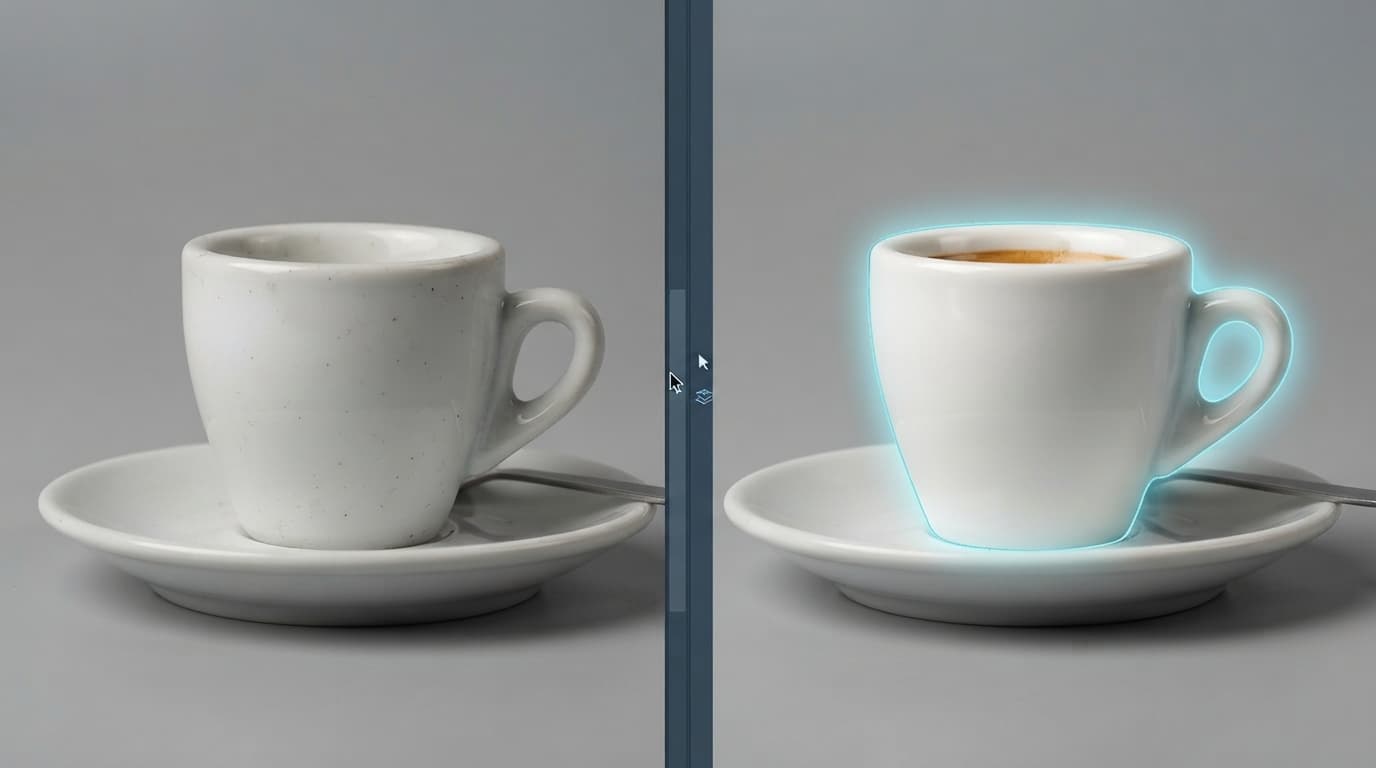
Editing a single region while the rest of the image stays untouched

Fix one region without re-rolling the image

The first generation is rarely the final asset. Point at a label, a sky, a jacket — Grok Imagine 2.0 changes that region and leaves everything you already approved untouched. No more regenerating a whole frame to fix a corner of it.

Read the docs
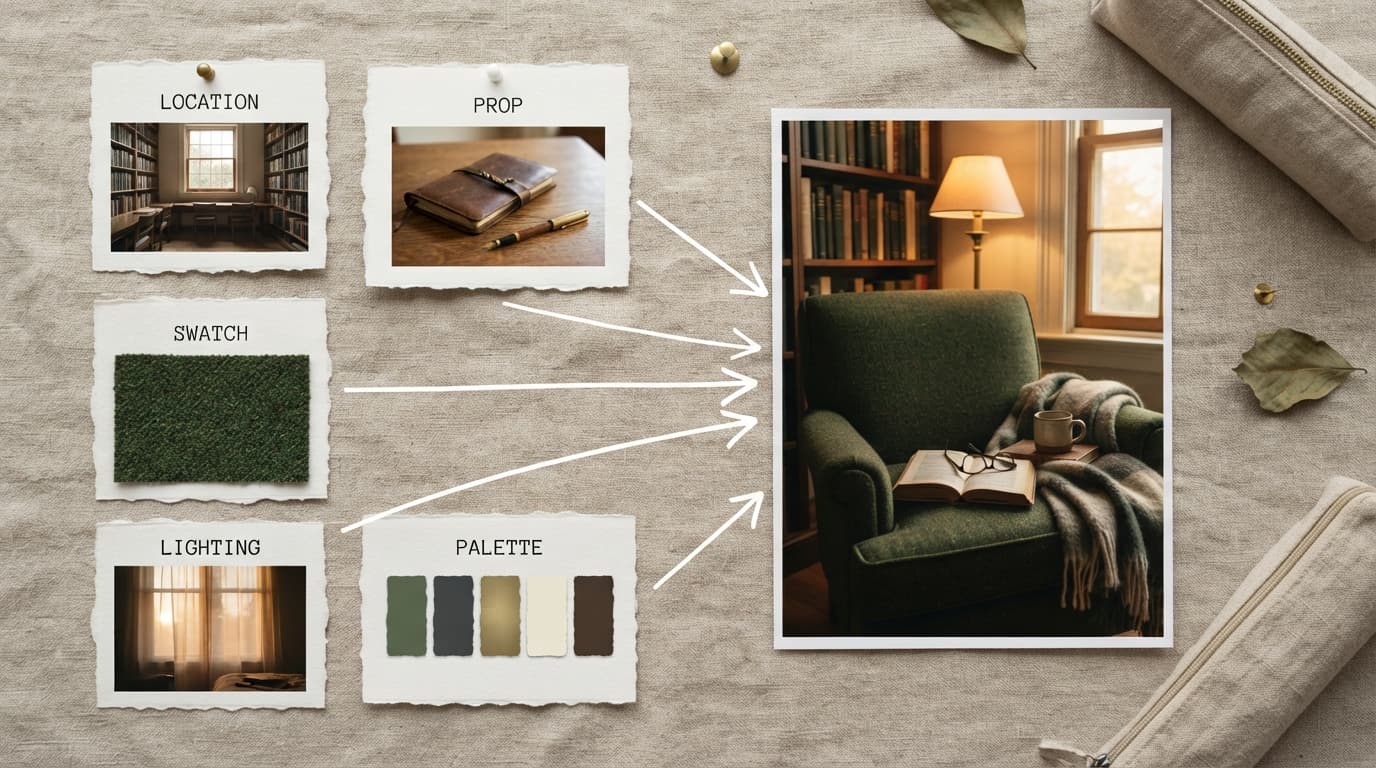
Five reference images combined into a single generated composition

Five references, one generation

Feed a character, a location and a prop into Grok Imagine 2.0 at once and get one composed frame back. Up to five inputs per generation, so the manual layer-stitching pass disappears from your workflow.

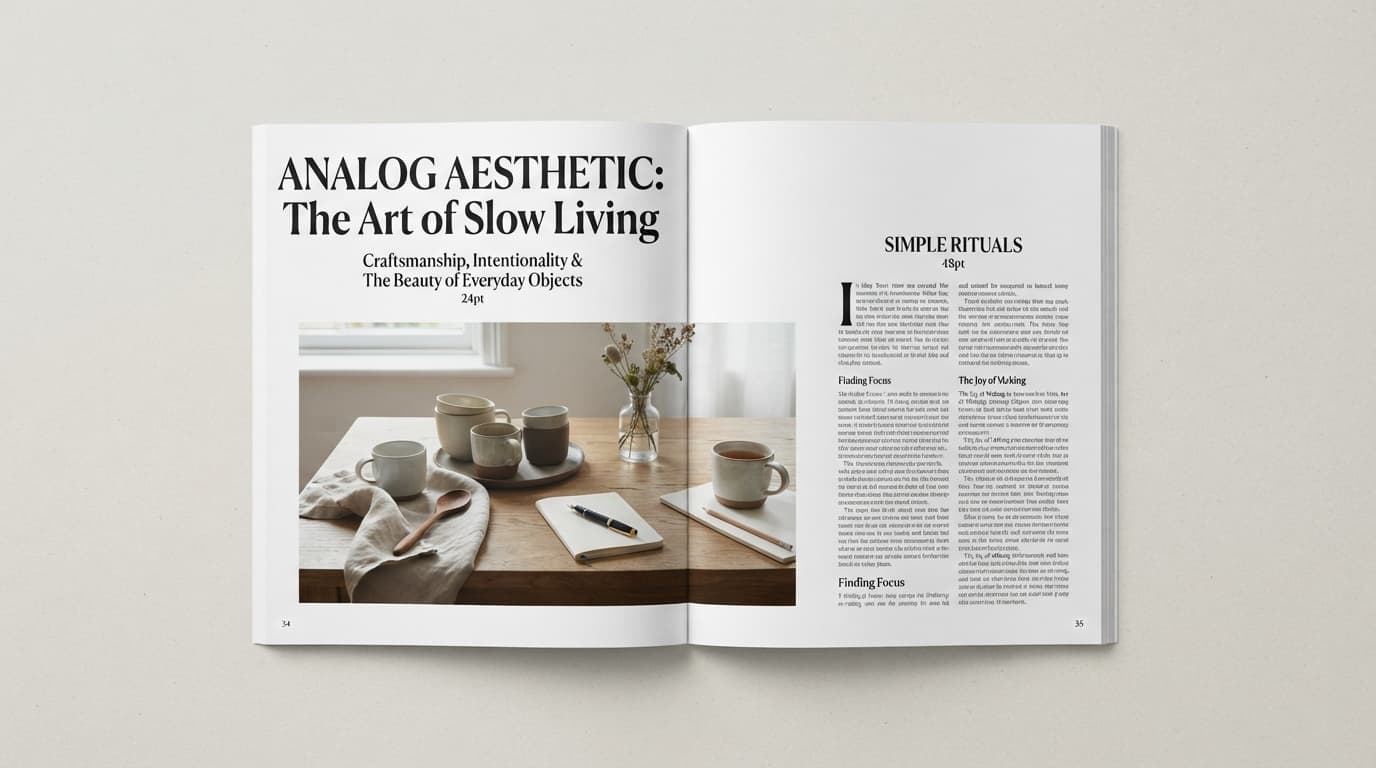
An editorial poster with crisp small typography and planned layout

Design work where the type has to be right

Posters, packaging and UI mockups fail on typography first. Grok Imagine 2.0 plans type and layout deliberately, so dense compositions hold together and small text stays sharp in Grok Imagine 2.0 output instead of melting into texture.

Pricing

Credit-based — 1 credit = $0.001 USD. Pay only for completed generations.

First test cost
$0.01717 credits

One sample at the cheapest tier (1 image).

Testing budget guide
Add credits
$10
≈ 617 tests
$50
≈ 3086 tests
$100
≈ 6172 tests
ModelCategoryPrice
StandardImage
$0.018
18 credits · 1 image
Official1k · low
$0.017
17 credits · 1 image
1k · medium
$0.025
25 credits · 1 image
2k · low
$0.025
25 credits · 1 image
2k · medium
$0.033
33 credits · 1 image

Why reAPI

Editing built in, not bolted on

Magic wand, segmentation and background removal are part of Grok Imagine 2.0 rather than a post-process, so an edit preserves what you approved instead of regenerating it.

Composite in one pass

Grok Imagine 2.0 accepts five reference images per generation, replacing the manual compositing step that used to sit between a generation and a usable asset.

Type that survives review

Small text stays legible and multi-part layouts hold in Grok Imagine 2.0 — the two things that usually send AI imagery back for a redo.

Grok Imagine 2.0 vs gpt-image-2

xAI's own announcement puts gpt-image-2 first on both Arena boards and Grok Imagine 2.0 second — and gpt-image-2 already ships on reAPI. Here is how they line up on the capabilities xAI has published.

Capability
Grok Imagine 2.0
gpt-image-2
Availability on reAPI
Live today — text-to-image, callable through the shared images endpoint
Live today, callable through the shared images endpoint
Arena ranking (vendor-cited, Aug 2026)
Second in the world in text-to-image and in image editing
First on both boards, per the same leaderboards xAI cites
Region-level editing
Magic wand edits only the region you point at; segmentation picks precise areas
Supports edits with an image plus mask input
Reference images per generation
Up to 5 inputs in one pass, no manual compositing
Accepts reference images for edits and variations
Background removal
Built in — exports any subject on transparency
Supports transparent output on supported formats
Aspect ratio control
Nine published ratios from 1:2 to 2:1, filling the frame rather than cropping
A fixed set of square and landscape/portrait sizes

Comparison reflects publicly documented behavior at the time of writing: xAI's Grok Imagine 2.0 announcement (7 August 2026) and OpenAI's published gpt-image-2 capabilities. Grok Imagine 2.0 is not yet callable on reAPI, so its side describes announced capabilities rather than measured behavior. Rankings are the Arena leaderboards cited by xAI as of 7 August 2026.

Start in three steps

  1. step 01

    Create an API key

    Sign up and generate a key in your reAPI console — the same key calls Grok Imagine 2.0. Starter credits are included so you can test first.

    Open
  2. step 02

    Send your first prompt

    Post a prompt, an image count and an aspect ratio to the shared images endpoint — or use the console on this page, which builds the same request body for you.

    Open
  3. step 03

    Ship with one endpoint

    Every image model on reAPI speaks the same async request shape, so the integration you write today is the one that will call Grok Imagine 2.0.

    Open
docs/api/grok-imagine-image-2-0

API reference

Drop-in code and the full parameter table.

curl -X POST https://reapi.ai/api/v1/images/generations \
  -H "Authorization: Bearer YOUR_API_KEY" \
  -H "Content-Type: application/json" \
  -d '{
    "model": "grok-imagine-image-2-0",
    "prompt": "An editorial product poster with crisp small type",
    "n": 1,
    "size": "3:2"
  }'

Parameter validation failed

Rejected synchronously with the failing field named. Check enum values, ranges, and URL fields — nothing is charged.

Authentication or balance issue

401 means a missing or invalid Bearer key; 402 means the reserve exceeds your balance. Manage keys and credits in the console.

Content or material rejected

Reference material and outputs pass automated moderation. Rejected tasks fail with a clear error and a full refund.

Task failed or timed out

A task that reaches a failed state is never charged — the reserve refunds automatically. Keep the task id and retry when ready.

Frequently asked questions

Common questions about this model.

Yes. Text-to-image generation is live: call the model id grok-imagine-image-2-0 on the shared images endpoint, or try it in the console on this page. The editing features xAI demonstrated inside the Grok apps are not exposed through the API yet, so today's surface is prompt in, images out.

start building

Ready to ship?

Try it in the playground or grab an API key to integrate now.