Seedance 2.5 is live — 30-second cinematic video with native audio & real-person referencesfrom $0.071/s

Qwen Image 3.0 — Dense Layouts & Readable Text

Qwen Image 3.0 is Alibaba's third-generation image model, built around one idea: images you can actually use. Feed it prompts up to 4.5k tokens and Qwen Image 3.0 lays out newspapers, storyboards, exam papers and infographic grids in a single pass, with text that stays legible down to 10px.

Highlights
Prompts to ~4.5k tokens · 1K / 2K · text legible to 10px
Best for
Menus, newspapers, storyboards, posters, exam papers
Input
Text, plus 1–3 reference images
Output
Up to 6 images per request
Input

Qwen Image 3.0 accepts up to roughly 4.5k tokens, so long layout briefs — column by column, panel by panel — are worth writing out in full.

0/3 files

Adding references switches Qwen Image 3.0 into image-to-image mode. Public http(s) URLs only — reference images do not add to the bill.

1

Each image Qwen Image 3.0 delivers is billed separately, so a run of six costs six images.

The picker offers the documented ratios. Direct API callers can also send explicit pixels such as 1600x900, with each edge between 512 and 2048.

1K and 2K cost the same on the standard tier. On Pro, 2K costs twice 1K — see the pricing table.

Useful for stripping watermarks, stray text or unwanted objects.

Off by default on Qwen Image 3.0 — the 2.0 series had it on. Turn it on when your prompt is a one-liner rather than a full layout brief.

Requires prompt rewriting to be on. "direct" works for both text-to-image and editing; "agent" rewrites harder and is text-to-image only.

API only

Content-filter policy for this model disables browser generation — call the API with your key to run it.

Result

Try one of these prompts

An image model that takes text seriously

Qwen Image 3.0 is the third generation of Alibaba's foundational image model, released in July 2026. Where the first generation chased precision and the second added variety and beauty, Qwen Image 3.0 is organised around usefulness: rich content from prompts up to 4.5k tokens, authentic detail down to 10px type and photographic skin texture, and enough world knowledge to render 12 languages and real interface layouts. It is an API-only release — no open weights, no published benchmarks — so the way to evaluate Qwen Image 3.0 is to run your own layout prompt through it.

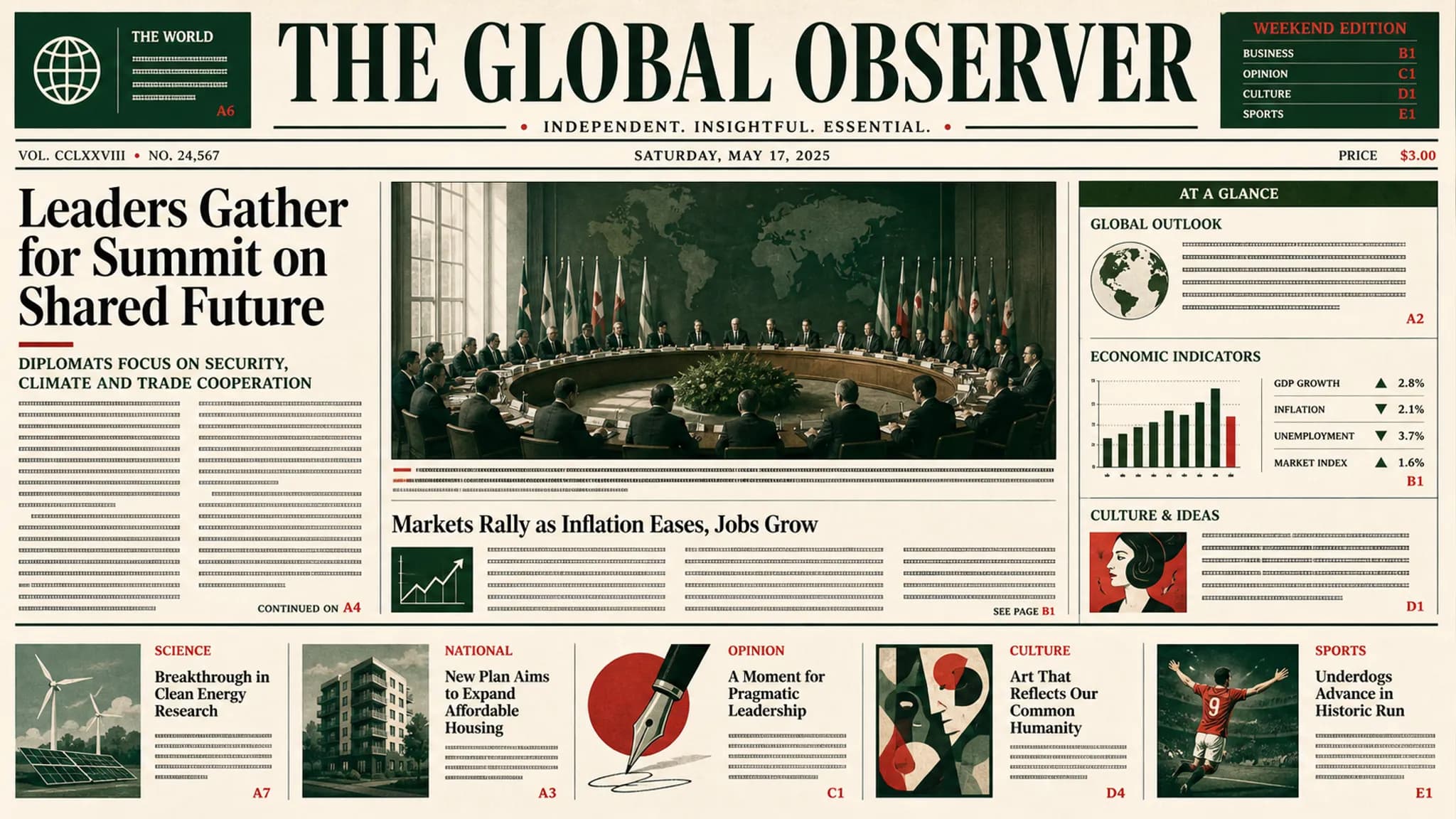
A dense editorial layout with legible small text generated by Qwen Image 3.0

What you can build with this model

Real-world workflows and production use cases you can build and ship with this model.

A dense multi-column editorial page generated by Qwen Image 3.0

Whole page layouts in one pass

Most image models draw a picture and fake the text on top of it. Qwen Image 3.0 composes the page instead: a three-column newspaper front, a storyboard sheet, an exam paper, a 3x3 infographic grid, even picture-in-picture-in-picture interface mockups. Because Qwen Image 3.0 reads prompts up to 4.5k tokens, you can specify each column, panel and caption in the same request rather than stitching several generations together afterwards.

Try a layout prompt

Small legible type and fine surface detail rendered by Qwen Image 3.0

Text that survives the render

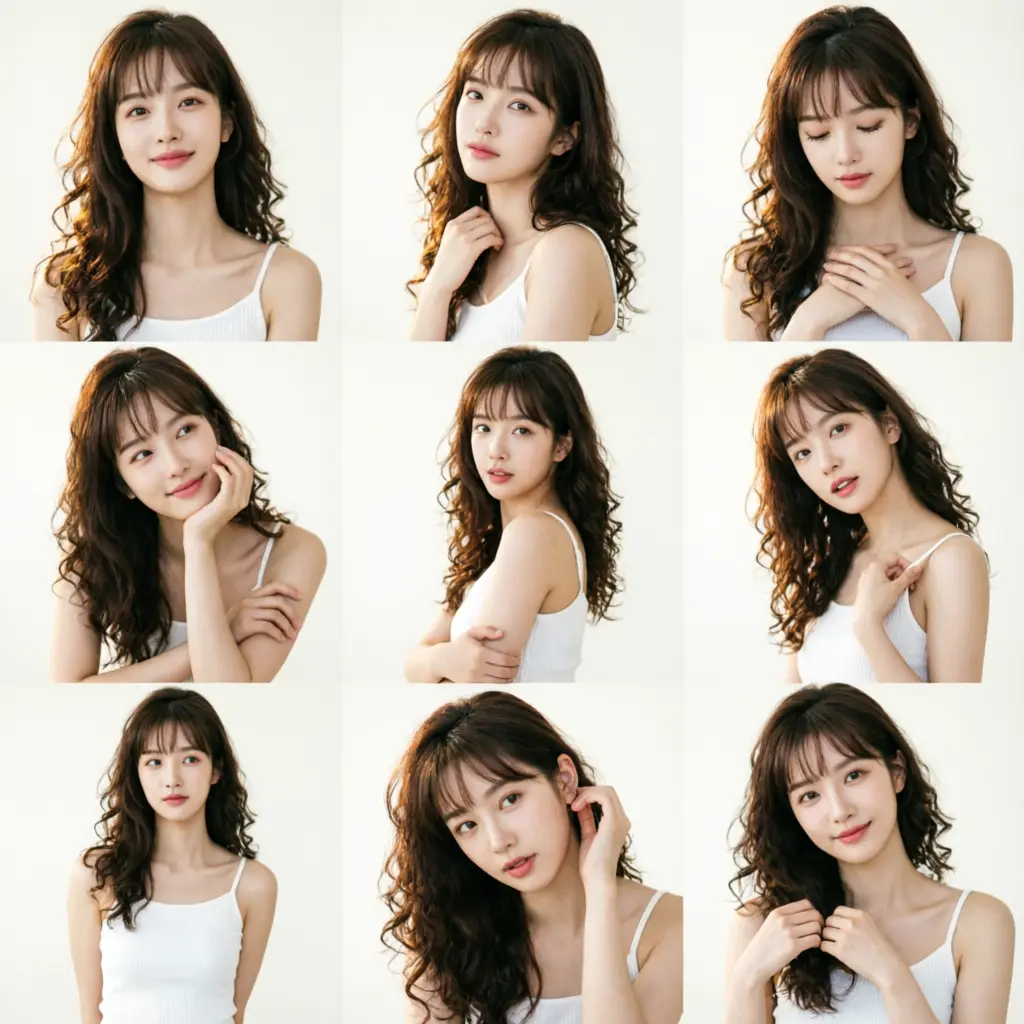
The headline claim for Qwen Image 3.0 is legibility: text stays readable down to 10px, and full LaTeX paper pages render as pages rather than as texture. The same detail budget goes into physical surfaces — pores, hair strands and near-photographic skin. For product shots, packaging mockups and anything with a price list or a label, that is the difference between an image you ship and an image you redraw by hand.

Multilingual text and interface mockups produced by Qwen Image 3.0

Twelve languages and real interfaces

Qwen Image 3.0 renders 12 languages natively instead of treating non-Latin script as decoration, and covers more than 100 art styles. It also draws believable interfaces — web pages, game HUDs, livestream overlays — which is what makes Qwen Image 3.0 useful for localisation work and UI concepting, not just illustration. Send a reference image or three and it edits in the same vocabulary.

Pricing

Credit-based — 1 credit = $0.001 USD. Pay only for completed generations.

First test cost
$0.02424 credits

One sample at the cheapest tier (1 image).

Testing budget guide
Add credits
$10
≈ 434 tests
$50
≈ 2170 tests
$100
≈ 4340 tests
ModelCategoryPrice
Standard — any resolutionPer image
$0.024
24 credits · 1 image
Pro — 1KPer image
$0.032
32 credits · 1 image
Pro — 2KPer image
$0.064
64 credits · 1 image

Why reAPI

Built for legibility

Alibaba's framing for Qwen Image 3.0 is a single word — Real. In practice that means the text in the image is meant to be read, not implied: down to 10px, across 12 languages, in full LaTeX pages. If your output has to carry words, Qwen Image 3.0 is a different class of tool from a model that renders convincing gibberish.

Long prompts are the point

A 4.5k-token prompt budget means the layout brief and the image request are the same document. You describe the masthead, the columns, the caption and the sidebar, and Qwen Image 3.0 composes all of it at once — no manual assembly pass, no second model to place the type.

One endpoint, two tiers

Text-to-image and image-to-image editing share one request shape on Qwen Image 3.0: add reference images and it edits, leave them out and it generates. Standard and Pro sit behind the same parameters, so moving between them is a model id change and nothing else.

Qwen Image 3.0 vs Ideogram 3.0

Both Qwen Image 3.0 and Ideogram 3.0 are known for putting readable words inside pictures, which makes them the natural comparison for anyone generating posters, menus or editorial pages. They diverge on how much brief you can hand over in one request, how editing works, and how much the vendor has published about the model itself.

Capability
Qwen Image 3.0 on reAPI
Ideogram 3.0
Prompt budget
Up to roughly 4.5k tokens, enough to specify a full multi-column page — masthead, columns, captions and sidebar — in a single request.
A shorter prompt budget aimed at describing a scene rather than composing a whole page layout.
Whole-page composition
Newspapers, storyboards, exam papers and 3x3 infographic grids are generated in one pass by Qwen Image 3.0, no assembly step.
Strong single-subject and poster-style output; multi-panel pages generally need to be assembled across generations.
Small-text legibility
Type stays readable down to 10px, including complete LaTeX pages — the capability Qwen Image 3.0 was built around.
Reliable headline and short-phrase typography, its long-standing strength.
Editing references
One to three reference image URLs switch Qwen Image 3.0 to editing on the same endpoint, and reference images are not billed.
Editing and remix flows exist as their own modes with their own constraints.
Multilingual rendering
Twelve languages rendered natively, plus more than 100 art styles, which makes Qwen Image 3.0 practical for localised assets.
Latin-script typography is the focus; other scripts are less consistently supported.
Published evidence
None — Qwen Image 3.0 shipped with no benchmarks, no technical report and no open weights, so claims have to be verified by running it.
Ideogram has historically published comparative evaluations for its releases, giving buyers external numbers to weigh.

Comparison reflects publicly documented behaviour at the time of writing and describes capabilities, not measured head-to-head scores — no benchmark numbers exist for Qwen Image 3.0. Verify against your own prompts before committing to either model.

Call Qwen Image 3.0 in three steps

  1. step 01

    Get an API key

    Create a key from your reAPI dashboard. New accounts start with signup credits, which is enough to see what Qwen Image 3.0 does with a real layout prompt before you top up.

    Open
  2. step 02

    Shape the request

    Use the playground on this page to settle the aspect ratio, resolution tier and prompt, then copy the request body. The form mirrors the Qwen Image 3.0 request body one to one.

    Open
  3. step 03

    POST and poll

    Send the body to the images endpoint with your key, take the task id from the response, and poll until Qwen Image 3.0 returns the image URLs. Failed generations are refunded automatically.

    Open
docs/api/qwen-image-3

API reference

Drop-in code and the full parameter table.

curl -X POST https://reapi.ai/api/v1/images/generations \
  -H "Authorization: Bearer YOUR_API_KEY" \
  -H "Content-Type: application/json" \
  -d '{
    "model": "qwen-image-3.0-pro",
    "prompt": "A cafe menu board with three columns and hand-lettered headings",
    "size": "3:4",
    "resolution": "2K"
  }'

Parameter validation failed

Rejected synchronously with the failing field named. Check enum values, ranges, and URL fields — nothing is charged.

Authentication or balance issue

401 means a missing or invalid Bearer key; 402 means the reserve exceeds your balance. Manage keys and credits in the console.

Content or material rejected

Reference material and outputs pass automated moderation. Rejected tasks fail with a clear error and a full refund.

Task failed or timed out

A task that reaches a failed state is never charged — the reserve refunds automatically. Keep the task id and retry when ready.

Frequently asked questions

Common questions about this model.

Qwen Image 3.0 is paid, billed per delivered image with no subscription attached. Every reAPI account starts with signup credits so you can run a few generations before paying anything, but that grant is a trial rather than a free tier — it is worth a handful of images, not production volume. Current per-image rates for both tiers are in the pricing table on this page.

start building

Ready to ship?

Try it in the playground or grab an API key to integrate now.