GPT Image 2.5 is live — OpenAI's newest image model, targeted edits that leave the rest of the frame alone

FLUX 3 Image — Create, Edit, and Direct the Details

Generate original visuals or edit with up to ten references. FLUX 3 Image brings layout guidance, optional search grounding, and resolutions up to 4K into one workflow.

Highlights
Up to 10 references · 768SQ to 4K · guided editing
Best for
Product visuals, controlled edits, illustrated layouts
Input
Text and optional reference images
Output
One generated image per request
Input

Bounding-box JSON belongs inside the prompt, after the scene description.

0/10 files

Public HTTP(S) URLs only. The first reference is ref_image_0.

1K is the default. Start at 768SQ for an inexpensive composition check.

Auto follows the first reference, or the prompt when no reference is supplied.

On by default. Turn off to disable search grounding.

Estimated cost~$0.04747 credits
Result

Try one of these prompts

Pricing

Credit-based — 1 credit = $0.001 USD. Pay only for completed generations.

First test cost
$0.0440 credits

One sample at the cheapest tier (1 image).

Testing budget guide
Add credits
$10
≈ 254 tests
$50
≈ 1270 tests
$100
≈ 2540 tests
768SQ
$0.040
Price · 1 image
1K
$0.047
Price · 1 image
1.5K
$0.068
Price · 1 image
2K
$0.096
Price · 1 image
4K
$0.583
Price · 1 image

What is FLUX 3 Image?

FLUX 3 Image is Black Forest Labs’ image generation and editing model. Start with a written brief, add references when visual identity matters, and describe where important elements belong. FLUX 3 Image accepts up to ten reference images and produces one image at a selected resolution from 768SQ through 4K. Its bounding-box prompt format can guide objects and edits toward a region, while optional grounding adds search context. On reAPI, FLUX 3 Image uses the images endpoint. Poll its task ID to retrieve the completed FLUX 3 Image output. This page covers still images; the separate FLUX 3 video page covers motion and audio.

What you can build with this model

Real-world workflows and production use cases you can build and ship with this model.

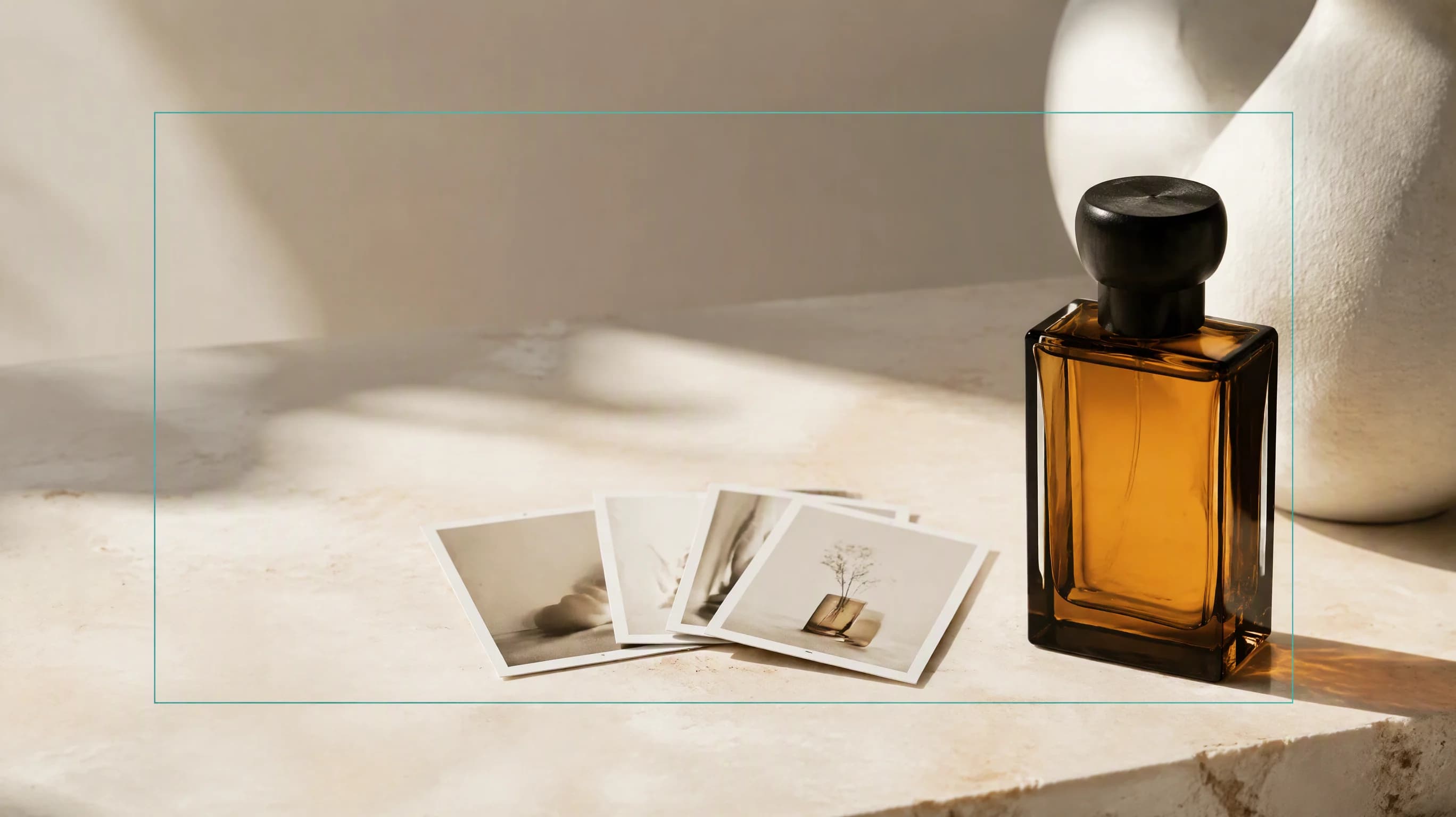
FLUX 3 Image editorial concept: amber glass product and reference cards on an ivory surface

Edit with references in FLUX 3 Image

Build a new product scene from an existing packshot, or carry a character into another illustration. Tell FLUX 3 Image which reference supplies the subject and which supplies the setting. Keep the image order stable, especially when the prompt refers to ref_image_0 or ref_image_1. Tell FLUX 3 Image which details to preserve alongside the requested change. FLUX 3 Image can guide an edit, but inspect faces, labels, and untouched areas before using the result.

Read the FLUX 3 Image editing guide
FLUX 3 Image layout concept with amber objects and a restrained grid on an ivory poster

Direct a FLUX 3 Image layout

Give a campaign visual room for a headline, position an object beside an illustration, or arrange a simple teaching diagram. FLUX 3 Image accepts named elements and normalized bounding boxes written into the prompt. Coordinates run from zero to one thousand in top, left, bottom, right order. FLUX 3 Image uses these boxes as placement guidance, not hard masks. Use FLUX 3 Image for the visual composition, then check alignment and any generated lettering at the size your audience will see.

FLUX 3 Image detail concept showing a sculptural glass object and a magnified material study

Prepare detailed FLUX 3 Image artwork

Explore a composition at a smaller resolution before choosing a larger final output. FLUX 3 Image offers five resolution tiers, with fifteen fixed frame shapes plus auto for square posts, portrait artwork, and wide banners. Choose FLUX 3 Image at 2K or 4K when delivery needs more detail, allowing additional processing time. A new FLUX 3 Image request is a fresh generation, so increasing resolution does not guarantee an identical arrangement. Review fine textures, edges, and text before export.

Why reAPI for FLUX 3 Image

FLUX 3 Image keeps references together

A single request can carry ten ordered references. Give each one a clear role so FLUX 3 Image has useful context rather than contradictory examples. FLUX 3 Image includes references in its resolution-based rate.

FLUX 3 Image gives placement a vocabulary

Direct FLUX 3 Image with ordinary instructions and named boxes when location matters. FLUX 3 Image supports a simpler layout format for generation and source-to-target boxes for editing; neither requires a separate mask upload.

FLUX 3 Image makes resolution explicit

Choose your FLUX 3 Image tier and review the playground estimate before submitting. FLUX 3 Image charges per completed image at that tier. Failed tasks are refunded, and polling an existing task does not create another generation.

FLUX 3 Image vs FLUX.2 Pro

Compare the image controls exposed on reAPI. FLUX 3 Image adds a documented prompt format for guided regions and a search-grounding switch; FLUX.2 Pro remains a separate model with its own parameter and billing rules.

Control
FLUX 3 Image
FLUX.2 Pro
Reference inputs
Up to ten ordered reference images.
Up to eight reference images on the standard channel.
Resolution selection
768SQ, 1K, 1.5K, 2K, and 4K tiers.
1MP through 4MP tiers; optional explicit dimensions.
Search grounding
Boolean switch, enabled by default.
No grounding field on this endpoint.
Reference billing
Included in the resolution-based image rate.
Output resolution plus a reference-image surcharge.

Comparison describes the current reAPI request surfaces, checked October 9, 2026. It is not a quality ranking. Promotional illustrations on this page explain workflows and are not benchmark outputs.

Start with FLUX 3 Image in three steps

  1. step 01

    Create your reAPI key

    Sign in and create a key under Settings → API Keys. Use the same account balance for FLUX 3 Image and other reAPI models. Keep your FLUX 3 Image requests and key on your server.

    Open
  2. step 02

    Describe the FLUX 3 Image result

    Give FLUX 3 Image a concrete prompt, optional references, and a resolution. Review the estimate before generating. Leave grounding on when search context would help, or explicitly disable it.

    Open
  3. step 03

    Generate, poll, and inspect

    Submit a FLUX 3 Image request with model flux-3-image to the images endpoint. Poll the returned task ID until completed or failed. Open the completed FLUX 3 Image result and verify important details before sharing it.

    Open
docs/api/flux-3-image

API reference

Drop-in code and the full parameter table.

curl https://reapi.ai/api/v1/images/generations \
  -H "Authorization: Bearer YOUR_API_KEY" \
  -H "Content-Type: application/json" \
  -d '{"model":"flux-3-image","prompt":"A studio photograph of a small amber glass vase on an ivory ceramic pedestal, soft daylight, no text.","resolution":"768sq","aspect_ratio":"1:1","grounding":false}'

Parameter validation failed

Rejected synchronously with the failing field named. Check enum values, ranges, and URL fields — nothing is charged.

Authentication or balance issue

401 means a missing or invalid Bearer key; 402 means the reserve exceeds your balance. Manage keys and credits in the console.

Content or material rejected

Reference material and outputs pass automated moderation. Rejected tasks fail with a clear error and a full refund.

Task failed or timed out

A task that reaches a failed state is never charged — the reserve refunds automatically. Keep the task id and retry when ready.

Frequently asked questions

Common questions about this model.

It creates and edits still images from text and optional references. Each request returns one image. Video generation and audio belong to the separate FLUX 3 video endpoint.

start building

Ready to ship?

Try it in the playground or grab an API key to integrate now.