· reAPI Team
GPT-6 Astra Usage Limits: Quotas, 5-Hour Windows, and How to Avoid Lockouts
Understand GPT-6 Astra usage limits across ChatGPT Chat, Work, Codex, and API, why 5-hour quotas burn fast, and how to route to GPT-6.1 Sol or pay-as-you-go API.
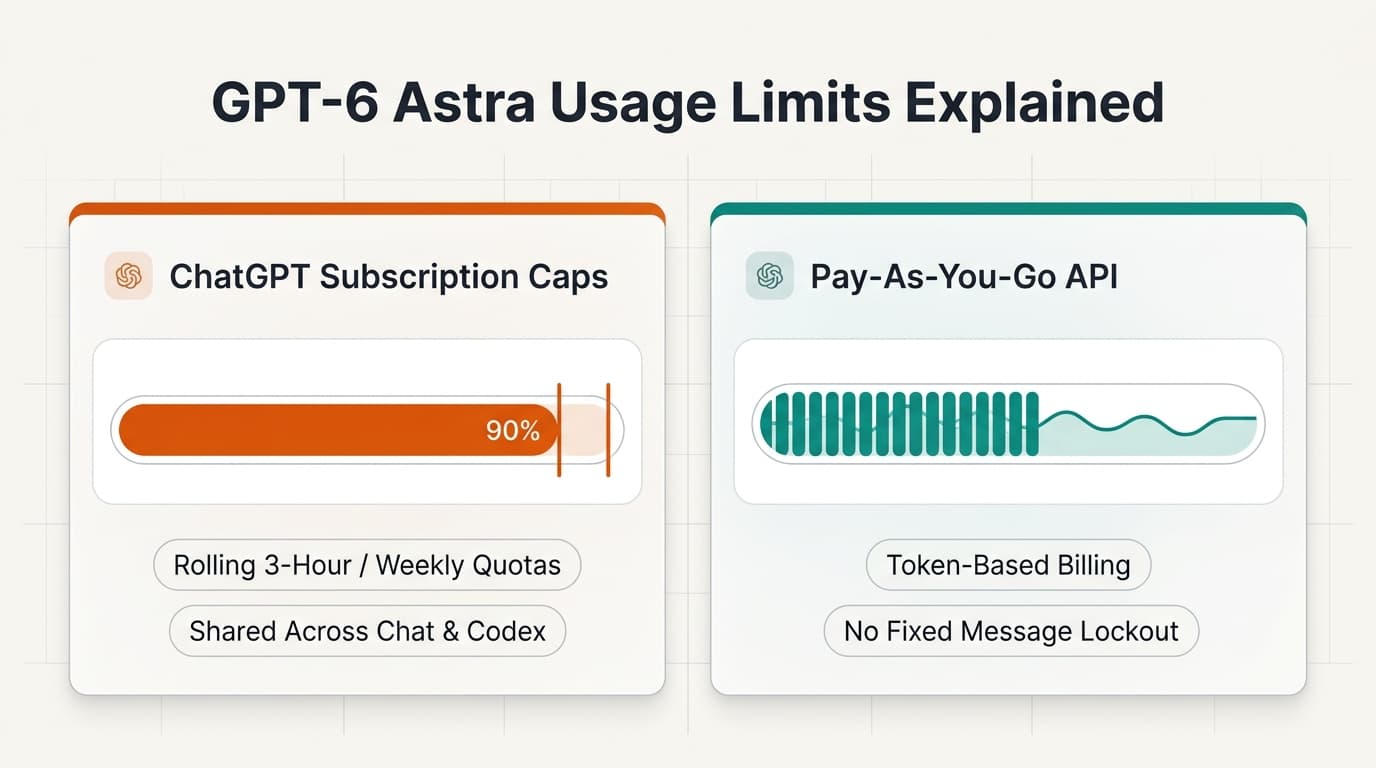
You kick off a single "quick repository review" with GPT-6 Astra, step away to grab coffee, and come back to a lockout banner telling you your 5-hour allowance is gone—even though you only typed two prompts. That experience has been the single biggest complaint on Reddit and the openai/codex issue tracker since Astra launched, because GPT-6 Astra usage limits do not measure how many sentences you type; they meter total compute consumed across rolling 5-hour and weekly pools.[1][2]
Two short messages that trigger twenty tool calls, replay a 180K-token thread, and run at high or xhigh reasoning effort can easily drain an entire Plus 5-hour bucket in twenty minutes. The fix is not guessing a magic message count—it is separating OpenAI's four distinct quota systems, triaging routine work onto GPT-6.1 Sol, and overflowing burst workloads onto a pay-as-you-go API when a subscription lockout would otherwise stall your workday.
Four Separate Accounting Systems People Constantly Confuse
Most "why did my GPT-6 Astra limit vanish?" confusion happens because OpenAI splits Astra across four independent quota and billing layers that do not transfer into each other:[3][4]
- Regular ChatGPT Chat (
GPT-6 Pro): Powered by GPT-6 Astra, available only on Pro ($100 / $200), Business, and Enterprise—not ChatGPT Plus. Metered by weekly or monthly message caps. - ChatGPT Work + Codex (Shared Pool): Available on Plus, Pro, Business, and Enterprise. Both tools draw from the same shared 5-hour rolling window and weekly allowance—switching from Codex to Work after hitting a cap does not unlock a fresh pool.[4]
- Paid Extra Credits (Work / Codex): Optional top-up credits on eligible ChatGPT plans that kick in after your included allowance hits zero.
- Developer API (
gpt-6-astra): Completely separate from any ChatGPT subscription. Governed by per-minute throughput limits (RPM/TPM) and billed strictly per token—no 5-hour message lockout.
GPT-6 Astra Usage Limits by Plan (Snapshot)
OpenAI updates subscription quotas frequently, so treat the table below as a documented late-2026 baseline and always verify your live usage meter inside your account dashboard.[3][5][6]
| Plan / Surface | ChatGPT Chat (GPT-6 Pro) | Shared Work & Codex (5-Hour Rolling Estimate) | Notes & Lockout Behavior |
|---|---|---|---|
| Free / Go | Not included | Not included | No Astra entitlement |
| ChatGPT Plus ($20/mo) | Not included | ~5 to 45 messages / 5h | Shared Work + Codex pool; heavy agent runs can exhaust in under 30 min |
| Business Standard | ~15 messages / month | ~5 to 45 messages / 5h | Workspace role permissions can also gate visibility |
| ChatGPT Pro ($100/mo) | ~50 messages / week (shared w/ 5.6 Sol Pro) | ~25 to 225 messages / 5h (5x Plus) | Separate Chat vs Work/Codex buckets |
| Business Premium | ~50 messages / week | No fixed 5-hour ceiling | Still subject to workspace/weekly fair-use controls |
| ChatGPT Pro ($200/mo) | ~200 messages / week | ~100 to 900 messages / 5h (20x Plus) | Heavy high/xhigh coding sessions can still hit weekly caps |
| OpenAI Direct API | N/A | No message cap (RPM/TPM tier limits) | $10 / $50 per MTok (≤272K input); $20 / $75 (>272K)[7] |
reAPI Gateway (gpt-6-astra) | N/A | No message cap (pay-as-you-go balance) | $8 / $40 per MTok (≤272K input); $16 / $60 (>272K)[7] |
For exact eligibility and troubleshooting when gpt-6-astra is missing from your menu or Codex CLI, see our Who Gets GPT-6 Astra access checklist.
Why a Single Task Can Vaporize Your 5-Hour Allowance
Look at the wide ranges in the table above: 5 to 45 messages on Plus, 100 to 900 on Pro $200. That 9x spread inside the exact same plan exists because five hidden compute multipliers determine how fast each turn drains your quota:
- Multi-step tool and subagent fan-out: One user prompt in Codex ("find why checkout totals mismatch and fix all tests") can silently execute 15–30 internal model turns as the agent reads files, runs tests, spawns subagents, and retries failed patches. You sent one message; the backend billed twenty turns.
- Thread length and context replay: Every turn in an uncompacted 120-message thread replays the accumulated conversation and file diffs. Resuming an old session right before a 5-hour window overlap is why users on GitHub issue #51951 saw their remaining quota collapse within 20–30 minutes of resumed work.[2]
- Reasoning effort (
high,xhigh,max): Reasoning tokens count heavily toward compute consumption on subscriptions and are billed at full output rates on the API ($50/MTok direct, $40/MTok on reAPI). Leavingreasoning_effortpinned tohighorxhighfor simple boilerplate burns quota 3x–5x faster thanlowormedium. - Fast mode: Fast mode doubles token rates on the API ($20/$100 direct) and accelerates allowance burn inside ChatGPT Work and Codex.[3][7]
- The 272K input wall (API): On API calls, crossing 272,000 input tokens doubles input/cache rates and multiplies output rates by 1.5x for the entire request—not just the tokens past 272K.[7][8]
3-Step Playbook to Stop Hitting GPT-6 Astra Lockouts
Instead of upgrading immediately to a $200/month plan only to hit the weekly cap on Wednesday, adopt a three-lever operating discipline:
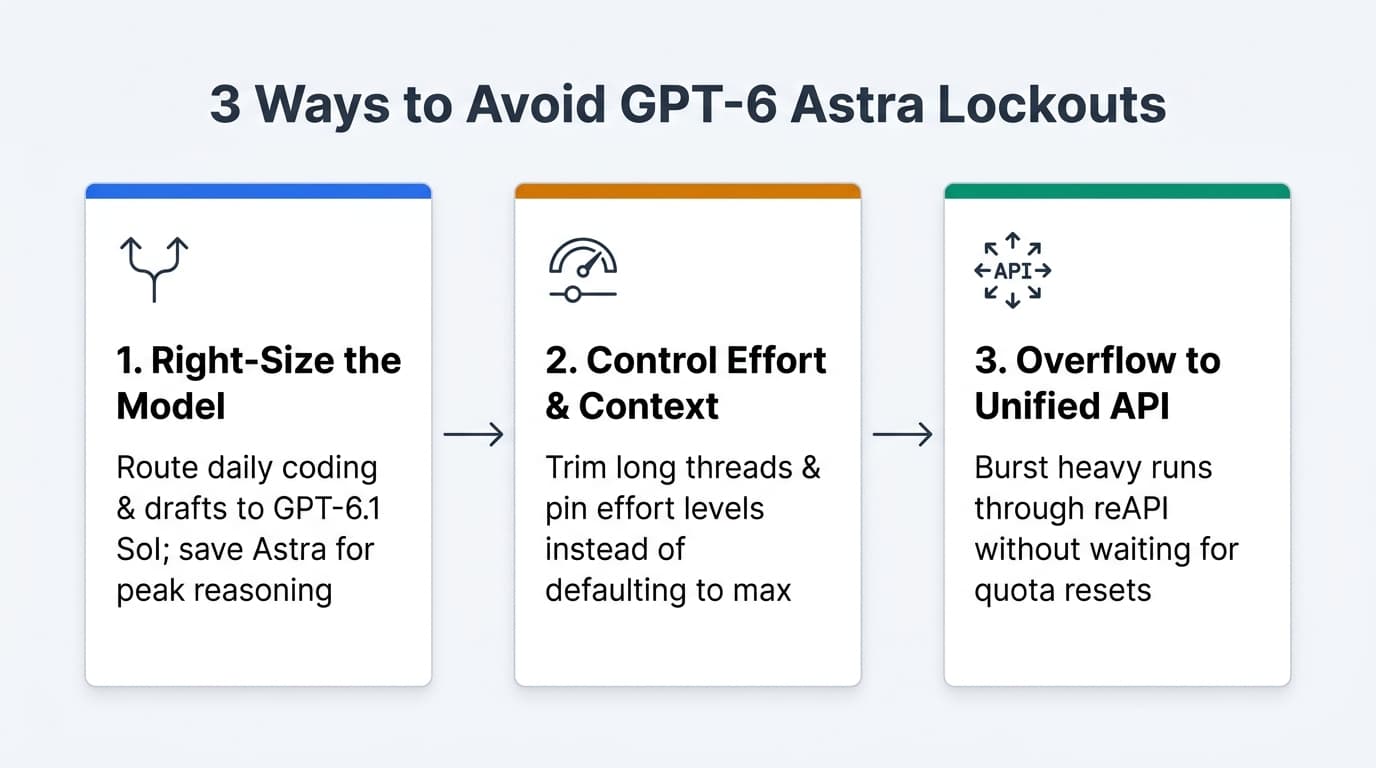
Step 1: Move 80% of Daily Work to GPT-6.1 Sol
OpenAI released GPT-6.1 Sol specifically to close the gap to Astra at one-fifth the API price ($2/$10 vs $10/$50 direct) while burning far less of your Codex/Work allowance.[9] On Artificial Analysis v4.3.2, GPT-6.1 Sol at max effort lands within a single point of GPT-6 Astra on overall intelligence.
- Use GPT-6.1 Sol for routine feature implementation, test writing, PR reviews, log parsing, and documentation.
- Reserve GPT-6 Astra strictly for tasks where GPT-6.1 Sol stalled: ambiguous cross-service root-cause debugging, security boundary audits, or complex architectural trade-offs. (See our full GPT-6.1 Sol vs GPT-6 Sol guide for effort and migration benchmarks.)
Step 2: Enforce Bounded Briefs and an Orchestrator Config
Two community-tested patterns dramatically cut wasted turns inside Codex and ChatGPT Work:
- Use a Contract Prompt so Astra never burns turns asking clarifying questions or wandering out of scope:[8]
Goal: Identify why discount rounding diverges between checkout.ts and invoice.ts. Scope: Read-only inspection of src/billing/checkout.ts and src/billing/invoice.ts only. Constraints: Do not browse, do not edit files, do not propose unrelated refactors. Done means: Output a root-cause table + minimal patch diff under 400 words. Do not ask clarifying questions; state assumptions at the top and complete the work. - In Codex, keep
gpt-6-astraas the planner/reviewer and delegate execution to lighter worker agents (a pattern popularized in community.codex/config.tomlsetups):[10]model = "gpt-6-astra" model_reasoning_effort = "medium" developer_instructions = """ Focus on planning, architecture, and milestone reviews. Delegate routine edits, test runs, build polling, and log inspection to scoped worker agents. Keep responses concise and stop as soon as acceptance criteria pass. """
Step 3: Overflow Burst Runs to Pay-As-You-Go API
When a deadline hits and your ChatGPT 5-hour or weekly window locks out, you do not need to wait five hours—or commit to a $200/month recurring seat for one busy sprint. Route overflow analysis and scriptable batch jobs directly to gpt-6-astra via API.
On reAPI, gpt-6-astra is listed at $8 input / $40 output per 1M tokens (for prompts ≤272K) through standard Chat Completions (https://api.reapi.ai/v1/chat/completions), with no monthly minimum and no 5-hour lockout.[7]
| Overflow Scenario (≤272K context, reAPI rates) | Input Tokens | Output Tokens (incl. reasoning) | Total Cost |
|---|---|---|---|
| Single deep code review / architectural audit | 40,000 | 4,000 | $0.48 |
| 10 high-stakes debugging runs during a crunch day | 400,000 | 40,000 | $4.80 |
| 50 targeted Astra escalations per month | 2,000,000 | 200,000 | $24.00 |
Illustrative arithmetic from reAPI's published ≤272K rates ($8/$40 per MTok); verify live rates on the GPT-6 Astra model page and see our GPT-6 Astra pricing guide for cache-read and >272K long-context calculations. Note: OpenAI's native Codex CLI requires wire_api = "responses", so use reAPI's Chat Completions route for your own scripts, CI checks, and application backends rather than as a Codex CLI login replacement.[3]
Frequently Asked Questions
What is the GPT-6 Astra usage limit on ChatGPT Plus?
ChatGPT Plus does not include GPT-6 Pro (Astra) in regular ChatGPT Chat. Plus receives limited GPT-6 Astra access inside ChatGPT Work and Codex, estimated at roughly 5 to 45 messages per 5-hour rolling window depending on prompt length, reasoning effort, and tool activity.[3][5]
Do ChatGPT Work and Codex share the same GPT-6 Astra limit?
Yes. Work and Codex draw from the same shared allowance pool. Exhausting your 5-hour or weekly quota in Codex also blocks Astra in Work until the rolling window resets or you use eligible extra credits. Regular ChatGPT Chat (GPT-6 Pro on Pro/Business/Enterprise) uses a separate weekly/monthly cap.[4]
Why did I hit the GPT-6 Astra limit after just one task?
Because quotas meter compute work, not prompt count. A single prompt in Codex or Work that replays a long thread, enables high/xhigh reasoning, turns on Fast mode, and runs 15+ background tool calls can consume the equivalent of dozens of simple prompts in one go.
What is the difference between ChatGPT Astra usage limits and API rate limits?
ChatGPT usage limits cap total rolling 5-hour/weekly compute included in your flat subscription. API rate limits (RPM/TPM) only cap instantaneous requests and tokens per minute—there is no 5-hour lockout, and you pay strictly per token used.
What should I do right after hitting a GPT-6 Astra lockout?
First, switch routine follow-up tasks to GPT-6.1 Sol (which uses a separate, far lighter footprint). Second, compact or start a fresh thread before resuming so you stop paying for 150K tokens of stale context replay. Third, for urgent scriptable or backend analysis that cannot wait for the 5-hour reset, run the specific prompt via pay-as-you-go API on GPT-6 Astra.
Need predictable pay-as-you-go access without 5-hour lockouts? Check live rates on the GPT-6 Astra and GPT-6.1 Sol model pages, or create a unified key in API Keys.
References
- Atlas Cloud. GPT-6 Astra Usage Limit: Why Your 5-Hour Window Disappears So Fast & 3-Step Triage SOP. Checked November 23, 2026. atlascloud.ai/blog/tips/gpt-6-astra-usage-limit
- GitHub (
openai/codexIssue #51951). [Usage limits] GPT-6 Astra Low/Standard: 5h allowance exhausted after ~20–30 min of resumed use. Checked November 23, 2026. github.com/openai/codex/issues/51951 - reAPI. Who Gets GPT-6 Astra? ChatGPT, Work, Codex, and API Access. reapi.ai/blog/who-gets-gpt-6-astra
- Elseland AI. Why Does GPT-6 Astra Use Up Your Allowance So Quickly? Checked November 23, 2026. elseland.ai/blog/gpt-6-astra-usage-limits
- Lealyn Pasco (Medium). ChatGPT's Plans Are More Confusing Than They Should Be: Here's What GPT-6 Astra Actually Costs You. Checked November 23, 2026. medium.com/write-a-catalyst/chatgpts-plans-are-more-confusing...
- Facebook Community Summary. ChatGPT 6 Usage Limits Explained (GPT-6 Pro weekly caps by plan). Checked November 23, 2026. facebook.com/fb-answers/chatgpt-6-usage-limits
- reAPI. GPT-6 Astra Pricing: Standard, Long-Context (>272K), and reAPI Rates. reapi.ai/blog/gpt-6-astra-pricing
- Roan Brasil Monteiro (Medium). GPT-6 Astra: What Actually Changed, and How to Stop Wasting Money on It. Checked November 23, 2026. medium.com/@roanmonteiro/gpt-6-astra-what-actually-changed...
- OpenAI Deployment Safety Hub. Addendum to GPT-6 Astra System Card: GPT-6.1 Sol. deploymentsafety.openai.com/gpt-6-1-sol
- GitHub Gist (
TheLazyIndianTechie). GPT-6 Astra and Codex Usage Limit Tuning (.codex/config.toml). Checked November 23, 2026. gist.github.com/TheLazyIndianTechie/d8052597c332d2faf4b80a7e3049d1b0