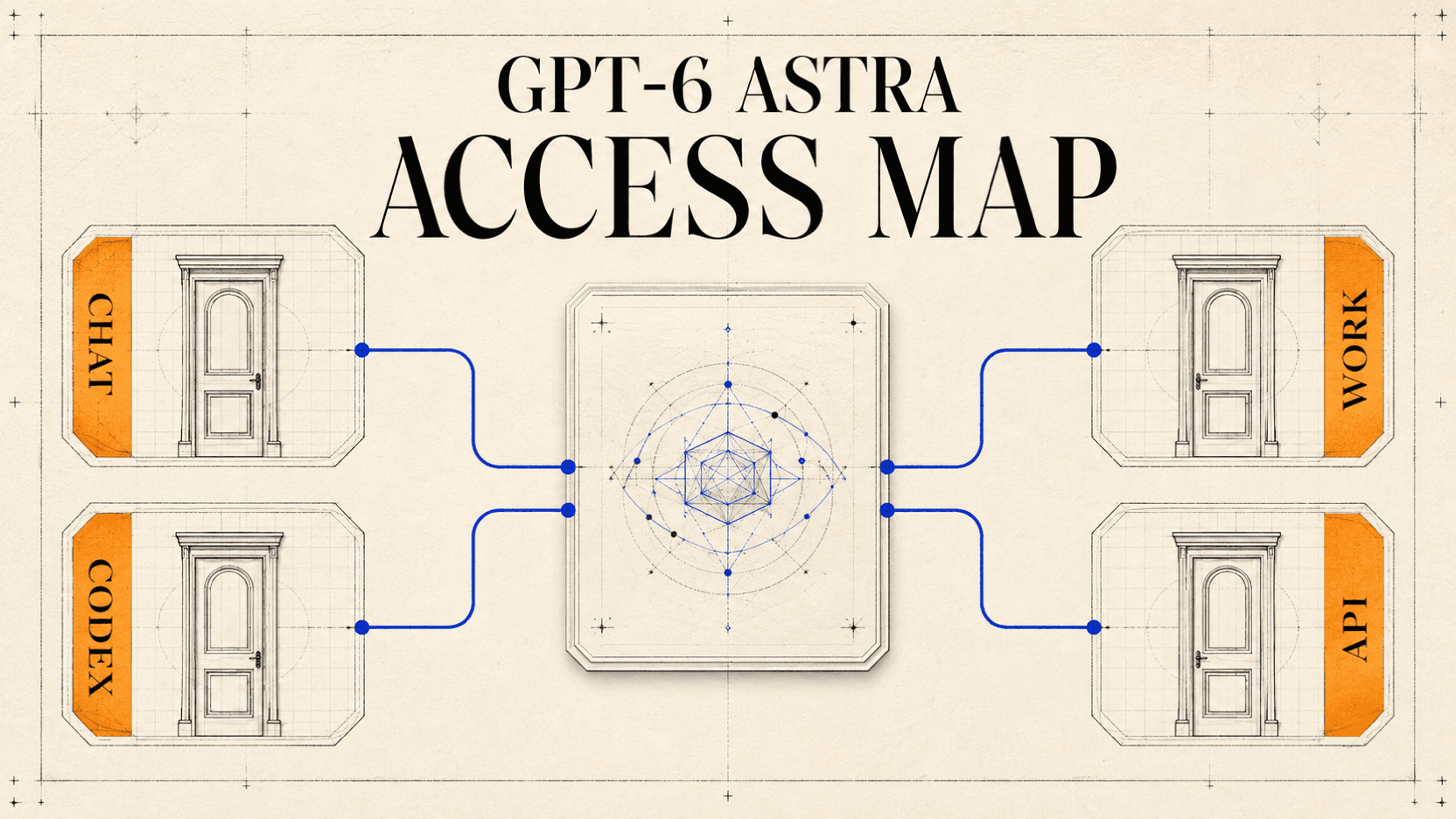
Who Gets GPT-6 Astra? ChatGPT, Work, Codex, and API Access
See who can access GPT-6 Astra in ChatGPT, Work, Codex, and the API as of September 7, 2026, plus a checklist for missing access.
As of September 7, 2026, GPT-6 Astra has been released, but access depends
on where you want to use it. In regular ChatGPT Chat, Astra powers the
GPT-6 Pro option rolling out to Pro $100, Pro $200, Business, and Enterprise
plans; it is not included in Chat for Plus. Plus can receive Astra in ChatGPT
Work and Codex as their separate rollout reaches the account. API access is a
third entitlement, identified by the model ID gpt-6-astra, and should be
checked with the API key that will make the request.[2][3]
That distinction resolves most “Where is GPT-6?” questions. A launch, a paid ChatGPT subscription, a model in Work, and a model returned to an API key are four different facts.
Quick answer
- In regular ChatGPT Chat, Astra appears as GPT-6 Pro and is rolling out to eligible Pro, Business, and Enterprise accounts—not ChatGPT Plus.[3]
- ChatGPT Work and Codex use separate rollout and allowance rules; account eligibility does not guarantee that every client shows the model yet.[2]
- API access is separate from ChatGPT plans. Check whether the exact key
can see
gpt-6-astrabefore changing production traffic.[4] - Treat the matrix below as a snapshot dated September 7, 2026; access can change faster than a subscription page.
Why the launch announcement did not answer the access question
OpenAI's launch page says GPT-6 Astra began with a limited set of organizations and would expand to ChatGPT Plus, Pro, Business, and Enterprise, the OpenAI API, Microsoft Azure, and AWS Bedrock.[1] That describes the rollout's intended reach. It does not say that every surface was enabled for every eligible account on launch day.
The product-specific help pages are more precise. They distinguish ordinary Chat from Work and Codex, identify GPT-6 Pro as the Chat option powered by Astra, and warn that availability can differ among the three experiences during rollout.[2][3]
If a Plus account cannot select GPT-6 Pro in ordinary Chat even though the launch announcement mentions Plus, compare the product-specific guidance. Current help pages place Plus access to Astra in Work and Codex, while GPT-6 Pro in Chat is rolling out to the eligible plans listed below.[2][3]
GPT-6 Astra access matrix as of September 7, 2026
| Surface | What users see or call | Who the official guidance includes | What can still block access |
|---|---|---|---|
| ChatGPT Chat | GPT-6 Pro, powered by GPT-6 Astra | Pro $100, Pro $200, Business, Enterprise | Gradual rollout; Enterprise model permissions; plan allowance |
| ChatGPT Work | GPT-6 Astra within Work | Plus, Pro, Business, Enterprise as access rolls out | Account rollout; plan allowance; workspace role and Work permissions |
| Codex | GPT-6 Astra in Codex | Plus, Pro, Business, Enterprise as access rolls out | Account rollout; current client version; separate Codex access and workspace controls |
| OpenAI API | gpt-6-astra | API accounts and keys to which the model is available | API billing and permissions; model absent from the key's live catalog |
| Free, Go, or logged out | No Astra entitlement is listed in the cited guidance | Not listed for GPT-6 Astra | A paid-plan announcement does not extend access to these accounts |
The table deliberately avoids a single “paid users” row. ChatGPT billing does not buy API usage, and Plus access to Astra in Work or Codex does not put GPT-6 Pro into ordinary Chat. The GPT-6 Astra model page is useful for API pricing and model details; it does not override the ChatGPT plan rules in OpenAI's help center.
ChatGPT Chat: look for GPT-6 Pro, not an Astra label
In regular ChatGPT Chat, the current official name in the model menu is GPT-6 Pro. OpenAI says that option is powered by GPT-6 Astra and is rolling out to Pro $100, Pro $200, Business, and Enterprise accounts. Plus is excluded from GPT-6 Pro in Chat.[3]
This also means the word “Pro” carries two jobs. It appears in subscription names and in the model option. A Pro subscription does not mean unlimited use: OpenAI publishes separate message allowances for GPT-6 Pro, and Work and Codex draw from different allowances than Chat.[3] Use the allowance shown in the account rather than assuming a Chat message and a Codex task consume the same quota.
For Business and Enterprise, ask an administrator to check model permissions before treating a missing menu item as a rollout failure. OpenAI says Enterprise access depends on workspace model-access permissions. The same organization can therefore present different choices to different roles.
ChatGPT Work: Plus access lives here, after rollout
Work is a distinct ChatGPT experience for longer, multi-step jobs and finished deliverables. OpenAI says Plus plans include GPT-6 Astra in Work as the rollout reaches them. Plus and Business Standard seats receive limited Astra usage, while other listed tiers have different allowance arrangements.[2]
Do not upgrade only because Work is absent for a few hours or days. OpenAI says the Work rollout is gradual and that purchasing credits does not provide early access. Check the account again after updating the app, and compare the result with the current help page before changing plans.
Work can appear on web, mobile, and desktop for eligible accounts, although local capabilities and permissions differ by surface. Managed workspaces can enable or disable Work Cloud and Work Local for roles. A member who sees Work but cannot start a particular kind of task may be encountering a role setting, not a missing model entitlement.
Codex: the subscription may qualify before the client does
Codex keeps its own history and is selected separately in the ChatGPT desktop app. The help page says Plus includes GPT-6 Astra in Codex as it rolls out, but also requires Codex CLI 0.153.0 or newer and recommends the latest ChatGPT desktop app.[2]
Check these three items in order:
- Plan and rollout: confirm the account is eligible and has received Astra in Codex.
- Client: update the CLI or desktop app before diagnosing a model problem.
- Workspace permission: in a managed account, confirm that Codex access and the model are allowed for the member's role.
Astra usage in Work and Codex comes from the applicable shared allowance. OpenAI warns that Astra can use that allowance faster than GPT-5.6 Sol, with consumption depending on the task, input and output size, reasoning setting, and Fast mode.[2] A model appearing in Codex therefore answers the access question, but it does not answer how long the included allowance will last.
API access: ask the key, not the ChatGPT account
The API is billed and permissioned separately from ChatGPT. OpenAI documents
gpt-6-astra as the API model ID, with both the Responses and Chat Completions
endpoints listed. Tool use belongs on the Responses API for this model.[4]
Before deploying, list models with the same key and base URL that production will use. For the OpenAI API, the discovery check is:
curl https://api.openai.com/v1/models \
  -H "Authorization: Bearer $OPENAI_API_KEY" \
  | jq -r '.data[].id' \
  | grep '^gpt-6-astra$'
An empty result is useful information. Do not swap the production model string and hope the rollout catches up before traffic arrives. Keep the current model configured, repeat discovery later, and migrate only after the target key returns the exact ID.
The same rule applies to an OpenAI-compatible route. Query that service's
/v1/models endpoint with its own key, then preserve the exact returned ID.
For reAPI, consult the GPT-6 Astra API reference for the
currently exposed Chat Completions contract and use the live catalog as the
final availability check. An OpenAI launch does not by itself prove that every
gateway, region, or key is ready.
If GPT-6 Astra is missing, run this checklist
Start with the surface. “I cannot see Astra” is too broad to diagnose because the model can be absent from Chat and present in Codex on the same account.
| Check | Chat | Work | Codex | API |
|---|---|---|---|---|
| Confirm the intended product | Yes | Yes | Yes | Yes |
| Check plan eligibility | Yes | Yes | Yes | No—check API account instead |
| Allow for gradual rollout | Yes | Yes | Yes | Yes |
| Update desktop app or CLI | Sometimes | Desktop use | Required for older clients | No |
| Ask workspace admin about role access | Business/Enterprise | Managed workspaces | Managed workspaces | Organization/project permissions |
| Query a live model list | No | No | No | Yes |
Then use the result:
- Plus, ordinary Chat: the missing GPT-6 Pro option matches current guidance. Try Work or Codex after their rollout reaches the account.
- Eligible plan, Work absent: update the client where relevant, check again later, and ask an admin about Work permissions in managed accounts.
- Codex present, Astra absent: update the CLI to the stated minimum, then check the model list again after rollout.
- API returns
model_not_foundor omits the ID: keep the previous model in production and treat Astra as unavailable to that key. - Enterprise member differs from a colleague: compare workspace roles and model permissions before opening a billing ticket.
This sequence avoids the most expensive false diagnosis: changing a plan when the real issue is the selected product, a client version, or a role setting.
Access and allowance are separate decisions
Once the model appears, begin with one bounded task. Work and Codex usage varies with task size and reasoning choices, while API usage follows API pricing. A brief question in Chat, a repository-wide Codex review, and a million-token API request are not comparable units.
For API work, record input tokens, output tokens, reasoning effort, tool calls, latency, and whether the result passed review. The migration guide shows how to move a request to GPT-6 Astra without losing a rollback path. If a Codex session reports a smaller working budget than the model-page maximum, the context-window guide explains what can be verified.
FAQ
Has GPT-6 actually been released?
Yes. OpenAI introduced GPT-6 Astra on September 3, 2026. Use the full official name when describing the released model; do not substitute an earlier codename or an unannounced family variant.[1]
Does ChatGPT Plus include GPT-6 Astra?
Plus includes Astra in ChatGPT Work and Codex as access rolls out. It does not include GPT-6 Pro in regular Chat under the guidance current on September 7, 2026.[2][3]
Why can a colleague see Astra when I cannot?
Rollout may reach accounts at different times. In Business and Enterprise, workspace and role permissions can also differ. Compare the same product, client version, workspace, and role before assuming the accounts have the same entitlement.
Does a ChatGPT subscription include OpenAI API usage?
No. API access and billing are separate. Use an API key, query the model
catalog, and confirm that gpt-6-astra is returned before changing application
traffic.
Is GPT-6 Astra available to Free or Go users?
The official Astra access guidance cited here does not list Free, Go, or logged-out users as eligible. Recheck the current OpenAI help pages if that policy changes.
Is GPT-6 Pro a different base model from GPT-6 Astra?
OpenAI describes GPT-6 Pro in ChatGPT as powered by GPT-6 Astra. The labels
serve different product surfaces: GPT-6 Pro is the Chat option, while
gpt-6-astra is the API model ID.[3][4]
Check the surface before changing your plan
GPT-6 Astra access is easiest to verify one surface at a time. Look for GPT-6
Pro in Chat, Astra in Work, Astra in Codex, or gpt-6-astra in the API model
list. If the expected entry is missing, check rollout, client version, and
workspace permission in that order. That produces a useful diagnosis without
turning a phased release into a promise that every account should already look
the same.
References
- OpenAI, “GPT-6 Astra: A new generation of intelligence”, released September 3, 2026; accessed September 7, 2026.
- OpenAI Help Center, “ChatGPT Work and Codex”, accessed September 7, 2026.
- OpenAI Help Center, “GPT-5.6 and GPT-6 Pro in ChatGPT”, accessed September 7, 2026.
- OpenAI API, “GPT-6 Astra Model”, accessed September 7, 2026.
Author

Categories
More Posts

LLM Max Output Tokens: API Limits and Context Budgets
Compare LLM output limits, reasoning budgets, and API parameters. Separate context windows, request caps, defaults, and Claude's batch-only output extension.
MiniMax H3 Max vs H3: Speed, Controls, and API Routes
Compare MiniMax H3 Max vs MiniMax H3 by speed, resolution, reference inputs, API route, public weights, and the workflow each model fits.

OpenRouter Pricing: Fees, Free Model Limits and a Cheaper Option
OpenRouter pricing explained: list-price tokens, the 5.5% credit fee, free model daily limits, credit expiry and refunds, and where reAPI charges less per token.