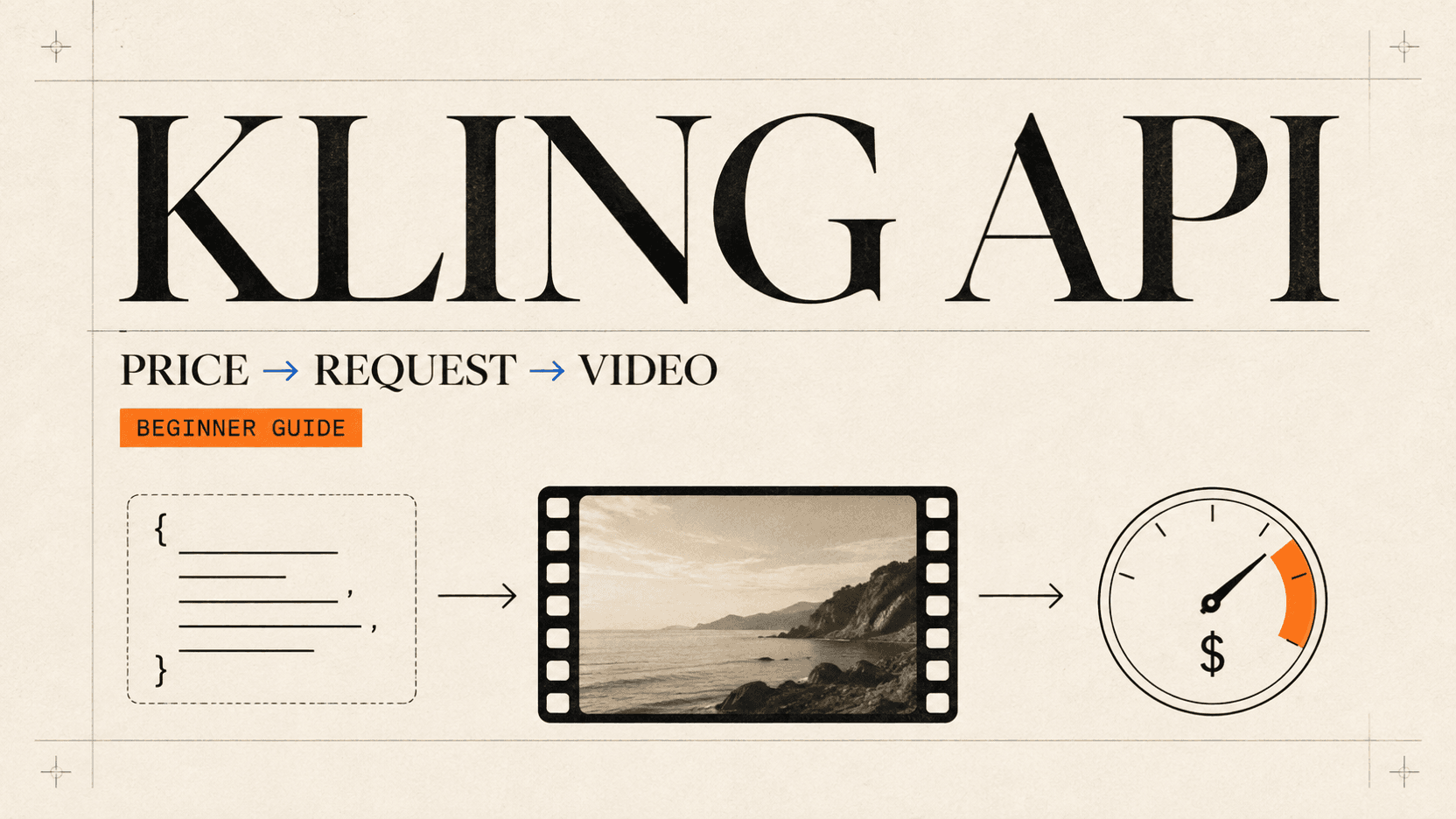
Kling API Pricing and Integration Guide
Compare current Kling API prices, choose Kling 3.0 or Turbo, and implement text-to-video, image-to-video, polling, retries, and storage.
The current reAPI price for a five-second Kling API text-to-video request
starts at 385 credits ($0.385) with kling-3-0, mode: "std", and sound
off. The full Kling 3.0 route also handles first-and-last-frame animation,
native audio, structured multi-shot prompts, reusable elements, and output up
to 4K. Kling 3.0 Turbo uses a smaller request surface, but its name does not
mean it is the cheapest option: a five-second 720p Turbo request currently
costs $0.630.[1][3]
This guide covers the reAPI gateway contract from the first POST through polling and file storage. It also shows where the official Kling developer API differs, so fields and prices from one surface do not accidentally end up in a request to the other.
TL;DR
- For the least expensive text-to-video draft in the current table, use
kling-3-0withmode: "std",sound: false, and an explicit duration. - Use
kling-3-0when you need native audio, first and last frames, structured multi-shot control, elements, or 4K. Usekling-3-0-turboonly when its simpler text/first-frame workflow is the route you intend to evaluate. - Submit every reAPI Kling video job to
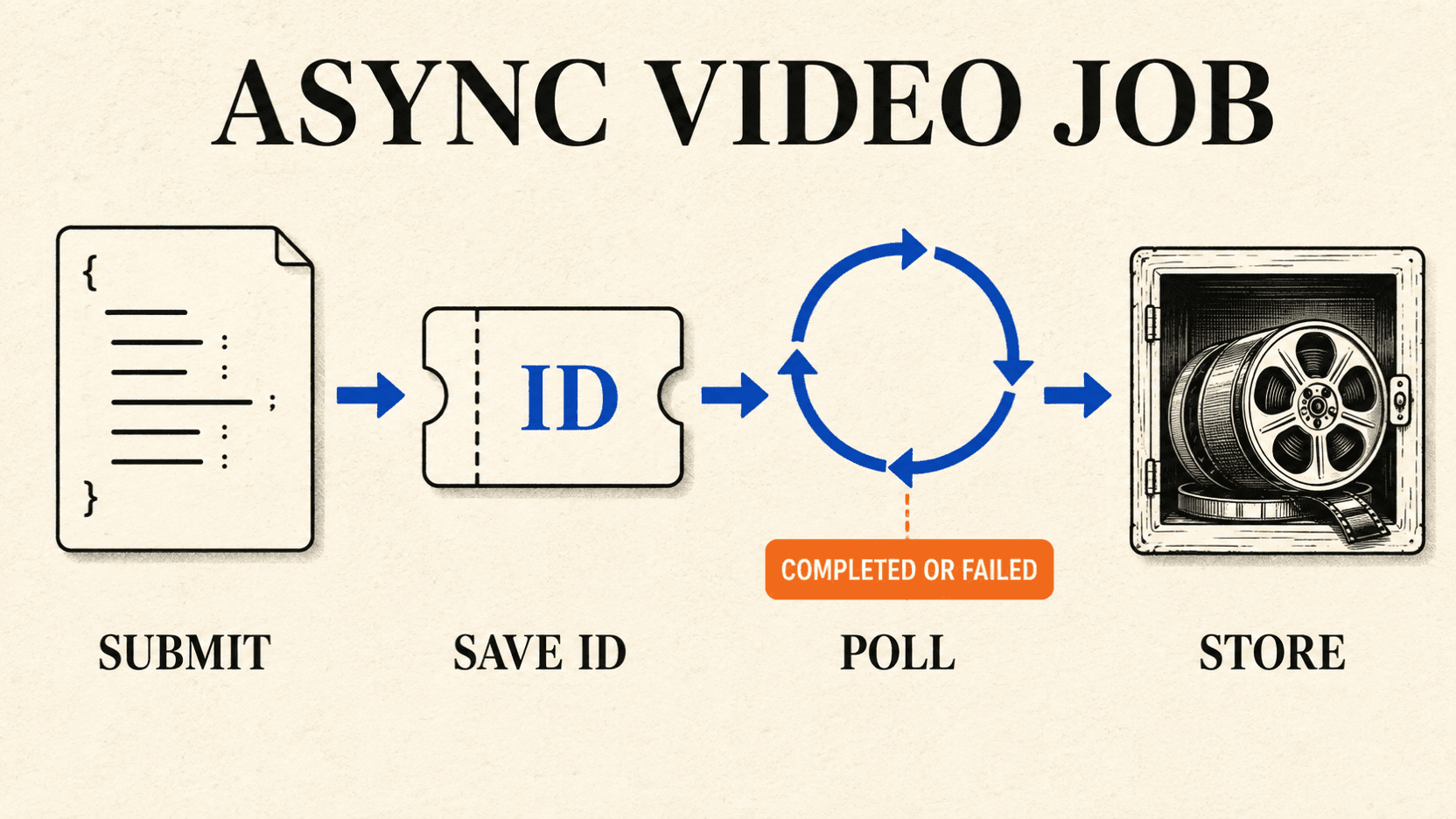
POST /api/v1/videos/generations. Save the returnedid, then pollGET /api/v1/tasks/{id}until the status iscompletedorfailed. - Polling does not consume credits. A two-to-three-second cadence is enough; in-flight task responses are cached for five seconds.[6]
- Read
usage.creditson the terminal task. Most provider, timeout, and persistence failures are refunded, but some post-generation safety failures may retain a charge.[6] - Copy a completed video to storage you control. The task contract does not promise indefinite CDN retention.
Which Kling API model should you use?
Start with the input you have and the control you need. Motion Control is not a cheaper substitute for text-to-video, and Turbo is not simply a lower-priced version of the full model.
| reAPI model ID | Required request fields | What the route exposes | Sensible first use |
|---|---|---|---|
kling-3-0 | Prompt, or structured shot prompts | T2V; first/last-frame I2V; native audio; up to five structured shots; elements; 720p, 1080p, or 4K | Most new Kling integrations |
kling-3-0-turbo | Prompt or one first-frame URL | T2V and first-frame I2V; 720p or 1080p; optional watermark | A deliberately simple Turbo test |
kling-v3-motion-control | prompt, image_url, video_url, character_orientation, and mode | Motion transfer in Standard or Pro | Newer, higher-priced Motion Control tier |
kling-v2-6-motion-control | prompt, image_url, video_url, character_orientation, and mode | The same request shape as v3 | Lower-cost Motion Control validation |
Kling's own guide describes the wider VIDEO 3.0 family as supporting
three-to-fifteen-second output, text-to-video, image-to-video, start and end
frames, native audio, multi-shot narratives, and element references.[8]
The accepted fields still depend on the API surface. On reAPI, the full model's
fields are documented under kling-3-0, while Turbo has a
different schema under kling-3-0-turbo.
Motion Control deserves its own workflow because the driving video supplies the movement and the billable duration. The existing Kling Motion Control API guide covers orientation, source-video preparation, and identity drift in detail.
Kling API pricing as of September 3, 2026
reAPI bills the public Kling routes per second and settles the request in whole credits. One credit is $0.001. The full and Turbo prices below were checked against valid payloads in the live estimator on September 3, 2026; check the linked model pages again before a large batch because rates can change.[1][3]
Kling 3.0 and Kling 3.0 Turbo prices
| Model and tier | Audio | Rate per second | 5 seconds | 10 seconds | 15 seconds |
|---|---|---|---|---|---|
kling-3-0 Standard (std) | Off | $0.077 | $0.385 | $0.770 | $1.155 |
kling-3-0 Standard (std) | On | $0.110 | $0.550 | $1.100 | $1.650 |
kling-3-0 Pro (pro) | Off | $0.099 | $0.495 | $0.990 | $1.485 |
kling-3-0 Pro (pro) | On | $0.1485 | $0.743 | $1.485 | $2.228 |
kling-3-0 4K (4K) | Off or on | $0.3685 | $1.843 | $3.685 | $5.528 |
kling-3-0-turbo 720p | Not exposed | $0.12584 | $0.630 | $1.259 | $1.888 |
kling-3-0-turbo 1080p | Not exposed | $0.15752 | $0.788 | $1.576 | $2.363 |
The dollar totals reflect whole-credit settlement. For example, five seconds of Kling 3.0 Pro with sound is calculated as:
ceil($0.1485 × 5 seconds × 1,000 credits per dollar)
= ceil(742.5)
= 743 credits
= $0.743
The rounding happens once for the request, not once for every second. In structured multi-shot mode, replace the top-level duration with the sum of the shot durations. A four-second shot followed by a five-second shot therefore bills nine seconds.[2]
Motion Control prices
These rates are included so that a model chooser can compare all four public
IDs. The source video's server-probed duration is rounded up; there is no
client-supplied duration field. The per-second rates came from the live
Motion Control model page. The 5-, 10-, and 15-second totals are calculated
scenarios for source videos whose probed billable lengths equal those values,
not payloads with a duration parameter.[11]
| Model | Mode | Rate per billable second | 5 seconds | 10 seconds | 15 seconds |
|---|---|---|---|---|---|
kling-v2-6-motion-control | Standard | $0.062832 | $0.315 | $0.629 | $0.943 |
kling-v2-6-motion-control | Pro | $0.100584 | $0.503 | $1.006 | $1.509 |
kling-v3-motion-control | Standard | $0.113168 | $0.566 | $1.132 | $1.698 |
kling-v3-motion-control | Pro | $0.150832 | $0.755 | $1.509 | $2.263 |
A fifteen-second source is valid only when Motion Control uses
character_orientation: "video"; image orientation caps the driving clip at
ten seconds.[5]
Do not mix reAPI credits, official API prices, and consumer credits
Three numbers carrying the word “credit” can describe different products. They are not exchangeable:
- reAPI credits settle gateway requests at $0.001 each. Those are the credits used in the tables above.
- Official Kling developer API pricing belongs to Kuaishou's direct API, which has its own account, request contract, and rate card.
- Consumer Kling credits belong to the web or app subscription. They do not price a reAPI call or an official developer API request.
For context, the official developer rate card on September 3 listed full Kling 3.0 at $0.084/$0.126 per second for 720p without/with native audio, $0.112/$0.168 for 1080p, and $0.420 for 4K either way.[10] Those are official direct-API list prices, not evidence that Kuaishou changed its prices to match the reAPI table. When budgeting a reAPI integration, use the reAPI rate attached to the exact model ID and payload you will submit.
Before you send the first request
You need a reAPI key and, for image-to-video, media hosted at a public URL. Create a key on the API keys page, keep it in an environment variable, and never put it in browser code or a public repository.
All four public Kling IDs use the same submission endpoint:
POST https://reapi.ai/api/v1/videos/generations
GET  https://reapi.ai/api/v1/tasks/{id}
Requests use a Bearer token:
Authorization: Bearer YOUR_API_KEY
Content-Type: application/json
The schemas are strict. A field copied from another video API is rejected
rather than silently ignored. Media inputs must be public HTTP(S) URLs; local
paths, data: URIs, and base64 strings are not accepted by these routes.
Fields accepted by kling-3-0
| Field | Required? | Accepted value |
|---|---|---|
model | Yes | Exact value kling-3-0 |
prompt | Single-shot only | 1–2,500 characters |
image_urls | No | Up to two public HTTP(S) URLs: first frame, then optional last frame |
sound | No | Boolean; default false |
duration | No | Integer from 3 to 15; default 5 |
aspect_ratio | No | 16:9, 9:16, or 1:1; default 16:9 |
mode | No | std, pro, or 4K; default pro |
multi_shots | No | Boolean; default false |
multi_prompt | When multi_shots is true | One to five { prompt, duration } objects |
kling_elements | No | Up to three element objects, each with two to four reference URLs |
The object is strict, including its nested shot and element objects. Pay
attention to exact spelling: the audio field is sound, the tier field is
mode, and the 4K enum uses a capital K.[2]
Send a five-second Kling text-to-video request
This is the lowest-cost five-second text-to-video combination in the current reAPI Kling table: Standard resolution and no audio.
curl https://reapi.ai/api/v1/videos/generations \
  -H "Authorization: Bearer $REAPI_API_KEY" \
  -H "Content-Type: application/json" \
  -d '{
    "model": "kling-3-0",
    "prompt": "A ceramic coffee cup on a wooden table as morning light moves slowly across the surface, locked camera, natural shadows",
    "duration": 5,
    "aspect_ratio": "16:9",
    "mode": "std",
    "sound": false
  }'
A successful submission returns a task record, not the video:
{
  "id": "task_018f5a3a1b6e7d9f8c2b4d6e8f0a2c4e",
  "model": "kling-3-0",
  "status": "processing",
  "created_at": 1735000000
}
The field to save is id. Do not write client code that waits for a
task_id; that key is not in the response envelope shown by the API.
Poll safely, handle failure, and store the video
The complete flow is one POST followed by bounded GET requests. The POST stays outside the polling loop. That detail matters: repeating a submission can create and charge another video, while repeating a task lookup only reads the existing job.
The following script runs on Node.js 20 or newer. It submits one five-second request, polls every three seconds, retries safe task reads after rate limits or temporary gateway errors, and writes the completed MP4 to the current directory.
import { writeFile } from 'node:fs/promises';

const API_BASE = 'https://reapi.ai/api/v1';
const API_KEY = process.env.REAPI_API_KEY;
const OUTPUT_FILE = 'kling-output.mp4';

if (!API_KEY) throw new Error('Set REAPI_API_KEY before running this script');

const sleep = (ms) => new Promise((resolve) => setTimeout(resolve, ms));

async function parseResponse(response) {
  const body = await response.json().catch(() => ({}));
  if (response.ok) return body;

  const code = body.error?.code ?? response.status;
  const message = body.error?.message ?? response.statusText;
  const error = new Error(`${code}: ${message}`);
  error.status = response.status;
  error.retryAfter = response.headers.get('retry-after');
  throw error;
}

async function submitVideo() {
  const response = await fetch(`${API_BASE}/videos/generations`, {
    method: 'POST',
    headers: {
      Authorization: `Bearer ${API_KEY}`,
      'Content-Type': 'application/json',
    },
    body: JSON.stringify({
      model: 'kling-3-0',
      prompt:
        'A ceramic coffee cup on a wooden table as morning light moves slowly across the surface, locked camera, natural shadows',
      duration: 5,
      aspect_ratio: '16:9',
      mode: 'std',
      sound: false,
    }),
  });

  // Intentionally no automatic POST retry: an uncertain response could hide
  // a task that was already created.
  return parseResponse(response);
}

async function readTask(taskId) {
  for (let attempt = 0; attempt < 5; attempt += 1) {
    try {
      const response = await fetch(`${API_BASE}/tasks/${taskId}`, {
        headers: { Authorization: `Bearer ${API_KEY}` },
      });
      return await parseResponse(response);
    } catch (error) {
      const retryable =
        error.status === 429 || [502, 503, 504].includes(error.status);
      if (!retryable || attempt === 4) throw error;

      const retryAfterSeconds = Number(error.retryAfter);
      const delay =
        error.status === 429 && Number.isFinite(retryAfterSeconds)
          ? retryAfterSeconds * 1000
          : Math.min(2 ** attempt * 1000, 8000);
      await sleep(delay);
    }
  }
}

async function waitForVideo(taskId) {
  const deadline = Date.now() + 30 * 60 * 1000;

  while (Date.now() < deadline) {
    await sleep(3000);
    const task = await readTask(taskId);

    if (task.status === 'completed') {
      const videoUrl = task.output?.video_urls?.[0];
      if (!videoUrl) throw new Error('Task completed without a video URL');
      return { videoUrl, credits: task.usage?.credits };
    }

    if (task.status === 'failed') {
      const code = task.error?.code ?? 'UNKNOWN_TASK_ERROR';
      const message = task.error?.message ?? 'Video generation failed';
      const credits = task.usage?.credits ?? 'unknown';
      throw new Error(`${code}: ${message}; settled credits: ${credits}`);
    }
  }

  throw new Error(`Client polling deadline reached for ${taskId}`);
}

async function downloadVideo(url) {
  const response = await fetch(url);
  if (!response.ok) {
    throw new Error(`Video download failed with HTTP ${response.status}`);
  }
  await writeFile(OUTPUT_FILE, Buffer.from(await response.arrayBuffer()));
}

const submitted = await submitVideo();
console.log(`Submitted ${submitted.id}`);

const result = await waitForVideo(submitted.id);
await downloadVideo(result.videoUrl);
console.log(`Saved ${OUTPUT_FILE}; settled credits: ${result.credits}`);
The thirty-minute deadline belongs to this example, not the API contract. Video tasks can take minutes, and the worker's documented wall-clock cap is 48 hours. Choose a client timeout that fits your product, persist the task ID, and let a background worker resume polling rather than keeping one web request open.[6]
Writing the MP4 locally proves that the download works. In production, stream the response into S3, R2, or another object store and save your durable URL next to the task ID. Do that as soon as the task completes; reAPI's task contract does not guarantee permanent retention for generated URLs.
Turn one image—or first and last frames—into video
The full Kling 3.0 route switches to image-to-video when image_urls is
present. The first URL is the opening frame; the optional second URL is the end
frame. A single-shot prompt remains required.
{
  "model": "kling-3-0",
  "prompt": "The camera moves gently toward the bottle while the reflected light travels from left to right; preserve the label and bottle shape",
  "image_urls": [
    "https://assets.example.com/bottle-start.png",
    "https://assets.example.com/bottle-end.png"
  ],
  "duration": 6,
  "mode": "pro",
  "sound": false
}
The source frames determine the output proportions, so aspect_ratio is not
needed here. Keep both images at the same aspect ratio and use an end frame
that represents a plausible continuation. A drastic change in camera angle,
lighting, and object geometry gives the model several conflicts to resolve at
once.
If you only need one first frame, pass one URL. For a wider comparison of first-frame, first-and-last-frame, and reference-image workflows, see the image-to-video API guide.
Add native audio and structured multi-shot direction
kling-3-0 exposes audio with the sound boolean. Its structured multi-shot
mode replaces the single top-level prompt with up to five prompt-and-duration
objects. Each shot prompt accepts 1–500 characters and each shot duration must
be an integer from 1 to 12 seconds.[2]
{
  "model": "kling-3-0",
  "aspect_ratio": "16:9",
  "mode": "pro",
  "sound": true,
  "multi_shots": true,
  "multi_prompt": [
    {
      "prompt": "Close shot of a barista placing a cup on the counter; soft room tone and a quiet ceramic tap",
      "duration": 4
    },
    {
      "prompt": "Cut to a wider view as morning customers enter; the room ambience continues naturally",
      "duration": 5
    }
  ]
}
This request bills nine Pro-with-audio seconds: 1,337 credits, or $1.337 at the
rate checked for this article. There is no need to add a top-level duration
for the price calculation; the two shot durations are the billable total.
For a recurring subject or product, the same full route accepts up to three
kling_elements. Each element needs a name and two to four reference-image
URLs, and may include a description. Refer to it in the prompt as @name:
{
  "model": "kling-3-0",
  "prompt": "Slow orbit around @bluebottle on a stone pedestal; keep the cap, glass shape, and front label unchanged",
  "kling_elements": [
    {
      "name": "bluebottle",
      "description": "A rectangular cobalt-blue perfume bottle",
      "element_input_urls": [
        "https://assets.example.com/bottle-front.png",
        "https://assets.example.com/bottle-side.png"
      ]
    }
  ],
  "duration": 5,
  "mode": "pro"
}
An element is reference evidence, not a guarantee that every small label or surface will survive motion. Review identity, text, geometry, and reflections separately before approving a batch.
When Kling 3.0 Turbo is the right request
Turbo's reAPI schema is deliberately smaller. It supports text-to-video or
animation from one first frame, with 720p/1080p resolution and an optional
watermark. It does not expose full Kling 3.0's sound, last-frame,
multi_prompt, kling_elements, or 4K fields.[4]
| Field | Required? | Accepted value |
|---|---|---|
model | Yes | Exact value kling-3-0-turbo |
prompt | T2V only | 1–3,072 characters; optional when a first frame is present |
first_frame_image | No | One public HTTP(S) image URL |
resolution | No | 720p or 1080p; default 720p |
duration | No | Integer from 3 to 15; default 5 |
aspect_ratio | No | 16:9, 9:16, or 1:1; T2V only |
watermark | No | Boolean |
A first-frame request looks like this:
curl https://reapi.ai/api/v1/videos/generations \
  -H "Authorization: Bearer $REAPI_API_KEY" \
  -H "Content-Type: application/json" \
  -d '{
    "model": "kling-3-0-turbo",
    "prompt": "The dog looks toward the sea as wind moves its fur; gentle handheld camera",
    "first_frame_image": "https://assets.example.com/dog-on-beach.jpg",
    "resolution": "720p",
    "duration": 5,
    "watermark": false
  }'
With first_frame_image present, the source image fixes the aspect ratio and
the prompt may be omitted. For text-to-video, the prompt is required and
aspect_ratio accepts 16:9, 9:16, or 1:1.
The word “Turbo” is easy to overread. On the checked date, 720p Turbo cost $0.12584 per second, more than full Kling 3.0 Standard without audio at $0.077 and Pro without audio at $0.099. This article does not present a controlled latency or output-quality benchmark, so choose Turbo for its route and observed results on your workload—not because the label implies a price win.
Handle validation, retries, and refunds without duplicate jobs
Separate errors that require a changed request from errors that justify another
read. The error catalog uses a numeric code inside a
standard { error: { code, message, request_id } } envelope.[7]
| Result | What it usually means | Next action |
|---|---|---|
| HTTP 400, code 2xxxx | Missing field, invalid enum/range, extra field, or unsupported model | Fix the payload; do not retry unchanged |
| HTTP 401/403 | Missing, invalid, revoked, or disallowed credential | Fix authentication or origin |
HTTP 402, code 30001 | Insufficient credits | Add credits or reduce the request |
HTTP 404, code 40001 while polling | Task is missing or belongs to another user | Check task ID and API key |
HTTP 429, code 50001 | Rate limit | Wait for Retry-After, then retry |
| HTTP 502/503/504 | Temporary upstream or service availability problem | Retry safe reads with backoff |
HTTP 200 with status: "failed" | The asynchronous job reached a terminal failure | Inspect error.code, error.message, and usage.credits |
Task failures appear inside a successful HTTP 200 polling response. Codes in the 8xxxx range distinguish submission failure, workflow timeout, terminal upstream failure, missing output URLs, persistence failure, content-policy failure, invalid upstream input, and cancellation.[7]
Refund behavior is equally specific. Provider failures, timeouts, and
persistence failures are refunded when the workflow ends. Some model-specific
post-generation safety policies can hide an output yet retain a charge. On a
failed task, usage.credits: 0 means the reservation was fully refunded; a
positive value is the amount retained.[6]
Do not automatically retry the POST when the network fails after sending the
body. The documented reAPI surface does not expose an idempotency key for this
submission, so the original job may already exist. Log the request_id, task
ID when available, timestamp, model, and payload hash. Automatic retries are
better reserved for task GETs and other idempotent reads.
Official Kling API fields are not reAPI fields
The model family is the same, but the two APIs are separate products. Official
Kling examples use https://api-singapore.klingai.com, modality-specific
paths such as /text-to-video/kling-3.0, nested settings and options, and a
task query at /tasks?task_ids=....[9] Its
image-to-video request uses a separate path and contents structure.[12] reAPI
uses one video-generation path and chooses the route from the flat model
field.
| Concern | Official Kling developer API | reAPI gateway |
|---|---|---|
| Credential | Official Kling API key | reAPI API key |
| Submit path | Separate T2V/I2V model paths | POST /api/v1/videos/generations |
| Request shape | Nested settings, options, and I2V contents | Flat model-specific JSON |
| Task lookup | /tasks?task_ids=... | /api/v1/tasks/{id} |
| Success vocabulary | submitted, processing, succeeded, failed | processing, completed, failed |
| Price source | Official Kling developer rate card | reAPI model page and estimator |
This distinction explains several common integration failures. An official
payload containing settings.resolution is not valid on the strict reAPI
schema. A reAPI client waiting for succeeded will also wait past a valid
completed result. Pick one contract, use its key, fields, status names, and
price source from end to end.
Production checklist
Before sending a Kling workflow into a queue, verify the parts that are hard to reconstruct later:
- Pin the exact public model ID and record the price-check date.
- Validate duration, resolution or mode, aspect ratio, audio, and shot counts before submission.
- Make every media URL fetchable without cookies, expiring browser sessions, or local-network access.
- Persist the returned
idbefore polling begins. - Poll in a background job with a deadline, and respect
Retry-After. - Treat
completedandfailedas terminal; recordusage.creditsfor both. - Copy completed files to durable storage and save the final storage URL.
- Log
request_idfor submission errors and the nested task error for asynchronous failures. - Review visual acceptance separately from API completion. A completed clip can still be unusable for your product.
That last point changes real unit economics. The API table gives cost per
completed request. A production budget should use total settled spend / accepted clips, including completed generations that fail your visual review.
For a broader explanation of mixed billing units and acceptance cost, see AI
video generation API pricing.
FAQ
How much does the Kling API cost for five seconds?
On reAPI on September 3, 2026, five-second text-to-video ranged from $0.385 for full Kling 3.0 Standard without sound to $1.843 for 4K. Turbo cost $0.630 at 720p and $0.788 at 1080p. Check the live model page before submitting because rates can change.
Is Kling 3.0 Turbo cheaper than Kling 3.0?
Not in the checked reAPI table. Turbo 720p was $0.12584 per second, while full Kling 3.0 Standard without sound was $0.077 and Pro without sound was $0.099. Choose Turbo for its specific route and output behavior, not its name.
Can the Kling API animate both a first and last frame?
Yes, with kling-3-0 on reAPI. Put the first frame at index 0 and the optional
last frame at index 1 of image_urls. Turbo accepts only one
first_frame_image.
Does Kling 3.0 generate audio?
The full kling-3-0 route exposes native audio through sound: true. Standard
and Pro audio requests have higher current per-second rates than their silent
versions. The reAPI Turbo schema does not expose a sound field.
How often should I poll a Kling video task?
Every two to three seconds is a reasonable starting cadence. Polling faster does not make generation finish sooner, and in-flight task responses are cached for five seconds. Use a background worker and a client-side deadline.
Are failed Kling API jobs charged?
Read the terminal task rather than assuming. On reAPI, failed with
usage.credits: 0 means the reservation was fully refunded. A positive value
means a documented model-specific charge was retained, which can occur after
certain post-generation safety decisions.
Can I send base64 images to these reAPI Kling routes?
No. The gateway accepts public HTTP(S) media URLs for these fields. Upload the image to storage first, then submit its URL.
Conclusion
A reliable Kling API pricing and integration plan begins with the exact
route, not the model family name. For a new text-to-video build, full Kling 3.0
Standard without sound is the lowest-cost current starting point; add Pro,
audio, structured shots, last frames, or 4K only when the output requires them.
Submit once, save the response id, poll the task with a deadline, inspect the
settled credits, and move every accepted video to storage you control.
The Kling 3.0 model page and Turbo model page carry the current reAPI prices. Keep the Tasks API and error reference beside the code while you wire the first production queue.
References
- reAPI Kling 3.0 model and live pricing page, accessed September 3, 2026.
- reAPI Kling 3.0 API documentation, accessed September 3, 2026.
- reAPI Kling 3.0 Turbo model and live pricing page, accessed September 3, 2026.
- reAPI Kling 3.0 Turbo API documentation, accessed September 3, 2026.
- reAPI Kling Motion Control API documentation, accessed September 3, 2026.
- reAPI Tasks API reference, accessed September 3, 2026.
- reAPI error-code reference, accessed September 3, 2026.
- Kling VIDEO 3.0 Model User Guide, Kuaishou, February 6, 2026; accessed September 3, 2026.
- Kling AI Open Platform: VIDEO 3.0 text-to-video API, accessed September 3, 2026.
- Kling AI Open Platform video-generation pricing, accessed September 3, 2026.
- reAPI Kling Motion Control model and live pricing page, accessed September 3, 2026.
- Kling AI Open Platform: VIDEO 3.0 image-to-video API, accessed September 3, 2026.
Author

Categories
kling-3-0Send a five-second Kling text-to-video requestPoll safely, handle failure, and store the videoTurn one image—or first and last frames—into videoAdd native audio and structured multi-shot directionWhen Kling 3.0 Turbo is the right requestHandle validation, retries, and refunds without duplicate jobsOfficial Kling API fields are not reAPI fieldsProduction checklistFAQHow much does the Kling API cost for five seconds?Is Kling 3.0 Turbo cheaper than Kling 3.0?Can the Kling API animate both a first and last frame?Does Kling 3.0 generate audio?How often should I poll a Kling video task?Are failed Kling API jobs charged?Can I send base64 images to these reAPI Kling routes?ConclusionReferencesMore Posts
How to Control AI Video Camera Movement with Blender Previz
Build a simple Blender gray-box scene, animate a repeatable camera path, export a preview, and use it as motion guidance for AI video generation.

Suno Music Video Workflow: Full Song or Shot by Shot?
Choose a music-video workflow for a Suno song: one full-song generation, a manual shot list, or a hybrid animatic-to-hero-shot process with cost math.
Suno V6 API: What Changes in Your Existing Integration
Update your Suno V6 API integration with exact version values, V6 Mini and Wild choices, snake_case fields, current prices, and asynchronous task handling.