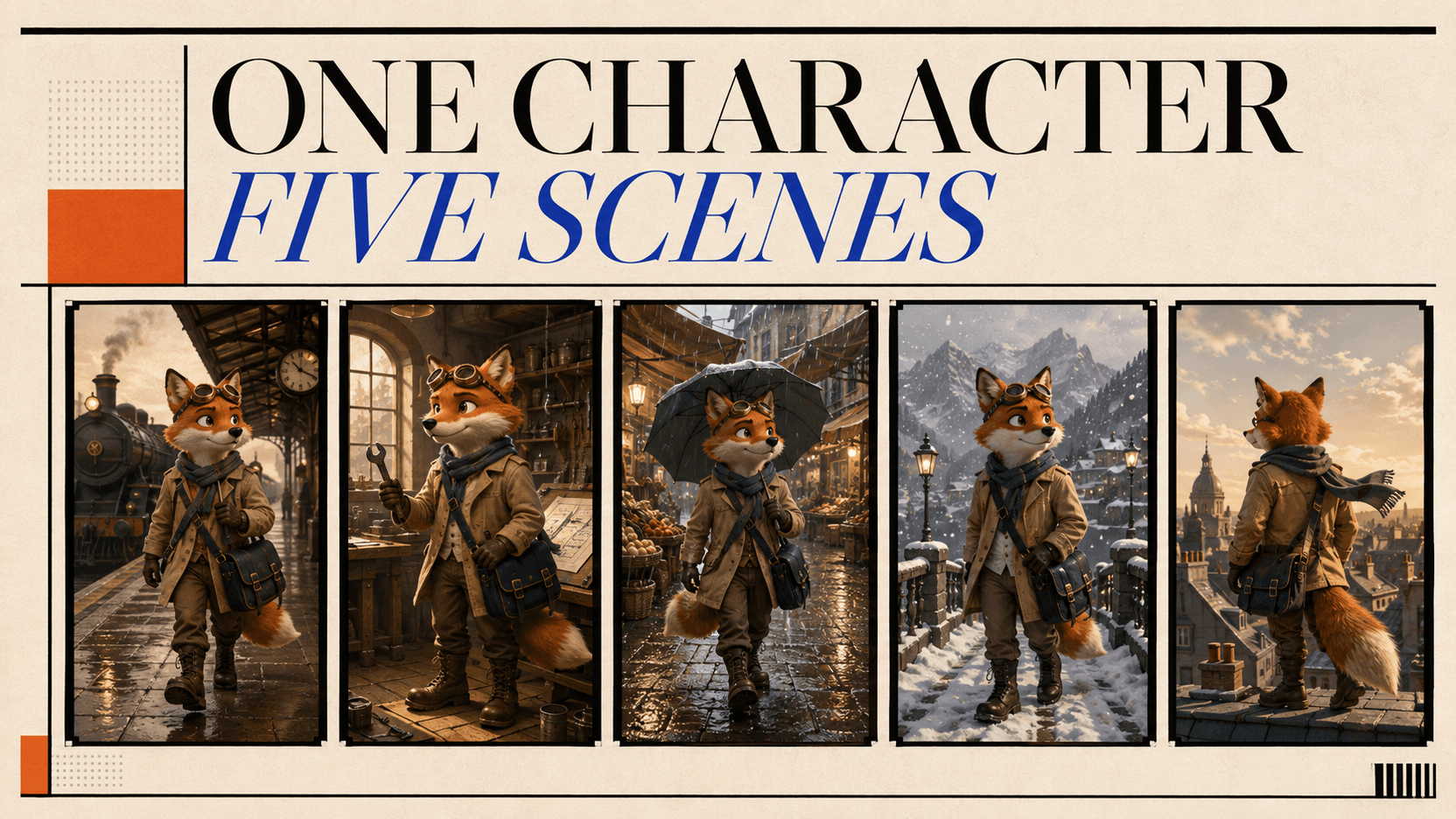
Consistent 3D-Style Character Images via API for $0.143
Build a consistent 3D-style character image workflow with Wan 2.7. Generate a master and five scene candidates for $0.143, then calculate the accepted cost.
Yes—an API workflow for consistent 3D-style character images can produce one character master and five scene candidates for less than fifteen cents. In our September 3 test, the master image completed in 32.1 seconds for 24 credits. A second Wan 2.7 Image request returned five scene files in 59.0 seconds for 119 credits. The total was 143 credits, or $0.143.[1]
There is an important limit to that result. The test logged task status, output count, timing, and credits; it did not include a visual review. This is therefore a measured generation-and-cost test, not a claim that five images passed character review. The tutorial below shows how to run the same workflow and calculate the cost per accepted image after a human checks the results.
TL;DR
- The workflow uses
wan2.7-imagetwice: once for a candidate character master, then, after approval, once for a five-image connected series. - Wan 2.7 Image group mode is enabled with
enable_sequential: true; it raises thenlimit from four to twelve images in one task.[3] - The measured API charge was 24 credits for the master + 119 credits for five scenes = 143 credits ($0.143).[1]
- Download the dated test record, which lists both task IDs, settings, completion times, and settled credits without relying on temporary output URLs.
- The five-scene batch cost $0.0238 per completed candidate. Including the master, the effective cost is $0.0286 per scene only if the master is approved and all five scenes pass review.
- “3D-style” means flat image files rendered with a dimensional cartoon look. This workflow does not create a mesh, skeleton, rig, or editable 3D model.
- Consistency is not guaranteed. A reference image, fixed identity contract, group generation, and a review gate reduce drift; none is a permanent character lock.
What the consistent-character API test answers
Can an API keep a 3D-style cartoon character stable across scenes, and what does each image or batch cost? If a reference image already defines the character, the remaining problem is automation with a review gate. A completed task and a useful creative asset are not the same thing.
The test keeps three numbers separate: API completion, cost per returned candidate, and cost per accepted scene. The first two come from the task and billing records. The third requires someone to look at the images.
Why Wan 2.7 Image fits a five-scene character set
Wan's official product page describes sequential storytelling with up to twelve
images and subject/style continuity.[2] The
reAPI route exposes that feature directly: set enable_sequential to true,
set n to the number of images, and poll one task for the ordered URL
array.[3]
That request shape gives one task the character reference, identity contract, and complete scene list. Five unrelated text-to-image calls would have to rediscover the character from prose five times.
This is a workflow choice, not a universal quality claim. Wan provides the group-series control needed for this test.
Before making the first API request
You need four things:
- a reAPI key stored in
REAPI_API_KEY; - an original fictional character you have the right to use;
- a short list of visual traits that must survive every scene;
- somewhere to retain approved files, because generated URLs are temporary.
Use an original character you have the right to reproduce, rather than a famous character or a named studio's house style. It is also easier to evaluate.
For this test, the character contract is deliberately concrete:
CHARACTER: an original adult anthropomorphic warm orange fox explorer
FACE: cream muzzle, small notch in the left ear
CLOTHING: teal scarf with exactly two white stripes
ACCESSORIES: round brass goggles on forehead, navy cross-body satchel
ANCHORS: yellow triangle patch on satchel, two dark tail rings, cream tail tip
DO NOT CHANGE: warm orange fur, cream muzzle, ear-notch side, scarf pattern,
goggles, satchel patch, tail markings, compact athletic body proportions
Descriptions such as “cute,” “cinematic,” and “premium” are too broad to audit. An ear notch or a two-stripe scarf gives the reviewer something observable.
Step 1: Generate a neutral character master
The master should explain the character, not tell a story. Use even light, a plain background, and angles that reveal the face, clothing, bag, and tail. Keep it at the same aspect ratio planned for the scene set; in reference-driven mode, Wan follows the last input image's ratio.[5]
curl https://reapi.ai/api/v1/images/generations \
  -H "Authorization: Bearer $REAPI_API_KEY" \
  -H "Content-Type: application/json" \
  -d '{
    "model": "wan2.7-image",
    "prompt": "Original stylized 3D cartoon character reference sheet for an adult anthropomorphic fox explorer. The same character shown in a clean front view and two three-quarter views. Identity anchors: a small notch in the left ear, teal scarf with exactly two white stripes, round brass goggles resting on the forehead, navy cross-body satchel with one yellow triangle patch, two dark rings on the tail and a cream tail tip. Warm orange fur, cream muzzle, compact athletic proportions, friendly alert expression. Neutral warm-gray studio background, soft even product lighting, full body visible, no text, no labels, no logo, no second character, no collage borders.",
    "size": "16:9",
    "resolution": "1K",
    "n": 1,
    "watermark": false
  }'
The POST returns a task ID rather than the image itself. Poll
GET /api/v1/tasks/{id} until the status becomes completed or failed.
Polling does not consume credits.[5]
In a production workflow, stop here and inspect the master before generating the series. Reject it if the three views disagree, an anchor is missing, or a feature would be hard to recognize in another pose. The measured test continued without a visual approval gate, so its master remains a completed candidate.
Step 2: Request five connected scenes
Take the first URL from the completed master's output.image_urls array and
place it in MASTER_IMAGE_URL. Wan accepts public HTTPS reference images;
base64 and data: URLs are not accepted by this route.[3]
export MASTER_IMAGE_URL="https://your-temporary-or-hosted-url.example/master.png"

curl https://reapi.ai/api/v1/images/generations \
  -H "Authorization: Bearer $REAPI_API_KEY" \
  -H "Content-Type: application/json" \
  -d @- <<JSON
{
  "model": "wan2.7-image",
  "prompt": "Use the reference image only to preserve the identity of the original adult fox explorer. Create a connected five-image story sequence, one separate scene per output, in the same polished stylized 3D cartoon rendering language. Preserve all identity anchors exactly: left-ear notch, teal scarf with exactly two white stripes, round brass forehead goggles, navy cross-body satchel with one yellow triangle patch, two dark tail rings, cream tail tip, muzzle shape and body proportions. Scene 1: dawn railway platform, medium-wide view, holding one red paper ticket. Scene 2: sunlit workshop, medium view, repairing a small wooden toy airplane. Scene 3: rainy night market, full-body view, carrying one yellow umbrella. Scene 4: snowy wooden footbridge at dusk, three-quarter view, holding a small warm lantern. Scene 5: rooftop at blue hour, rear three-quarter view with face still visible, looking across the city. One fox only in every image. No text, no logo, no wardrobe change, no extra limbs, no duplicate character, and do not combine scenes into a collage.",
  "image_urls": ["$MASTER_IMAGE_URL"],
  "size": "16:9",
  "resolution": "1K",
  "n": 5,
  "enable_sequential": true,
  "watermark": false
}
JSON
Group and editing modes support up to 2K output. The Pro model's 4K option is text-to-image only, so raising this reference-driven request to 4K would be an invalid configuration.[3]
Step 3: Run the approval gate safely in Node.js
Save the complete example below as character-series.mjs and use Node.js 18 or
newer. The first run generates only the master, prints and records its task ID,
then stops. Review that image before setting APPROVED_MASTER_URL and running
the script again for the five-scene group.
The script retries transient GET failures, but it never retries a POST. If the connection drops during submission, the provider may still have received the request; check the task log or dashboard instead of blindly creating another billable task.
import { appendFile } from 'node:fs/promises';

const baseUrl = 'https://reapi.ai';
const apiKey = process.env.REAPI_API_KEY;
const approvedMasterUrl = process.env.APPROVED_MASTER_URL?.trim();
const taskLogUrl = new URL(
  './character-series-task-ids.jsonl',
  import.meta.url,
);

const masterPrompt = process.env.MASTER_PROMPT ??
  'Original stylized 3D cartoon character reference sheet for an adult anthropomorphic fox explorer. The same character shown in a clean front view and two three-quarter views. Identity anchors: a small notch in the left ear, teal scarf with exactly two white stripes, round brass goggles resting on the forehead, navy cross-body satchel with one yellow triangle patch, two dark rings on the tail and a cream tail tip. Warm orange fur, cream muzzle, compact athletic proportions, friendly alert expression. Neutral warm-gray studio background, soft even product lighting, full body visible, no text, no labels, no logo, no second character, no collage borders.';

const groupPrompt = process.env.GROUP_PROMPT ??
  "Use the reference image only to preserve the identity of the original adult fox explorer. Create a connected five-image story sequence, one separate scene per output, in the same polished stylized 3D cartoon rendering language. Preserve all identity anchors exactly: left-ear notch, teal scarf with exactly two white stripes, round brass forehead goggles, navy cross-body satchel with one yellow triangle patch, two dark tail rings, cream tail tip, muzzle shape and body proportions. Scene 1: dawn railway platform, medium-wide view, holding one red paper ticket. Scene 2: sunlit workshop, medium view, repairing a small wooden toy airplane. Scene 3: rainy night market, full-body view, carrying one yellow umbrella. Scene 4: snowy wooden footbridge at dusk, three-quarter view, holding a small warm lantern. Scene 5: rooftop at blue hour, rear three-quarter view with face still visible, looking across the city. One fox only in every image. No text, no logo, no wardrobe change, no extra limbs, no duplicate character, and do not combine scenes into a collage.";

if (!apiKey) {
  throw new Error('Set REAPI_API_KEY before running this script.');
}

for (const [name, value] of [
  ['MASTER_PROMPT', masterPrompt],
  ['GROUP_PROMPT', groupPrompt],
]) {
  if (!value.trim()) throw new Error(`${name} cannot be empty.`);
}

const headers = {
  Authorization: `Bearer ${apiKey}`,
  'Content-Type': 'application/json',
};

const sleep = (ms) => new Promise((resolve) => setTimeout(resolve, ms));

async function readJson(response) {
  const text = await response.text();
  if (!text) return {};
  try {
    return JSON.parse(text);
  } catch {
    return { raw: text };
  }
}

async function submitGeneration(body) {
  let response;

  try {
    response = await fetch(`${baseUrl}/api/v1/images/generations`, {
      method: 'POST',
      headers,
      body: JSON.stringify(body),
    });
  } catch (error) {
    const detail = error instanceof Error ? error.message : String(error);
    throw new Error(
      `POST outcome is uncertain; do not submit it again automatically. ${detail}`,
    );
  }

  const result = await readJson(response);
  if (!response.ok) {
    throw new Error(`${response.status}: ${JSON.stringify(result)}`);
  }
  if (!result.id) {
    throw new Error(
      'POST returned no task ID; do not resubmit automatically until checked.',
    );
  }
  return result;
}

function retryDelayMs(response, attempt) {
  const retryAfter = response?.headers.get('retry-after');
  if (retryAfter) {
    const seconds = Number(retryAfter);
    if (Number.isFinite(seconds)) return Math.max(0, seconds * 1000);

    const retryAt = Date.parse(retryAfter);
    if (Number.isFinite(retryAt)) return Math.max(0, retryAt - Date.now());
  }
  return Math.min(1000 * (2 ** Math.min(attempt, 5)), 30000);
}

async function getTaskWithRetry(id, attempt) {
  let response;

  try {
    response = await fetch(`${baseUrl}/api/v1/tasks/${id}`, { headers });
  } catch (error) {
    const delay = retryDelayMs(null, attempt);
    console.warn(`Task GET failed; retrying in ${delay}ms.`);
    await sleep(delay);
    return null;
  }

  if (response.status === 429 || response.status >= 500) {
    const delay = retryDelayMs(response, attempt);
    await response.text();
    console.warn(`Task GET returned ${response.status}; retrying in ${delay}ms.`);
    await sleep(delay);
    return null;
  }

  const task = await readJson(response);
  if (!response.ok) {
    throw new Error(`${response.status}: ${JSON.stringify(task)}`);
  }
  return task;
}

async function waitForTask(id, timeoutMs = 10 * 60 * 1000) {
  const deadline = Date.now() + timeoutMs;
  let transientAttempt = 0;

  while (Date.now() < deadline) {
    const task = await getTaskWithRetry(id, transientAttempt);
    if (!task) {
      transientAttempt += 1;
      continue;
    }
    transientAttempt = 0;

    if (task.status === 'completed') return task;
    if (task.status === 'failed') {
      console.error(JSON.stringify({
        taskId: id,
        status: task.status,
        usageCredits: task.usage?.credits ?? null,
        error: task.error ?? null,
      }, null, 2));
      throw new Error(`Task ${id} failed; see the record above.`);
    }

    await sleep(5000);
  }

  throw new Error(
    `Polling timed out for ${id}. The task was not cancelled; resume GET polling instead of submitting another POST.`,
  );
}

async function recordSubmission(stage, taskId) {
  const record = {
    stage,
    taskId,
    submittedAt: new Date().toISOString(),
  };
  console.log(`Submitted ${stage}: ${taskId}`);

  try {
    await appendFile(taskLogUrl, `${JSON.stringify(record)}\n`, 'utf8');
  } catch (error) {
    console.warn(`Could not write ${taskLogUrl.pathname}; keep task ID ${taskId}.`);
  }
}

function requirePublicHttpsUrl(value) {
  let parsed;
  try {
    parsed = new URL(value);
  } catch {
    throw new Error('APPROVED_MASTER_URL must be a valid public HTTPS URL.');
  }
  if (parsed.protocol !== 'https:') {
    throw new Error('APPROVED_MASTER_URL must use HTTPS.');
  }
}

async function main() {
  if (!approvedMasterUrl) {
    const submission = await submitGeneration({
      model: 'wan2.7-image',
      prompt: masterPrompt,
      size: '16:9',
      resolution: '1K',
      n: 1,
      watermark: false,
    });
    await recordSubmission('character_master', submission.id);

    const task = await waitForTask(submission.id);
    const masterUrl = task.output?.image_urls?.[0];
    if (!masterUrl) throw new Error('Master task returned no image URL.');

    console.log(JSON.stringify({
      nextStep: 'Review this master. Rerun only after setting APPROVED_MASTER_URL.',
      masterTaskId: task.id,
      usageCredits: task.usage?.credits ?? null,
      masterUrl,
    }, null, 2));
    return;
  }

  requirePublicHttpsUrl(approvedMasterUrl);
  const submission = await submitGeneration({
    model: 'wan2.7-image',
    prompt: groupPrompt,
    image_urls: [approvedMasterUrl],
    size: '16:9',
    resolution: '1K',
    n: 5,
    enable_sequential: true,
    watermark: false,
  });
  await recordSubmission('five_scene_group', submission.id);

  const task = await waitForTask(submission.id);
  const sceneUrls = task.output?.image_urls ?? [];

  console.log(JSON.stringify({
    groupTaskId: task.id,
    usageCredits: task.usage?.credits ?? null,
    returnedSceneCount: sceneUrls.length,
    sceneUrls,
  }, null, 2));
}

main().catch((error) => {
  console.error(error instanceof Error ? error.message : error);
  process.exitCode = 1;
});
Run node character-series.mjs first. After reviewing the returned master,
rerun with APPROVED_MASTER_URL="https://..." node character-series.mjs.
The script writes task IDs to character-series-task-ids.jsonl; its stage
results include settled usageCredits. You may override either embedded prompt
with MASTER_PROMPT or GROUP_PROMPT, but an empty override is rejected.
In n8n, keep the same approval boundary: the master branch should end at a human-review step, and only an approved URL should enter the group-generation branch.
What the measured API run returned
The two requests completed as follows:[1]
| Stage | Task ID | Time | Credits | Files returned |
|---|---|---|---|---|
| Character master | task_01a065451919736985878cfcbd2eb8a8 | 32.1s | 24 | 1 |
| Five-scene group | task_01a06545f23474bca896f6b98ee252bc | 59.0s | 119 | 5 |
| Total | — | — | 143 | 6 including master |
These are two observed task times, not a latency benchmark. They say nothing about p95 performance, another region, a different prompt, or future capacity. The output URLs are also omitted because they are temporary.
Most importantly, “files returned: 5” means five completed candidates. It does not prove that every output depicts the fox correctly, maps to the intended scene, or avoids visual defects.
How to review character consistency scene by scene
Open the master beside each scene. Do not judge from small thumbnails; inspect the face, outfit, accessories, silhouette, and requested action at a useful zoom.
| Review area | Pass condition | Typical failure |
|---|---|---|
| Fur, face, and species | Warm orange fur, cream muzzle, and fox proportions match | Fur color drifts or the face becomes another species |
| Left-ear anchor | Notch remains on the left ear when that ear is visible | Notch disappears or swaps sides |
| Scarf | Teal color and two white stripes remain | Color shifts, stripe count changes, scarf vanishes |
| Goggles and proportions | Brass goggles stay on the forehead; body proportions match | Goggles move to the eyes or the body is redesigned |
| Satchel | Navy cross-body satchel and yellow triangle patch remain | Patch changes shape or the satchel changes sides without cause |
| Tail | Two dark rings and cream tip remain when visible | Markings change between full-body scenes |
| Scene instruction | Setting, prop, action, and framing match the assigned scene | Two scenes merge or an output becomes a collage |
| Structural quality | No duplicate limbs, fused props, or extra main character | Umbrella, hands, or tail merge into the body |
Mark an anchor N/A when the framing genuinely hides it. Do not award a pass
for a hidden trait, but do not call it a contradiction either. An image is
accepted only when every visible identity anchor is correct, the requested
scene is present, and there is no major structural defect.
This rubric is intentionally plain. Automated vision scoring can help sort a large batch, but it should not silently replace the release decision for a new character.
Calculate cost per completed and accepted image
The current Wan 2.7 Image rate is $0.0238 per generated Standard image on
reAPI. Credits settle once at the task total and round up to a whole credit:
ceil($0.0238 × 1 × 1,000) = 24 for the master, while
ceil($0.0238 × 5 × 1,000) = 119 for the group.[3][4]
For this run:
group candidate cost = $0.119 / 5 = $0.0238
project cost          = $0.024 + $0.119 = $0.143
accepted-image cost = $0.143 / accepted scene count| Accepted scenes from the five candidates | Effective cost per accepted scene |
|---|---|
| 5 | $0.0286 |
| 4 | $0.0358 |
| 3 | $0.0477 |
| 2 | $0.0715 |
| 1 | $0.1430 |
If none passes, the project produced no accepted image, so a per-accepted-image figure is undefined rather than zero. The $0.143 also covers generation only. Storage, orchestration, human review, and later animation belong in a complete production budget.
Rates change. The figures above were checked and tested on September 3, 2026; use the live Wan 2.7 Image model page before placing a price in your own product.
Fix the smallest failed part
If the master is wrong, stop and regenerate it. Paying for a five-image series based on a weak reference only multiplies the problem.
If one scene misses its prop but the character remains stable, try a single
n: 1 reference-driven replacement with a shorter scene prompt. At the tested
rate, that adds about 24 credits. If several frames redesign the character,
revise the master or remove conflicting instructions, then rerun the connected
group.
Wan's current model documentation says failed and rejected requests are not
charged. Still, read usage.credits on every terminal task: the canonical Tasks
API allows a positive value on a failed task when a model-specific policy keeps
a post-generation charge.[3][5]
A completed image that your team rejects creatively remains billable, which is
why accepted-image cost is the useful production metric.
Once a scene passes, retain it with its task ID, prompt version, reference version, and review result. Generated URLs expire, so move approved assets into storage you control as soon as practical.[3]
Common beginner mistakes
Generating every scene from text. Repeating a detailed description does not make five independent samples share an identity. Reuse approved pixels.
Changing the character contract inside scene prompts. “Add a winter coat” may be a reasonable story change, but it removes an easy continuity anchor. Test stable identity first; introduce deliberate wardrobe changes later.
Supplying too many references. References that disagree about the face, tail, or clothing give the model several valid answers. Begin with one approved master.
Calling every completed file usable. Completion is a system state. Creative approval is a review decision.
Publishing only the headline price. State whether the figure covers the master, retries, creatively rejected completed outputs, storage, and human review.
FAQ
Does this API generate a real 3D character model?
No. It returns image files with a stylized 3D appearance. It does not return a mesh, rig, texture package, skeleton, or editable scene.
Does Wan 2.7 guarantee the same character in every image?
No. Group mode and a reference image give the model stronger continuity signals, but they do not create a permanent character ID. Every scene still needs review.
How much did the five-scene batch cost?
The group task used 119 credits, or $0.119, and returned five completed candidates. The separately generated master used 24 credits, bringing the test total to $0.143.[1]
Why is the effective cost not simply $0.0238 per image?
$0.0238 is the group cost per completed candidate. A project also needs a master, and some candidates may fail visual review. Divide total project spend by the number of accepted scenes to get the useful figure.
Can I use my own character reference image?
Yes, if you own or have permission to use it and it is available through a public HTTPS URL. Wan 2.7 Image accepts up to nine reference images, although a single clear master is a sensible starting point.[3]
Should I use the same seed for every scene?
Wan exposes a seed, but it is not an identity lock. For a connected series, the approved reference and group request are more important. A repeated seed with changed inputs does not guarantee the same face or accessories.
Can I generate more than five scenes in one request?
Yes. With enable_sequential: true, n can be as high as twelve. Start with a
smaller set because review and prompt complexity both grow with the sequence.
How do I turn the accepted images into video?
Use each approved scene as a controlled start frame for an image-to-video model. The GPT Image 2 + Seedance 2.0 character workflow explains the separate animation stage; keeping it separate prevents motion failures from forcing a redesign of the character.
Record what you would actually ship
The API record contains one master, one five-image group, six returned files, and a total charge of $0.143. It does not contain a creative acceptance rate because visual scoring was outside this test.
Keep completion, cost, and human acceptance as separate fields. After applying the rubric, divide the full project cost by the number of scenes you would actually ship.
For the complete request schema, limits, and current billing behavior, use the Wan 2.7 Image API documentation.
References
- reAPI. Wan 2.7 Image character-series test
record.
September 3, 2026. Master task
task_01a065451919736985878cfcbd2eb8a8; group tasktask_01a06545f23474bca896f6b98ee252bc. - Alibaba Wan. Wan official product page — Multi-Image Editing and Sequential Storytelling. Retrieved September 3, 2026. wan.video
- reAPI. Wan 2.7 Image API — group mode, reference inputs, resolution limits, task response, and errors. Retrieved September 3, 2026. reapi.ai/docs/wan-2-7-image
- reAPI. Wan 2.7 Image live model page and price estimator. Retrieved September 3, 2026. reapi.ai/models/wan-2-7-image
- reAPI. Tasks API — asynchronous status and polling behavior. Retrieved September 3, 2026. reapi.ai/docs/api/tasks
Further reading
- reAPI. GPT Image 2 + Seedance 2.0: A Character Consistency Workflow. Read the video workflow
- reAPI. AI Image Generation Cost vs Video: 2–9x More Per Frame. Read the cost analysis
Author

Categories
More Posts
Wan 3.0 Prompt Guide: Write Coherent 30-Second Video Scripts
Learn a practical Wan 3.0 prompt structure for coherent 30-second video: timed beats, camera direction, reference roles, audio, examples, and fixes.
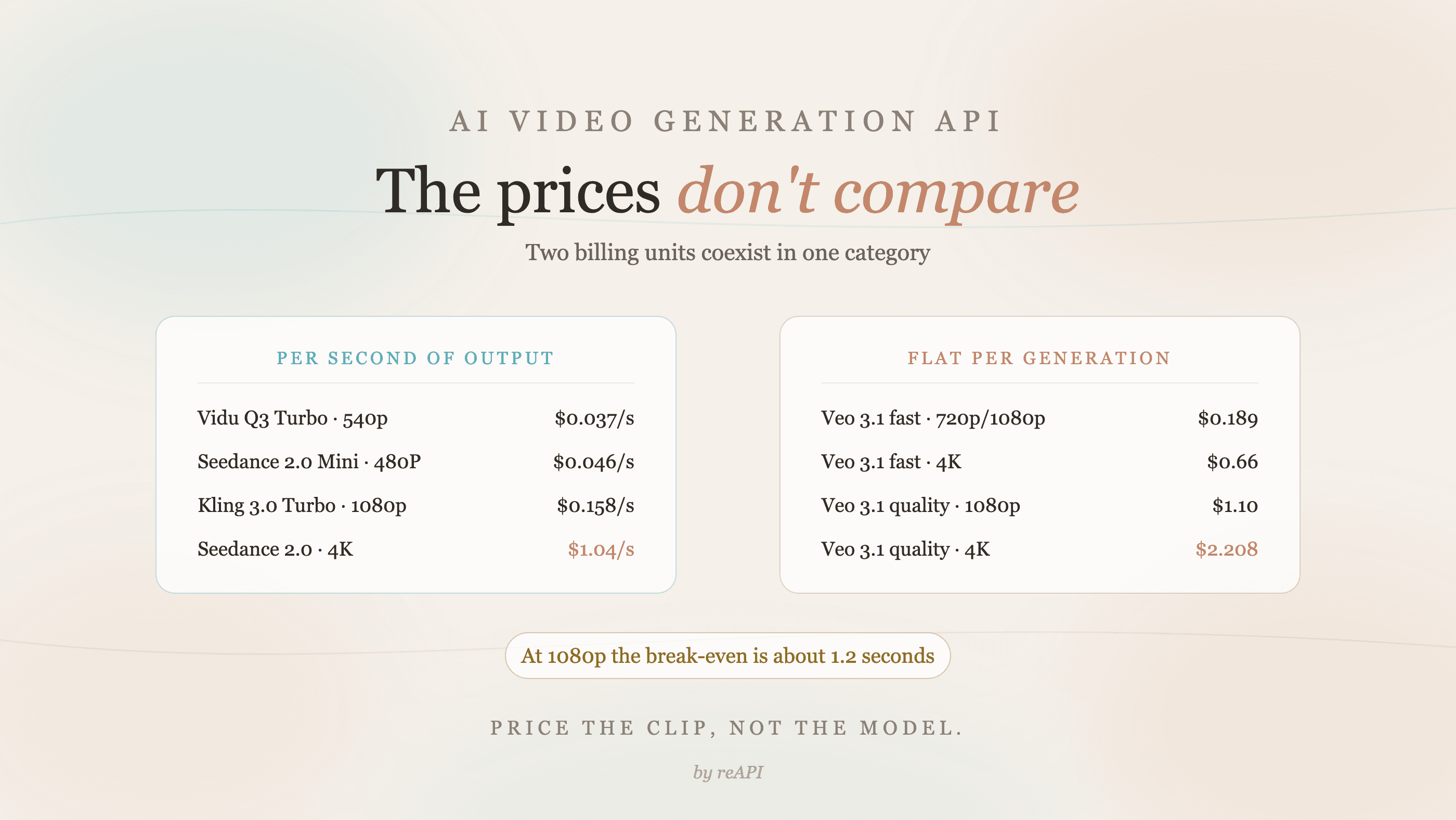
AI Video Generation API: Why the Prices Don't Compare
AI video generation API rates use two incompatible billing units: per second and flat per generation. Where the break-even sits and how to price a real clip.

Image to Video API in 2026: Prices, Inputs, and Free Limits
Image to video API routes compared: source-image, reference, and first/last-frame inputs across six models, with live per-second prices from $0.03/s.