GPT Image 2 + Seedance 2.0: A Character Consistency Workflow
Use GPT Image 2 and Seedance 2.0 to reduce character drift across AI video shots. Build identity references, animate controlled frames, and chain clips.
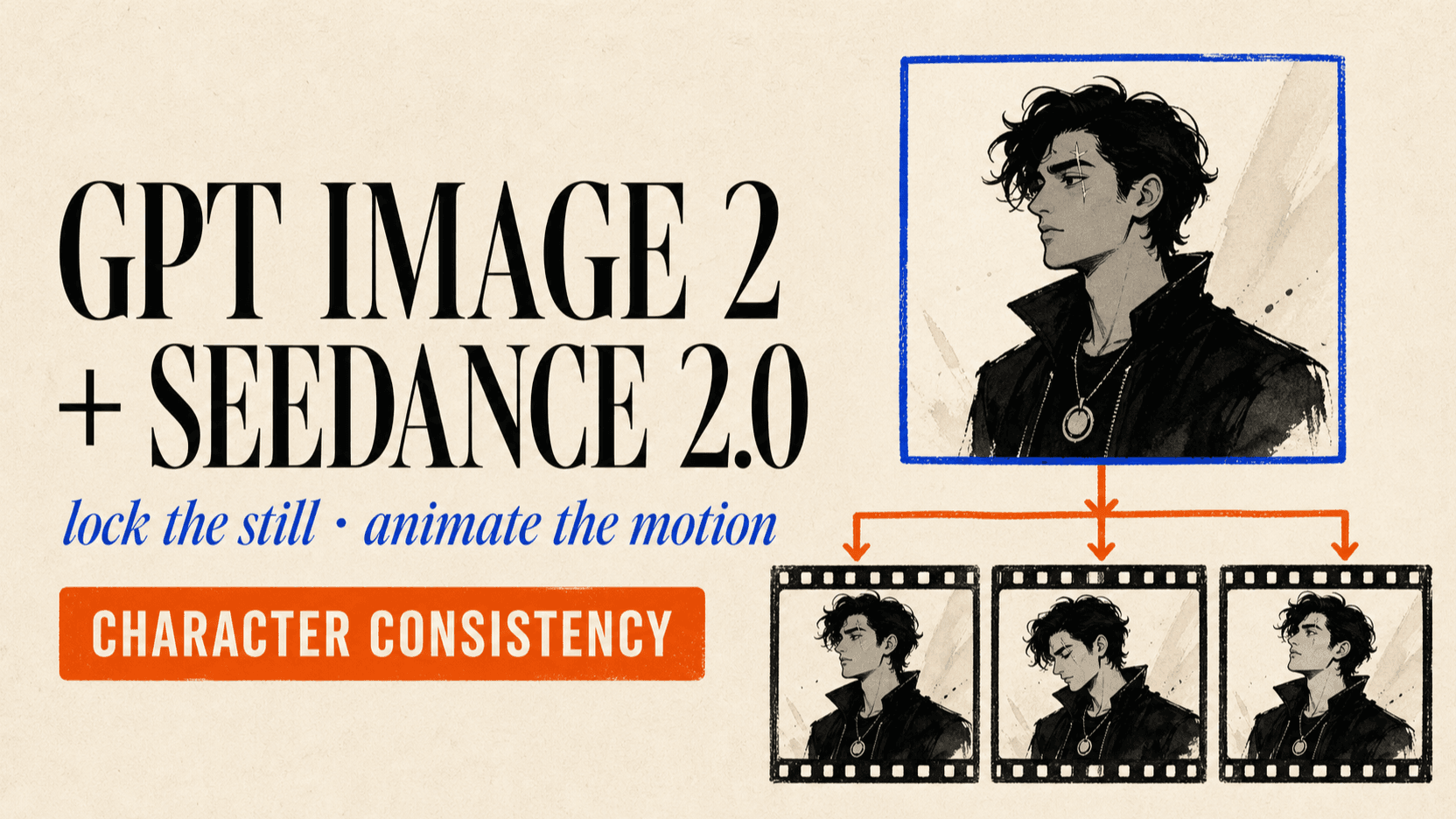
The most reliable GPT Image 2 + Seedance 2.0 workflow separates identity design from motion. Build and approve the character in GPT Image 2 first, reuse that same visual package to create every shot's start frame, then ask Seedance 2.0 to animate the frame instead of reinventing the person from text.
This reduces character drift because each model gets one job. GPT Image 2 controls face, silhouette, wardrobe, and framing. Seedance controls movement, camera, timing, and audio. It is not a guarantee that a character “never drifts”—no current API exposes a perfect identity lock—but it is a repeatable production workflow with clear checkpoints.
TL;DR
- Lock the still before generating motion. A weak or inconsistent start frame becomes a weak video.
- Create one canonical character package. Keep a neutral portrait, full body view, three-quarter view, and a short written identity block.
- Generate each shot frame from those frozen references. GPT Image 2 on reAPI accepts up to 16 public image URLs in one image-to-image request.
- Prompt Seedance for motion, not identity. Pass the approved frame and describe action, camera, pacing, and sound.
- Reuse references without swapping them mid-project. A “better” new face halfway through a sequence creates a second definition of the character.
- Chain clips with the returned last frame. Seedance 2.0 can return a final frame for the next segment, reducing visual jumps at joins.
Why characters drift between AI video shots
Text descriptions are not identity records. “A woman with short black hair, green eyes, and a red jacket” describes a category containing millions of possible faces. Every fresh text-to-video request can sample another valid person while still following the words.
Drift also enters through changes that look harmless to a human reviewer:
- a different crop hides the jawline or body proportions;
- dramatic lighting changes apparent eye, hair, and skin color;
- wardrobe prompts compete with facial details;
- a new reference introduces a different nose, age, or hairstyle;
- motion instructions ask for turns or occlusion the source frame cannot support.
Seedance 2.0 accepts text, images, audio, and video as reference modalities, with up to nine images, three videos, and three audio clips on its current open platform.[2] More references do not automatically mean more consistency. They work only when they agree.
The two-stage character consistency workflow
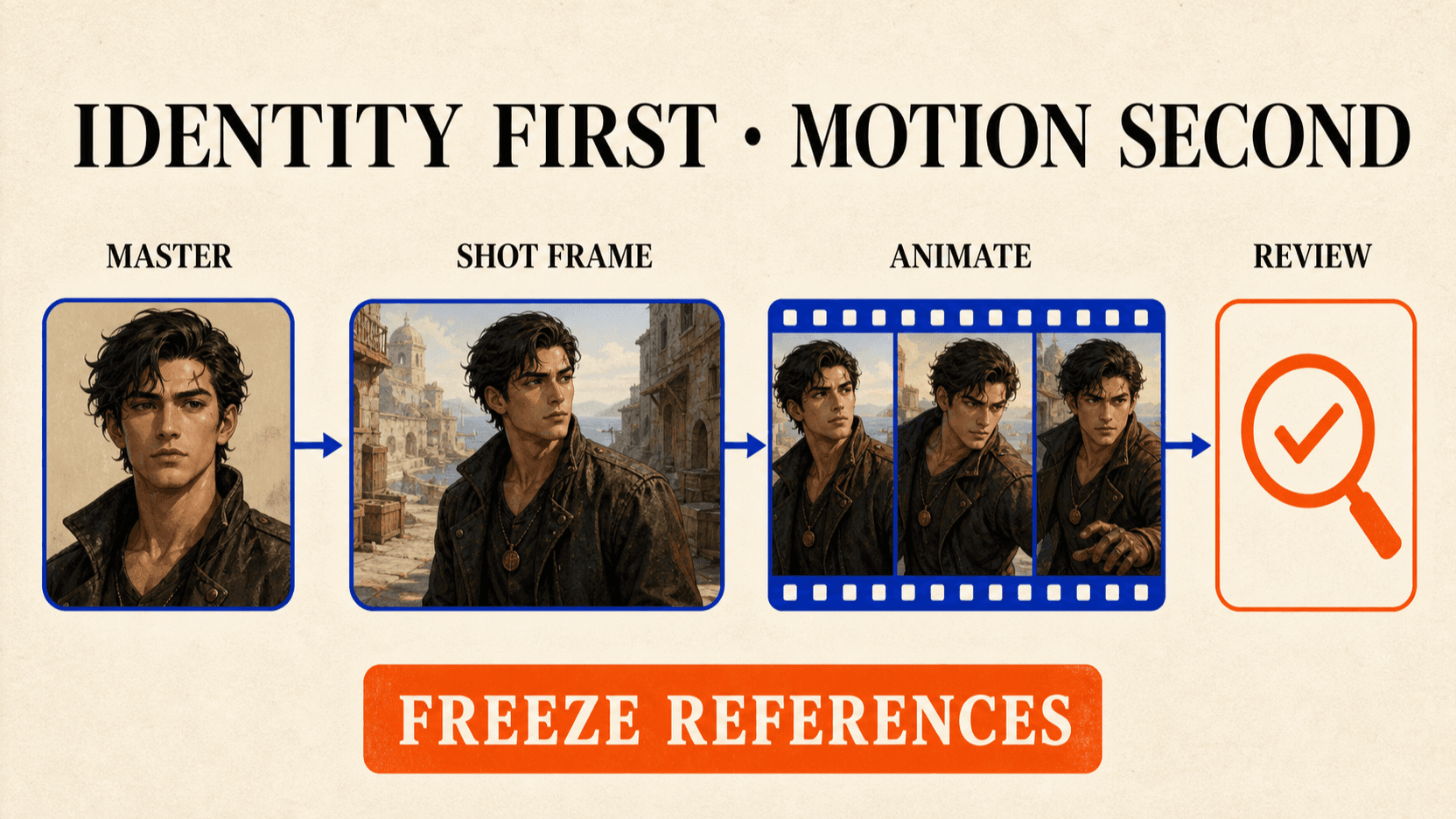
The pipeline has six gates. Do not move forward until the current gate passes, because repairing identity after animation is slower than regenerating a still.
1. Write an identity contract
Define only features that must survive every shot. Keep the block short enough to paste unchanged into image prompts.
CHARACTER: Mara, fictional adult woman, early 30s
FACE: oval face, wide-set brown eyes, straight nose, small scar above left eyebrow
HAIR: chin-length black bob, center part
WARDROBE: burnt-orange field jacket, charcoal crew-neck shirt
ANCHOR: narrow silver compass pendant
DO NOT CHANGE: age, facial geometry, hair length, scar side, pendant shape
Avoid subjective labels such as “beautiful,” “cool,” or “cinematic.” They invite the model to redesign the person. Physical anchors are easier to audit.
2. Generate the master portrait in GPT Image 2
Start with even light, a neutral expression, visible facial geometry, and a simple background. GPT Image 2 supports both image generation and editing; OpenAI documents text as input and image as both input and output.[1]
curl https://reapi.ai/api/v1/images/generations \
  -H "Authorization: Bearer YOUR_API_KEY" \
  -H "Content-Type: application/json" \
  -d '{
    "model": "gpt-image-2",
    "prompt": "Character reference portrait. Fictional adult woman, early 30s, oval face, wide-set brown eyes, straight nose, small scar above left eyebrow, chin-length black bob with center part, neutral expression, even soft light, plain warm-gray background, realistic editorial photography, no text",
    "size": "3:4",
    "resolution": "2k"
  }'
Save the returned URL as the canonical portrait. Do not choose a dramatic hero image as the master; choose the face that is easiest to read.
3. Expand one portrait into a reference package
Use image-to-image requests with the approved portrait in image_urls.
Generate a full-body neutral stance, left and right three-quarter views, and a
wardrobe sheet. Ask the model to preserve identity rather than “make a similar
person.”
curl https://reapi.ai/api/v1/images/generations \
  -H "Authorization: Bearer YOUR_API_KEY" \
  -H "Content-Type: application/json" \
  -d '{
    "model": "gpt-image-2",
    "prompt": "Preserve the exact identity, age, facial geometry, scar position, hair cut, jacket, shirt, and compass pendant from the reference. Create a clean full-body character sheet with front and three-quarter views, neutral stance, even studio light, plain background, no labels, no extra people",
    "image_urls": ["https://your-cdn.com/mara-master.png"],
    "size": "16:9",
    "resolution": "2k"
  }'
The inexpensive gpt-image-2 route returns one image per request and accepts
up to 16 public HTTP(S) reference URLs. It does not expose a seed or persistent
character ID.[3] Consistency therefore comes
from repeatedly supplying the same approved pixels.
4. Create a controlled start frame for every shot
Write the shot list before generating more images. For each shot, feed the master portrait and character sheet back into GPT Image 2, then change only the scene, pose, lens, and composition.
Preserve the exact identity and wardrobe from Image 1 and Image 2.
Medium-wide 16:9 frame. Mara stands beside a rain-streaked train window at
night, body at three-quarter angle, face fully visible, compass pendant visible.
Camera at eye level, 50mm lens, soft carriage practical light.
No additional people. Do not change facial geometry, age, hairstyle, scar side,
jacket color, or pendant.
Approve the still against the master before paying to animate it. This is the cheapest point to reject a changed face, missing anchor, or incompatible pose.
5. Animate the frame with Seedance 2.0
Pass the approved shot frame first, followed by one or two canonical identity
references if needed. Seedance chooses image-to-video mode when image_urls
is present; there is no separate mode field on reAPI.[4]
curl https://reapi.ai/api/v1/videos/generations \
  -H "Authorization: Bearer YOUR_API_KEY" \
  -H "Content-Type: application/json" \
  -d '{
    "model": "doubao-seedance-2.0-face",
    "prompt": "@Image1 remains the same character. She turns slowly toward the rain-streaked window and exhales. Subtle blink, natural breathing, gentle train vibration. Slow 10% camera push-in. Preserve face, black bob, eyebrow scar, orange jacket, and silver compass pendant. No scene cut, no wardrobe change.",
    "image_urls": [
      "https://your-cdn.com/shot-01-start.png",
      "https://your-cdn.com/mara-master.png"
    ],
    "size": "16:9",
    "resolution": "720p",
    "duration": 5,
    "generate_audio": true,
    "return_last_frame": true
  }'
Use a Face variant for identifiable real-person source material. Synthetic characters can use an eligible non-Face or official route, but model availability and safety rules still apply. Only upload likenesses you have the right and consent to use.
6. Review, reject, and chain
Review the completed clip frame by frame. Check the face at the beginning, middle, and end, not only the thumbnail.
| Check | Pass condition | If it fails |
|---|---|---|
| Facial geometry | Eyes, nose, jaw, and age remain stable | Regenerate from the same approved start frame |
| Hair silhouette | Length and part stay recognizable | Reduce head turns or wind motion |
| Identity anchors | Scar, pendant, and jacket remain present | Shorten the prompt and restate invariants |
| Hands and occlusion | Face is not rebuilt after a long obstruction | Reduce occlusion or split the action |
| Final frame | Clean enough to begin the next shot | Request another take before chaining |
When a clip passes, use output.last_frame_url as the first image of the next
Seedance request. Keep the canonical portrait in the remaining reference slots.
The last frame protects spatial continuity; the master portrait protects
identity.
Prompting rules that reduce character drift
The order of instructions matters. A useful Seedance motion prompt follows this sequence:
identity binding → action → camera → environment motion → audio → invariantsFor example:
@Image1 remains the same character. She takes two measured steps toward the
door and looks over her left shoulder. Handheld camera tracks backward at chest
height. Curtains move slightly in the draft; quiet room tone and footsteps.
Preserve face, age, black bob, eyebrow scar, orange jacket, and pendant. No cut,
no new person, no costume change, no extreme motion blur.
Do not repeat a long visual description that conflicts with the supplied frame. The frame already defines the scene. The prompt should spend most of its tokens on change over time.
What not to do
Five common shortcuts make drift worse.
- Do not generate every shot from text. Each request samples a new person.
- Do not replace the master after shot three. Fix a bad shot, not the canonical identity.
- Do not mix references from different generations. Minor disagreements in face or clothing become competing instructions.
- Do not ask for extreme motion immediately. Test a blink, small turn, or short walk before flips, spins, crowds, and heavy occlusion.
- Do not use a drifted last frame as the only next reference. Pair it with the clean master or regenerate the transition.
The Seedance 2.0 character consistency guide covers reference ordering, voice reuse, multi-shot prompts, and longer chains in more detail.
Cost and iteration strategy
This workflow costs less when failures are caught in the still-image stage. One GPT Image 2 request produces one candidate, while Seedance bills video by output duration and resolution. Uploaded reference video can also add billable seconds; image references do not.[3][4]
A disciplined production loop is:
- Generate low-count 1K or 2K character drafts.
- Approve one master and stop exploring identity.
- Generate and review every start frame as a still.
- Animate five-second 720p tests with simple motion.
- Increase duration or resolution only after the prompt passes.
Current rates can change, so calculate the budget from the live GPT Image 2 model page and Seedance 2.0 model page rather than copying an old per-image or per-second figure into a production spreadsheet. The Seedance cost-per-second guide explains the billing dimensions.
A reusable folder structure
Treat character consistency as asset management, not prompt luck.
project/
  character/
    identity-contract.txt
    master-portrait.png
    character-sheet.png
    approved-refs.json
  shots/
    01-train-window/
      start-frame.png
      motion-prompt.txt
      output.mp4
      last-frame.png
    02-platform/
      start-frame.png
      motion-prompt.txt
Version the identity contract and reference URLs. If the art director approves a real redesign, create character package v2 and regenerate all dependent shots instead of mixing versions.
FAQ
Does GPT Image 2 + Seedance 2.0 guarantee zero character drift?
No. It reduces drift by anchoring every shot to approved images, but neither API exposes a perfect persistent character lock. Motion, occlusion, conflicting references, and long clips can still change identity.
How many character references should I use?
Start with the approved shot frame plus one master portrait. Add a character sheet only when it contributes a missing angle or full-body information. The API maximum is not a target.
Should the GPT Image 2 master portrait be cinematic?
No. Use even light, a neutral expression, a visible face, and a simple background. Build cinematic lighting into each shot frame after identity is approved.
Which Seedance 2.0 model should I use for a real person?
Use a Face variant that accepts identifiable real-person inputs and confirm you have consent and usage rights. Official/non-Face routes may reject such references.[4]
Can I reuse Seedance's last frame for the next clip?
Yes. Set return_last_frame: true, then pass the returned URL into the next
request. Keep the original master reference alongside it so small errors do not
compound across the sequence.
Should I add negative prompts such as “no face drift”?
Brief invariants can help, but reference quality and achievable motion matter more. A clean start frame plus a small, visible action is stronger than a long list of negative terms.
The character-consistent AI video workflow in one sentence
GPT Image 2 defines and stages the character; Seedance 2.0 animates approved frames; a human review gate prevents one drifting shot from contaminating the next. That is the practical GPT Image 2 + Seedance 2.0 character consistency workflow—not a promise of perfect identity, but a controlled pipeline that can be repeated, measured, and improved.
For a broader image-generation overview, read How to use GPT Image 2. For Seedance references beyond characters, see the Seedance 2.0 API documentation.
References
- OpenAI. GPT Image 2 model documentation — image generation and editing, modalities, endpoints, and snapshots. Retrieved August 2, 2026. developers.openai.com/api/docs/models/gpt-image-2
- Team Seedance et al. Seedance 2.0: Advancing Video Generation for World Complexity. April 2026. arxiv.org/abs/2604.14148
- reAPI. GPT Image 2 API documentation — reference limits, resolutions, and async task behavior. Retrieved August 2, 2026. reapi.ai/docs/gpt-image-2
- reAPI. Seedance 2.0 API documentation — mode routing, reference limits, variants, last-frame return, and billing. Retrieved August 2, 2026. reapi.ai/docs/seedance-2-0
- Devenko AI. GPT Image 2.0 + Seedance 2.0: The Only Workflow Where Your Character Never Drifts. July 2026. devenkoai.medium.com
Author

Categories
More Posts
Does Midjourney Have an API? V8.2 Options Without Discord (2026)
Does Midjourney have an API? Learn the official answer, what V8.2 changes, why account automation is risky, and how to evaluate authorized API options.
Nano Banana 2.1 vs Nano Banana 2: What Changed and When to Switch
Nano Banana 2.1 vs Nano Banana 2: Google's own preference scores, the new thinking level, dropped 0.5K size, fixed panoramas, price and the shutdown date.

Background Removal API Pricing: Cost per Usable Image
Calculate background removal API pricing from a live 88-credit rate, then add rejected outputs, retries, storage, and review to find your usable-image cost.