Seedance 2.0 Cost Per Second: The Real Billing Model
The Seedance 2.0 cost per second, by resolution and tier, plus the cheaper rate that only an uploaded video unlocks and the forecasting mistake it causes.
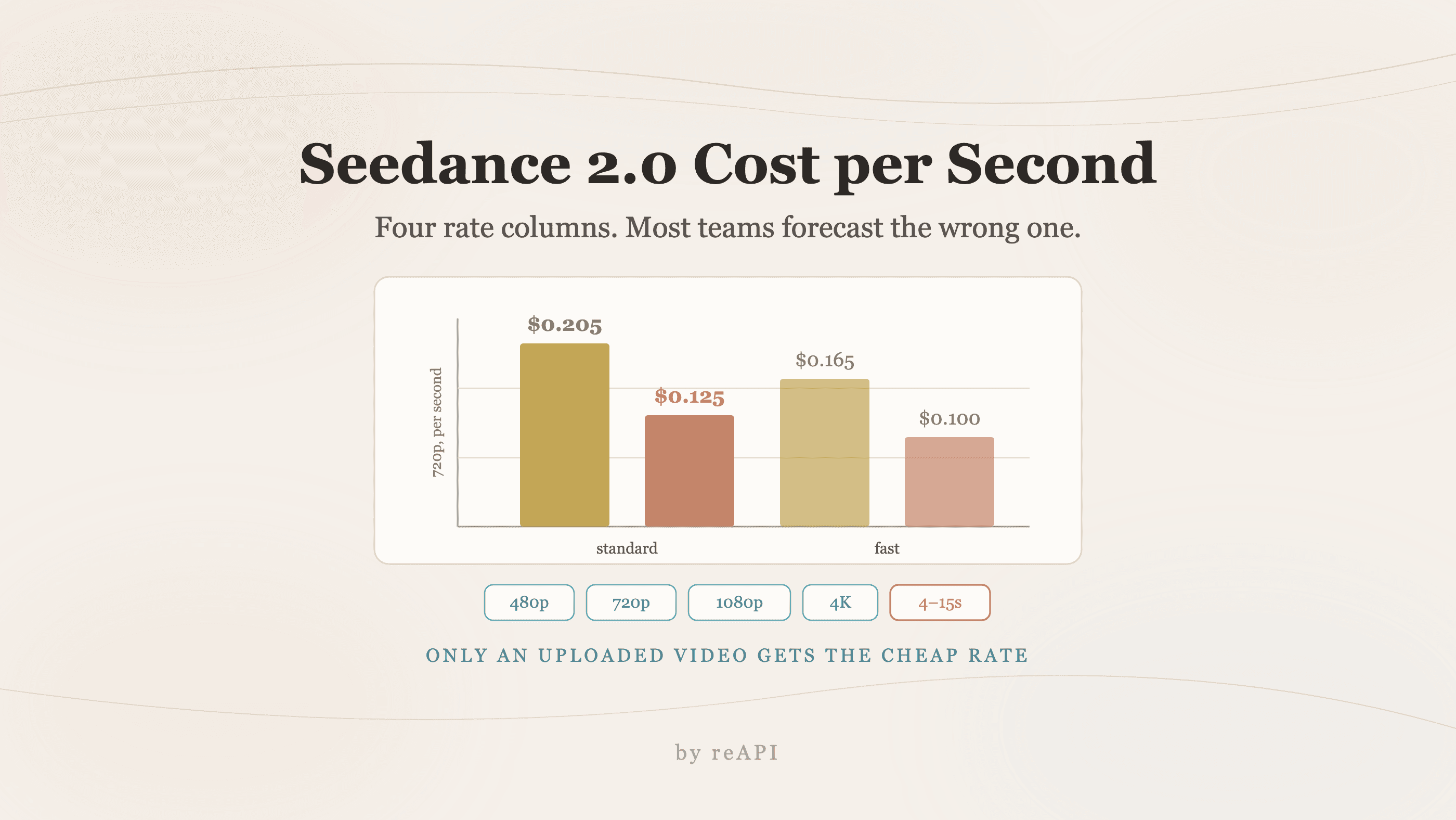
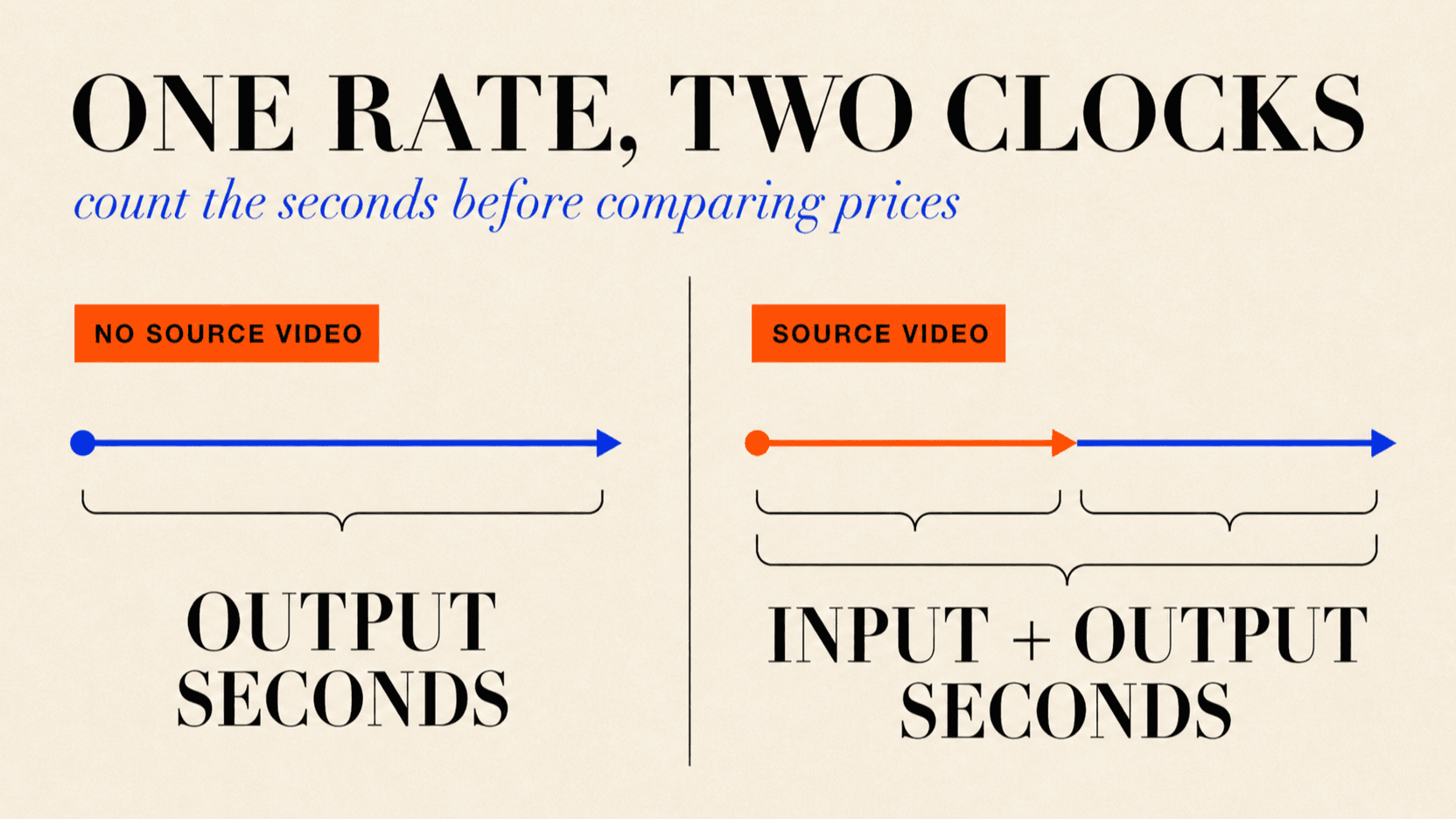
Seedance 2.0 bills by duration. Without a source video, you pay for the seconds of finished video the model returns. With a source video, the lower rate applies to the output duration plus the rounded-up total duration of the source videos. Across reAPI's public Seedance 2.0 routes, rates run from $0.032 to $1.144 per billed second.
Two of those choices are obvious: speed tier and resolution. The third one is not, and it is where most of the money leaks. There is a cheaper rate that applies only when you upload a source video, and passing images or first/last frames does not qualify, even though it feels like it should.
TL;DR
- Billing uses whole-request credits, calculated as
ceil(rate × billable seconds × 1,000)at 1 credit = $0.001. - Three dimensions set the rate: variant (Face, Fast Face, or Mini), resolution (480p through 4K), and whether the request carries an uploaded source video.
- The uploaded-video rate is roughly 39% lower at 720p Face, $0.09375/s against $0.15375/s, but it bills source plus output duration.
- It only triggers on
video_urls. Image inputs and first/last frame references stay on the higher rate. - A 5-second 720p Face clip costs $0.769 without a source video. With a 5-second source video, it costs $0.938.
- Mini at 480p is the lowest public rate at $0.05/s, or $0.032 per billed second with a source video.
The full rate card
Rates below are per billed second[1].
| Resolution | Face, no source video | Face, with source video | Fast Face, no source video | Fast Face, with source video |
|---|---|---|---|---|
| 480p | $0.07125 | $0.043125 | $0.08525 | $0.0495 |
| 720p | $0.15375 | $0.09375 | $0.1815 | $0.11 |
| 1080p | $0.3825 | $0.2325 | n/a | n/a |
| 4K | $0.780 | $0.480 | n/a | n/a |
Mini is a separate public route:
| Resolution | Mini, no source video | Mini, with source video |
|---|---|---|
| 480p | $0.049875 | $0.0315 |
| 720p | $0.107625 | $0.065625 |
Two structural facts fall out of that table.
Resolution is the steepest lever. Going from 480p to 4K on Face multiplies the rate by about 11. Going from Face to Fast Face at the same resolution saves roughly 21 to 22% (rates checked October 22, 2026). If a clip does not need to be 4K, resolution is the first thing to cut, not the tier.
Fast Face and Mini stop at 720p. There is no Fast Face or Mini path to 1080p or 4K, so high-resolution work uses Face.
The rate that catches people out
The cheaper column is labeled "& uploaded videos," and the label is precise in a way that is easy to misread.
That rate applies only when the request carries an uploaded source video. In API terms, only when video_urls is populated. Every other kind of reference material, an image, a first frame, a last frame, audio, leaves you on the base rate.
This matters because image-to-video and first/last-frame workflows feel like reference-driven generation. You are supplying source material, the model is transforming it rather than inventing from nothing, and the intuition is that it should cost less. It does not.
At 720p Face, the rate gap is 39%: $0.15375 per output second without a source video, against $0.09375 per billed second when a source video is attached. The second rate runs on a longer clock because the source-video duration is added to the output duration.
The practical consequence is a forecasting error rather than a bug. Teams model their costs on the cheaper column because their workflow "uses references," then the invoice arrives priced on the base column. If you are budgeting an image-to-video pipeline, budget it at the from-prompt rate.
Worked examples
Multiply the rate by billable seconds, then round the whole request up to the next credit.
A 5-second 720p Face clip without source video: ceil(5 × $0.15375 × 1,000) = $0.769
A 5-second source driving that 5-second output: ceil(10 × $0.09375 × 1,000) = $0.938
A 10-second 1080p Face clip without source video: 10 × $0.3825 = $3.825
A 5-second 480p draft on Fast Face: ceil(5 × $0.056575 × 1,000) = $0.283
A 15-second 4K Face hero shot: 15 × $0.780 = $11.70
At volume, the shape of the spend matters more than the rate. A thousand 5-second 720p Face clips without source video costs $769 after per-request credit rounding. The same thousand clips at 480p on Fast Face costs $283. The same thousand at 1080p Face costs $1,913.
The formula for a mixed workload:
billable seconds = output seconds + ceil(total source-video seconds)
credits per request = ceil(rate × billable seconds × 1,000)
monthly cost = Σ credits per request × $0.001
Duration must be an integer from 4 to 15 seconds. Out-of-range requests are rejected rather than rounded or billed.
Picking a configuration
Draft on Fast Face at 480p. At about $0.057 per second, a 5-second iteration costs 28 cents. Iterate there, then render the approved shot once at the resolution you actually ship.
Only pay for 1080p and 4K on final output. The 480p-to-4K multiplier is roughly 11x. A 4K draft is the most expensive mistake available in this pricing model.
Price source-video jobs on both clocks. The 39% lower rate at 720p is real, but only for video_urls, and the source duration becomes billable. A long source clip can make the final request cost more than a no-video request.
Do not assume image-to-video is discounted. Budget it at the from-prompt rate.
Calling it and knowing the bill
The endpoint is async: submit returns a task_id, then poll.
curl https://reapi.ai/api/v1/videos/generations \
  -H "Authorization: Bearer YOUR_API_KEY" \
  -H "Content-Type: application/json" \
  -d '{
    "model": "doubao-seedance-2.0-face",
    "prompt": "a slow dolly through a neon-lit alley after rain, cinematic",
    "resolution": "720p",
    "duration": 5
  }'
That request bills at the from-prompt rate. Adding video_urls moves it to the cheaper column:
curl https://reapi.ai/api/v1/videos/generations \
  -H "Authorization: Bearer YOUR_API_KEY" \
  -H "Content-Type: application/json" \
  -d '{
    "model": "doubao-seedance-2.0-face",
    "prompt": "restyle this shot as neon-lit and rain-soaked, keep the camera move",
    "video_urls": ["https://example.com/source.mp4"],
    "resolution": "720p",
    "duration": 5
  }'
Two platform rules worth knowing. Media inputs are public http(s) URLs only, with no base64 accepted on any model. And rates move, so the live table on reapi.ai/models/seedance-2-0 is canonical rather than any figure quoted in an article, including this one. Request and response shapes are in the reapi.ai/docs/seedance-2-0 reference.
FAQ
How much does Seedance 2.0 cost per second?
From $0.032 to $1.144 per billed second across the public Mini, Fast Face, and Face routes. A 720p Face clip without a source video uses the $0.15375 rate[1].
Does prompt length affect the price?
No. Prompt length, input file size, and server-side queue time do not change the charge. Without a source video, billing follows output duration; with one, it also includes the source video's total duration rounded up to the next whole second.
Why is my image-to-video generation billed at the higher rate?
Because the cheaper rate applies only when an uploaded source video is present. Images, first frames, and last frames stay on the base rate even though they are reference material.
What does a 10-second 720p video cost?
$1.538 without a source video after credit rounding. With a source video, the total depends on its rounded-up duration as well as the 10-second output.
Is Fast Face available at 1080p?
No. Fast Face covers 480p and 720p. Anything above that runs on Face.
What is the minimum and maximum duration?
Duration must be an integer from 4 to 15 seconds. Shorter or longer values are rejected rather than clamped, and there is no single-call path beyond 15.
How do I estimate a monthly bill?
Calculate credits for each request with ceil(rate × billable seconds × 1,000), then sum them. A thousand 5-second 720p Face clips without source video costs $769.
Where is the authoritative price?
The live table on the Seedance 2.0 model page. Rates change, so treat any number in an article as a planning figure.
Forecasting the bill instead of discovering it
The Seedance 2.0 cost per second is simple arithmetic once you know which rate and clock apply. The mistake that costs real money is assuming that supplying any reference material selects the cheaper rate, then counting output seconds alone when a source video also makes its own duration billable.
So the useful habit is small: before you model unit economics, check whether the pipeline sends video_urls or an image. Draft at 480p on Fast Face, reserve 1080p and 4K for shots that ship, and calculate the whole request from the live rate rather than the one you remember.
References
- reAPI. Seedance 2.0 and Seedance 2.0 Mini model pages — live rates by resolution, variant, and source-video mode. Retrieved August 17, 2026 from reapi.ai/models/seedance-2-0 and reapi.ai/models/seedance-2-0-mini
Further reading
- reAPI. Seedance 2.5 features. reapi.ai/blog/seedance-2-5-features
- reAPI. Seedance 2.0 endpoint reference. reapi.ai/docs/seedance-2-0
- reAPI. Model catalog. reapi.ai/models
Author

Categories
More Posts

MiniMax H3 vs Seedance 2.5: Which AI Video Model Wins?
Compare MiniMax H3 vs Seedance 2.5 on duration, 2K output, native audio, multimodal references, editing, pricing, API access, and best use cases.

Cheapest Seedance 2.5 in 2026: Compare Real API Costs
Find the cheapest Seedance 2.5 option for your resolution: compare current API rates, 10-second costs, reference-video billing, and subscription credit limits.

GPT-6 Luna vs 5.6 Luna vs 5.6 Terra: Price and Which to Use
GPT-6 Luna vs 5.6 Luna and 5.6 Terra: OpenAI list prices, the official reason Luna got cheaper, what the benchmarks and early A/B tests show, and which to pick.