Run a 70B LLM on a 4GB GPU with AirLLM: The Honest Guide
Can a 70B LLM really run on a 4GB GPU? Learn how AirLLM streams layers from disk, what hardware it still needs, how to try it, and why it is slow.
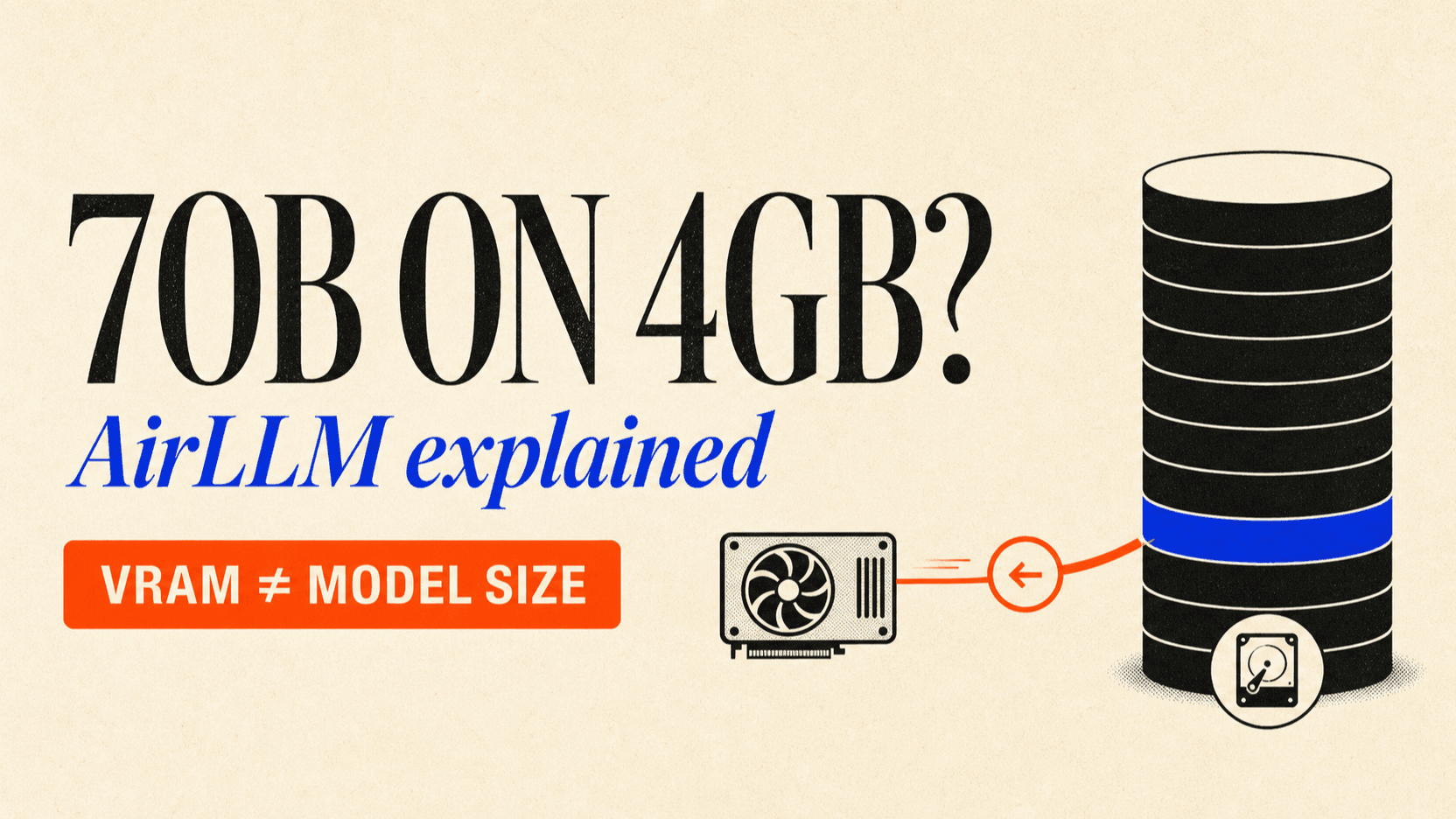
Yes, a 70B LLM can execute while using about 4GB of GPU memory with AirLLM—but the model does not fit inside a 4GB graphics card. AirLLM keeps the checkpoint on disk, loads one transformer layer into VRAM, computes that layer, releases it, and repeats. The technique trades memory for storage I/O and latency.[1][2]
That distinction is the entire story. A 70B model still needs roughly 130GB of weight storage at the precision used in the original demonstration. The 4GB figure describes peak VRAM during a narrowly configured inference run, not total machine memory, download size, or interactive performance.
TL;DR
- AirLLM makes extreme offloading possible. It stores layer-wise shards on disk and moves only the active layer to the GPU.
- The original result measured under 4GB on a 16GB Nvidia T4. It did not demonstrate a fast chatbot running entirely from a physical 4GB card.[1]
- Disk capacity and speed still matter. The first run downloads and reshards the checkpoint, and every generated token repeatedly streams weights through the compute device.
- Short context is part of the trick. The original example used an input length of 100 tokens; a larger KV cache and runtime buffers consume more memory.[1]
- Expect research or batch speeds, not responsive chat. AirLLM's author explicitly positions low-end hardware for offline work rather than interactive applications.[1]
- Use an API when output speed matters. Extreme local offloading is useful for learning and occasional private jobs; hosted inference is usually the simpler production path.
What “run a 70B LLM on a 4GB GPU” actually means
Four different resources are compressed into one headline. Separating them prevents most bad hardware decisions.
| Resource | What AirLLM changes | What it does not change |
|---|---|---|
| GPU VRAM | Keeps roughly one layer plus runtime state resident | The full checkpoint is not in VRAM |
| System RAM | Uses lazy loading and a meta device to avoid materializing the full model | Python, tokenizer, buffers, and OS memory still exist |
| Disk | Stores the complete model as layer-oriented shards | The download does not become 4GB |
| Time | Prefetch can overlap part of loading and compute | Storage traffic remains the central bottleneck |
The original 2023 walkthrough used a Llama 2-based 70B checkpoint with 80 transformer layers. One layer was estimated at about 1.6GB, while the KV cache for its 100-token example was about 30MB. The measured process stayed below 4GB of GPU memory on an Nvidia T4.[1]
AirLLM's current repository extends the same idea to Llama 3.x, Qwen, DeepSeek, Mixtral, Phi, Gemma, and other families. Its current reference table still lists a full-precision Llama 3.x 70B run at approximately 4GB of VRAM.[2] Treat that as a project claim and a memory target—not a throughput benchmark for every 4GB card.
How AirLLM layer-wise inference works
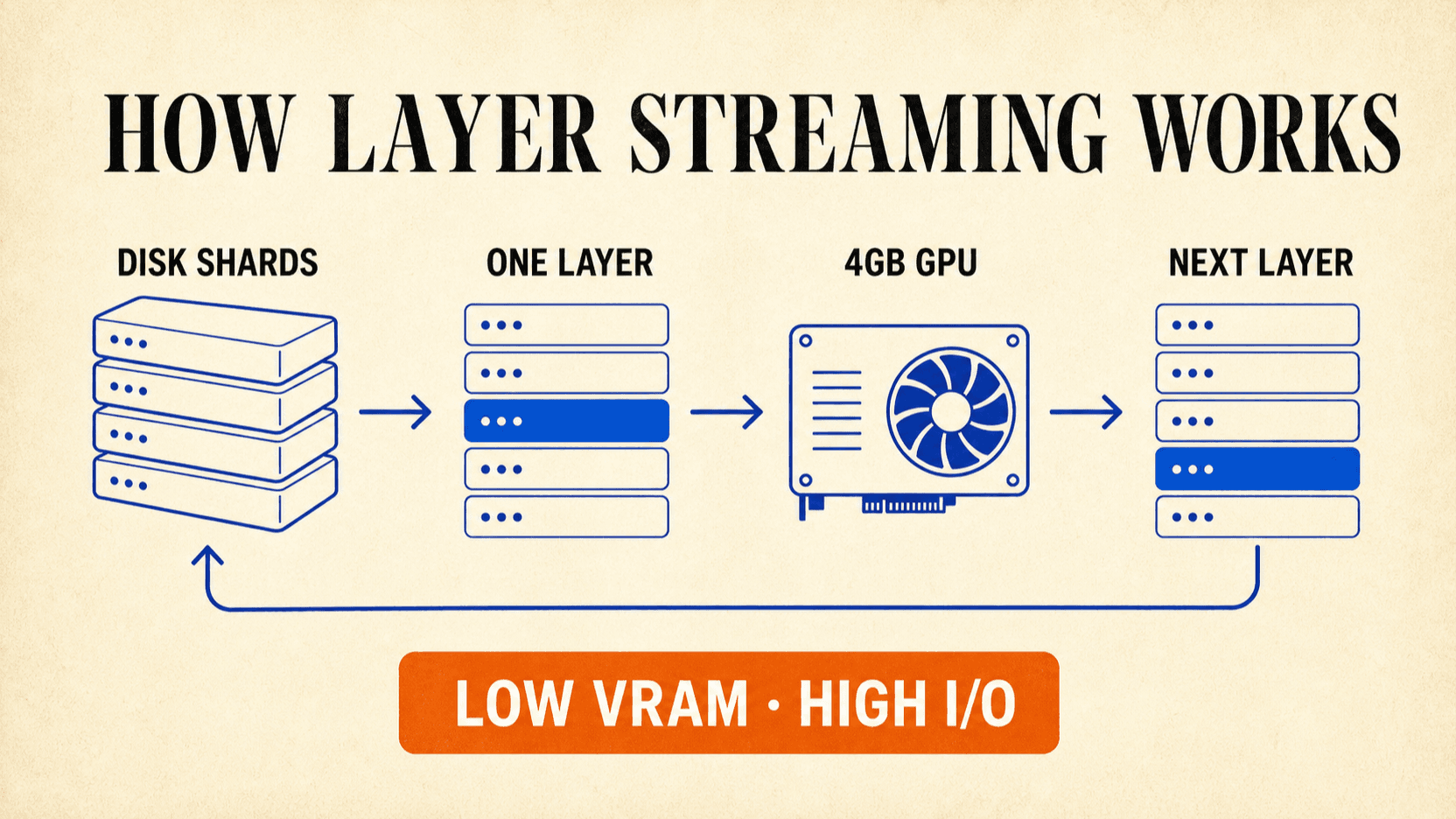
A transformer runs its blocks in sequence. Layer 12 consumes the hidden state from layer 11; layer 13 waits for layer 12. AirLLM exploits that order with a five-part pipeline.
- Create an empty model shell. Hugging Face Accelerate's meta device initializes the architecture without allocating real storage for every parameter.[3]
- Reshard the checkpoint by layer. Safetensors files are rearranged so loading one layer does not require reading an unrelated multi-gigabyte shard.
- Load one layer to the compute device. Only that layer and the required runtime tensors occupy the GPU at that moment.
- Compute, release, and continue. The hidden state moves forward while the layer weights leave VRAM.
- Repeat for every generated token. Prefetching overlaps some storage I/O with computation, but it cannot remove the repeated data movement.
FlashAttention reduces the temporary memory used by attention through tiled, I/O-aware computation.[4] It helps the active layer fit, while layer streaming solves the separate problem of where inactive weights wait.
Hardware and storage you still need
The GPU is only one component. Before downloading a 70B checkpoint, verify the rest of the machine.
- A compatible compute path. The headline demonstrations target Nvidia CUDA. AirLLM also documents Apple-silicon and CPU paths, but their memory and performance characteristics are different.[2]
- Enough disk for the checkpoint and conversion. The project warns that
first-run layer splitting is disk-intensive. Its
delete_originaloption can remove the original checkpoint after conversion when storage is tight. - Fast local storage. NVMe does not make layer streaming free, but a slow hard drive makes an already I/O-bound loop substantially worse.
- A short initial context and output. Start with a tiny prompt and 20–40 new tokens. Longer context increases the KV cache, while longer output repeats the full layer traversal more times.
- Model access. Gated Meta checkpoints require a Hugging Face token and acceptance of the model license.
Do not begin with a 70B download just to test whether the environment works. Run an 8B or smaller supported model first, verify CUDA and storage paths, then scale up.
How to try AirLLM with a 70B model
The current project quickstart uses AutoModel, which chooses the appropriate
implementation from a Hugging Face repository ID.[2]
Install a PyTorch build compatible with your CUDA driver first, then install
AirLLM.
python -m venv .venv
source .venv/bin/activate
pip install airllm
Keep secrets in environment variables rather than source code:
export HF_TOKEN="your_hugging_face_token"Then run a deliberately small generation:
import os

from airllm import AutoModel

MODEL_ID = "meta-llama/Llama-3.3-70B-Instruct"
MAX_LENGTH = 128

model = AutoModel.from_pretrained(
    MODEL_ID,
    hf_token=os.environ["HF_TOKEN"],
    layer_shards_saving_path="/data/airllm-shards",
)

prompt = ["Explain layer-wise inference in three short sentences."]
tokens = model.tokenizer(
    prompt,
    return_tensors="pt",
    return_attention_mask=False,
    truncation=True,
    max_length=MAX_LENGTH,
    padding=False,
)

result = model.generate(
    tokens["input_ids"].cuda(),
    max_new_tokens=32,
    use_cache=True,
    return_dict_in_generate=True,
)

print(model.tokenizer.decode(result.sequences[0]))
This is a minimal adaptation of the repository quickstart, not a universal environment lockfile. AirLLM, Transformers, PyTorch, CUDA, and a model's remote code can have version-specific constraints, so check the current repository issues before installing it on a production machine.
What happens on the first run
The first launch is not representative of later launches. AirLLM must download the model, inspect its architecture, split the checkpoint into layer shards, and write those shards to the configured path. Interrupting that conversion or running out of disk can leave an incomplete safetensors header; the project's FAQ recommends clearing the incomplete cache and rerunning after making space. [2]
Monitor four signals separately:
nvidia-smi -l 1          # GPU memory and utilization
free -h                  # system memory
df -h /data              # free disk space
iostat -xz 1             # storage saturation, if sysstat is installed
A low VRAM number is not success by itself. Record time to first token, seconds per output token, disk read volume, and whether repeated runs reuse completed shards.
Why AirLLM is slow even when it fits
Normal GPU inference loads weights once and reuses them for many tokens and requests. Extreme layer offloading reverses that advantage. Each new token must pass through the model's full stack while weights move from storage into the GPU in small pieces.
AirLLM added prefetching to overlap loading with computation and offers 4-bit or 8-bit block-wise weight compression to reduce disk traffic. The repository reports up to a threefold improvement from compression, but actual performance depends on the model, storage, GPU, context, and software versions.[2]
This makes the method more credible for:
- one-off evaluation of a model that otherwise cannot load;
- offline document classification or extraction;
- low-volume private batch processing where latency is secondary;
- studying memory scheduling and model architecture.
It is a poor default for live chat, agent loops, high concurrency, or any API with a latency target.
AirLLM vs quantization vs an API
| Approach | Local weights | Typical goal | Main trade-off |
|---|---|---|---|
| AirLLM layer streaming | Yes | Make an oversized model execute | Very low throughput and heavy disk I/O |
| 4-bit quantization | Yes | Make a model smaller and faster | A dense 70B model still needs far more than 4GB for weights |
| CPU/GPU offload | Yes | Split a moderately oversized model across RAM and VRAM | Requires substantial system RAM |
| Hosted API | No | Get interactive or production inference | Remote execution, usage cost, provider trust |
Choose AirLLM when the experiment is the point. Choose a smaller quantized model when local interactivity is the point. Choose an API when the 70B-class model and usable response time are both requirements.
The same distinction applies to much larger claims. Our Kimi K3 on a 4GB GPU analysis explains why sparse experts change the streaming unit but do not erase the checkpoint. For a current long-context API example, see the MiniMax M3 API guide, or browse the live model catalog.
A practical decision checklist
Before attempting a 70B LLM on a 4GB GPU, answer these questions:
- Is the objective to prove execution, or to build a responsive product?
- Can the disk hold the original model and its layer-sharded copy during conversion?
- Is the checkpoint architecture explicitly supported by the current AirLLM release?
- Can the workload tolerate long time-to-first-token and low throughput?
- Does the model license permit the intended use?
- Have you tested the same software stack with a small checkpoint first?
If the answer to questions two through four is no, the 4GB headline is not a useful deployment plan.
FAQ
Can a 70B LLM really run on a 4GB GPU?
Yes, through extreme layer-wise streaming. Only a small part of the model is resident in VRAM at once; the full checkpoint remains on disk. That is not the same as loading a 70B model into 4GB.
Did the original AirLLM test use an actual 4GB graphics card?
The 2023 article says the team tested on a 16GB Nvidia T4 and measured less than 4GB of GPU memory usage.[1] The current repository separately lists Llama 3.x 70B at approximately 4GB VRAM.
How much disk space does a 70B model need?
It depends on the checkpoint precision and format. The original walkthrough described roughly 130GB of parameters, and layer conversion may temporarily require both the original and converted copies. Check the repository files before downloading and leave room for interrupted or partial conversions.
Is AirLLM fast enough for a chatbot?
Usually not on low-end hardware. The original author warns that a T4 setup is slow and better suited to offline work.[1]
Does AirLLM train a 70B model in 4GB?
No. Training must retain or recompute activations and gradients for backpropagation. AirLLM's layer-wise technique addresses inference, not full training.[1]
Is a 4-bit 70B model small enough for 4GB VRAM?
No. Seventy billion parameters at four bits require a theoretical 35GB just for raw weights, before quantization metadata and runtime memory. Quantization helps, but it does not close that gap.
The honest verdict on 70B inference with 4GB VRAM
AirLLM turns a hard memory ceiling into a scheduling problem. That is a real technical result: a 70B LLM can execute with roughly 4GB of VRAM when the runtime streams layer shards from much larger storage. The price is repeated I/O, slow generation, a large checkpoint, and a fragile software stack.
Use it to study extreme inference or finish low-volume offline jobs. For an interactive application, use a smaller local model or call a hosted model through the reAPI quickstart. The useful lesson is not that 70B has become a 4GB model. It is that VRAM no longer has to hold every weight at the same time.
References
- Gavin Li. Unbelievable! Run 70B LLM Inference on a Single 4GB GPU with This New Technique. November 30, 2023. huggingface.co/blog/lyogavin/airllm
- AirLLM. AirLLM repository, current quickstart, supported models, configuration, and FAQ. Retrieved August 2, 2026. github.com/lyogavin/airllm
- Hugging Face Accelerate. Big Model Inference and the meta device. huggingface.co/docs/accelerate/usage_guides/big_modeling
- Dao et al. FlashAttention: Fast and Memory-Efficient Exact Attention with IO-Awareness. NeurIPS 2022. arxiv.org/abs/2205.14135
Author

Categories
More Posts

Opus 5.5 Video Generation: Directing Seedance 2.5 Shots
Opus 5.5 video generation, done right: Claude writes the shot plan, GPT Image 2.5 locks the character, Seedance 2.5 renders it. Prompts, code and real costs.

FLUX 3 Image Release Date: Launch, Access, and Weights
FLUX 3 Image launched October 1, 2026. See how its release differs from the July family announcement, the Video launch, and public model-weight availability.

Does Midjourney Have an API? V8.2 Options Without Discord (2026)
Does Midjourney have an API? Learn the official answer, what V8.2 changes, why account automation is risky, and how to evaluate authorized API options.