Unbelievable: Run Kimi K3 — 2.8 Trillion Parameters on a Single 4GB GPU
Can Kimi K3 really run on one 4GB GPU? Learn the 1.4TB weight math, what layer offloading changes, current tool support, and the practical API route today.
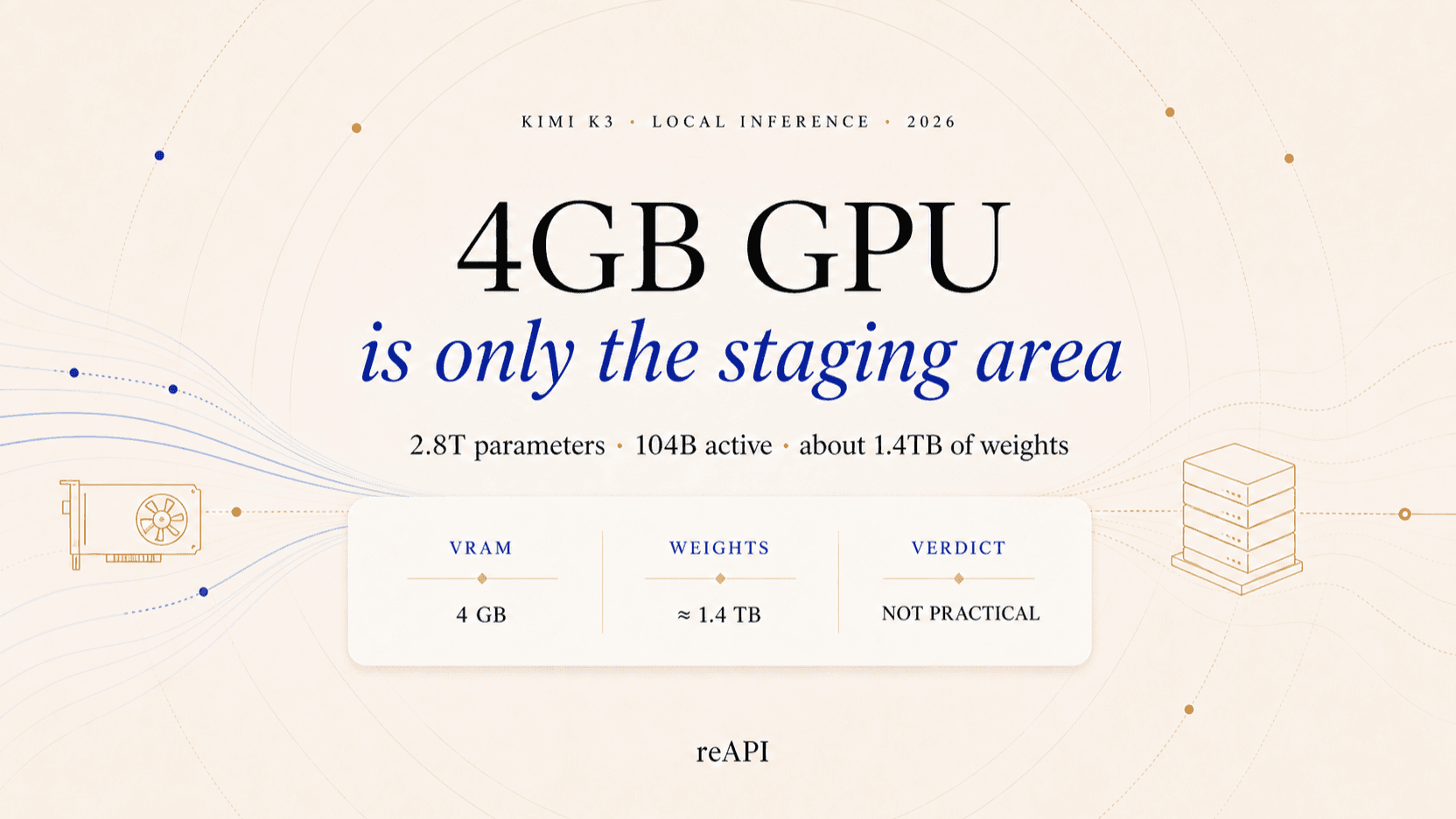
Can you run Kimi K3 on a 4GB GPU? Not in the ordinary meaning of “run locally.” Kimi K3's native MXFP4 weights need roughly 1.4 TB before metadata and runtime overhead. A 4GB card can only act as a small staging device if software streams tiny pieces of the model from disk or host memory. That is technically interesting, but it is not the same as loading Kimi K3 into 4GB of VRAM, and no current mainstream Kimi K3 recipe makes it a practical setup.[1][2]
The distinction matters because three true facts are often combined into one misleading conclusion: Kimi K3 is sparse, only 104B parameters are active per token, and layer-offloading tools have run smaller 70B models on 4GB GPUs. None of those facts makes a 2.8T checkpoint fit in 4GB. This guide does the memory math, explains what offloading really changes, checks the current software support, and shows the low-hardware route that works today.
TL;DR
- Kimi K3 really has 2.8T total parameters. It is a sparse Mixture-of-Experts model with 104B activated parameters per token, 93 layers, 896 experts, and a 1M-token context window.[1]
- MXFP4 does not make it small. Four bits per parameter puts the raw weight floor at about 1.4 TB decimal, or 1.27 TiB, before scales, metadata, non-4-bit tensors, and runtime state.
- 104B active is a compute figure, not a storage figure. The router can choose different experts on the next token, so all experts must remain accessible somewhere.
- A 4GB GPU can only be a staging area. Disk or CPU offloading moves model pieces through VRAM; it does not remove the need to store the full model.
- AirLLM does not currently document Kimi K3 support. Its published 4GB example targets Llama 3 70B, while Kimi K3 uses a new custom multimodal MoE architecture.[4]
- The practical route is an API. A low-end laptop can call Kimi K3 through an OpenAI-compatible endpoint while the model runs on remote infrastructure.
Kimi K3 hardware reality at a glance
| Item | Kimi K3 |
|---|---|
| Total parameters | 2.8 trillion |
| Activated per token | 104 billion |
| Architecture | Sparse MoE with KDA and Gated MLA attention |
| Routed experts | 896, with 16 selected per token |
| Layers | 93 |
| Native weight format | MXFP4 weights |
| Activation format | MXFP8 |
| Context window | 1,048,576 tokens |
| Raw 4-bit weight floor | About 1.4 TB decimal / 1.27 TiB |
| 4GB GPU verdict | Cannot hold the model; experimental staging only |
Moonshot describes Kimi K3 as an open-weight, native multimodal agentic model built on Kimi Delta Attention, Attention Residuals, and Stable LatentMoE. It activates 16 of 896 routed experts for each token and includes a MoonViT-V2 vision encoder.[1][2]
Those architectural choices reduce compute and long-context cost. They do not turn a trillion-scale checkpoint into a consumer-GPU model.
Why 2.8 trillion MXFP4 parameters still need about 1.4 TB
The first calculation is simple:
2.8 trillion parameters × 4 bits
= 11.2 trillion bits
= 1.4 trillion bytes
= about 1.27 TiB
This is a lower bound, not a complete deployment estimate. Real checkpoints also carry quantization scales, indexes, configuration, embeddings, tensors stored at other precisions, and the 401M-parameter vision encoder. Runtime adds activations, selected-expert working memory, attention state, CUDA or NPU kernels, and a KV or recurrent-state budget that grows with concurrency and context settings.[1]
The official Hugging Face checkpoint is split into many large safetensor shards; individual listed shards are measured in tens of gigabytes. One shard can exceed the entire capacity of a 4GB card before the inference engine has allocated a single activation buffer.[3]
For comparison, a 4GB card can theoretically hold around 8 billion plain 4-bit parameters if every byte were available for weights. In practice it can hold less because the runtime needs memory too. Kimi K3 is about 350 times larger by total parameter count.
Why “104B active parameters” does not mean a 52GB model
MoE sparsity reduces arithmetic, not the checkpoint you must keep available. Kimi K3 routes each token through a small subset of its 896 experts, so only 104B of the 2.8T parameters participate in that token's forward pass. At four bits each, 104B parameters alone represent a rough 52GB of weight data before runtime overhead.
Even that 52GB estimate should not be mistaken for a static mini-checkpoint. The next token may choose a different set of experts. Unless the workload pins expert choices—which would change model behavior—the runtime needs access to the complete expert pool across the sequence.
There are three separate numbers:
- 2.8T total parameters determine full checkpoint storage.
- 104B active parameters approximate per-token compute and data access.
- 4GB VRAM is only the amount that can reside on the GPU at one moment.
Sparse activation makes Kimi K3 more efficient than a dense 2.8T model. It does not make the full model a 104B download, and 104B is still far beyond a 4GB GPU.
How layer-by-layer offloading can use a 4GB GPU
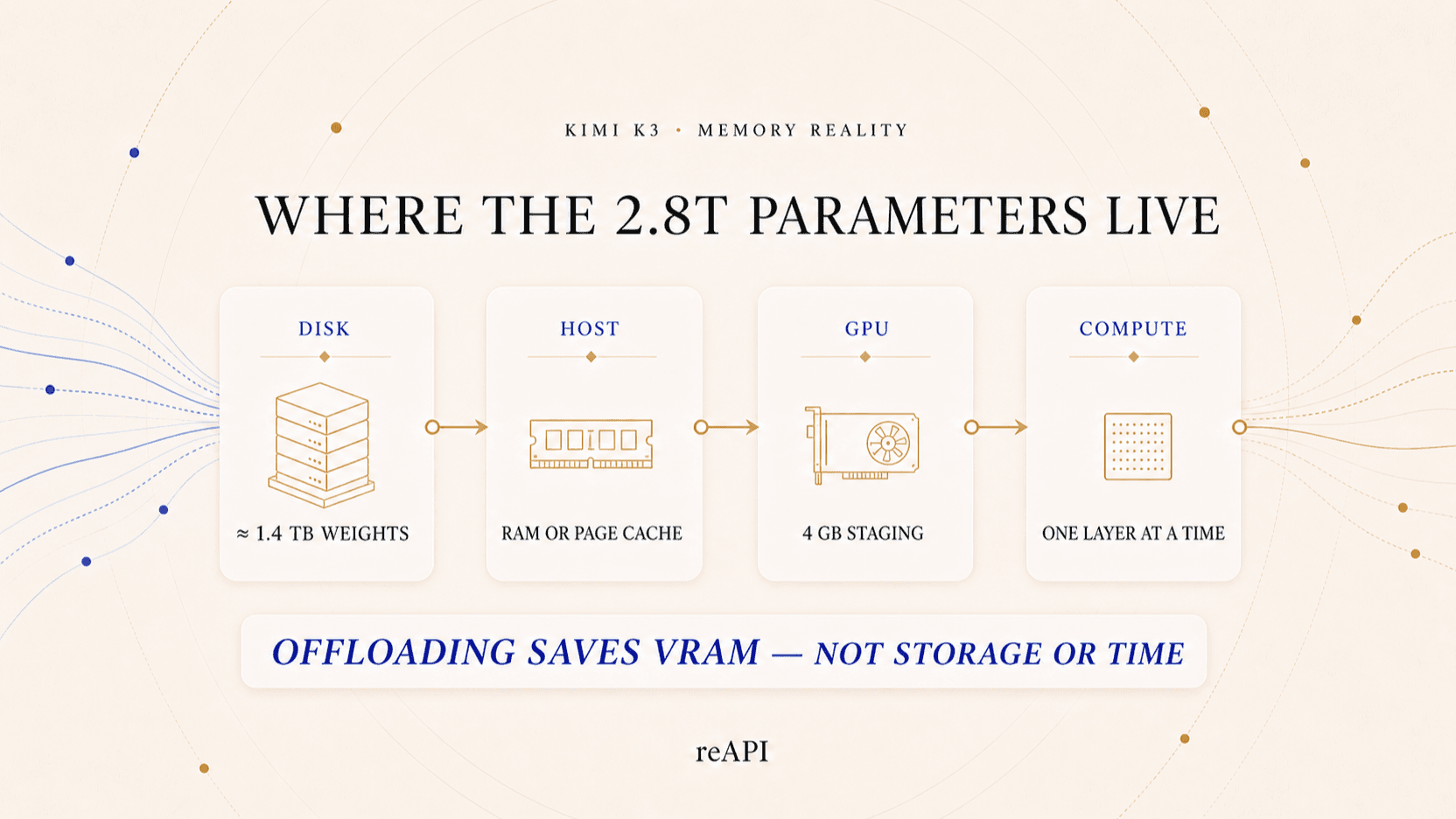
Layer offloading changes where weights wait, not how many weights exist. A basic offload loop looks like this:
- Keep most model weights on SSD or in system RAM.
- Load the next required layer or expert chunk into GPU memory.
- Run that part of the forward pass.
- Evict the chunk and load the next one.
- Repeat the sequence for every layer and every generated token.
This is how a model larger than VRAM can execute at all. AirLLM popularized the pattern with a Llama 3 70B demonstration on a 4GB GPU, decomposing a model into layer-wise shards and overlapping loading with compute.[4]
Kimi K3 makes the pattern much harder. It has 93 layers, hundreds of possible experts, a custom KDA/Gated-MLA attention stack, native multimodality, and more than a terabyte of quantized weights. A full MoE layer can itself be larger than 4GB, so a compatible engine would need sub-layer or expert-level streaming—not merely ordinary layer offload.
The performance bottleneck then becomes data movement. Generating one token may trigger many random or semi-random expert reads across dozens of layers. Even a fast NVMe SSD is orders of magnitude slower than accelerator memory, and the same process repeats for the next token. Offloading can make an experiment start; it does not make it interactive.
Can you run Kimi K3 on a 4GB GPU with AirLLM today?
Not according to its published support and examples as of August 1, 2026. AirLLM documents Llama, Mixtral, Qwen, ChatGLM, Baichuan, Mistral, InternLM, and related model families. Its headline 4GB result is Llama 3 70B, not Kimi K3.[4]
This absence matters. Kimi K3 is not a larger Llama checkpoint that an existing loader can identify automatically. A working implementation must understand:
- Kimi K3's custom model configuration and tensor names;
- Stable LatentMoE routing across 896 experts;
- native MXFP4 weights and MXFP8 activations;
- KDA and periodic Gated MLA attention layers;
- preserved reasoning output and the multimodal vision tower;
- expert-aware partitioning small enough for the available VRAM.
Moonshot currently recommends vLLM, SGLang, and TokenSpeed for Kimi K3 deployment. It does not list AirLLM as a supported engine.[1]
That does not prove a community 4GB port is impossible. It means a copied AirLLM Llama example is not a reproducible Kimi K3 tutorial today. A credible claim should provide a public branch, exact commit, storage and RAM details, prompt, output, tokens per second, and proof that the full official weights were used.
What a validated Kimi K3 deployment looks like instead
Production Kimi K3 recipes operate at cluster scale. One current vLLM-Ascend guide validates a 131K-context deployment across four Atlas 800 A3 nodes, each with sixteen 64GB NPUs. Its 1M-context configuration requires at least eight such nodes.[5]
That is not a universal minimum—different accelerators, engines, concurrency, and context limits change the requirement—but it is a useful reality check. The validated configuration measures aggregate accelerator memory in terabytes, not gigabytes.
| Goal | Sensible route |
|---|---|
| Test model behavior from a low-end PC | Use the hosted API |
| Run production inference | Follow official vLLM, SGLang, or TokenSpeed cluster recipes |
| Research extreme offloading | Expect custom engine work, >1.4TB storage, and very low speed |
| Run fully offline on consumer hardware | Choose a much smaller model |
| Use a 4GB GPU for an interactive local assistant | Use a 3B–7B quantized model, not Kimi K3 |
The right hardware answer depends on whether the goal is proof of execution, interactive use, multi-user serving, or production throughput. The phrase “runs on 4GB” is meaningless without that target.
A checklist for evaluating any 4GB Kimi K3 claim
Before following a tutorial, look for evidence that answers these questions:
- Is it the official 2.8T checkpoint? A distillation, proxy, or smaller model carrying the Kimi name is not Kimi K3.
- Where are the full weights stored? The answer should account for well over a terabyte of local or network storage.
- How much system RAM is required? “4GB GPU” says nothing about 512GB or 1TB of host memory sitting beside it.
- Which inference-engine commit supports K3? A generic
pip installcommand is not enough for a new architecture. - Is vision supported, or language only? Skipping the 401M vision encoder changes the tested model surface.
- What context length was used? A 64-token demo and a 1M-token session have radically different runtime needs.
- What is measured throughput? Require tokens per second—or per minute— plus time to first token.
- Was the answer verified? A process starting successfully is not proof that it loaded the correct weights or generated coherent K3 output.
If a post reports only VRAM, it has left out the resources that make the trick possible.
The practical way to use Kimi K3 from a 4GB GPU computer
The route that works today is to keep inference remote and use the low-end computer as the client. The local GPU is irrelevant; all it needs is a network connection and an API key.
reAPI exposes Kimi K3 through an OpenAI-compatible Chat Completions endpoint:
curl https://api.reapi.ai/v1/chat/completions \
  -H "Authorization: Bearer $REAPI_API_KEY" \
  -H "Content-Type: application/json" \
  -d '{
    "model": "kimi-k3",
    "messages": [
      {
        "role": "user",
        "content": "Explain how expert routing changes memory access in a sparse MoE model."
      }
    ],
    "reasoning_effort": "high",
    "stream": true
  }'
This is not local inference, and it should not be marketed as such. It is the practical answer for developers who want Kimi K3 capability without acquiring and operating a multi-node accelerator cluster. The full request contract is in the Kimi K3 API documentation, with live rates on the model page.[6]
If you still want to experiment with local offloading
Treat it as systems research, not a one-command installation. A realistic preflight list is:
- at least 1.5–2TB of free fast storage for the checkpoint, caches, and conversion artifacts;
- enough bandwidth and patience to download many large shards;
- an inference-engine branch that explicitly supports Kimi K3's architecture and MXFP4 format;
- a plan for host RAM, memory mapping, page cache, and SSD endurance;
- language-only mode if the experimental runtime has not implemented vision;
- short context and tiny outputs for the first validation;
- instrumentation for disk reads, GPU utilization, time to first token, and output correctness.
Do not invent a working command by replacing a Llama model ID with
moonshotai/Kimi-K3. Until the offloading engine explicitly supports K3, the
most likely result is an unsupported configuration, tensor mismatch, or an
out-of-memory failure during conversion.
FAQ
Can Kimi K3 really run on a 4GB GPU?
Not as a self-contained, practical local model. A future specialized runtime could use 4GB VRAM as a staging buffer while streaming weights from much larger storage or RAM, but the full model does not fit and current mainstream 4GB recipes do not document Kimi K3 support.
How large are Kimi K3's weights?
The theoretical floor for 2.8T parameters at four bits each is about 1.4 TB decimal, or 1.27 TiB. The real checkpoint and runtime require more because of quantization metadata, non-4-bit tensors, the vision encoder, and execution state.
Why does Kimi K3 say only 104B parameters are active?
Kimi K3 is a sparse MoE model. Each token uses a subset of experts, reducing compute, but future tokens can choose different experts. The complete 2.8T expert pool still needs to remain accessible.
Does MXFP4 mean any GPU with 4GB can run it?
No. MXFP4 means the main weights use roughly four bits per value. Four bits times 2.8 trillion is still about 1.4 TB before overhead.
Can AirLLM run Kimi K3?
AirLLM does not currently list Kimi K3 among its documented model families or provide a Kimi K3 recipe. Its 4GB example is for Llama 3 70B. Support could be added later, but it should not be assumed from the generic model loader.
What is the cheapest practical way to use Kimi K3?
For occasional or development usage, use a hosted per-token API. Self-hosting only becomes rational when control, sustained volume, or data-location needs justify multi-node hardware and operations work.
Can I run a smaller version of Kimi K3 locally?
Community distillations may appear, but they are separate models with different weights and capability. If the requirement is a 4GB local assistant, choose a model designed for that memory budget and label it accurately.
The honest meaning of running Kimi K3 on a 4GB GPU
Running Kimi K3 on a single 4GB GPU is believable only under a narrow definition: the GPU holds a small piece while the rest of a roughly 1.4TB checkpoint lives elsewhere and streams through it. That may become a valuable research demonstration, but it is not a practical local deployment today.
The title is unbelievable because it omits the machine around the GPU: SSD, system RAM, custom runtime, transfer time, and often remote infrastructure. Count all of those resources before judging the claim. If the goal is to use Kimi K3 rather than study extreme offloading, the API is the route that works on a 4GB laptop now.
Disclosure: reAPI publishes this article and offers hosted Kimi K3 API access. Architecture and quantization facts come from Moonshot's official repository and technical report. The 4GB assessment is derived from those specifications, current engine documentation, and basic storage arithmetic; it is not a claim that reAPI reproduced a full Kimi K3 generation on a 4GB GPU.
References
- Moonshot AI. Kimi K3 official repository — architecture, model summary, native MXFP4, and recommended inference engines. Retrieved August 1, 2026. github.com/MoonshotAI/Kimi-K3
- Kimi Team. Kimi K3: Open Frontier Intelligence. Published July 2026. arxiv.org/abs/2607.24653
- Moonshot AI. Kimi K3 official weights and model card. Retrieved August 1, 2026. huggingface.co/moonshotai/Kimi-K3
- AirLLM. Supported model families and 4GB Llama 3 70B layer-offloading example. Retrieved August 1, 2026. github.com/lyogavin/airllm
- vLLM Ascend. Validated Kimi K3 multi-node deployment guide. Retrieved August 1, 2026. docs.vllm.ai/projects/ascend/tutorials/models/Kimi-K3
- reAPI. Kimi K3 API reference and current model page. Retrieved August 1, 2026. reapi.ai/docs/kimi-k3 and reapi.ai/models/kimi-k3
Further reading
- reAPI. Kimi K3: The Complete Guide to Moonshot's 2.8T Flagship. reapi.ai/blog/kimi-k3-complete-guide
- reAPI. Best Open-Source AI Video Models for Local GPUs. reapi.ai/blog/best-open-source-ai-video-models-local-gpu-2026
- Moonshot AI. Kimi K3 official repository. github.com/MoonshotAI/Kimi-K3
Author

Categories
More Posts

Upscale Video with Python: Batch API Pipeline and Costs
Upscale video with Python at batch scale: an 80-line pipeline with rate-limit budgeting, cost estimates from $0.002/s, and crash-safe resume on a video API.

MiniMax H3 License: Territory, Revenue, and Commercial Use
MiniMax H3 is open-weight but not Apache or MIT. Read the territory exclusions, $20M revenue threshold, attribution rule, and self-hosting checklist.
Seedance 2.5 for E-commerce Video: A Real Workflow
A Seedance 2.5 e-commerce video workflow: assign roles to references, stop shape drift with a white model, fix regions not clips, and state the negatives.