Best Open-Source AI Video Models for Local GPUs (2026)
Compare Wan 2.2, HunyuanVideo-1.5, CogVideoX1.5, and Mochi 1 by local GPU memory, output, license, speed, and deployment limits.
Wan 2.2 TI2V-5B is the best all-round local AI video model for a 24GB GPU. HunyuanVideo-1.5 is the stronger starting point at 14–16GB, while CogVideoX1.5-5B is the most realistic experiment below that. Mochi 1 remains interesting for its Apache-2.0 license and hackable pipeline, but its memory use and 480p output make it a specialist choice rather than the default.
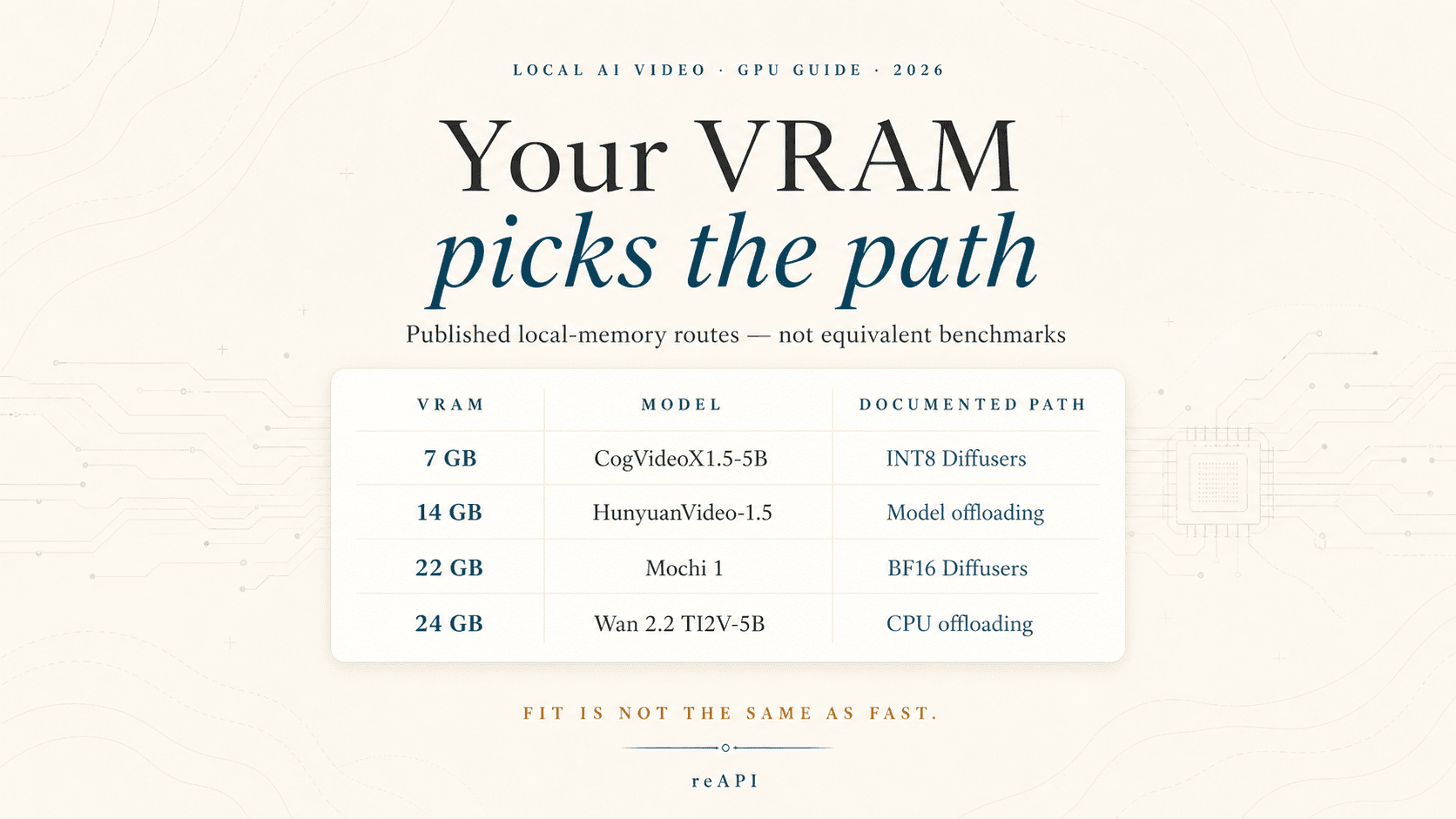
That answer comes with an important caveat: a published minimum VRAM number usually assumes CPU offloading, tiling, lower precision, or all three. It tells you that a workflow can fit. It does not tell you that the workflow will be fast enough to use every day.
This comparison uses the projects' official model cards and repositories, checked on July 30, 2026. The term “open-source AI video model” is used because that is how people search for these models. “Open-weight” is often more precise, especially when a model uses a custom community license.
Best local AI video models at a glance
| Model | Published local VRAM path | Video output | License | Best fit |
|---|---|---|---|---|
| Wan 2.2 TI2V-5B | At least 24GB with CPU offloading[1] | 720p-class, 24fps; text-to-video and image-to-video | Apache-2.0 | Best balance for a single 24GB workstation |
| HunyuanVideo-1.5 | 14GB minimum with model offloading[2] | 480p/720p T2V and I2V, plus a super-resolution path | Tencent Hunyuan Community License | Best documented option for a 14–16GB CUDA GPU |
| CogVideoX1.5-5B | Diffusers BF16 from 10GB; INT8 from 7GB[3] | 1360×768, 5 or 10 seconds | CogVideoX License | Low-VRAM testing when slow generation is acceptable |
| Mochi 1 preview | 22GB for the lower-precision Diffusers example; about 60GB for the reference single-GPU repository[4] | Initial release targets 480p text-to-video | Apache-2.0 | Research, LoRA work, and permissive licensing |
These rows are not benchmark-equivalent. CogVideoX's smallest figure uses a different precision and memory strategy from Wan's documented 24GB command. Mochi's 22GB example explicitly accepts a small quality drop. Treat the numbers as deployment routes, not as a quality ranking.
What your GPU can realistically run
8GB VRAM: a technical test, not a comfortable workstation
CogVideoX1.5-5B is the only model in this group whose publisher documents an INT8 Diffusers path starting around 7GB. The same model card warns that quantization and sequential CPU offload reduce speed. Its low-memory testing was performed on A100/H100 hardware, although the authors say the approach should generally work on NVIDIA Ampere or newer cards[3].
An 8GB card may therefore prove that the model runs, but it leaves little room for the display, decoder, longer clips, or another process. Expect dependency tuning and a large system-RAM footprint. For regular production, a hosted job or a larger GPU is usually less frustrating.
10–12GB VRAM: CogVideoX becomes usable for patient experiments
CogVideoX1.5-5B's optimized BF16 Diffusers path starts around 10GB. This is a better first test than INT8 if the card can hold it. The trade-off is time: the publisher's own 50-step results for a five-second clip are measured in hundreds of seconds even on an H100, and longer on an A100[3]. Those are not consumer-GPU predictions, but they make the bottleneck clear.
CogVideoX also expects English prompts. Teams accepting prompts in other languages need a translation or prompt-rewriting step before inference.
14–16GB VRAM: HunyuanVideo-1.5 is the practical step up
Tencent publishes a 14GB minimum with model offloading enabled. The official source path targets Linux, Python 3.10 or newer, and an NVIDIA CUDA GPU[2]. That is a much firmer starting point than an unofficial community claim that a large video model “works on 12GB.”
HunyuanVideo-1.5 supports text-to-video and image-to-video checkpoints at 480p and 720p. Its separate super-resolution model can upscale video to 1080p. That last step is extra work; it should not be described as native 1080p generation.
The main constraint is legal rather than technical. The Tencent Hunyuan Community License excludes use in the European Union, United Kingdom, and South Korea, includes use restrictions, and requires a separate license for certain products above its stated user threshold[5]. Read the current license before choosing it for a commercial service.
24GB VRAM: the useful local-video tier
This is where local generation stops feeling like a memory stunt. Wan 2.2 TI2V-5B has an official single-GPU command for a 24GB RTX 4090-class card. It supports text-to-video and image-to-video in one 5B pipeline and outputs 720p-class video at 24fps[1].
Wan's model card says the 5B model can generate a five-second 720p video in under nine minutes on a single consumer GPU without special optimization. That is useful for previews and batch work, but it is not interactive editing. Queue design still matters.
Mochi 1 can also fit this tier through its 22GB BF16 Diffusers example. Genmo notes a slight quality reduction for that path. With only a small amount of spare VRAM, another application or a different frame count can push the job out of memory[4]. Choose Mochi here for its research value and license, not because it is the safest 24GB deployment.
48–80GB VRAM: fewer compromises, not automatic throughput
Mochi's higher-quality Diffusers example requires 42GB, while its reference repository describes about 60GB for single-GPU operation and recommends an H100[4]. More memory can also reduce offloading for the other models or support more than one worker.
It does not remove the compute cost of diffusion. Before buying a larger card, benchmark the number of accepted clips per hour, not the number of prompts submitted.
Wan 2.2: best overall for a 24GB GPU
Wan 2.2 TI2V-5B has the cleanest combination of local practicality and output capability in this group:
- official weights and inference code;
- a documented single-24GB-GPU path;
- text-to-video and image-to-video in the same model;
- 720p-class output at 24fps;
- an Apache-2.0 license.
Be precise about the model name. Wan 2.2 also has larger A14B checkpoints. A tutorial showing TI2V-5B on a 4090 does not prove the larger variants fit the same hardware. Download size, inference arguments, and memory requirements differ.
Wan is the sensible first benchmark for an independent creator, research team, or studio with one 4090. Its weakness is latency. A single machine can render a useful batch overnight; it is less convincing as the backend for a product that promises immediate results.
HunyuanVideo-1.5: best at 14–16GB
HunyuanVideo-1.5 packages an 8.3B video model around a surprisingly accessible official minimum. It is the strongest candidate here when the machine cannot reach 24GB but still needs both text-to-video and image-to-video.
Its model family is more complicated than one download. Tencent lists separate 480p and 720p checkpoints, distilled variants, and super-resolution weights. Decide which path the product actually needs before provisioning storage or building a container.
This model is also the clearest example of why “open” and “permissive” are different questions. The weights and training code are available, but the community license has territory, attribution, distribution, and acceptable-use conditions. Apache-2.0 assumptions do not carry over.
CogVideoX1.5-5B: best low-VRAM experiment
CogVideoX1.5-5B wins the fitting contest. The official table documents 10GB BF16 and 7GB INT8 Diffusers configurations, compared with 76GB for its BF16 SAT route[3]. That spread shows how much the software path changes the hardware answer.
Choose CogVideoX when:
- the available GPU has 8–12GB;
- generation can run in the background;
- prompts can be normalized to English;
- the team is comfortable pinning CUDA, PyTorch, Diffusers, and quantization dependencies.
Do not choose it solely because “7GB” looks efficient. The INT8 path trades speed for memory, and the model's 5- or 10-second output remains expensive to sample repeatedly. A 12GB installation that completes reliably can be more useful than an 8GB configuration operating at its limit.
CogVideoX uses its own license. Review that text for the planned distribution and commercial use instead of treating “downloadable on Hugging Face” as a legal conclusion[6].
Mochi 1: best for permissive research work
Mochi 1 is a 10B text-to-video research preview released under Apache-2.0. Genmo publishes the weights, inference code, a programmable pipeline, and a LoRA trainer. That makes it a good base for teams that care about modifying the stack rather than simply producing the highest-resolution clip.
Its limitations are unusually well documented. The initial checkpoint targets 480p, is tuned toward photorealism, can show warping under extreme motion, and performs less well on animated styles[7]. The reference implementation also wants about 60GB of VRAM on one GPU. Diffusers lowers that to 22GB in BF16, but with a stated quality trade-off.
Mochi makes sense on a research workstation or multi-GPU server. It is harder to justify for a creator buying a single card specifically for finished 720p output.
“Runs locally” has four different meanings
Model comparisons often collapse four milestones into one:
- The process starts. The weights load with quantization and offloading.
- One sample completes. A short, low-batch job avoids an out-of-memory error.
- The workflow is repeatable. Ten jobs finish without memory fragmentation, driver crashes, or manual cleanup.
- The system is useful. Throughput, accepted-output rate, and operating effort beat the available alternative.
Only the fourth milestone supports a production decision. CPU offloading shifts pressure into system RAM and PCIe transfers. Quantization can reduce memory while making inference slower. VAE tiling saves memory but changes the execution profile. A desktop GPU also loses part of its capacity to the display and other applications.
Closed hosted models are a separate category: an API or ComfyUI node may expose a familiar model name while all inference happens remotely. For a concrete example of that distinction, see the explanation of whether Seedance can run locally.
A fair local benchmark takes one afternoon
Do not begin with a large prompt library. Use five prompts that expose different failure modes:
- a locked camera with one moving subject;
- two people interacting;
- fast lateral motion;
- image-to-video with a face or product that must stay consistent;
- a scene containing text, hands, or repeated geometry.
Run every model at the resolution, duration, and memory settings you would actually ship. Record:
| Metric | Why it matters |
|---|---|
| Peak VRAM | Reveals whether the workflow survives alongside real services |
| Peak system RAM | Shows the hidden cost of CPU offloading |
| Cold-start time | Matters for serverless workers and restarted queues |
| Seconds per clip | Determines capacity, but not quality |
| Accepted clips per ten attempts | Captures motion, identity, and prompt failures |
| Watt-hours per accepted clip | Makes local operating cost comparable |
| Manual interventions | Exposes a brittle pipeline before production |
Keep seeds and prompts fixed. If one model needs a prompt rewrite, save that rewrite as part of its pipeline rather than quietly giving it a better prompt during evaluation.
Before deploying an open-weight video model
The checkpoint is only one component. A dependable local service also needs:
- enough NVMe space for weights, caches, inputs, and rendered frames;
- pinned versions for the NVIDIA driver, CUDA, PyTorch, and attention libraries;
- a worker that frees GPU memory after failed jobs;
- request limits for duration, resolution, frame count, and batch size;
- output moderation and a policy for uploaded faces or copyrighted assets;
- model and license notices carried into the product where required;
- reproducible benchmark prompts for upgrades.
Video diffusion failures are expensive because they arrive late. A worker may spend minutes before returning an out-of-memory error or an unusable clip. Validate inputs and reserve memory before the job enters the generation queue.
FAQ
What is the best open-source AI video model for 12GB VRAM?
CogVideoX1.5-5B is the clearest documented choice. Its official model card lists an optimized BF16 Diffusers path from 10GB and an INT8 path from 7GB. Both rely on memory-saving techniques and may be slow.
What is the best local video model for an RTX 4090?
Wan 2.2 TI2V-5B is the best starting point in this comparison. The publisher documents a 24GB single-GPU setup, 720p-class output at 24fps, and support for both text-to-video and image-to-video.
Can HunyuanVideo-1.5 run on 16GB VRAM?
Yes, according to Tencent's published 14GB minimum with model offloading. The official setup targets Linux and an NVIDIA CUDA GPU. Available system RAM and storage speed still affect the experience.
Is Mochi 1 practical on a 24GB GPU?
It can fit using the official 22GB BF16 Diffusers example, which notes a slight quality drop. Its reference implementation needs much more memory, and the initial model targets 480p, so Wan 2.2 is usually the more practical 24GB choice.
Can I use these models commercially?
The answer depends on the model. Wan 2.2 TI2V-5B and Mochi 1 use Apache-2.0. HunyuanVideo-1.5 uses Tencent's community license, and CogVideoX1.5 uses the CogVideoX License. Review the current license, acceptable-use rules, territory, and distribution terms for the exact checkpoint. This article is a technical comparison, not legal advice.
Does minimum VRAM predict generation speed?
No. The smallest configurations usually save memory through CPU offloading, tiling, or quantization, all of which can reduce speed. Measure wall-clock time and accepted outputs on the target machine.
References
- Wan-AI. Wan2.2-TI2V-5B model card and official repository. Weights, Apache-2.0 license, 720p output, 24GB command, and performance guidance. Retrieved July 30, 2026 from huggingface.co/Wan-AI/Wan2.2-TI2V-5B and github.com/Wan-Video/Wan2.2
- Tencent. HunyuanVideo-1.5 model card. Official 14GB minimum, system requirements, checkpoints, and output paths. Retrieved July 30, 2026 from huggingface.co/tencent/HunyuanVideo-1.5
- Z.ai. CogVideoX1.5-5B model card. Diffusers and SAT memory figures, quantization trade-offs, duration, and resolution. Retrieved July 30, 2026 from huggingface.co/zai-org/CogVideoX1.5-5B
- Genmo. Mochi 1 preview model card. Diffusers memory examples and lower-precision trade-off. Retrieved July 30, 2026 from huggingface.co/genmo/mochi-1-preview
- Tencent. Tencent Hunyuan Community License Agreement. Territory, distribution, commercial, and use terms. Retrieved July 30, 2026 from HunyuanVideo-1.5 LICENSE
- Z.ai. CogVideoX License. License linked from the official model card. Retrieved July 30, 2026 from CogVideoX1.5-5B LICENSE
- Genmo. Mochi repository. Hardware guidance, Apache-2.0 license, architecture, and documented limitations. Retrieved July 30, 2026 from github.com/genmoai/mochi
Author

Categories
More Posts

MAI Image 2.6 API guide: generate, edit, and poll tasks
Build with MAI Image 2.6: send a generation request, add ordered references, choose valid dimensions, poll the task, and handle estimates and final output.

Seedance 2.1 and Seedance 2.0 Mini: What's Actually Coming
Seedance 2.1 reportedly brings a 20% quality bump and Seedance 2.0 Mini a lower price tier. What's sourced, what ByteDance denies, and how to prepare.

Unlimited AI Video Generator Plans: Run the Math First
A four-step test for any unlimited AI video generator plan, using only numbers the vendor publishes, plus the eight places these offers hide their real cap.