Midjourney V8.2 Features and the Nine Flags V8 Retired
Midjourney V8.2 dropped nine features V6 and V7 had, including Quality and Turbo. What still works, what silently falls back to V7, and what HD really costs.
Midjourney V8.2 has been the default render since July 24, 2026, and the release note describing it runs four bullet points. The feature compatibility chart in Midjourney's docs runs thirty-four rows, and nine of them are marked unsupported on this generation[1]. That gap is where upgrades go wrong. The release note tells you what got better. The chart tells you which flags in your saved prompts stopped doing anything.
Some of those nine are load-bearing. --q is gone. Turbo Mode is gone. The :: weighting syntax is gone. If you built a prompt template on V6 or V7 and carried it forward, parts of it are being silently ignored right now, and the model gives you no warning.
TL;DR
- Nine features are unsupported on V8.1 and Midjourney V8.2: Character Reference, Character Weight, Omni Reference, Omni Reference Weight, Multi-Prompting, Quality, Niji, Draft Mode and Turbo Mode[1].
- Attaching an Omni Reference does not give you a V8 image. The chart marks it "Uses V7," so the whole job runs on the older model[1].
- There is no Global V8 Personalization profile. Your V7 Global profile is what V8.1 and V8.2 read, and profiles built for V8 do not run in V7[3].
- Steering survived intact: Style Reference, Style Weight, Stylize, Chaos, Raw, Seed, Weird and
--expall work, with--swand--sboth defaulting to 100 on a 0 to 1000 scale[1][4][5]. - HD renders 2048px for 1.3 minutes of GPU time against 0.8 for SD, caps aspect ratio at 4:1 instead of 14:1, and any inpaint or outpaint on an HD image drops it back to SD[1].
- Seeds on V8 are documented as 99% identical rather than exact, so seed-locked reruns land near each other, not on top of each other[1].
The nine features V8 dropped
Midjourney publishes a compatibility chart comparing V6, V7 and the V8.1 / Midjourney V8.2 pair. It is the least ambiguous document the company has on the subject, and it contradicts a lot of tutorial content written before 2026[1].
| Feature | V6 | V7 | V8.1 & V8.2 |
|---|---|---|---|
| Character Reference | yes | no | no |
| Character Weight | yes | no | no |
| Omni Reference | no | yes | Uses V7 |
| Omni Reference Weight | no | yes | Uses V7 |
| Multi-Prompting | yes | no | no |
| Quality parameter | 0.5, 1, 2 | 1, 2, 4 | no |
| Niji version | --niji 6 | --niji 7 | no |
| Draft Mode | no | yes | no |
| Turbo Mode | yes | yes | no |
Three of these change how you budget and schedule work rather than how images look.
Quality is the one most likely to be sitting in your prompts. --q took 0.5, 1 and 2 on V6, then shifted to 1, 2 and 4 on V7. On V8 the chart marks it unsupported outright. A template ending in --q 2 is passing a flag nothing reads, and the cost control people think they are exercising with it does not exist on this generation.
Turbo Mode is the scheduling one. V6 and V7 both offered it. V8.1 and Midjourney V8.2 do not, which leaves Fast and Relax. Anyone who budgeted turnaround around Turbo needs to re-plan on a two-speed model.
Multi-prompting went in V7 and stayed gone. The :: syntax that split a prompt into separately weighted components has no replacement flag, so weighting now happens through phrasing order and the reference controls.
Niji has no V8 counterpart at all. --niji 6 and --niji 7 exist, and there is no --niji 8. Anime-first work stays on the Niji line, which means it stays on an older base model.
Pan, Zoom Out and the Editor are a softer case. They still function, but the chart marks them "Using V6.1," so those operations run through the older model even when your generation was V8.
Omni Reference still runs V7 underneath
This one deserves separating out, because it fails quietly and looks like a prompt problem.
Character Reference and Character Weight were retired after V6. The documentation for Character Reference points V7 users toward Omni Reference instead. But on V8.1 and V8.2, the compatibility chart marks Omni Reference and Omni Reference Weight as "Uses V7"[1].
Read that literally. Attaching an omni image does not produce a V8 render with a reference applied. The job runs on V7. So a session where you generate a few images on Midjourney V8.2, then attach a reference and generate again, silently switches models partway through. The output looks slightly off from what you were making minutes earlier, and the natural reaction is to blame the wording.
For character work on V8, the practical substitute is a Style Reference plus a reused seed. Both survive on V8, and both are documented. It gets you a fixed rendering language across a cast rather than a locked face, which is a weaker guarantee than --cref offered, and it is what the current feature set supports.
Personalization only travels one way
Midjourney V8.2 puts most of its weight behind Personalization. Midjourney describes the release as focused on aesthetics, image quality and personalization, and says profiles with a large number of ratings benefit most[2].
The mechanics have a constraint worth knowing before you invest hours in profile building. There is currently no Global V8 profile. Your Global V7 profile is what runs when you use Personalization on V8.1 or V8.2. You can create additional profiles for V8.x, and those V8 profiles are not compatible with V7[3].
Compatibility runs in one direction only, which sorts teams into two situations.
If you have standardised on V8, build V8 profiles freely and accept that they pin you to V8. If you still move between V7 and V8 depending on the job, the V7 Global profile is your only shared baseline, because it is the one both versions read.
One quieter detail: liking images on the Explore page feeds the Global profile matching the version that produced that image[3]. Browsing shapes your defaults whether or not you intended it to.
What still steers Midjourney V8.2
The controls that survived cover most real work, and they have specific ranges worth knowing rather than guessing.
Style Reference carries the visual character of an image into new work. It transfers colour, medium, texture and lighting, not objects or people, and it works on V6 and later[4]. Midjourney's documented best practice runs against instruction-style prompting: describe the content you want, not the transformation you want applied. "Detailed portrait of a dog" is the recommended form. "The look of this image but a dog" is listed as a bad example[4].
Style Weight (--sw) sets how hard that reference pulls, from 0 to 1000 with a default of 100. It does not work with Moodboards[4].
Style Reference Codes point at styles in Midjourney's internal library through --sref <code>. Codes can be mixed, combined with reference images, and discovered through the Styles tab on the Explore page. --sref random picks one and converts it to a fixed code on submit, and rerolls or variations keep that code, so a lucky result can be pinned and reused[4].
Stylize (--s) decides how far Midjourney's own taste overrides your literal wording. Default 100, range 0 to 1000[5]. Low values track the prompt. High values give the model room and let it drift from your exact description.
A pattern that holds up for series work: pin the look with --sref, leave --sw at the default until the style reads right, keep --s low while you iterate wording, then raise it once composition is settled. Change one dial per round. Moving four aesthetic parameters at once makes a bad result impossible to attribute.
HD costs more than the resolution suggests
HD images arrived with V8 and exist on neither V6 nor V7[1]. They render at 2048px without a separate upscale step, toggled in settings or through --hd and --sd.
The price is stated plainly: 1.3 minutes of GPU time for HD against 0.8 minutes for SD[1]. Roughly 60% more per image, which is the number to plan around if you are working through a large batch on a metered plan.
Two limits come attached. Aspect ratio caps at 14:1 on V8 in general, but HD tops out at 4:1[1], so a 21:9 banner is fine and an extreme ribbon crop is not. More awkward, running any inpainting or outpainting tool on an HD image downscales the result to SD. Pan, Zoom Out, and Edit or Vary Region all trigger it, and getting the resolution back means running an upscale afterwards[1].
The sequencing follows from that. Compose and edit at SD, then render final at HD. Doing it the other way costs a round trip and a re-upscale.
Where the Midjourney V8.2 look is worth choosing
Midjourney trades literal prompt obedience for aesthetic range, and Midjourney V8.2 pushes toward the bold end of that trade by its own description[2]. That makes it a poor fit for images that must carry readable text or follow an instruction exactly, and a strong fit for a few specific jobs.
Concept art benefits from the grid. One prompt returns four images, and raising Chaos widens how far apart they land, which turns a single description into several directions to evaluate rather than one answer to accept or reject.
Editorial and campaign work sits close to the model's resting state. Flat colour, hard shadow and a dominant hue arrive without much coaxing. When a client already has a visual language you must stay inside, a style reference with a low stylize value is the way to hold the line.
Character sheets and cast work are possible without --cref, using a style reference and a reused seed, with the caveat that V8 seeds are 99% identical rather than exact[1]. Expect a consistent rendering language, not a locked face.
Stills headed for video are the fourth case. The aesthetic decisions are already baked into the frame, so an image-to-video pass has something opinionated to animate. If you want to run that end to end without a Discord account, clipdance.ai/midjourney exposes the V8.2 and V8.1 renders as ordinary form controls, and the video tools on clipdance.ai pick up from the still.
The choice between V8.1 and V8.2 is real rather than cosmetic. V8.1 is documented as the faster model, with standard jobs rendering roughly four to five times faster than earlier versions while reading prompts tightly and holding small details[1]. Midjourney V8.2 is tuned for aesthetics and Personalization instead. Prompt-faithful production work has an argument for staying on V8.1. Work where the look carries the piece has an argument for V8.2.
Auditing a prompt template you carried forward
The upgrade to V8 was a subtraction as much as an improvement, and nothing in the interface flags a dead parameter. Before your next batch, three checks catch most of it.
Search your saved prompts for --q, --turbo, --cref, --cw, --niji and :: weights. Every one of those is inert on V8. Decide whether your Personalization profiles live on V7 or V8, since you cannot have both directions and the choice is effectively permanent for that profile. Then order your operations so edits happen before the HD render rather than after.
None of this is exotic maintenance, and all of it is invisible until you go looking. Midjourney V8.2 rewards that kind of housekeeping more reliably than it rewards longer prompts.
FAQ
What changed in Midjourney V8.2?
Midjourney describes it as an update focused on aesthetics, image quality and Personalization, with more creative and bold images, dramatically fewer random low-quality results, and Personalization that reads personal taste better on profiles with many ratings[2]. It became the default render on July 24, 2026[1].
Does --cref work in Midjourney V8.2?
No. Character Reference and Character Weight are marked unsupported on V8.1 and V8.2, and were already unavailable on V7[1]. Style Reference plus a reused seed is the closest working substitute.
Can I use Omni Reference on Midjourney V8.2?
You can attach one, but the compatibility chart marks Omni Reference as "Uses V7" for V8.1 and V8.2[1]. The job runs on V7, so what comes back is a V7 render rather than a V8.2 one.
Is there a Turbo mode on Midjourney V8?
No. Turbo Mode is supported on V6 and V7 and unsupported on V8.1 and Midjourney V8.2[1]. Fast and Relax both remain available.
Does the quality parameter still do anything on V8?
No. --q accepted values on V6 and V7 and is marked unsupported on V8.1 and V8.2[1]. Leaving it in a prompt has no effect.
How much more does HD cost than SD?
HD renders at 2048px for 1.3 minutes of GPU time, against 0.8 minutes for SD[1]. HD also limits aspect ratio to 4:1 rather than 14:1.
Do my V7 Personalization profiles work on Midjourney V8.2?
The Global V7 profile does, and it is the one V8.1 and V8.2 use, because no Global V8 profile exists yet. Profiles you create for V8.x will not work in V7[3].
What stylize value should I start with?
The default is 100 on a 0 to 1000 range[5]. Lower keeps the render closer to your wording, higher gives the model interpretive room at the cost of literal accuracy.
References
- Midjourney. Version: feature compatibility and comparison chart. Retrieved August 2026 from docs.midjourney.com/hc/en-us/articles/32199405667853-Version
- Midjourney. Version 8.2 announcement. Posted July 25, 2026. Retrieved August 2026 from midjourney.com/updates/version-8-2
- Midjourney. Personalization. Retrieved August 2026 from docs.midjourney.com/hc/en-us/articles/32433330574221-Personalization
- Midjourney. Style Reference. Retrieved August 2026 from docs.midjourney.com/hc/en-us/articles/32180011136653-Style-Reference
- Midjourney. Stylize. Retrieved August 2026 from docs.midjourney.com/hc/en-us/articles/32196176868109-Stylize
Further reading
- reAPI. Does Midjourney Have an API? V8.2 Options Without Discord. reapi.ai/blog/does-midjourney-have-an-api
- Midjourney. Parameter List. docs.midjourney.com/hc/en-us/articles/32859204029709-Parameter-List
Author

Categories
--cref work in Midjourney V8.2?Can I use Omni Reference on Midjourney V8.2?Is there a Turbo mode on Midjourney V8?Does the quality parameter still do anything on V8?How much more does HD cost than SD?Do my V7 Personalization profiles work on Midjourney V8.2?What stylize value should I start with?ReferencesFurther readingMore Posts
Free AI API tiers in 2026: what each one actually limits
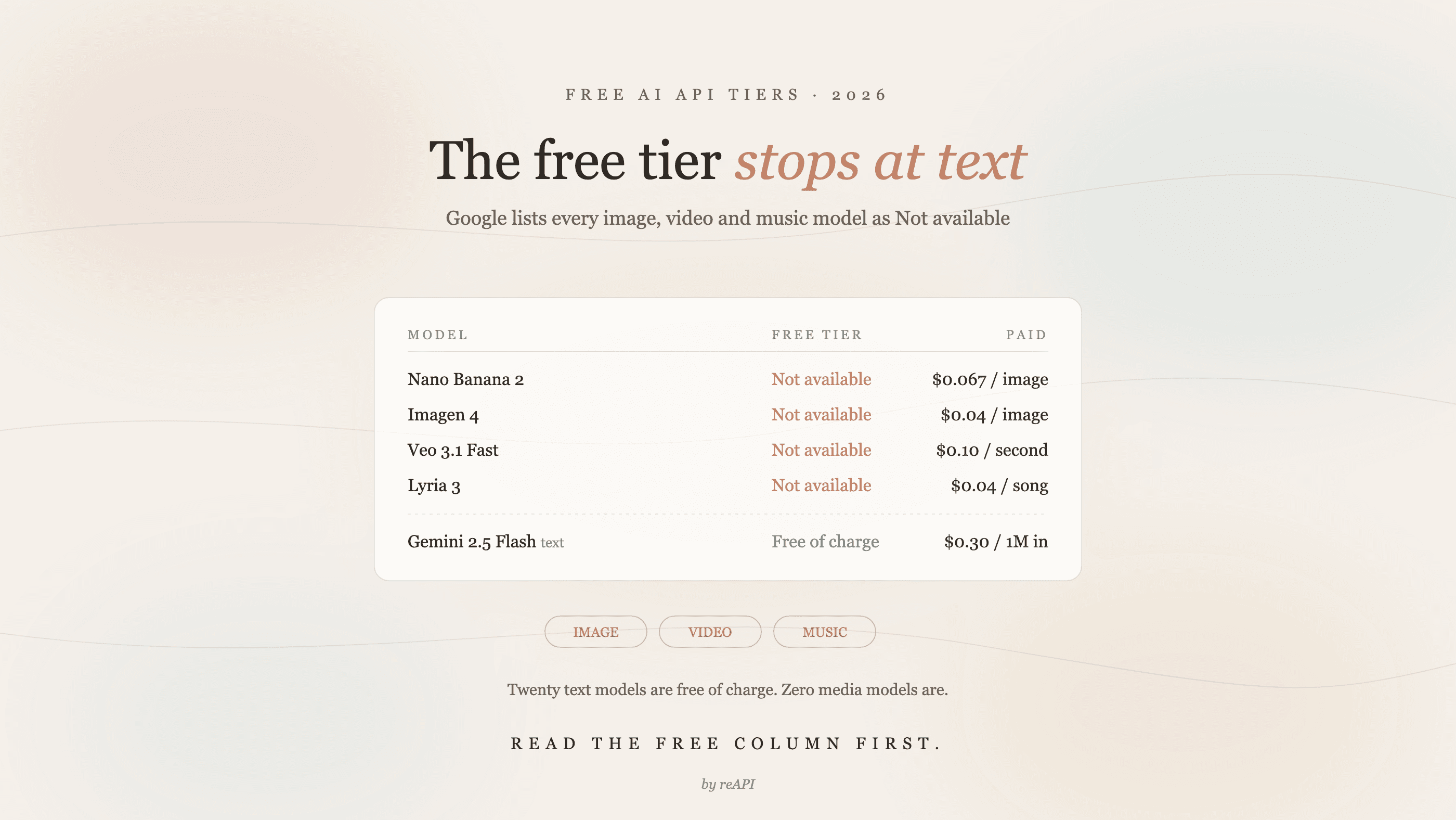
Google's free AI API tier excludes every image, video and music model. Here is what each provider's free tier actually allows, with official 2026 prices.
Wan 2.7 Video API: 1080p, Audio, Pricing, and Limits (2026)
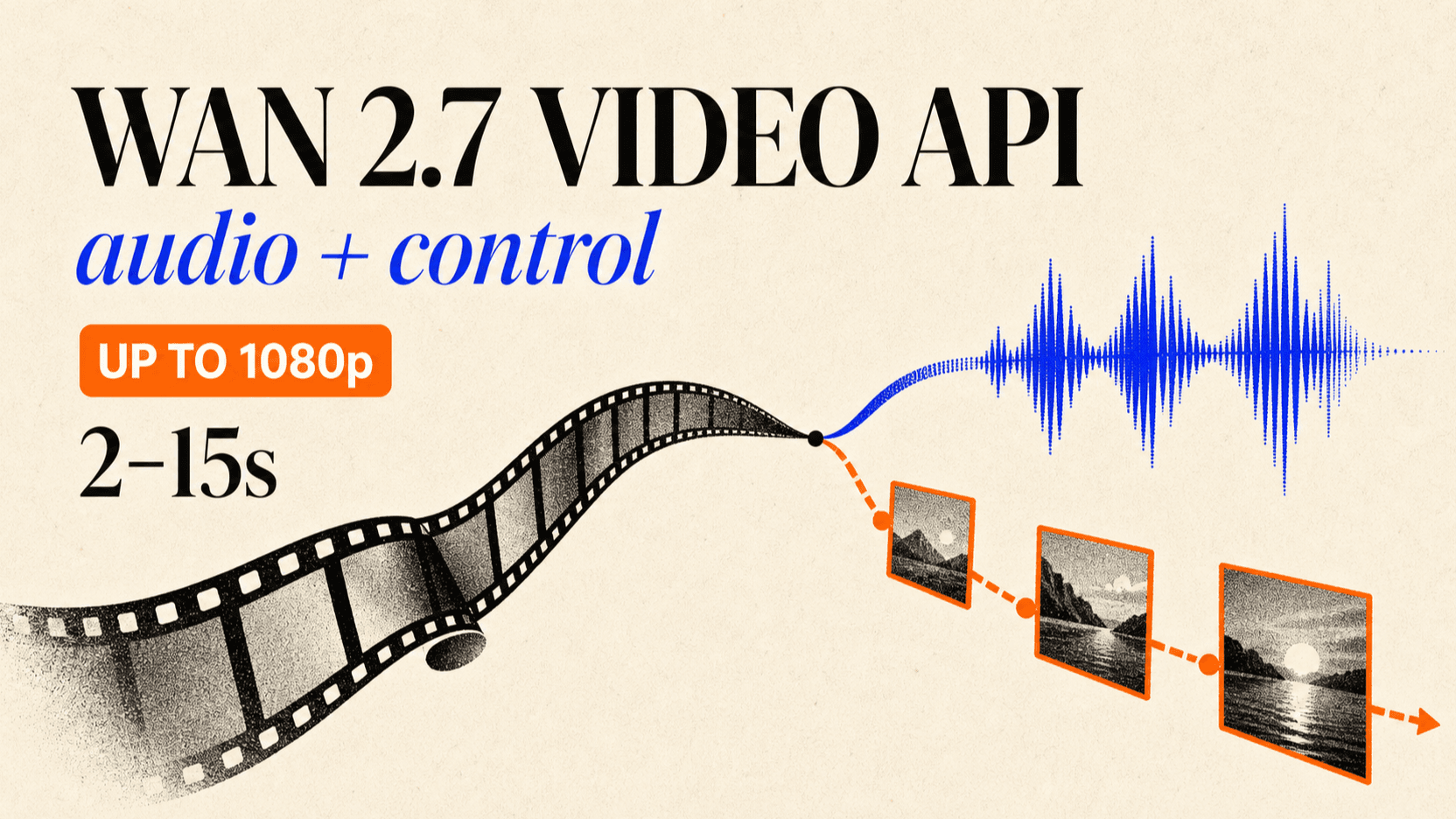
Use the Wan 2.7 Video API for text, image, reference, and video editing workflows. Learn 1080p pricing, audio controls, 2–15s limits, and code.
Which Claude Model Is Best for Coding and for Writing
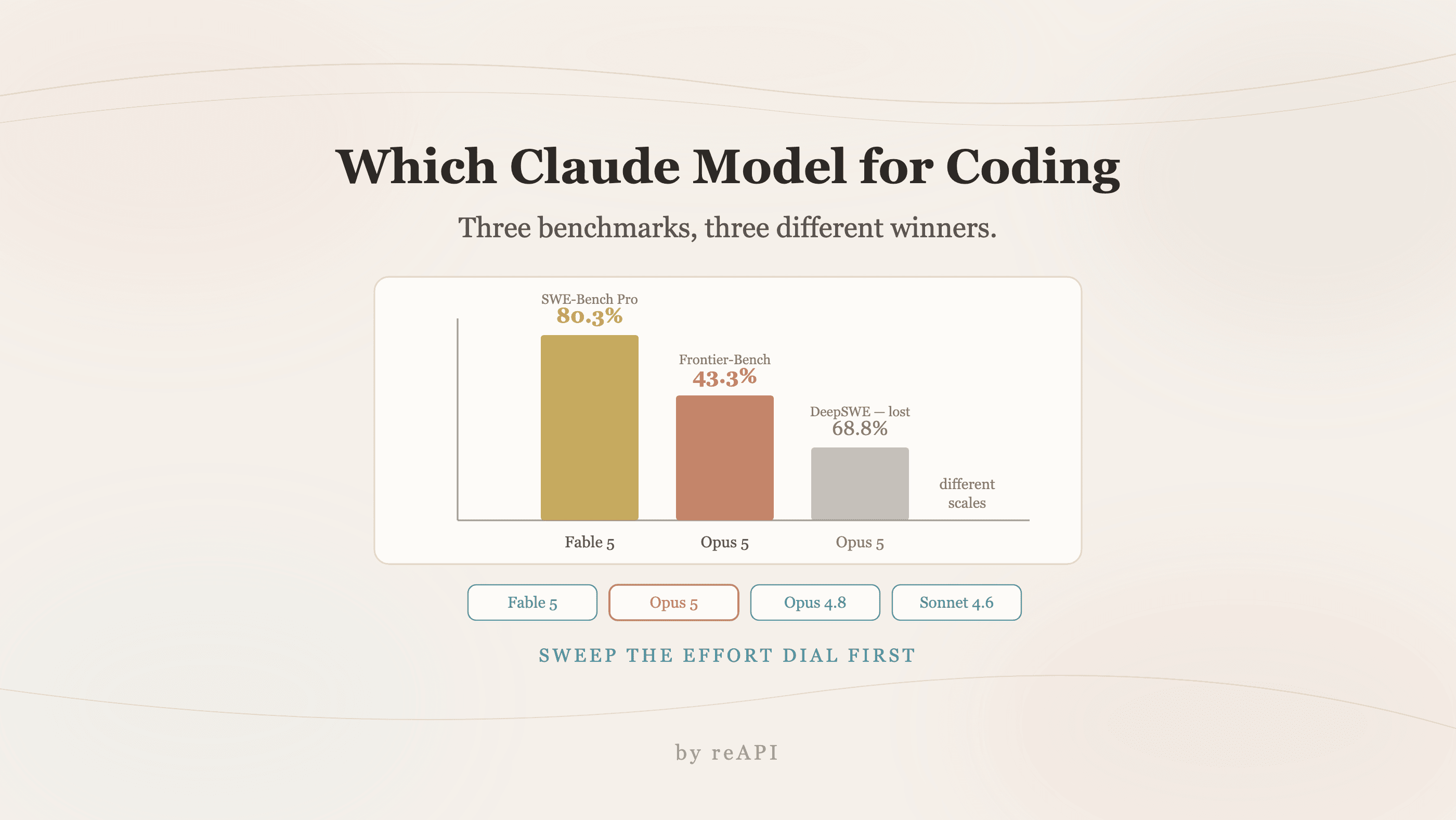
Which Claude model is best for coding depends on the benchmark: Fable 5 tops SWE-Bench Pro, Opus 5 wins agentic terminal work and costs a third as much.