AI Video Agent Workflow: Build a Critic Loop for Reliable Video QA
Build an AI video agent critic loop with shot acceptance rules, repair scopes, retry budgets, and human review gates before bad generations reach the edit.
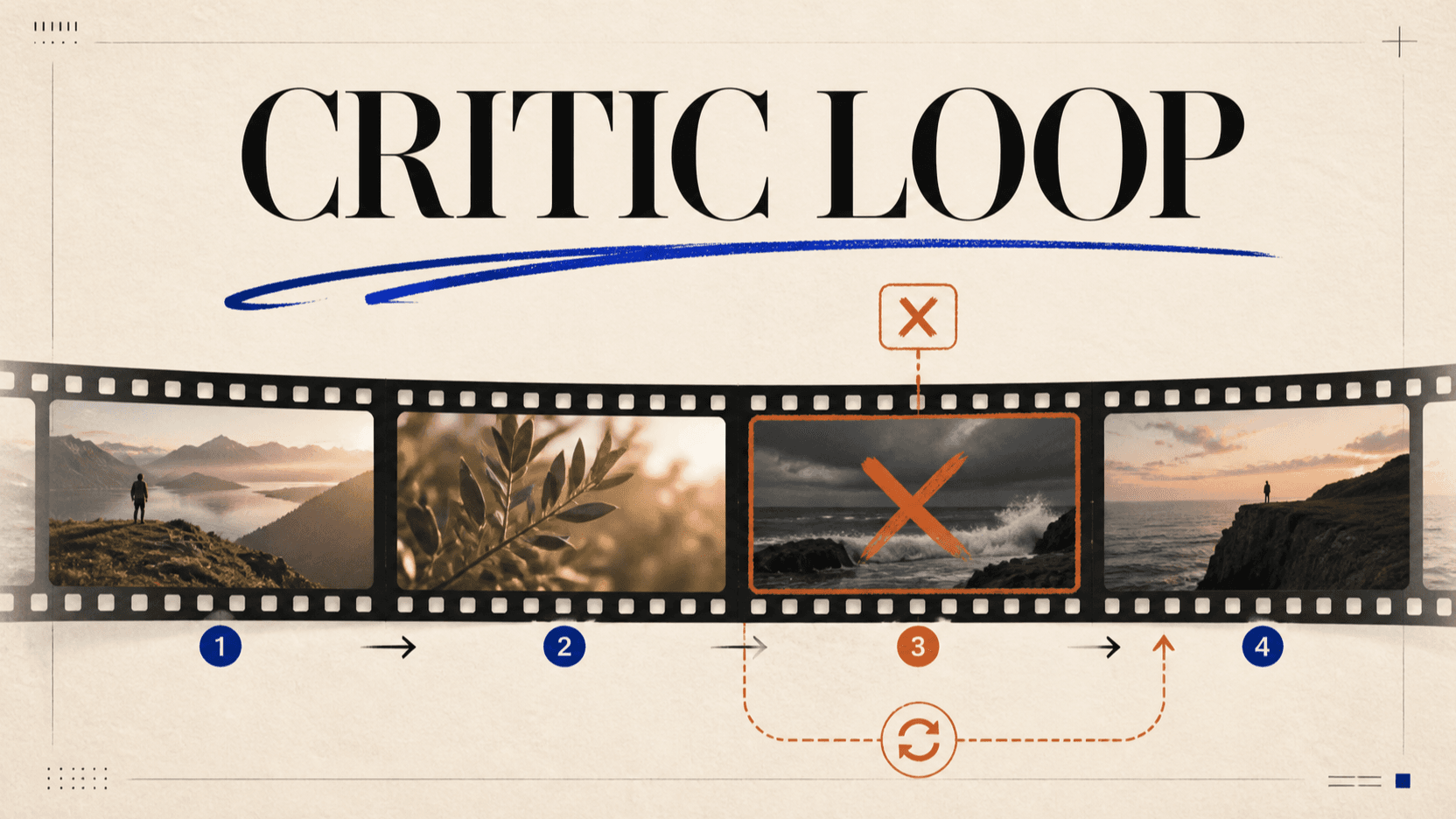
An AI video agent needs a separate acceptance decision after generation. A task can finish successfully while the clip still changes a face, bends a product, invents label text, or ends on a frame that cannot connect to the next shot. A critic loop catches those failures, explains what broke, and sends only the affected shot back for repair.
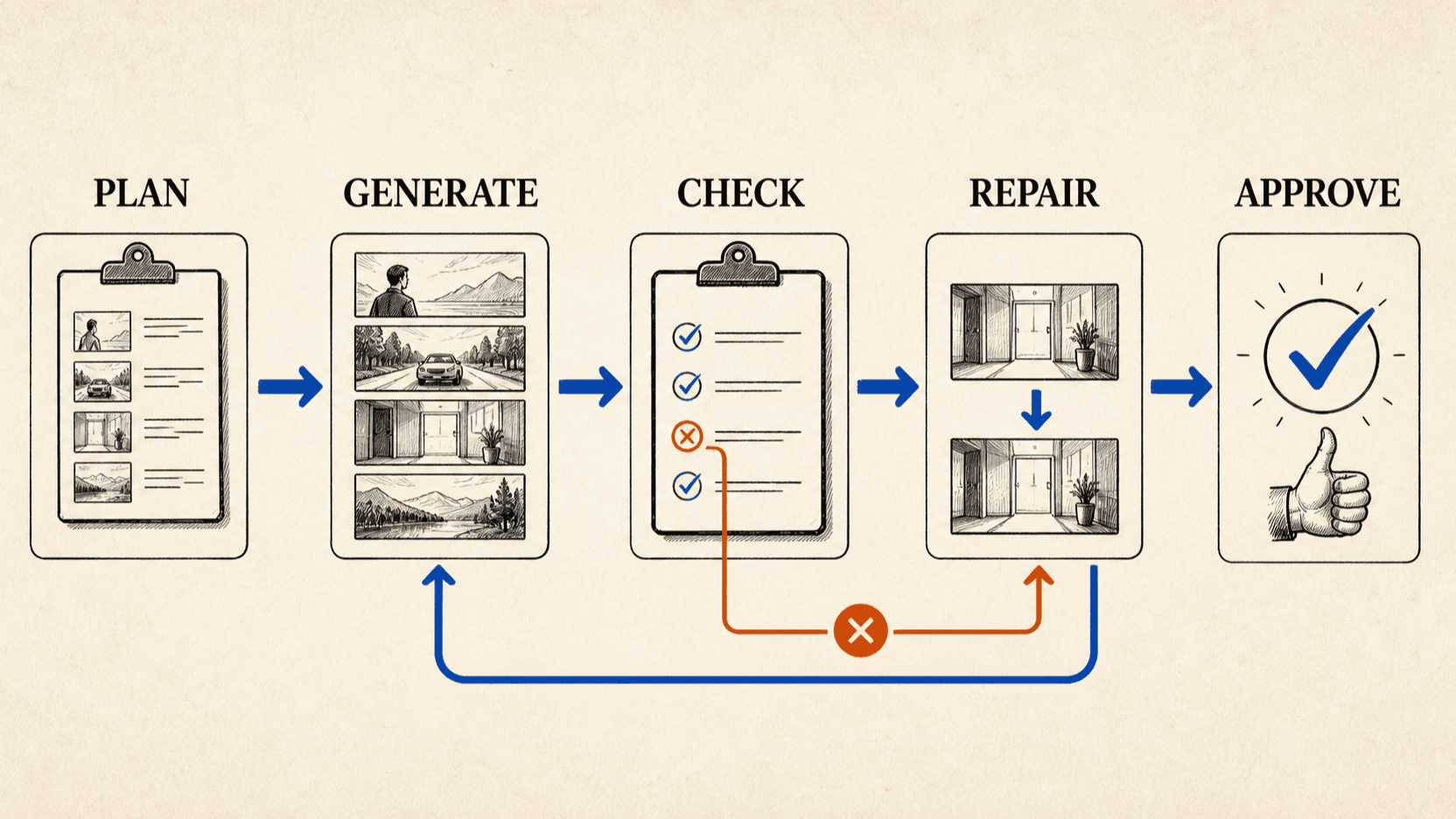
This is an evaluator-optimizer workflow applied to video production. The generator makes a clip; the critic compares it with explicit criteria; the agent either accepts, repairs, escalates, or stops.[1]
TL;DR
- Write a shot contract before generation. Separate details that must stay fixed from motion, lighting, and camera changes that are allowed.
- Run deterministic checks first: task status, output URL, file readability, duration, dimensions, and audio presence.
- Make the critic return evidence and repair scope, not one vague quality score.
- Retry only the failed shot, and preserve every part that already passed.
- Set a ceiling for completed attempts. A loop without a stop condition can turn one difficult shot into an open-ended bill.
- Keep a human gate for likenesses, legal copy, brand claims, and the final cut.
Why a completed generation is not an accepted shot
Generation infrastructure and creative review answer different questions. The task system knows whether a provider returned a file. It does not know whether the bottle kept its proportions, the actor stayed recognizable, or the last frame matches the storyboard.
That distinction also affects cost. On reAPI, completed tasks report the
settled charge in usage.credits, while failed tasks are refunded when the
workflow ends in failure.[3] If a task
completes and your team rejects the clip for a creative defect, it remains a
completed generation. The application therefore needs a budget for creative
retries, even when provider failures cost nothing.
Treat the generation result as a candidate, not the finished asset.
Step 1: Give the AI video agent a shot contract
A critic cannot make a consistent decision from “does this look good?” Write the acceptance rules before the first request so the planner, generator, critic, and human reviewer are judging the same thing.
{
  "shot_id": "03-product-orbit",
  "intent": "Reveal the side label while keeping the bottle centered",
  "must_keep": [
    "bottle silhouette and cap width",
    "label colors and aspect ratio",
    "no added words or marks",
    "single continuous shot"
  ],
  "allowed_change": [
    "camera moves 30 degrees left",
    "background becomes slightly warmer"
  ],
  "end_state": "front label readable and product centered",
  "max_completed_attempts": 3,
  "max_provider_failures": 2
}
The contract should describe observable conditions. “Premium,” “cinematic,” and “beautiful” may belong in the creative brief, but they are poor pass/fail rules. “Cap width unchanged” and “no added text” are easier to inspect and repair.
If the work needs detailed product-reference preparation, use the Seedance 2.5 e-commerce workflow. If the failure is identity drift between shots, the GPT Image 2 and Seedance character workflow covers the reference package and continuity handoff. The critic loop sits above either workflow rather than replacing it.
Step 2: Reject technical failures before using a model critic
Not every check needs another AI call. Use code for facts that code can verify, then reserve visual judgment for a multimodal evaluator or a human.
| Check | Best method | Failure action |
|---|---|---|
| Task terminal state | API status | Wait, retry a true failure, or stop |
| Output URL exists | Response validation | Reject before review |
| File can be decoded | Media probe | Reject as broken output |
| Duration is within tolerance | Media metadata | Repair or human review |
| Dimensions match delivery spec | Media metadata | Reject or resize if permitted |
| Expected audio track exists | Media metadata | Repair audio or regenerate |
| First and final frames exist | Frame extraction | Continue to continuity checks |
This ordering matters. Asking a vision model to evaluate a corrupt file wastes time and produces ambiguous feedback. A clean technical gate gives the critic valid evidence to inspect.
The same principle appears in agent evaluation more broadly: useful evals mix methods, and no single layer catches every problem.[2]
Step 3: Ask the critic for evidence, severity, and repair scope
One overall score hides the decision you actually need. A critic returning
0.78 does not tell the agent whether to regenerate the shot, fix the audio,
or send the clip to a person.
Use structured output instead:
{
  "decision": "repair",
  "severity": "hard_fail",
  "failed_check": "bottle geometry changes during the orbit",
  "evidence": {
    "time_range": "4.2s-5.0s",
    "observation": "cap narrows and label aspect ratio shifts"
  },
  "repair_scope": "shot_03_only",
  "preserve": ["camera path", "lighting", "duration"],
  "next_instruction": "reinforce product geometry from the identity reference"
}
Keep the critic's vocabulary small. Four decisions are usually enough:
accept: every hard rule passed;repair: the failure has a narrow, actionable scope;human_review: the evidence is ambiguous or the judgment is sensitive;stop: the retry ceiling or budget has been reached.
This structure prevents a common failure in automated video QA: the critic rewrites the entire brief after finding one local defect.
Step 4: Repair only what failed
Selective repair is the main economic benefit of the loop. If five shots pass and the sixth has a bad final frame, do not send the full sequence back through generation.
| Failure | Narrow response | What should remain frozen |
|---|---|---|
| Product or face drifts late | Regenerate the one shot from the same approved start frame | Identity references, framing, duration |
| Final frame misses the handoff | Restate the end state or shorten the action | Opening frame, character, set |
| Generated text is wrong | Remove critical text from generation and add it in post | Accepted motion and composition |
| Audio is missing | Repair the audio path or regenerate only when native sync is essential | Accepted visual clip when possible |
| Camera move is wrong | Simplify to one movement with a defined end frame | Subject, environment, lighting |
Do not let the critic introduce a second creative direction. Its job is to compare, diagnose, and constrain the next attempt. The planner owns the brief.
Step 5: Set a retry budget and a stopping rule
Every automated loop needs an exit. Anthropic's evaluator-optimizer guidance recommends the pattern when evaluation criteria are clear and feedback can produce measurable improvement; it is a poor fit when the critic cannot articulate a useful correction.[1]
Use both an attempt ceiling and a spend ceiling:
creative retry ceiling =
  maximum completed attempts × estimated completed-task cost
The estimate comes from the chosen model's live rate card. The settled amount
comes from the task's usage.credits; read that value instead of trying to
reconstruct model-specific billing rules in the client.[3]
A practical stopping policy might escalate when the same hard rule fails twice, when the next repair would change a previously accepted property, or when the remaining budget cannot cover another attempt. These are product decisions, not universal model limits.
A minimal critic-loop implementation
The loop can sit above any asynchronous video model. The media model generates; the application stores the task id, waits for a terminal state, runs technical checks, and calls the critic only on valid output.
type CriticDecision =
  | { action: 'accept' }
  | { action: 'repair'; repairPrompt: string }
  | { action: 'human_review'; reason: string }
  | { action: 'stop'; reason: string };

async function produceAcceptedShot(contract: ShotContract) {
  let request = contract.initialRequest;
  let completedAttempts = 0;
  let providerFailures = 0;

  while (
    completedAttempts < contract.maxCompletedAttempts &&
    providerFailures < contract.maxProviderFailures
  ) {
    const task = await submitVideo(request);
    const result = await pollUntilTerminal(task.id);

    if (result.status === 'failed') {
      providerFailures++;
      continue;
    }

    completedAttempts++;
    await runDeterministicMediaChecks(result.output.video_urls[0], contract);
    const decision: CriticDecision = await reviewShot(result, contract);

    if (decision.action === 'accept') return result;
    if (decision.action !== 'repair') return decision;

    request = applyNarrowRepair(
      contract.initialRequest,
      decision.repairPrompt
    );
  }

  return { action: 'stop', reason: 'attempt or provider-failure ceiling reached' };
}
Production code also needs persistence, timeouts, rate-limit handling, and a record of which output the human finally approved. Most importantly, do not submit a duplicate merely because the client stopped waiting. Video tasks can run for minutes, and the task endpoint provides the authoritative state.[3]
Where reAPI fits in an AI video agent workflow
The critic loop should not depend on one video model. The planner may need a long take for one shot, stronger reference control for another, or a cheaper draft route while the visual direction is unsettled.
reAPI exposes current video models through one catalog and uses an asynchronous task lifecycle for media generation.[4] That keeps submission, polling, settled usage, failure handling, and output storage consistent while model-specific request fields remain explicit. The agent can change models without pretending their control surfaces are identical.
Start with the video model catalog, then use the selected model's documentation for its actual fields. Use the canonical Tasks API reference for polling, output, usage, errors, and refund semantics.
FAQ
Does an AI video critic need to watch the entire video?
Not always. Deterministic checks can inspect metadata, while a visual critic can begin with sampled frames and the planned start and end states. Continuous motion, lip sync, sound, or short-lived artifacts may require full video and audio review. Escalate when the available evaluator cannot inspect the relevant evidence.
Should the generator and critic use the same model?
They can, but they do not have to. Separation of roles matters more than the number of model vendors. The critic needs the contract, the output evidence, and a constrained decision schema; it should not inherit permission to rewrite the creative brief.
How many retries should an AI video agent allow?
There is no universal number. Set the ceiling from shot importance, completed generation cost, delivery time, and the likelihood that the critic's feedback can change the result. Escalate repeated hard failures instead of looping until the budget disappears.
Are failed video generations charged on reAPI?
Failed tasks are refunded automatically. A completed clip that your critic
rejects for creative reasons is still a completed task and reports its settled
charge in usage.credits.[3]
Which checks should always require a person?
Keep a human decision for legal or factual claims, identifiable likenesses, critical brand text, sensitive content, and final editorial approval. Automated checks should narrow the review queue, not silently assume accountability.
Conclusion
An AI video agent workflow becomes useful when it can reject a technically successful but unusable shot. Define the contract first, use code for objective checks, demand evidence from the critic, repair only the failed scope, and stop when the budget or feedback quality runs out. The loop does not guarantee a perfect generation. It prevents one bad shot from quietly becoming the editor's problem.
References
- Anthropic. Building effective agents: evaluator-optimizer workflows, gates, and stopping conditions. Retrieved August 27, 2026 from anthropic.com
- Anthropic. Demystifying evals for AI agents. Retrieved August 27, 2026 from anthropic.com
- reAPI. Tasks API: polling,
usage.credits, status values, and refund behavior. Retrieved August 27, 2026 from reapi.ai/docs/api/tasks - reAPI. Live model catalog and video model availability. Retrieved August 27, 2026 from reapi.ai/models
Further reading
- reAPI. Seedance 2.5 for E-commerce Video: A Real Workflow. reapi.ai/blog/seedance-2-5-ecommerce-video
- reAPI. GPT Image 2 + Seedance 2.0: A Character Consistency Workflow. reapi.ai/blog/gpt-image-2-seedance-2-0-character-workflow
- reAPI. AI video generation API comparison. reapi.ai/blog/best-ai-video-generation-api-2026
Author

Categories
More Posts

Unlimited AI Video Generator Plans: Run the Math First
A four-step test for any unlimited AI video generator plan, using only numbers the vendor publishes, plus the eight places these offers hide their real cap.

AI Image Generation Cost vs Video: 2-9x More Per Frame
AI image generation cost per megapixel runs 2 to 9 times a frame of generated video. The per-frame math across eight video tiers and seven image models.

Best Together AI Alternatives in 2026: 5 Options Compared
Looking for Together AI alternatives in 2026? Compare OpenRouter, Replicate, RunPod, Hugging Face, and reAPI on models, pricing, speed, and API design.