· reAPI Team
PolyBuzz AI Character Ideas: 8 Styles With Prompts
Eight PolyBuzz AI character ideas with the exact portrait prompt, a real generated image and a persona starter you can paste into the character description.
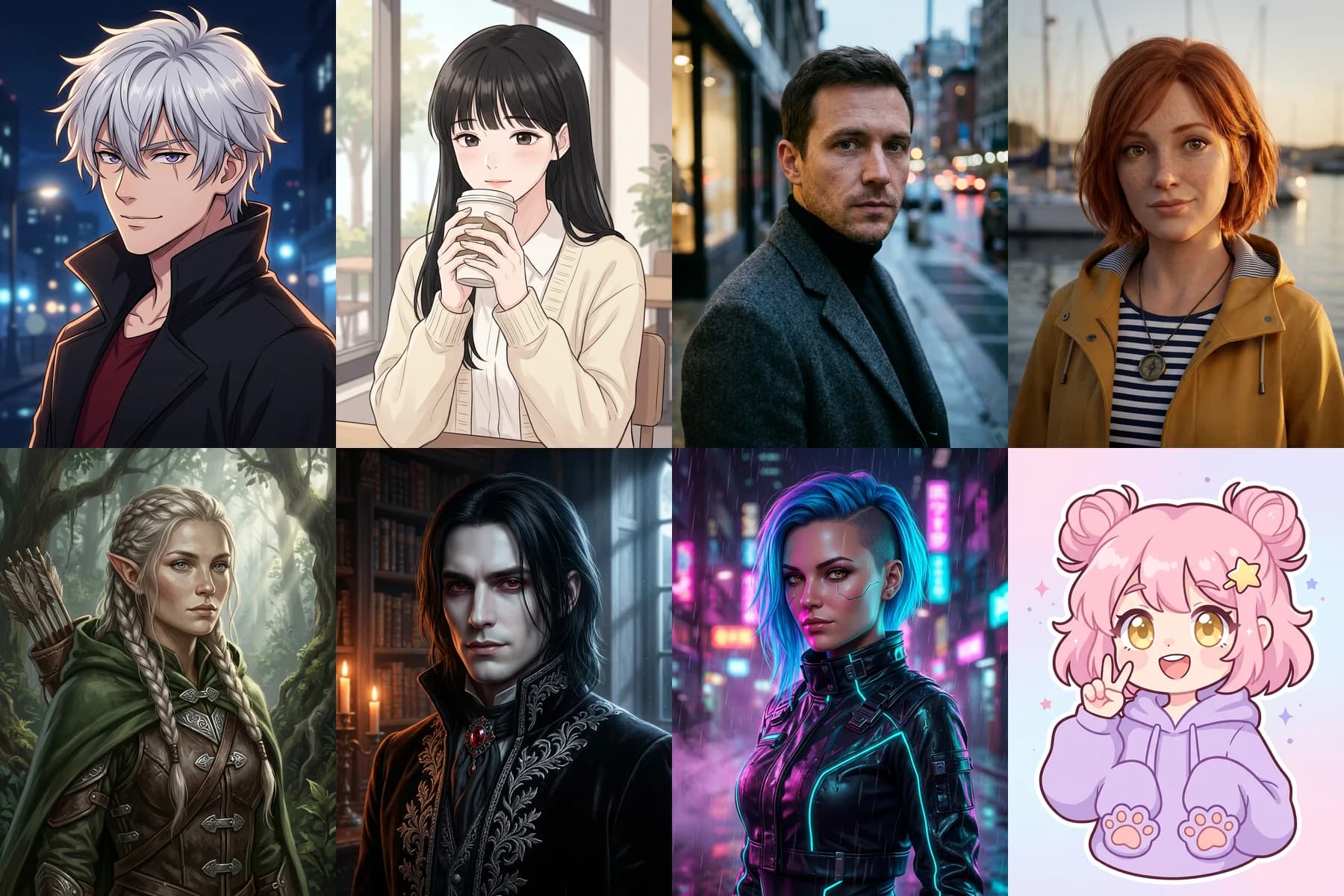
Good PolyBuzz AI character ideas start with two things that match: a face people notice in a crowded list, and a description that tells the AI how that face talks. PolyBuzz's own creation guide puts the image first and the written fields second, and its homepage lists more than 20 million characters, so a vague idea gets lost quickly.[1][2]
Below are eight PolyBuzz AI character ideas we generated on November 4, 2026. Each one has the full portrait prompt we submitted, the real image that came back, and a short persona starter for the description fields. Every image is an unretouched output from Nano Banana 2.1 at 1K and a 3:4 frame (converted to WebP for this page), made with the PolyBuzz AI Character Creator on reAPI. reAPI is not affiliated with PolyBuzz.
TL;DR
- PolyBuzz asks for a character image first, then a name, brief introduction, greeting, labels, background, dialogue style and dialogue examples.[1]
- You can upload your own pictures to PolyBuzz and set them as a character avatar, chat background or homepage cover, so a portrait made elsewhere still works.[1]
- PolyBuzz has its own image generator with anime, realistic and cartoon styles; this guide uses an independent generator so the prompts also work through an API.[3]
- Each idea below pairs one art style with one specific role. A role in the name ("Mara, lighthouse keeper") is what PolyBuzz's guide calls more appealing than a bare name.[1]
- To keep the same face later, reuse the finished portrait as a reference image; Nano Banana 2.1 accepts up to 14 of them per request.[4]
What makes PolyBuzz AI character ideas work
A character on PolyBuzz is read in a fixed order: the thumbnail, the name, the short introduction, then the greeting once someone opens the chat. PolyBuzz's creation guide follows the same order. It asks for an attractive character image built from a reference picture, an image description and a drawing style, and then for the written fields.[1]
That order suggests a simple rule for PolyBuzz AI character ideas: decide the role and the visual hook together. A vampire noble in a candle-lit library promises a slow, formal conversation. A chibi avatar in a lavender hoodie promises something light. If the portrait and the greeting promise different things, people notice.
The guide also gives concrete writing advice. A brief introduction should name the most appealing traits, such as occupation, personality and experience. A greeting should set the relationship, the situation and the opening line. Dialogue examples help the AI copy the voice you have in mind.[1] The persona starters below follow those fields.
8 PolyBuzz AI character ideas with prompts
These PolyBuzz AI character ideas cover eight different art styles, from cel-shaded anime to chibi. Every prompt starts with the same reference clause. If you attach a photo, the clause tells the model to keep that face. Without a photo it describes a new fictional adult. Copy a prompt as it is, or change one detail at a time.
1. Anime companion: the night-city fixer
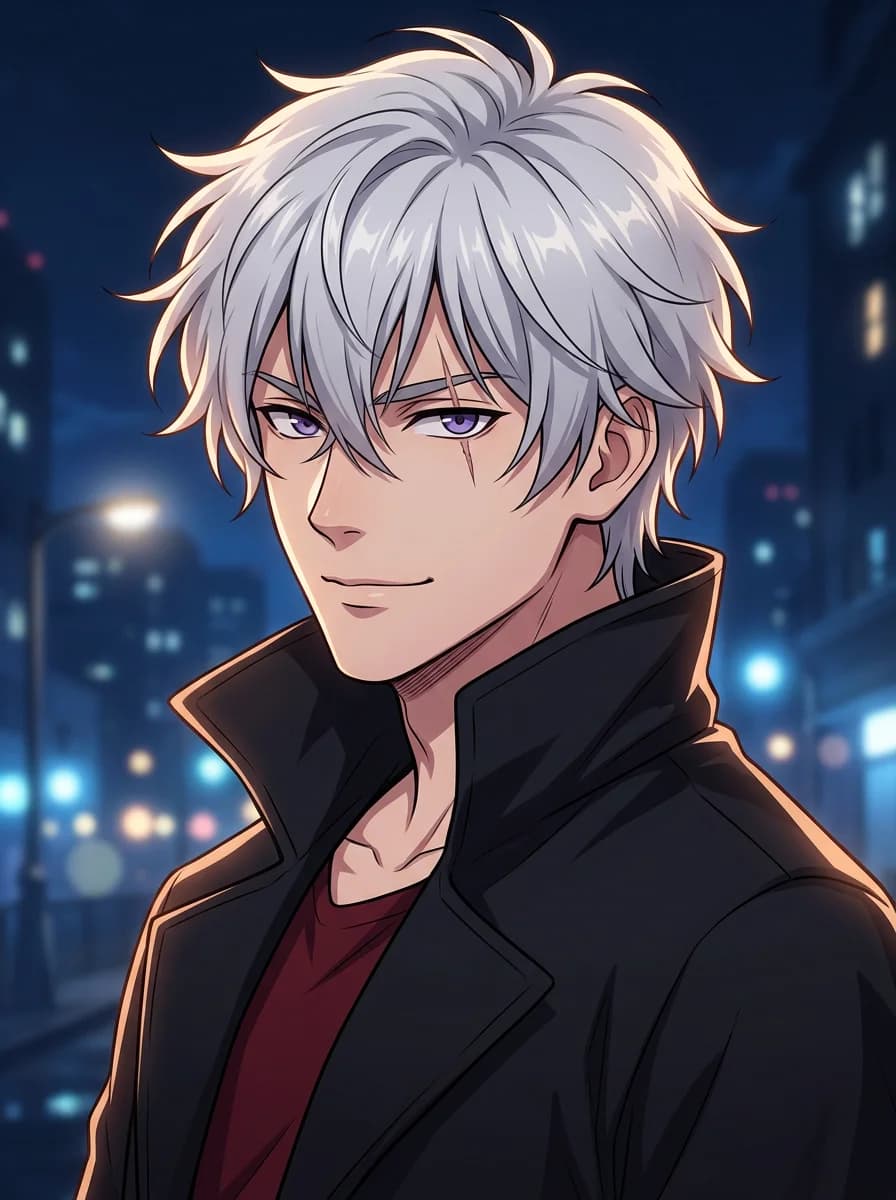
Create a single-character anime illustration for a chat profile avatar. If a reference image is attached, keep that character’s recognizable face, apparent age, skin tone, hairstyle and eye color, and change only what this prompt describes. Otherwise, depict an adult man in his mid-twenties with messy silver hair, sharp violet eyes and a small scar across one eyebrow. He wears a long black coat with a high collar over a dark red shirt. Calm, slightly teasing half-smile, head turned three-quarters toward the viewer. Clean cel shading, crisp line art, soft rim light from behind, dark blue night-city bokeh in the background. Head-and-shoulders framing with space around the face for a circular crop. No text, no watermark, no logo.Persona starter. Name: Kaito, night-city fixer. Brief introduction: a calm information broker who owes the user a favor and hates owing anyone. Greeting hook: he slides a sealed envelope across the bar and says it is the last job he will take for free. Why it works: the scar and the half-smile already suggest a past, which is what the strongest PolyBuzz AI character ideas give people before the first message.
2. Soft manhwa: the café regular
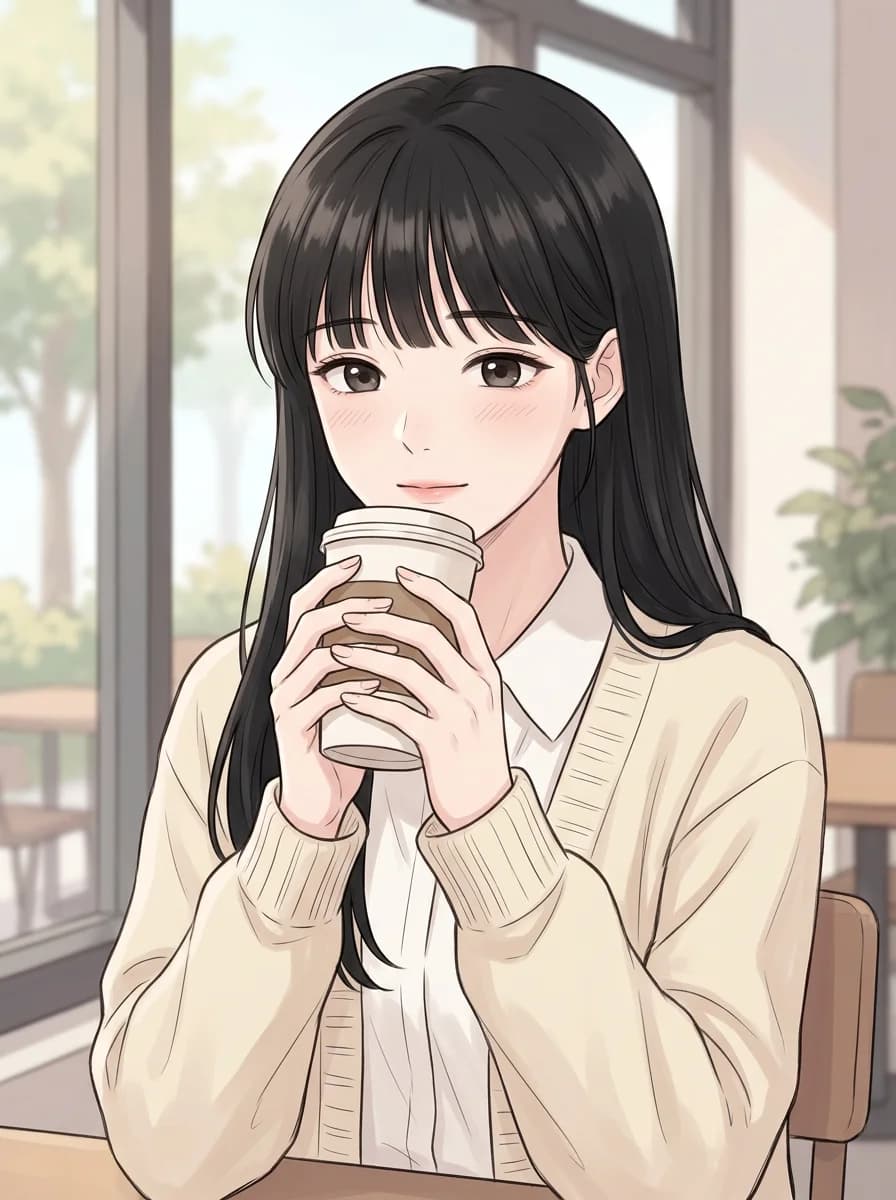
Create a single-character webtoon-style portrait in a soft, muted manhwa look. If a reference image is attached, keep that character’s recognizable face, apparent age, skin tone, hairstyle and eye color, and change only what this prompt describes. Otherwise, depict an adult woman in her early twenties with long straight black hair, neat bangs and dark brown eyes. She wears a cream knit cardigan over a white collared blouse and holds a paper coffee cup near her chin. Gentle, shy expression with a faint blush. Pastel palette, delicate line work, soft painterly shading, a blurred campus café window behind her. Upper-body framing. No speech bubbles, no text, no logo.Persona starter. Name: Seo-yeon, graduate student. Brief introduction: shy, precise and secretly funny; she always sits at the same café table. Greeting hook: the user takes her usual seat by mistake, and she has to decide whether to say something. Why it works: slow-burn romance needs a quiet visual, and the pastel café frame sets that tone before any text is read.
3. Realistic portrait: the rain-soaked detective
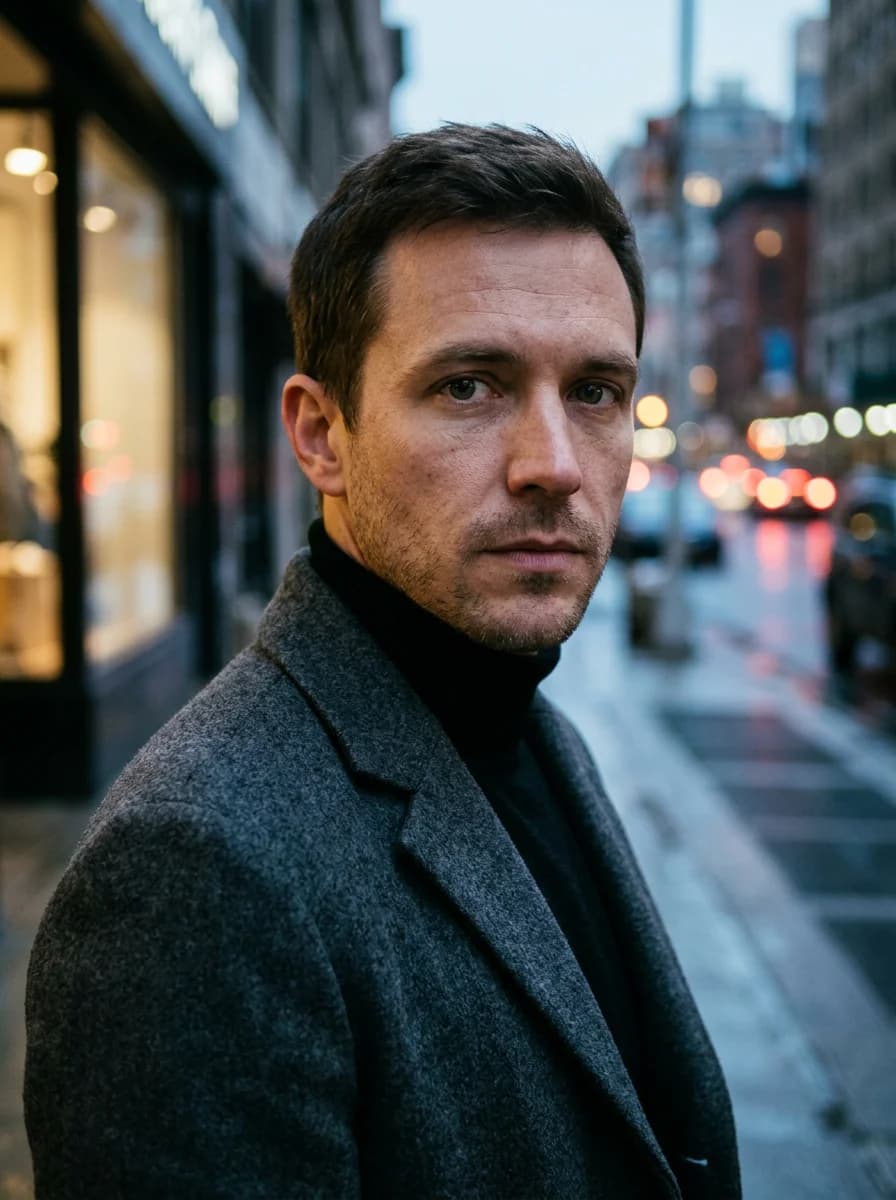
Create a photorealistic character portrait of a fictional adult for a roleplay profile. If a reference image is attached, keep that character’s recognizable face, apparent age, skin tone, hairstyle and eye color, and change only what this prompt describes. Otherwise, depict a man in his early thirties with short dark-brown hair, light stubble, green-grey eyes and a defined jaw. He wears a charcoal wool overcoat over a black turtleneck. Serious, attentive gaze directly at the camera. Moody evening street light from one side, shallow depth of field, rain-wet city lights blurred behind him, natural skin texture. Head-and-shoulders framing. One portrait, no text, no logo.Persona starter. Name: Elias Crane, private detective. Brief introduction: patient, observant and allergic to small talk. Greeting hook: he is waiting under the user's awning and already knows their name. Why it works: realistic PolyBuzz AI character ideas lean on lighting more than costume; wet street light alone says "case" and "night".
4. Semi-realistic 3D: the harbor navigator
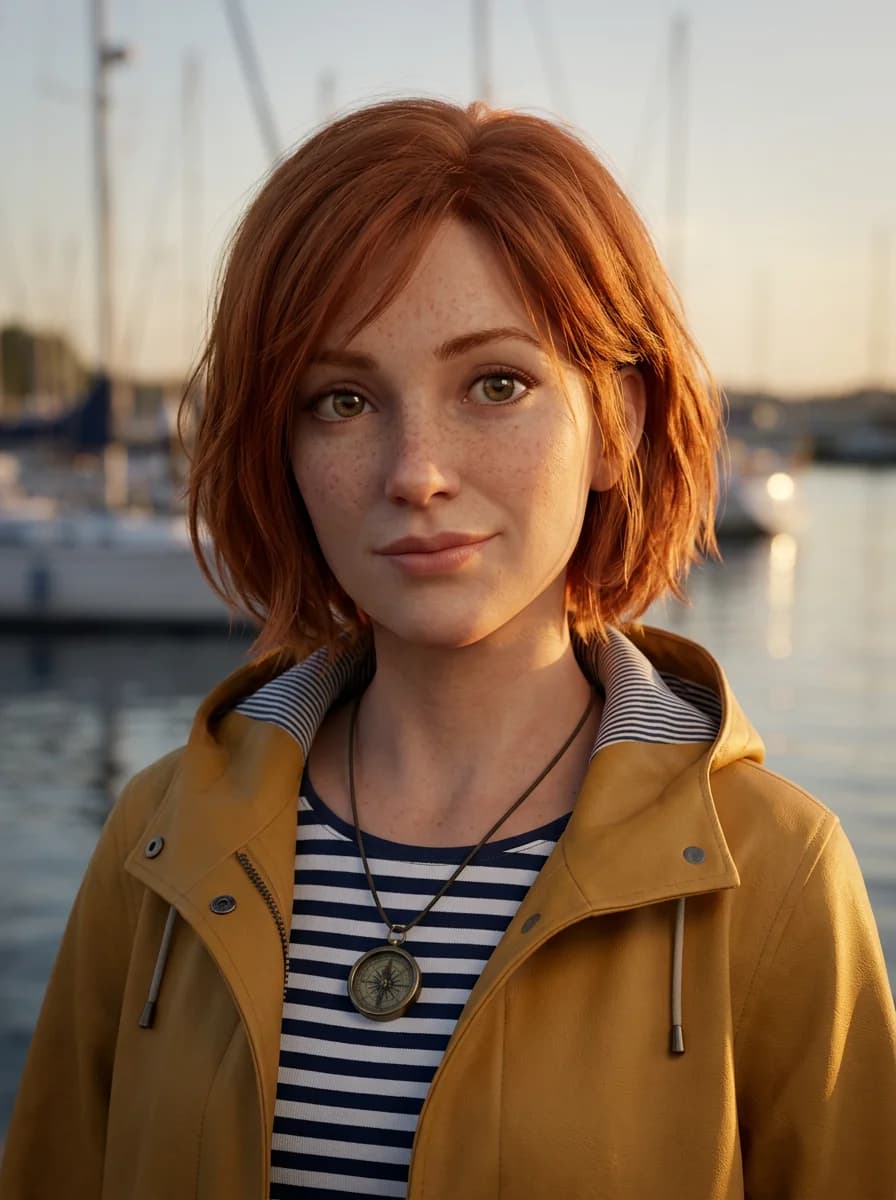
Create a warm semi-realistic 3D character portrait with softly stylized features. If a reference image is attached, keep that character’s recognizable face, apparent age, skin tone, hairstyle and eye color, and change only what this prompt describes. Otherwise, depict an adult woman in her mid-twenties with a chin-length copper bob, freckles and hazel eyes. She wears a mustard-yellow raincoat over a striped shirt and a small brass compass pendant. Curious, friendly expression with a slight head tilt. Golden late-afternoon light, a softly blurred harbor with sailboats behind her, subsurface skin glow, visible fabric texture. Close upper-body framing. No text, no border, no logo.Persona starter. Name: Wren, harbor navigator. Brief introduction: cheerful, stubborn and always one map short of a plan. Greeting hook: she needs one more crew member before the tide turns, and the user is standing on the dock. Why it works: the compass pendant is a single prop that carries the whole adventure premise, which keeps this one of the easier PolyBuzz AI character ideas to extend into a story.
5. Fantasy ranger: the border scout
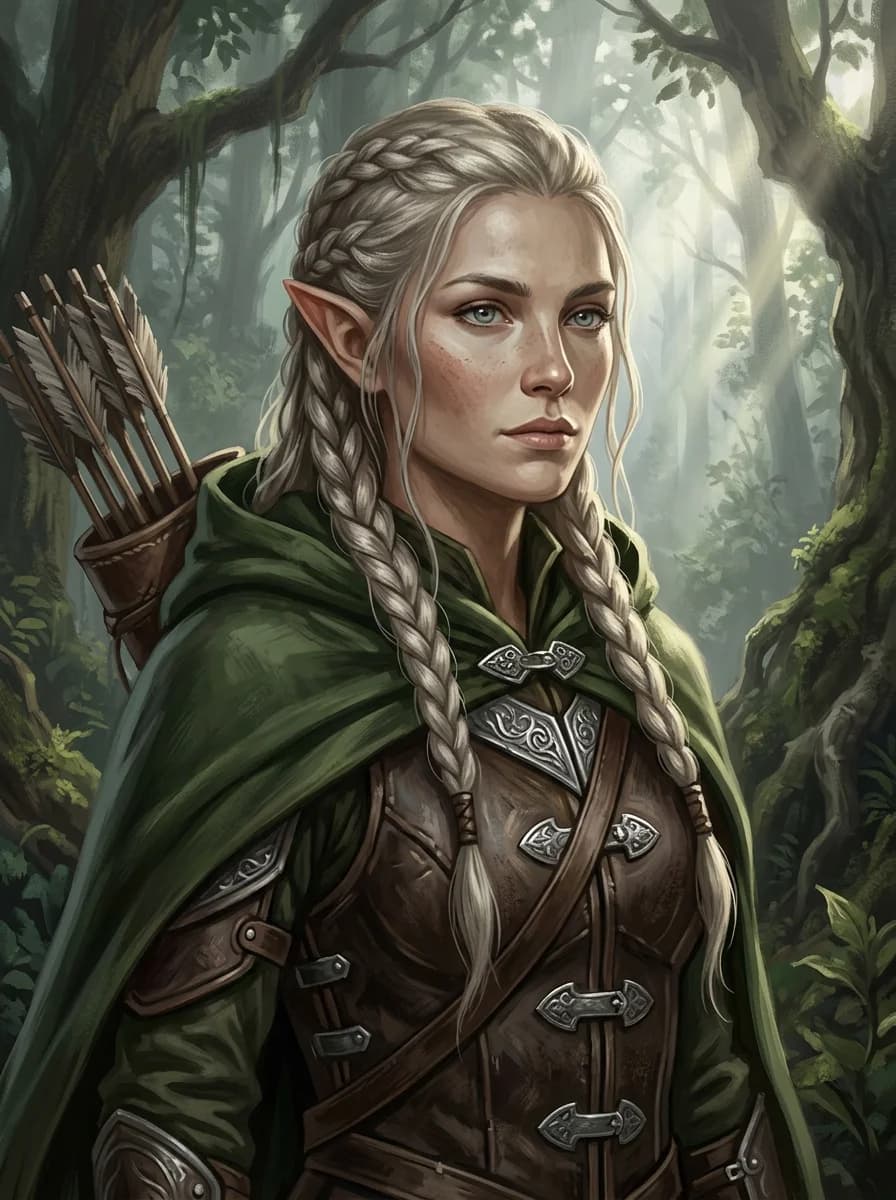
Create a single-character fantasy portrait in a painterly illustration style. If a reference image is attached, keep that character’s recognizable face, apparent age, skin tone, hairstyle and eye color, and change only what this prompt describes. Otherwise, depict an adult elf ranger in her late twenties with long braided ash-blonde hair, pointed ears and pale blue eyes. She wears a moss-green hooded cloak, leather armor with engraved silver clasps and a quiver over one shoulder. Watchful, composed expression. Misty ancient forest behind her, shafts of morning light through tall trees, fine detail on hair and metalwork. Upper-body framing. No text, no logo.Persona starter. Name: Aelith, border scout. Brief introduction: quiet, dry-humored and distrustful of humans. Greeting hook: she has an arrow trained on the user and one question to ask before lowering it. Why it works: fantasy PolyBuzz AI character ideas read best when the setting does the explaining; the forest and quiver make the role obvious at thumbnail size.
6. Gothic vampire: the library heir
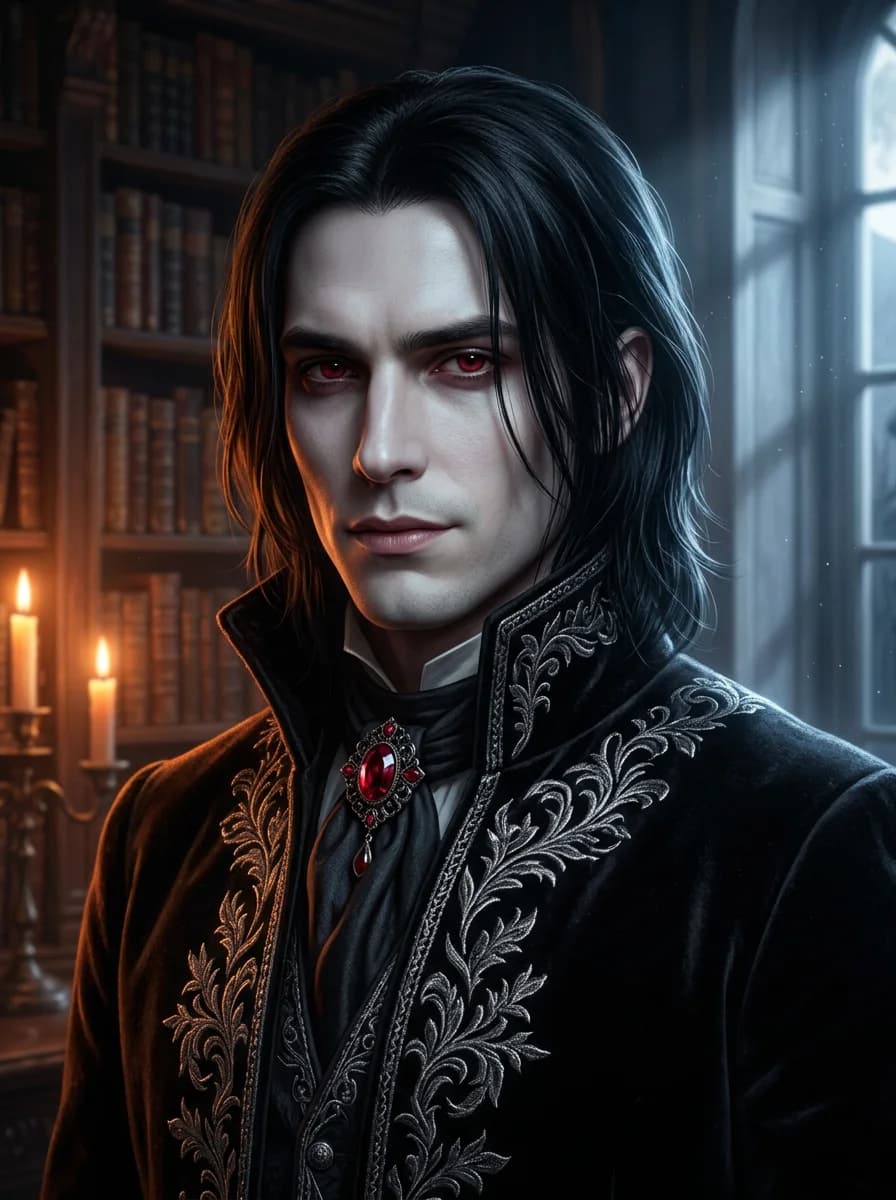
Create a single-character gothic portrait for a dark-fantasy roleplay character. If a reference image is attached, keep that character’s recognizable face, apparent age, skin tone, hairstyle and eye color, and change only what this prompt describes. Otherwise, depict an adult vampire noble in his late twenties with shoulder-length black hair, pale skin and deep crimson eyes. He wears a high-collared black velvet coat with silver embroidery and a ruby brooch. Cool, unreadable expression with the hint of a smirk. Candle-lit castle library behind him, warm candlelight on one side and cold moonlight on the other, rich textures, cinematic contrast. Head-and-shoulders framing. No blood, no text, no logo.Persona starter. Name: Lucien Vale, heir of the north tower. Brief introduction: courteous, centuries-bored and far more curious than he admits. Greeting hook: the user was hired to catalog his library, and he wants to know which book they opened first. Why it works: split candle and moonlight gives the portrait two moods, matching a character who is polite on the surface and hard to read underneath.
7. Cyberpunk: the street medic
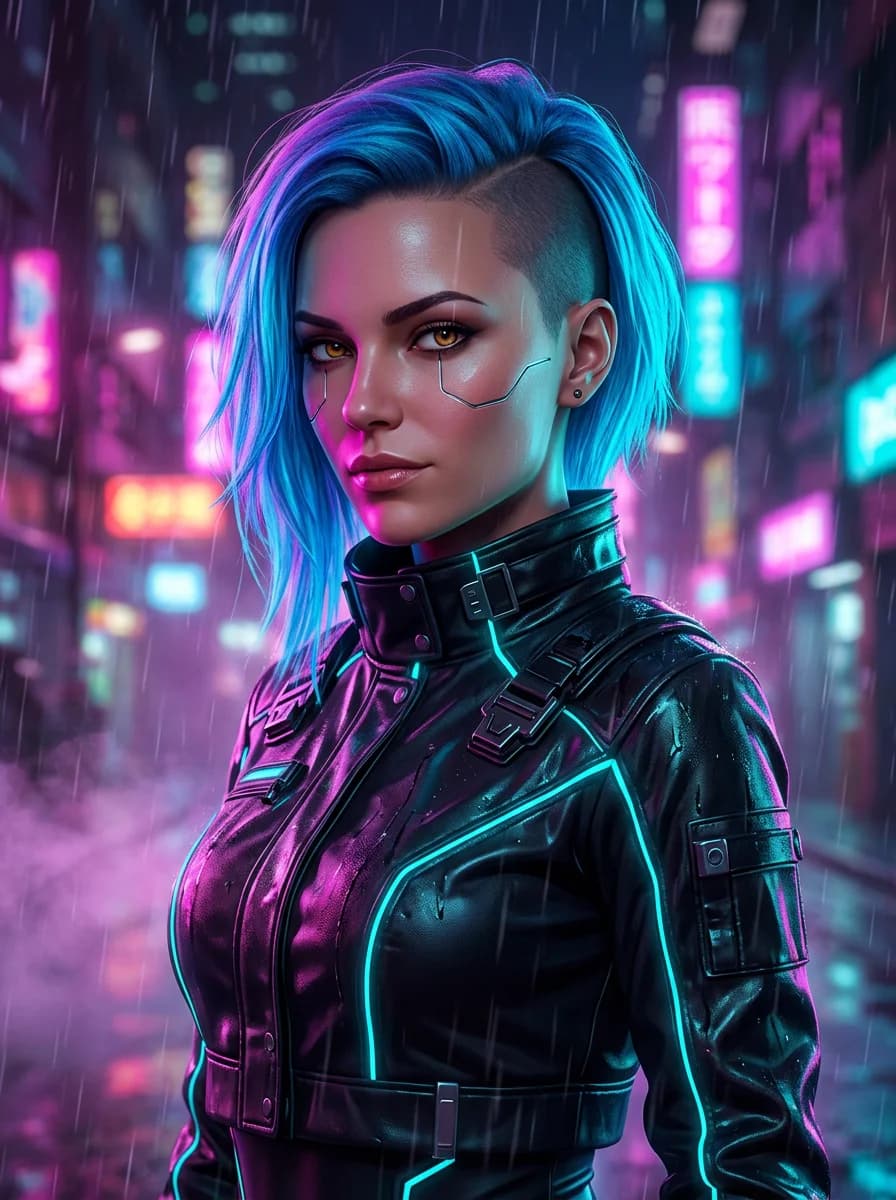
Create a single-character cyberpunk portrait with a polished digital-art finish. If a reference image is attached, keep that character’s recognizable face, apparent age, skin tone, hairstyle and eye color, and change only what this prompt describes. Otherwise, depict an adult woman in her late twenties with an asymmetric neon-blue undercut, amber eyes and a thin silver cybernetic line along one cheekbone. She wears a cropped black tech jacket with glowing cyan seams and a high collar. Confident, sharp expression. Rainy neon street at night behind her, magenta and cyan reflections on her face, light haze. Upper-body framing. No readable signs, no text, no logo.Persona starter. Name: Vex, back-alley medic. Brief introduction: blunt, fast-talking and loyal to her patients only. Greeting hook: she is patching the user's arm and wants to know who did this before she finishes. Why it works: neon reflections on the face keep the portrait readable at small sizes, a common weak point of busy cyberpunk PolyBuzz AI character ideas.
The background in this result still shows a few blurred, unreadable sign shapes even though the prompt asked for no readable signs. Check backgrounds before you crop the image into an avatar.
8. Chibi avatar: the cheerful streamer
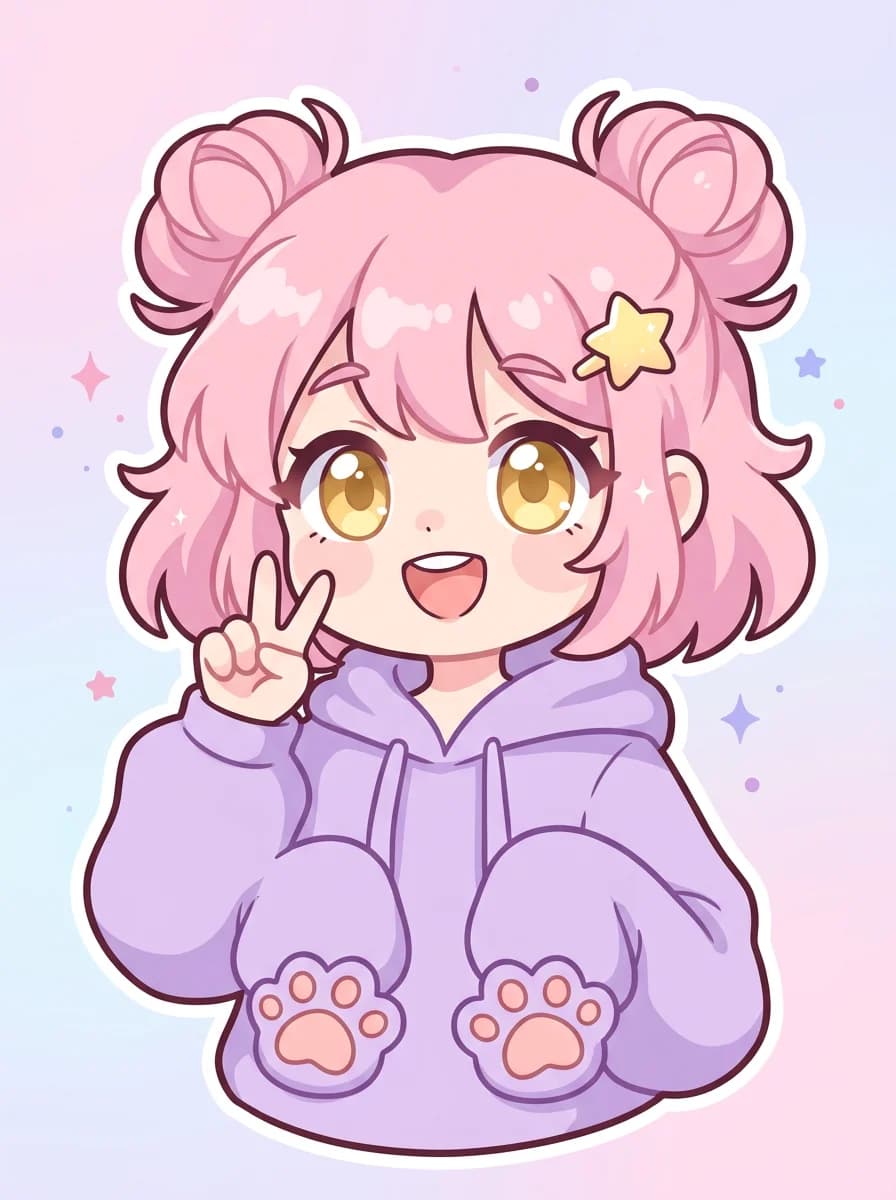
Create a cute chibi-style character avatar of an adult character. If a reference image is attached, keep that character’s recognizable face, apparent age, skin tone, hairstyle and eye color, and change only what this prompt describes. Otherwise, depict a cheerful young woman with fluffy pink hair in two buns, big round golden eyes and a small star hair clip. She wears an oversized lavender hoodie with paw-print pockets. Big smile, one hand making a peace sign. Simple pastel gradient background with a few small sparkles. Thick clean outlines, soft flat shading, centered head-and-shoulders composition for a profile picture. No text, no logo.Persona starter. Name: Momo, late-night streamer. Brief introduction: loud, kind and terrible at video games. Greeting hook: her stream just crashed, and the user is the only viewer still in chat. Why it works: chibi proportions turn the face into the whole image, so this style suits PolyBuzz AI character ideas meant for casual, comedic chats.
Turning PolyBuzz AI character ideas into a character description
Once the portrait for one of these PolyBuzz AI character ideas is ready, the description fields decide whether the character holds a conversation. PolyBuzz's guide lists them in this order: name, gender, brief introduction, greeting, labels, background introduction, dialogue style and dialogue examples.[1] A compact template:
Name: [name], [role]
Brief introduction: [age], [job], [two personality traits]; [what the user walks into].
Greeting: *[setting and action]* "[opening line that sets the relationship and a small hook]"
Background: [family and upbringing]. [what they want]. [what they hide or fear].
Dialogue style: [tone], [reply length], [narration or dialogue only]. Example: "[sample line]"
Labels: [genre], [personality], [setting]
Three habits make the persona starters above into full characters. Give the background one concrete weakness, because the guide notes that more detail makes a character more unique.[1] Write two or three sample lines with a catchphrase, not a list of adjectives. And leave the user's actions and feelings out of the greeting, so they have something to answer.
Keeping the same face across scenes
A single portrait is enough for an avatar, but chat backgrounds and story scenes need the same face again. Reuse your favorite result as the reference image and say what should stay (face, hairstyle, eye color) and what should change (outfit, setting, pose). Nano Banana 2.1 accepts up to 14 reference images per request, so you can add a second angle or an outfit sheet as well.[4]
Each output is still a new generation. Check eyes, hands, jewelry and clothing edges before you upload it, and keep one character per image so those details are easy to judge.
Common questions about PolyBuzz AI character ideas
Where can I find more PolyBuzz AI character ideas?
Browse PolyBuzz itself: its homepage lists more than 20 million characters, which shows which roles and art styles already exist.[2] Then mix a familiar role with an art style you have not seen paired with it, and use the eight PolyBuzz AI character ideas above as prompt templates.
Is the PolyBuzz AI character creator free?
PolyBuzz describes its AI chat as free on its homepage.[2] The independent PolyBuzz AI Character Creator on reAPI is paid per image: eligible new accounts get a small starter credit, each completed portrait is billed once, and failed generations are refunded. The current rate is on the Nano Banana 2.1 page.
Is there a PolyBuzz AI image generator?
Yes. PolyBuzz has its own AI image generator with anime, realistic and cartoon styles, templates, and single- or dual-person generation.[3] The prompts in this guide also work in other generators that accept a text prompt and a reference image.
What should a PolyBuzz AI character template include?
The fields PolyBuzz asks for: name, gender, brief introduction, greeting, labels, background, dialogue style and dialogue examples.[1] The template above covers all of them except gender.
How do I write a PolyBuzz AI character description?
Start from a role, not a name. Write a one-sentence introduction with the most appealing traits, a greeting that sets the scene and ends on a hook, a background with one weakness, and two or three sample lines in the character's voice.
Can I use these portraits as a PolyBuzz AI character avatar?
Yes. PolyBuzz's creation guide says you can upload your own pictures and set them as a character avatar, chat background or homepage cover.[1] Check PolyBuzz's current content rules before you publish.
Can the PolyBuzz AI character creator make anime characters?
Yes. Ideas 1, 2 and 8 above are anime, manhwa and chibi portraits. For anime styles, name the style once, keep the face large in the frame and describe one signature detail, such as a scar or a hair clip.
Picking your first PolyBuzz AI character idea
Start with the role you most want to talk to, choose the art style that fits that role, and generate a portrait before you write a single field. The image will tell you what the greeting should sound like. Then fill in the description with the template, reuse the portrait as a reference for later scenes, and test the character in a short chat. Any of the eight PolyBuzz AI character ideas above can be loaded into the PolyBuzz AI Character Creator with one click.
References
- PolyBuzz. How to create a popular Character? Retrieved November 2026 from polybuzz.ai/creation-guide
- PolyBuzz. PolyBuzz | Talk to AI Characters & Enjoy Free AI Chat Anytime. Retrieved November 2026 from polybuzz.ai
- PolyBuzz. AI Image Generator. Retrieved November 2026 from polybuzz.ai/ai-image-generator
- reAPI. Nano Banana 2.1 API documentation. Retrieved November 2026 from reapi.ai/docs/nano-banana-2-1