Where to Use Seedance 2.5: Official Apps and API Access
Find where to use Seedance 2.5 through official apps, BytePlus, Volcengine, reAPI, and Higgsfield, with account requirements and regional access limits today.
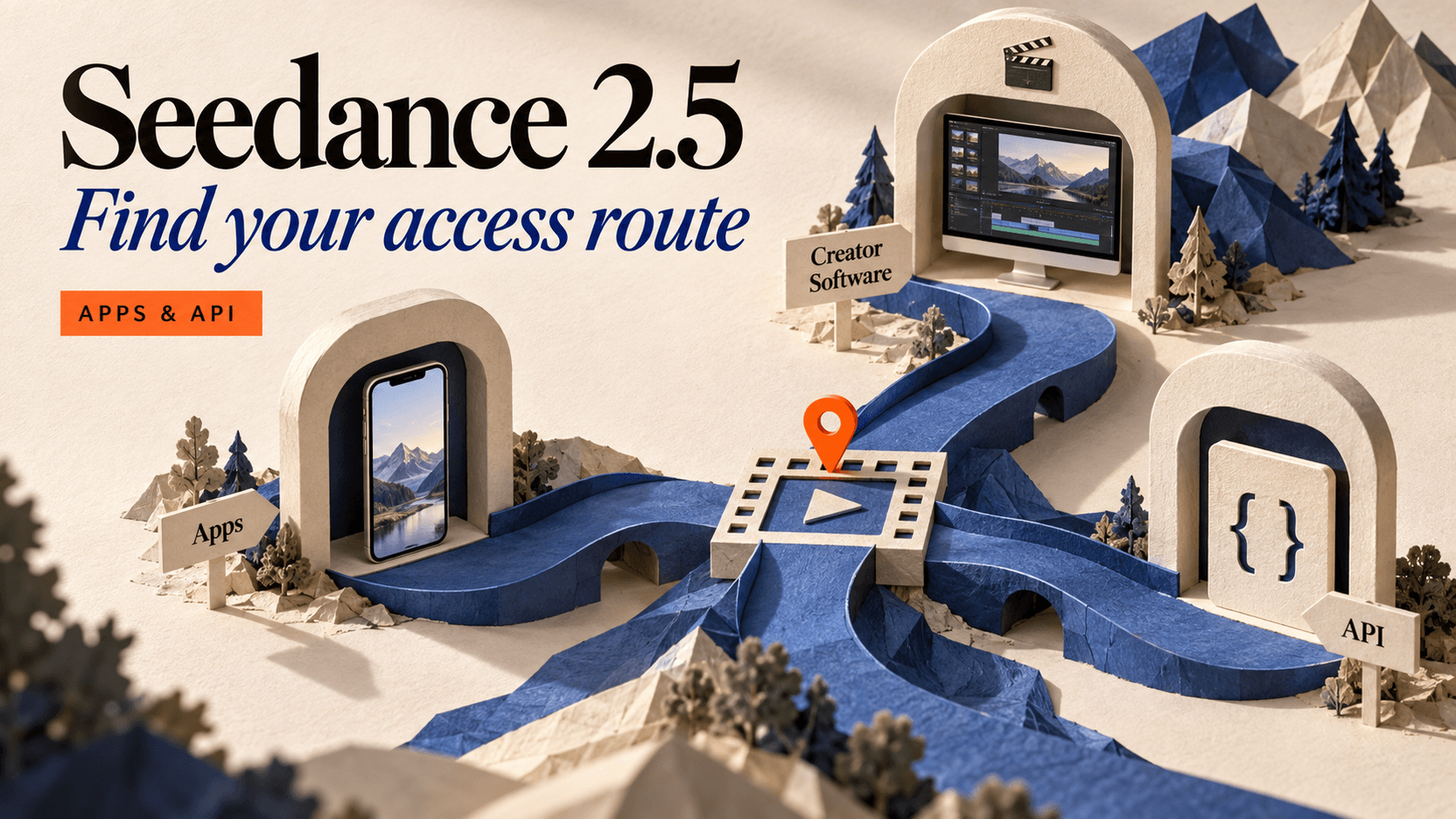
If you are deciding where to use Seedance 2.5, start with the workflow you need. ByteDance's official model page sends its “Try now” button to Dreamina and its “Get API” button to BytePlus. For a browser playground and an application API in one place, Seedance 2.5 on reAPI provides a separate, documented access route.[1][2]
This access map was checked on September 12, 2026. It separates ByteDance's own applications and cloud services from creator platforms and independent API services. A familiar model name does not make account eligibility, pricing, or request fields interchangeable between them.
TL;DR
- The Seedance 2.5 official website is ByteDance Seed's model page. Its access buttons currently lead to Dreamina and BytePlus.[1]
- reAPI offers a playground and asynchronous API using
doubao-seedance-2.5-face; the documented route supports 4–30 seconds and 480p, 720p, or 1080p output.[2] - ByteDance's July 31 announcement names Jimeng AI and Doubao Pro as consumer rollout destinations. The Chinese announcement identifies 火山方舟 as its upcoming domestic API platform.[3]
- BytePlus now documents full API availability, with model activation requirements published separately from its general trial program.[4][5]
- Higgsfield currently lists Seedance 2.5 access on Plus and Ultra, while Starter excludes it. A platform account alone does not establish access to every model.[6]
| Entry point | Interface | Is development required? | Billing or access distinction |
|---|---|---|---|
| Dreamina | Consumer web application | No for browser creation | Account and available creation offers belong to Dreamina.[1] |
| Jimeng AI / Doubao Pro | Consumer applications named in the launch | No for app creation | Use the model option provided to your account.[3] |
| BytePlus ModelArk | Cloud playground and API | A client is needed for API integration | Seedance-specific activation requirements apply.[4][5] |
| Volcengine / 火山方舟 | Cloud model platform | A client is needed for API integration | Consult its own model and account documentation.[7] |
| reAPI | Model playground and asynchronous API | No for playground; yes for integration | Paid, credit-based requests with documented billing and refunds.[2] |
| Higgsfield | Creator platform | No for its browser interface | Current eligible plan required for 2.5.[6] |
Start from the official Seedance 2.5 website
Use ByteDance Seed's model page to establish the model's identity and its own access destinations. During this review, “Try now” opened Dreamina on dreamina.capcut.com; “Get API” opened BytePlus's Seedance 2.5 activity page.[1]
That makes the Seed page a useful starting point when search results contain several sites named after the model. A model-branded domain is not, by itself, evidence that ByteDance operates it. Follow the developer's links, then inspect the destination's account and billing terms.
Choose the row that matches where the result needs to go. An editor choosing shots by hand and a developer adding video generation to a product do not need the same interface.
Where to use Seedance 2.5: Dreamina, Jimeng, and Doubao
Dreamina is the consumer destination linked from the current international Seedance 2.5 model page. Jimeng AI and Doubao Pro are named in ByteDance's July 31 rollout announcement.[1][3] Look for the application name as well as the model version when following setup instructions.
The Dreamina interface checked for this article was organized around an AI Agent creation box. Its signed-out homepage showed sign-in prompts and a “Free credits” label, but that view did not establish the amount of credit, a Seedance 2.5 entitlement, or a subscription price.[8] The detailed Dreamina Seedance 2.5 user guide covers the product workflow; the current account interface should settle eligibility.
For manual creation, use this sequence:
- Follow the official model page's consumer link, or open the named application.
- Sign in to the account you intend to use.
- Locate video creation and verify that the selected model explicitly says Seedance 2.5.
- Set the duration and resolution before checking the displayed charge or allowance.
- Add your prompt or references only after you understand which model and mode will run.
These checks avoid confusing a general AI video entry point with access to the exact version. The account might expose several Seedance generations, and a “try” button can lead to an application before the model-specific settings appear.
The Seedance 2.5 CapCut query needs one further distinction. Dreamina's official destination uses a CapCut domain. That does not establish that every CapCut editor installation includes Seedance 2.5 or that an existing CapCut subscription includes its generations. Use the linked Dreamina product and inspect the actual entitlement rather than relying on the shared brand name.[1]
Choose a cloud API when another application needs the result
An API fits work that starts outside the provider's own editor: a product form, a script, an internal tool, or an automation. The key requirement is a published request contract and a way to retrieve completed results.
On reAPI, the documented value is doubao-seedance-2.5-face. Requests go to /api/v1/videos/generations, and the returned task ID is checked through /api/v1/tasks/{id}. Fields for text, images, video, and audio determine the generation mode.[2] Start with the Seedance 2.5 API quickstart for the first call, or inspect the playground before writing code.
BytePlus ModelArk now states that its Seedance 2.5 API is fully available. Its activation guide requires one of its qualifying credit or purchase arrangements, then model activation and an API key.[4][5] A generic BytePlus account or general free-inference page should not be treated as proof that Seedance 2.5 is already enabled.
Volcengine's current model list publishes doubao-seedance-2-5-260628, along with its supported generation modes and output specifications.[7] This is the domestic cloud documentation named by ByteDance's Chinese rollout article. Its account setup and request contract should be read independently from BytePlus and reAPI.
Do not mix a model ID from one service with a key or request body from another. The underlying model family can be the same while field names, billing, activation, and task responses differ. Store the endpoint, model ID, authentication method, and schema together in your integration notes.
Higgsfield and ComfyUI offer different creator workflows
Higgsfield is an option for creators who want its browser-based production environment. Its September 12 pricing page lists 1080p Seedance 2.5 access on Plus and Ultra and excludes the model from Starter.[6] Check the selected plan's actual model entitlement before choosing it for a project. The Seedance 2.5 on Higgsfield guide covers the account workflow.
The word “unlimited” needs a separate check. Higgsfield defines that benefit for specified models, resolutions, and tiers, and states that unlimited access can have dynamic speed or concurrency adjustments. It also separates browser unlimited benefits from MCP/CLI, Canvas, and Supercomputer use.[6] A plan that includes 2.5 access does not automatically promise unlimited 2.5 generation on every surface.
ComfyUI addresses a different need: connecting steps in a node workflow. Comfy announced Seedance 2.5 Partner Node templates on August 8. Its documentation explains that Partner Nodes send requests to external model APIs and require an account, credits, and connectivity.[9]
That is useful if you already prepare inputs and process outputs inside ComfyUI. It does not mean Seedance inference runs on your GPU. The local deployment guide explains how to distinguish a local interface from local model weights.
Using a phone and checking regional availability
You do not need to start by downloading an APK named after the model. The official sources checked here point to consumer applications and web services; this review did not establish an official standalone Seedance 2.5 APK distribution.[1][3] On a phone, begin with the official web destination or the application publisher's own installation links. Confirm the model inside the service after signing in.
A third-party app may offer hosted video generation under its own publisher, subscription, and access rules. Installing it does not turn it into ByteDance's official model website.
Regional availability also belongs to the service. BytePlus publishes an availability list and warns that versions offered under the same model card can differ by customer country or region. Its general list excludes models marked as restricted from the blanket availability statement.[10]
For readers searching “Seedance 2.5 в россии,” Russia was not listed on the BytePlus availability page checked on September 12. That does not establish one rule for Dreamina, reAPI, Higgsfield, or every other service. It also does not establish a legal prohibition on the model itself.
Before paying, verify the provider's country list, your account's model visibility, and the accepted billing method. A translated marketing page or an accessible homepage is not enough to confirm that generation will be enabled for that account.
FAQ
Seedance 2.5 official website
ByteDance Seed's model page is the official model website. Its current consumer and API buttons lead to Dreamina and BytePlus respectively.[1]
Seedance 2.5 where to use
Choose a consumer application for manual creation, a creator platform for its editing workflow, or an API for integration. reAPI provides both a browser playground and a documented asynchronous API.[2]
Seedance 2.5 Dreamina
Dreamina is the destination of the official model page's “Try now” button. Confirm the selected version and account entitlement in Dreamina before generating.[1]
Seedance 2.5 CapCut
The official Dreamina destination is on a CapCut domain. This review does not establish that Seedance 2.5 is included in every CapCut editor or subscription.[1]
Seedance 2.5 Higgsfield
Higgsfield currently lists Seedance 2.5 on Plus and Ultra with 1080p access. Its Starter card explicitly excludes the model.[6]
Seedance 2.5 early access
The model is beyond announcement-only status: BytePlus documents full availability, and reAPI publishes an active API contract. Individual platforms can still apply account or rollout conditions.[4][2]
Seedance 2.5 APK
This review did not verify an official standalone APK named Seedance 2.5. Start from ByteDance's model page and follow the relevant application's own access or installation links.[1]
How to access seed dance?
First confirm that the intended model is Seedance 2.5. Then open a listed service, check account eligibility, and choose 2.5 in its interface or use its documented API model ID.[1][2]
Pick the entry point that matches your next task
Deciding where to use Seedance 2.5 is easier once you separate the model from its interfaces. Use the official page to verify the developer, the provider's account screen to verify access, and its documentation to verify the request. For a playground and API together, open Seedance 2.5 on reAPI.
References
- ByteDance Seed. Seedance 2.5 official model page and access destinations. Retrieved September 12, 2026 from seed.bytedance.com/en/seedance2_5.
- reAPI. Seedance 2.5 model page and API documentation. Retrieved September 12, 2026 from reapi.ai/models/seedance-2-5 and reapi.ai/docs/seedance-2-5.
- ByteDance Seed. Introducing Seedance 2.5. Published July 31, 2026; retrieved September 12, 2026 from the English announcement and Chinese announcement.
- BytePlus. Create a video generation task. Retrieved September 12, 2026 from docs.byteplus.com/en/docs/ModelArk/1520757.
- BytePlus. Activate, use, and cancel Dreamina Seedance 2.5 and 2.0 series models. Retrieved September 12, 2026 from docs.byteplus.com/en/docs/ModelArk/2637911.
- Higgsfield. Pricing plans: model access and unlimited usage terms. Retrieved September 12, 2026 from the rendered pricing page.
- Volcengine. Model list: Doubao Seedance 2.5. Retrieved September 12, 2026 from volcengine.com/docs/82379/1330310.
- Dreamina. Creation homepage and signed-out access controls. Retrieved September 12, 2026 from dreamina.capcut.com/ai-tool/home.
- Comfy. Seedance 2.5 is now available via Partner Nodes and Partner Nodes documentation. Retrieved September 12, 2026 from the August 8 announcement and Partner Nodes guide.
- BytePlus. International Availability for BytePlus Model Service. Dated April 21, 2026; retrieved September 12, 2026 from docs.byteplus.com/en/docs/ModelArk/availability.
Author

Categories
More Posts

Gemini 4 Argon Release Date: Is It Out, and Who Can Use It?
Gemini 4 Argon is available through the Gemini API and Google AI Studio. See the announcement timeline, model ID, access routes, and output limits before use.

AI Image API Content Filters: How Refusals Happen
Image API filtering runs in several layers. The same prompt can pass one host and fail another, but certain boundaries never change regardless of configuration.

Background Removal API Pricing: Cost per Usable Image
Calculate background removal API pricing from a live 88-credit rate, then add rejected outputs, retries, storage, and review to find your usable-image cost.