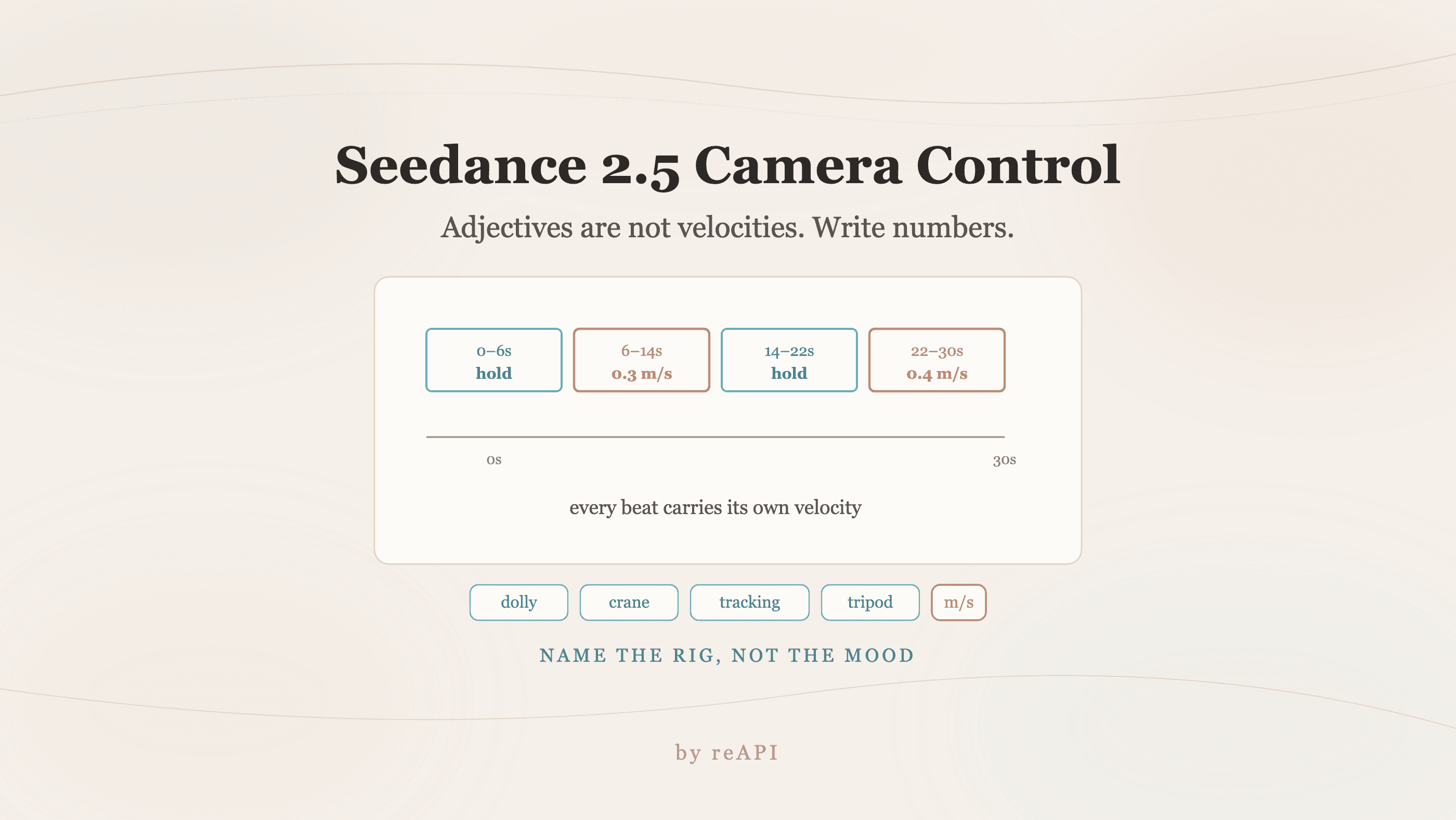
Seedance 2.5 Camera Control: Write Numbers, Not Adjectives
Seedance 2.5 camera control fails on mood words because adjectives map to fast default motion. Use explicit velocities, named rigs, and timestamped beats.
Generate a thirty-second shot with "smooth cinematic pan" in the prompt and the virtual lens hurls itself across the room like a runaway drone. The subject gets left behind in a blur. This is the single most common frustration with Seedance 2.5 camera control, and it is not a bug.
Adjectives are not velocities. The model maps descriptive words to default motion vectors, and words like smooth, epic, and dramatic map to fast ones. Fixing it means writing the prompt like a script supervisor rather than a mood board.
TL;DR
- Replace adjectives with numbers. "Slow lateral dolly at 2 seconds per meter" beats "fast pan across room."
- Name the rig. Dolly, crane, locked tripod, tracking shot. Mechanical vocabulary constrains the motion model in a way mood words do not.
- Split the shot into timestamped beats so the engine knows when a move starts, holds, and stops.
- Anchor space with reference material rather than describing it, which is what stops coordinate drift over a long take.
- Longer generations drift more. The 30-second window makes explicit constraints more necessary, not less.
Why the default is too fast
The model works in a compressed latent space, and text cues get mapped to velocity vectors before anything is rendered. Generic descriptors carry no physical weight, so the mapping resolves toward sweeping, high-acceleration trajectories.
Three failure modes follow from that, and they compound over a long take.
Semantic gap. "Smooth" and "dramatic" are not velocity metrics. Neural weights read them as permission for maximum acceleration rather than instructions for deliberate movement.
Latent drift. Without hard constraints, spatial coordinates wander across an extended timeline. A wall that was on the left at second three is somewhere else at second twenty.
Pacing breakdown. Fast default translations destroy viewer orientation within the first few seconds, which is the part of the clip that decides whether anyone keeps watching.
Replace adjectives with numbers
This is the whole technique, and the table below is the working version of it.
| Failure mode | Avoid | Use instead |
|---|---|---|
| Hyper-fast pan | "Smooth, epic camera pan across the room" | "Lateral tracking shot at 0.5 m/s, fixed focal length, 4-second linear progression" |
| Runaway zoom | "Dramatic cinematic zoom into the subject" | "Gradual focal push-in from wide (24mm) to medium (50mm) over a 10-second window" |
| Coordinate drift | "Fast drone shot flying over the landscape" | "Low-altitude stable aerial glide, altitude locked at 3 meters, vector heading 090" |
Three rules generalize from those rows.
Define numeric velocity. Substitute metric or time-based pacing for every descriptive word. Meters per second, or seconds per meter, both work. What matters is that a number appears.
Lock the mechanical rig. Say dolly, crane, locked tripod, or tracking shot explicitly. Naming real equipment forces the motion model toward physically plausible paths, because those words carry spatial constraints that "cinematic" does not.
Add time triggers. Break a long shot into stages so the engine knows when to move and when to hold.
Timestamped beats
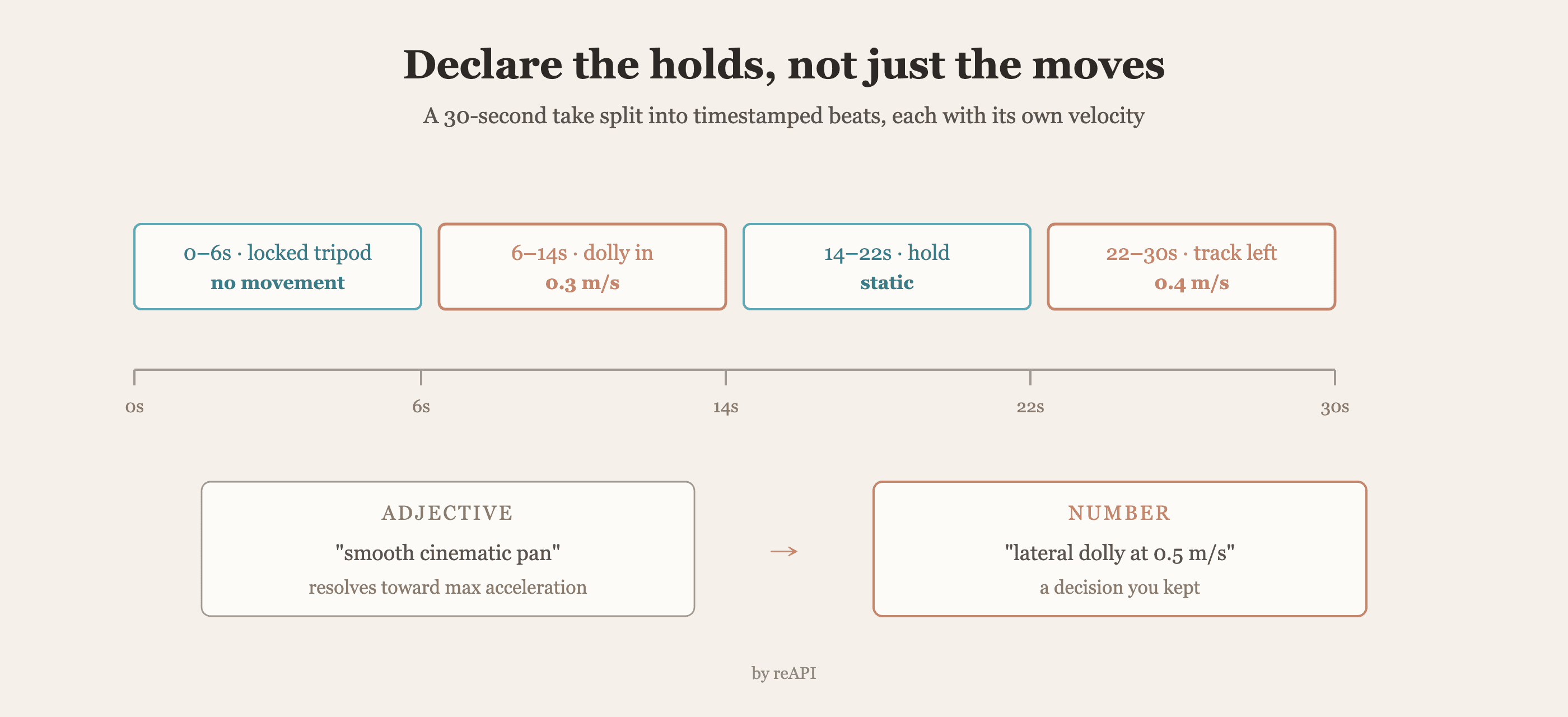
The 30-second window is where prompt structure stops being optional. A single paragraph describing an entire shot gives the model no reason to hold still at any point, so it moves continuously.
Structure it as beats instead:
0-6s: [Locked tripod] Medium shot, subject centered, no camera movement.
      Ambient motion only — steam rising, fabric shifting.
6-14s: [Slow dolly in] Push from medium to close at 0.3 m/s, constant speed,
      no easing. Focal length fixed at 50mm.
14-22s: [Hold] Camera static at close range. Subject turns toward the lens.
22-30s: [Lateral track left] 0.4 m/s, subject remains centered in frame,
      background parallax reveals the window.
Two things that structure buys you. Each beat has an explicit velocity, so no segment inherits a default. And the holds are declared rather than implied, which is what prevents the model from filling silence with movement.
Anchor the space instead of describing it
Reference material is the strongest control surface available, and it is underused because it feels like extra work.
Describing a room in text gives the model a probability distribution over rooms. Supplying a reference gives it geometry. For camera work specifically, that difference decides whether the wall stays put across a twenty-second move.
The practical hierarchy, strongest first: a reference video whose camera move you want echoed, then still frames establishing the space from the angles the shot will pass through, then text describing what neither of those covers. Text is the fallback, not the foundation.
This also interacts with billing on the 2.0 generation, where supplying an uploaded video moves the request onto a cheaper rate. Worth knowing when a pipeline is video-driven anyway.
Troubleshooting
Motion blur on every move. Velocity is too high for the frame rate to resolve. Cut the numeric speed rather than adding "less blur" to the prompt, which the model reads as a style note rather than a physics constraint.
The camera drifts off the subject over a long take. Add a framing constraint to each beat: "subject remains centered," "subject occupies the left third." Framing is a per-beat property, and stating it once at the top does not survive to second twenty-five.
Movement starts before it should. A beat without an explicit hold gets interpreted as an invitation to move. Declare the static segments.
Every generation looks different despite identical prompts. Space is being re-invented each run. That is a reference-material problem, not a prompt problem.
Calling it
curl https://reapi.ai/api/v1/videos/generations \
  -H "Authorization: Bearer YOUR_API_KEY" \
  -H "Content-Type: application/json" \
  -d '{
    "model": "seedance-2-5",
    "prompt": "0-6s: [Locked tripod] medium shot, no camera movement. 6-14s: [Slow dolly in] push to close at 0.3 m/s, focal length fixed 50mm. 14-22s: [Hold] static, subject turns to lens. 22-30s: [Lateral track left] 0.4 m/s, subject centered.",
    "resolution": "1080p",
    "duration": 30
  }'
Adding reference material anchors the geometry:
curl https://reapi.ai/api/v1/videos/generations \
  -H "Authorization: Bearer YOUR_API_KEY" \
  -H "Content-Type: application/json" \
  -d '{
    "model": "seedance-2-5",
    "prompt": "Match the camera move in the reference. Subject remains centered throughout.",
    "video_urls": ["https://example.com/camera-reference.mp4"],
    "image_urls": ["https://example.com/set-wide.jpg", "https://example.com/set-close.jpg"],
    "resolution": "1080p",
    "duration": 30
  }'
Media inputs are public http(s) URLs only, with no base64 accepted. Current rates and the full request surface are on reapi.ai/models/seedance-2-5.
FAQ
Why does Seedance move the camera so fast by default?
Because descriptive words map to default velocity vectors, and generic descriptors resolve toward high acceleration. Adjectives are not velocity metrics.
How do I specify camera speed precisely?
Use a number and a unit. "0.5 m/s" or "2 seconds per meter" both constrain the model; "slow" does not.
What is the timestamp prompt format?
Split the shot into time ranges, each with a bracketed rig type, an explicit velocity, and a framing constraint. Declare the holds as well as the moves.
How do I stop the camera drifting off my subject?
Put a framing constraint in every beat rather than once at the top. Framing does not persist across a long take by itself.
Does reference material help with camera control?
Yes, more than prompt wording does. A reference video whose move you want echoed is the strongest anchor, followed by stills establishing the space.
Why do identical prompts give different camera paths?
Because the space is being re-derived on each run. Supply reference geometry rather than describing the room in text.
What causes motion blur in generated shots?
Velocity too high for the frame rate to resolve. Lower the numeric speed rather than asking for less blur.
Directing instead of describing
The mental shift that fixes Seedance 2.5 camera control is small and specific. Stop writing what the shot should feel like and start writing what the rig does: which piece of equipment, moving how fast, for how long, holding when, framed how.
Every adjective in a camera prompt is a decision handed to a model that will resolve it toward motion. Every number is a decision you kept. Longer generations make that trade sharper, because thirty seconds of unconstrained interpretation drifts further than five. Write the beats, name the rig, give it geometry to hold onto, and the output stops being a lottery.
References
- Volcano Engine. Seedance and the Doubao video model family. Retrieved July 2026 from volcengine.com
Further reading
- reAPI. Seedance 2.5 features. reapi.ai/blog/seedance-2-5-features
- reAPI. Seedance 2.0 cost per second. reapi.ai/blog/seedance-2-0-cost-per-second
- reAPI. Model catalog. reapi.ai/models
More Posts
Author

Categories
More Posts

AI Image API Content Filters: How Refusals Happen
Image API filtering runs in several layers. The same prompt can pass one host and fail another, but certain boundaries never change regardless of configuration.

Nano Banana 2.1 API Pricing: Cost per Image at 1K, 2K and 4K
Nano Banana 2.1 API pricing explained: Google's per-image cost at 1K, 2K and 4K, how it compares with Nano Banana 2 and Pro, and a flat-rate option.

Best-Value Seedance 2.0 API in 2026: Prices Compared
A matched Seedance 2.0 API price comparison across reAPI, Atlas, Replicate, fal, and WaveSpeed, including billing rules and best-value picks.