DeepSeek V4 1M Context: max_tokens, Billing, and Concurrency
DeepSeek V4 shares its 1M context between input and output, with a 384K maximum output. Learn max_tokens, cache billing, and concurrency limits.
DeepSeek API pricing depends on the model, cache hits, and the platform billing the request. Checked October 23, 2026, DeepSeek Direct's off-peak uncached input/output prices are $0.15/$0.60 for Flash and $0.66/$1.98 for Pro, per million tokens; peak rates are twice those amounts. Cached input has its own lower rate. reAPI publishes separate gateway prices, shown below, so a Direct quote is not a reAPI quote[8][9].
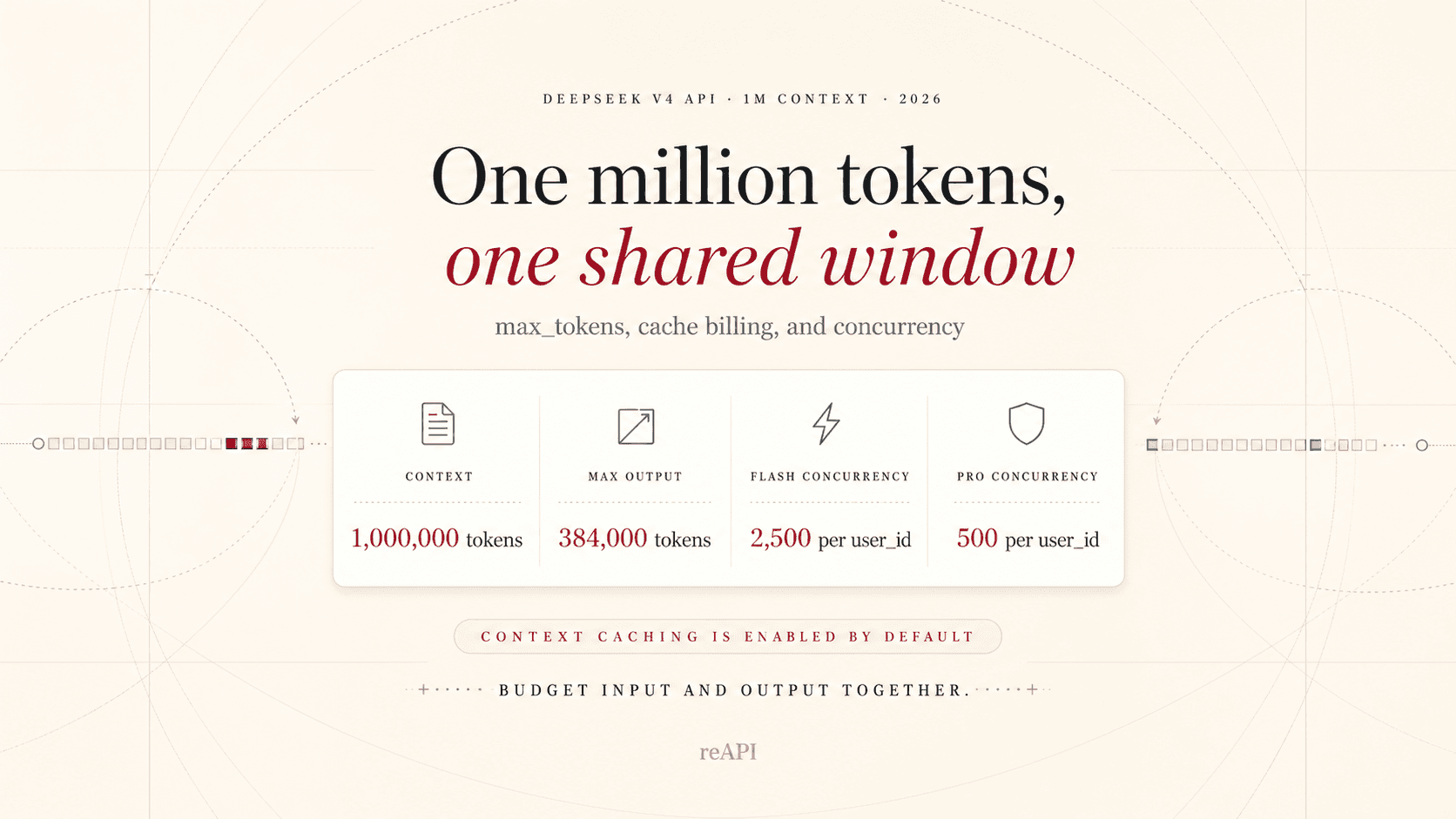
DeepSeek V4's 1M context window is a shared input-and-output budget. It does not mean you can send 1M input tokens and then generate another 384K. The 384K figure is the maximum output, while max_tokens is the output ceiling you choose for one request. Actual output is also limited by the space left in the 1M window[1][2].
This guide answers the practical questions behind that specification: how to budget input and output, how to set max_tokens, what thinking tokens do to usage, how cache billing works, and why Flash and Pro have different concurrency limits.
DeepSeek V4 limits at a glance
| Item | Official specification |
|---|---|
| Model IDs | deepseek-v4-flash, deepseek-v4-pro |
| Context window | 1M tokens, shared by input and generated output |
| Maximum output | 384K tokens |
max_tokens | Per-request completion cap; cannot exceed remaining context or the model output limit |
| Default mode | Thinking enabled; ordinary requests default to reasoning_effort: high |
| Cache | Context disk cache is enabled automatically |
| Direct API concurrency | Flash 2,500; Pro 500, per account |
| Interfaces | OpenAI Chat Completions and Anthropic-compatible |
DeepSeek released the V4 preview on April 24, 2026 with Flash and Pro variants and a 1M context window[3]. The official pricing page lists the same 384K output cap for both models, together with JSON Output, tool calls, prefix completion, and FIM completion[1].
Does 1M mean input only?
No. DeepSeek's Chat Completions reference says the total length of input tokens and generated tokens is limited by the model context length[2].
Use this mental model:
input tokens + generated tokens <= 1M context
generated tokens <= max_tokens
generated tokens <= 384K model output limit
If the prompt nearly fills the context window, the model cannot also return a 384K answer. Reserve room for system instructions, tool schemas, conversation history, and the completion.
A large window also does not remove the value of retrieval and chunking. Sending less, better-organized context often improves latency, cost, and answer focus.
How to set max_tokens
max_tokens is the maximum completion length for one request. A finish_reason of length can mean the request reached this cap or exhausted the available context[2].
Reasonable starting points:
| Workload | Starting cap |
|---|---|
| Classification, extraction, short answers | 1K–4K |
| Code review and document summaries | 4K–16K |
| Long reports and migration plans | 16K–64K |
| Extreme long-form generation | Increase only after measuring cost and truncation |
These are engineering starting points, not official requirements. Measure finish_reason, actual completion tokens, latency, and useful-output rate before raising the cap.
from openai import OpenAI

client = OpenAI(
    api_key="YOUR_REAPI_KEY",
    base_url="https://reapi.ai/api/v1",
)

response = client.chat.completions.create(
    model="deepseek-v4-pro",
    messages=[
        {
            "role": "user",
            "content": "Review this repository inventory and produce a risk-ranked migration plan.",
        }
    ],
    max_tokens=16_384,
    reasoning_effort="high",
    extra_body={
        "thinking": {"type": "enabled"},
        "group": "default",
    },
)
This Chat Completions example uses a unified-workspace reAPI key and credit balance. DeepSeek Direct has its own account, key, and https://api.deepseek.com base; its Anthropic and Responses support does not establish those protocols on reAPI. See the DeepSeek V4 API reference for reAPI request fields, and the DeepSeek V4 model page for the playground and gateway prices.[8][10]
Thinking tokens and completion usage
Thinking mode is enabled by default. DeepSeek returns reasoning in reasoning_content, and the usage object can report it separately as completion_tokens_details.reasoning_tokens[4][2].
Plan completion capacity around reasoning as well as the visible final answer. In thinking mode, temperature, top_p, presence_penalty, and frequency_penalty are accepted for compatibility but do not take effect[4].
For deterministic extraction or low-latency work, test Flash with thinking disabled. Keep thinking enabled for planning, coding, and multi-step tool use where the additional reasoning is useful.
Should tool calls retain previous reasoning?
DeepSeek's current rule depends on whether the request includes tools. With tools, return the historical assistant messages with their reasoning_content; that reasoning is included in the context. Without tools, prior reasoning may be omitted and is ignored even if supplied. A tool loop must not apply a blanket rule that deletes all previous reasoning[4].
deepseek api pricing
Pricing check, October 23, 2026: DeepSeek Direct separates peak and off-peak rates for cached input, uncached input, and output. Peak hours are 01:00–04:00 and 06:00–10:00 UTC, Monday–Friday, excluding Chinese public holidays; all other hours are off-peak. Off-peak rates are half the peak rates. The recommended Flash ID is deepseek-flash, served by DeepSeek-V4.1-Flash-1017; legacy deepseek-v4-flash requests are also served by that version at the Flash rate. deepseek-v4-pro is listed as DeepSeek-V4-Pro-0813. These mappings and time windows belong to DeepSeek Direct, not automatically to reAPI[8].
Current DeepSeek Direct prices, in USD per 1 million tokens:
| Model ID | Time band | Cache hit | Cache miss | Output |
|---|---|---|---|---|
deepseek-flash | Off-peak | $0.003 | $0.15 | $0.60 |
deepseek-flash | Peak | $0.006 | $0.30 | $1.20 |
deepseek-v4-pro | Off-peak | $0.022 | $0.66 | $1.98 |
deepseek-v4-pro | Peak | $0.044 | $1.32 | $3.96 |
The two reAPI model pages display three separately named request options. The following reAPI prices were read from their rendered Pricing sections on October 23, 2026, also in USD per 1 million tokens. The pages do not label these as DeepSeek Direct peak/off-peak tariffs[9].
| reAPI request model ID | Cache hit/read | Uncached input | Output |
|---|---|---|---|
deepseek-v4-flash | $0.028 | $0.100 | $0.200 |
deepseek-v4-pro | Not listed | $0.400 | $0.900 |
deepseek-v4.1-flash | $0.015 | $0.400 | $1.300 |
Use the V4 page for the first two IDs and the V4.1 Flash page for deepseek-v4.1-flash; all three use reAPI's unified Chat Completions route. The Direct alias rule does not prove that reAPI's separately named options use identical weights. A missing Pro cache rate is not a zero price or a reason to borrow Flash's rate[9][10].
For a hypothetical request with 100,000 input tokens, of which 80,000 hit cache and 20,000 miss, plus 20,000 output tokens, Direct Flash costs 0.08 × $0.003 + 0.02 × $0.15 + 0.02 × $0.60 = $0.01524 off-peak or $0.03048 at peak. Applying reAPI's V4.1 Flash categories to the same token counts gives 0.08 × $0.015 + 0.02 × $0.400 + 0.02 × $1.300 = $0.0352. This compares published token charges, not measured model equivalence, guaranteed cache hits, or an observed invoice. Cached tokens are not also charged at the uncached-input rate[8][9].
The July 30, 2026 table retained below is a historical Direct-price snapshot. Use the current platform-specific table above for a new estimate.
DeepSeek Direct bills three token buckets:
- cached input;
- uncached input;
- output.
The official USD rates on July 30, 2026 were[1]:
| Model | Cached input / 1M | Uncached input / 1M | Output / 1M |
|---|---|---|---|
| DeepSeek V4 Flash | $0.0028 | $0.14 | $0.28 |
| DeepSeek V4 Pro | $0.003625 | $0.435 | $0.87 |
The general formula is:
cost =
  cached_input / 1M × cached_rate
  + uncached_input / 1M × uncached_rate
  + output / 1M × output_rate
These are DeepSeek's direct prices. reAPI is a separate gateway with its own live USD rates, so use the pricing card on the reAPI DeepSeek V4 page for gateway billing.
Getting value from context caching
DeepSeek's disk cache is enabled automatically. A later request receives a cache hit only when it fully matches a stored prefix unit; similar wording is not enough[5].
Put stable content first:
stable system prompt
+ stable tool schemas
+ unchanged repository or document corpus
+ the question that changes per request
Use the response fields prompt_cache_hit_tokens and prompt_cache_miss_tokens to calculate the real hit rate. Do not estimate savings from prompt similarity alone.
Flash and Pro concurrency
DeepSeek Direct publishes account-level concurrency limits of 2,500 for Flash and 500 for Pro. A request occupies one concurrency slot until its response finishes. The limit is per account, not per API key, and excess requests receive HTTP 429[6].
The optional user_id can isolate safety, cache, and scheduling behavior, but ordinary accounts still share the total account concurrency across all user IDs. Creating more keys or user IDs does not increase capacity.
Those figures apply to DeepSeek Direct. Gateway concurrency and queueing can differ; when using reAPI, follow the limits and responses published by reAPI.
Production checklist for 1M-context requests
- Count tokens instead of treating characters as tokens.
- Reserve context for output, tool schemas, and follow-up turns.
- Set
max_tokensto the task, not automatically to 384K. - Record
finish_reasonand distinguish truncation from natural stops. - Keep reusable prefixes stable and track cache hit tokens.
- Measure reasoning usage separately from visible answer length.
- Retry 429 responses with exponential backoff and jitter.
- Route high-volume routine work to Flash and reserve Pro for harder tasks.
- Use the current V4 model IDs; DeepSeek's announced deprecation date for
deepseek-chatanddeepseek-reasonerwas July 24, 2026[3].
FAQ
Does DeepSeek V4 Flash support 1M context?
Yes. Both Flash and Pro have a 1M context window and a 384K maximum output[1].
Is the 1M context all input?
No. Input and generated output share the model context limit[2].
Can I set max_tokens to 384K?
384K is the model output ceiling, but the request must also have enough space left in the 1M context window. The setting does not guarantee a 384K completion.
Do reasoning tokens count toward completion usage?
Capacity and billing plans should include them. DeepSeek reports reasoning tokens within completion usage details[2].
Are concurrency limits per API key?
No. DeepSeek Direct limits concurrency per account: 2,500 for Flash and 500 for Pro[6].
Do I need to enable prompt caching?
No. The context disk cache is automatic. Keep shared prefixes stable and inspect the cache hit fields in usage[5].
Further reading
References
-
DeepSeek. Models & Pricing — V4 context, output, features, prices, and concurrency. Retrieved July 30, 2026 from api-docs.deepseek.com/quick_start/pricing
-
DeepSeek. Create Chat Completion — max_tokens, context limits, finish reasons, and usage. Retrieved July 30, 2026 from api-docs.deepseek.com/api/create-chat-completion
-
DeepSeek. DeepSeek-V4 preview release. April 24, 2026. api-docs.deepseek.com/news/news260424
-
DeepSeek. Thinking Mode — controls, reasoning effort, and reasoning content. Retrieved September 8, 2026 from api-docs.deepseek.com/guides/thinking_mode
-
DeepSeek. Context Caching — prefix matching and usage fields. Retrieved July 30, 2026 from api-docs.deepseek.com/guides/kv_cache
-
DeepSeek. Rate Limit & Isolation — account-level concurrency and user_id. Retrieved July 30, 2026 from api-docs.deepseek.com/quick_start/rate_limit
-
DeepSeek. Models & Pricing. Rechecked October 22, 2026. api-docs.deepseek.com/quick_start/pricing
-
DeepSeek. Models & Pricing — current model versions, peak/off-peak rates, and official API interfaces. Checked October 23, 2026. api-docs.deepseek.com/quick_start/pricing
-
reAPI. Rendered Pricing sections. Checked October 23, 2026. DeepSeek V4, DeepSeek V4.1 Flash.
-
reAPI. Request model IDs, Chat Completions endpoint, and authentication. Checked October 23, 2026. DeepSeek V4 documentation, DeepSeek V4.1 Flash documentation.
Author

Categories
max_tokensThinking tokens and completion usageShould tool calls retain previous reasoning?deepseek api pricingGetting value from context cachingFlash and Pro concurrencyProduction checklist for 1M-context requestsFAQDoes DeepSeek V4 Flash support 1M context?Is the 1M context all input?Can I set max_tokens to 384K?Do reasoning tokens count toward completion usage?Are concurrency limits per API key?Do I need to enable prompt caching?Further readingReferencesMore Posts

GPT-6 Luna API Pricing: Token Rates and Cost Calculator
GPT-6 Luna API pricing from OpenAI's price page: input, output, cache reads and writes, the 272K long-context tier, Batch and Fast, plus worked cost examples.

Seedance 2.0 vs Kling 3.0: Benchmarks, Prices, Verdict
Seedance 2.0 vs Kling 3.0 across blind-test Elo, specs, and per-second prices: where ByteDance's leaderboard lead holds, and where Kling's 4K and audio win.

Background Removal API Pricing: Cost per Usable Image
Calculate background removal API pricing from a live 88-credit rate, then add rejected outputs, retries, storage, and review to find your usable-image cost.