· reAPI Team
Genjutsu alternatives for short-video character swaps
Compare Genjutsu alternatives for video character replacement: source editing, motion transfer, original audio, billing rules and the upfront payment required.
Genjutsu alternatives need to match the edit you want. For replacing a person inside an existing shot, investigate a source-video editor. For making a reference-image character perform an existing movement, investigate motion transfer. On reAPI, the documented candidates are Seedance 2.5 video editing and Kling Motion Control, respectively. Their request fields, audio controls and billing rules differ.[1][2]
The distinction matters for a concrete request: a creator wanted to replace someone in a music video, with a stated $5–10 budget and a 15–20-second clip. That public request prompted this guide. It is a user's budget, not a price quote or evidence that an alternative can deliver an acceptable result within it.[3] This guide combines a documentation comparison with one four-second Seedance character-replacement sample, published by reAPI. The recorded test below does not establish a 15–20-second result, original-music retention or a quality ranking against Genjutsu and Kling.
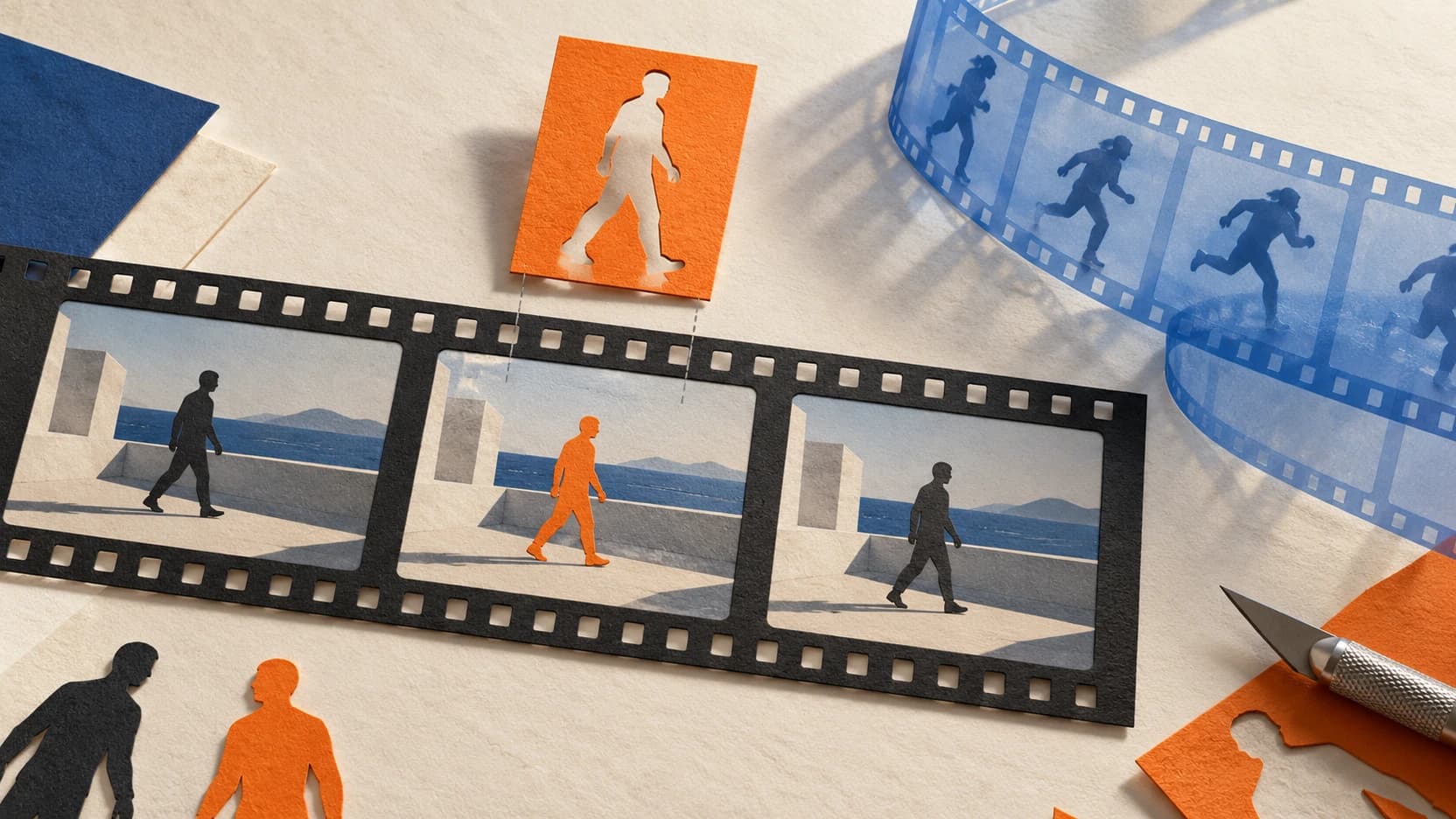
The cover is a conceptual illustration, not a generated video result.
TL;DR
- Start with the required edit. Genjutsu distinguishes Motion Transfer from Object Swap; swapping a selected subject and rebuilding a scene are different operations.[4]
- For source-video editing, examine Seedance 2.5. Its documented edit task accepts a 4–30-second reference video, with
duration: -1and adaptive framing. Subject replacement is an official use case.[1][5] - For reference-driven movement, examine Kling Motion Control. A 15–20-second reference falls within the documented video-orientation window; image orientation stops at 10 seconds.[2]
- Budget for the whole attempt. Seedance video-reference billing includes input and output rules, while Kling bills the probed source length. Auto-duration editing also requires a reserve before settlement.[1][2]
- Check the funding floor. At our October 13 check, reAPI's card and PayPal minimum top-ups exceeded that reader's stated budget. A small usage charge does not mean the same small initial payment is available.[6]
Choose Genjutsu alternatives by what must stay unchanged
Write down what you want to keep: the performance, camera movement, original background, shot boundaries, clothing, or soundtrack. Then name the intended change. “Replace the person” leaves too much unspecified if the output must fit an already edited music video.
Higgsfield describes Motion Transfer as using movement from an existing clip to drive a new character or scene. Its Object Swap mode targets a selected element while retaining the surrounding shot. Those are the vendor's descriptions, not an independent measurement of how precisely every background or frame survives.[4]
Use this task map when evaluating Genjutsu alternatives:
| Your requirement | Candidate to examine | What remains to be checked |
|---|---|---|
| Change the character inside your source video | Seedance 2.5 video-edit task on reAPI | Identity, unchanged areas, motion and timing in the actual output |
| Animate a reference-image character using another person's movement | Kling Motion Control on reAPI | Input suitability, movement, identity and output duration |
| Keep Genjutsu's selective-swap workflow and controls | Genjutsu Object Swap | Whether its existing workflow already fits your material and budget |
| Preserve the exact original song | A separate soundtrack plan | Whether the selected operation retains the track or requires you to attach it afterward |
The first two rows are documented candidates, not quality rankings. Their documented inputs and task types support this distinction.[1][2] A cheaper motion-reference run is not a useful substitute when you require selective editing of the original shot.
Prepare a 15–20-second source-video edit
Seedance 2.5's official guide includes replacing a video's subject with an image reference. It says the edit task keeps the selected source video's aspect ratio and duration. Treat that as the documented task behavior; inspect the delivered file before using it in your timeline.[5]
For a single-person edit through reAPI, prepare one source video, one character image and a prompt that identifies both. Keep a copy of the original video for comparison. If several people appear, specify which person should change rather than relying on an ambiguous instruction.
The request uses these fields:[1]
| Field | Value or purpose |
|---|---|
model | doubao-seedance-2.5-face |
video_urls | Public URL of the source clip |
image_urls | Public URL of the replacement character reference |
omni_reference_task_type | edit |
duration | -1; do not set a fixed 15 or 20 seconds for this task |
size | adaptive |
resolution | Your selected supported output resolution |
prompt | Identify the source, replacement subject and requested change |
generate_audio | Choose generated audio or a silent result; this is not an original-track preservation switch |
Follow the Seedance 2.5 request documentation for submission and polling. This table describes the checked request contract. The short test below uses this edit path, but does not establish that a particular prompt will preserve every detail in a 15–20-second clip. The model still interprets task intent and can return a task-type mismatch if the prompt describes a different operation.[1]
Before submitting, choose a short section that contains the difficult part of your edit: a turn, an obstruction or interaction with an object. For an edit, keep that section within the documented 4–30-second window. Review the change before committing the rest of your footage. This is a proposed evaluation procedure, not a tested success recipe.
Use motion transfer when the movement is the reference
Kling Motion Control takes an appearance image and a motion-reference video. reAPI documents two model IDs, kling-v2-6-motion-control and kling-v3-motion-control, with std and pro modes. Check their current rates on the Kling Motion Control model page; this guide does not rank their output quality.[2]
For a 15–20-second motion reference, use character_orientation: "video" under the documented contract. That orientation supports 3–30 seconds; "image" supports 3–10 seconds. Changing orientation also changes which input determines the character's facing, so it is more than a duration setting.[2]
Duration eligibility alone does not make footage suitable. Kling's official guidance recommends a single person in a continuous take, with a visible head and body. It advises avoiding cuts, camera movement, obstructions and overly fast actions. Difficult motion can produce an output shorter than the uploaded reference.[7]
For an edited music video, examine individual shots before choosing this route. A montage within the length limit still contains cuts. Use the existing Motion Control input guide for preparation details. Genjutsu alternatives should be evaluated against the same requested result, not merely clips with the same duration.
Calculate generation cost, reserve and initial payment separately
There are three amounts to check: the charge for a completed generation, the balance needed to submit it, and the money needed to fund your account. Confusing them can make Genjutsu alternatives look suitable for a budget they do not actually fit.
Kling Motion Control bills the reference video's server-probed duration, rounded up to whole seconds, at the selected model/mode rate. A 15-second source therefore uses 15 billable seconds; a 20-second source uses 20.[2]
Seedance 2.5 editing uses reference-video billing. For a standard generation, let V be the rounded-up total reference-video seconds and D the settled output seconds. Its documented billing rule uses the greater of V + D and ceil(5 × D / 3), capped at 60 billable seconds. Auto-duration submission reserves against 30 seconds of output before the delivered length is known.[1]
These are conditional calculations, not observed generation results:
| Seedance edit scenario | Settled billable seconds | Reserved billable seconds |
|---|---|---|
| 15-second source, output settles at 15 seconds | 30 | 50 |
| 20-second source, output settles at 20 seconds | 40 | 50 |
Multiply by the current video-input rate for your selected resolution on the Seedance 2.5 model page, applying the documented credit rounding. The reserved amount and final charge serve different purposes; do not replace duration: -1 with a fixed duration to reduce the edit reserve.[1]
Then calculate your project cost:
Project usage cost = sum of completed generation charges
                   + reference preparation
                   + soundtrack and editing costs
If you commission three separately charged completed versions, count all three even if you keep only one. That is a planning scenario, not a prediction of the number of attempts needed. reAPI documents automatic refunds for failed tasks; a completed video that misses your creative requirements is a different outcome.[6]
Finally, inspect the available payment method on the current pricing and top-up page. Check its minimum and any displayed fees before paying. Compare Genjutsu alternatives using both usage cost and initial cash outlay, especially for a one-off job. Existing account balance changes the funding calculation, but it does not establish output quality.
Review the picture and original soundtrack separately
For Genjutsu alternatives, “audio supported” is too vague. Seedance's generate_audio describes generating synchronized speech, effects and music, or returning a silent video. It does not mean copying the original song unchanged. Kling's reAPI contract separately exposes keep_original_sound: "yes" or "no".[1][2]
If the exact song must survive, keep the original track and plan its placement in the finished edit. Listen to the downloaded result and check alignment. Do not infer preserved lyrics, synchronization or unchanged audio from a successful task status.
Use the same review checklist for each candidate: compare the face and clothing at the beginning, during the hardest movement and at the end; inspect hands, contact with objects, background details and shot boundaries; then watch the entire clip with sound. Record the model, settings, task ID, charge and reason for rejecting any take. These are editorial review criteria, not a scored benchmark.
One recorded four-second character replacement
On October 13, 2026, we tested the source-video edit route with a synthetic adult man clapping against a plain gray studio wall. We supplied a separate synthetic adult woman's image and asked Seedance 2.5 to replace the person while retaining the shot. The experiment record contains the exact requests, task IDs, returned URLs, errors and settled charges.[8]
Open the original files to inspect the same inputs and result:
The successful edit used doubao-seedance-2.5-face, omni_reference_task_type: "edit", duration: -1, size: "adaptive", resolution: "480p" and generate_audio: false. Its prompt was:
Edit the existing Video 1 directly. Replace the only person in Video 1 with the fictional adult woman from Image 1, using her face, curly dark hair, ivory overshirt, white T-shirt and cream trousers. Preserve the source video's gray studio wall, floor, lighting, camera framing, camera position, action timing, body poses and hand-clap motion. Keep exactly one person in the same place and scale throughout the continuous shot. Change only the person and their clothing; do not recreate a new scene, add people, introduce cuts or add text. Return a silent video.What the files show: both are 854 × 480, approximately 4.04 seconds and 24 fps, with a video track and no audio track. Browser playback stalled in our review environment, so we decoded the files in browser memory and visually inspected nine time points: 0.083, 0.5, 1, 1.5, 2, 2.5, 3, 3.5 and 4 seconds. We did not review continuous playback.
At those sampled times, the man in black clothing is replaced by a woman with dark curls and an ivory outfit resembling the reference. One person remains against the gray background with similar framing, and the raise–clap–lower sequence occurs at approximately corresponding times. Hand and arm poses differ in detail. This automated visual review is not an identity score, a pixel-preservation measurement or proof of exact timing; brief defects between samples can be missed.
| Attempt | Outcome | Settled charge |
|---|---|---|
| Initial edit with an earlier source URL | Failed: source resource inaccessible, error 80007 | 0 credits |
| New four-second source generation | Completed | 475 credits |
| Edit using the new source | Completed | 641 credits |
| Total for these three requests | One source and one edited result | 1,116 credits ($1.116) |
These are observed October 13 charges at 1,000 credits per dollar, not current rate quotes. They exclude the previously created reference images, cover and finishing work. Our preflight calculation estimated a 3,558-credit submission reserve; the actual final charge was 641. The initial failed request used a source outside this project's test-input domain rule; we corrected the input path by generating a fresh source, rather than repeating that request.
This sample demonstrates a usable subject-replacement direction in one simple shot. It does not validate a 15–20-second music video, soundtrack retention, cuts, several people, difficult motion or consistent results across repeated attempts. We did not run Genjutsu or Kling outputs, so it cannot identify the best or cheapest acceptable alternative.
FAQ
Is there a cheaper Higgsfield Genjutsu alternative?
There are different documented routes for video editing and motion transfer. A cheaper acceptable result has not been established by this comparison. Compare the actual task, completed attempts and funding floor before choosing.[1][2][6]
Can I make a 15–20-second replacement with a $5–10 budget?
That is the original reader's stated constraint. It is not a validated budget for these Genjutsu alternatives. Calculate the reserve and full workflow, then check the payment method's minimum; an account's first payment can exceed its first task charge.[3][6]
Is Motion Transfer the same as Object Swap?
Higgsfield describes Motion Transfer as driving a new character or rebuilt scene from source movement. Object Swap targets selected content within the shot. Choose according to which parts you need to change.[4]
Can I use a 20-second reference with Kling Motion Control?
It falls within the documented 3–30-second video-orientation window. Image orientation allows only 3–10 seconds. The footage must also satisfy the motion-input requirements; length alone does not validate a montage.[2][7]
Will Seedance preserve my original music?
Its generated-audio setting is not an original-track retention control. If exact music matters, plan and verify the soundtrack separately. This article has not tested audio preservation.[1]
Are free or local Genjutsu alternatives covered here?
This guide does not establish a free or local equivalent. A paid hosted route does not meet a strictly local or zero-payment requirement. Do not top up if either is essential to your project.
Check one shot before funding the full project
Use the Seedance 2.5 documentation when source-video editing matches your requirement, or the Kling Motion Control page when you want reference-driven movement. Check the current estimate and funding floor before submitting. Evaluate Genjutsu alternatives against one clearly specified shot, and expand only after you have an output you can accept.
References
-
reAPI. Seedance 2.5: request fields, editing constraints and billing. Retrieved October 13, 2026. reapi.ai/docs/seedance-2-5.
-
reAPI. Kling Motion Control: orientation, audio and source-duration billing. Retrieved October 13, 2026. reapi.ai/docs/kling-motion-control.
-
Reddit, r/generativeAI. Higgsfield Genjutsu cheaper alternative? Posted October 7, 2026; post and author's duration clarification reviewed October 12, 2026. Original request.
-
Higgsfield. Meet Higgsfield Genjutsu: How It Works and What You Get and Higgsfield Genjutsu — Reality Manipulation for Video. Retrieved October 13, 2026. Vendor descriptions; no independent performance test.
-
ByteDance. Doubao Seedance 2.5 tutorial, video-editing section. Retrieved October 13, 2026. Official Seedance 2.5 guide. Official examples include replacing a video's subject with an image reference; reAPI fields are documented in reference 1.
-
reAPI. Pricing and credit top-ups, payment-method minimums and failed-task policy. Retrieved October 13, 2026. reapi.ai/pricing.
-
Kling AI. Motion Control 2.6, input-video guidance and limitations. Retrieved October 13, 2026. Kling AI official documentation.
-
reAPI. Recorded four-second Seedance character-replacement experiment. October 13, 2026. Requests, returned files, sampled-frame review and charges. One synthetic shot; no head-to-head comparison.