NSFW Video API Guide: Seedream 5.0 Pro to Seedance, Wan, H3
Build a reliable NSFW video API workflow: first create adult-only keyframes in Seedream 5.0 Pro, animate with Seedance, Wan, or H3, and add consent checks.
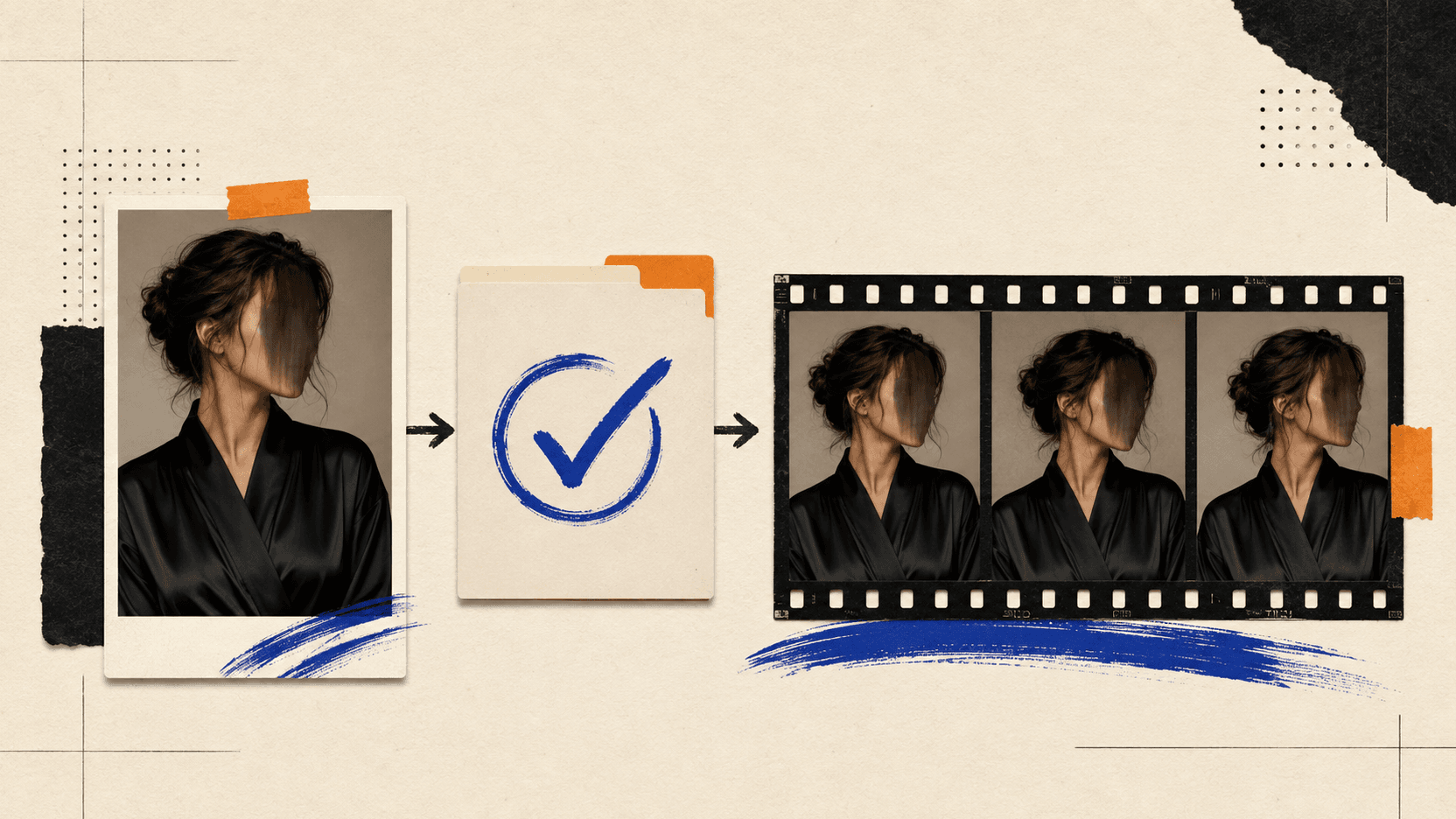
The reliable way to build an NSFW video API workflow is to separate the still image from the motion. Use Seedream 5.0 Pro to make and approve one source frame, then animate that frame with Seedance 2.0 or 2.5, Wan 3.0 or Video Prime, or MiniMax H3. The image model owns appearance. The video model owns movement, camera, timing, and sound.
“Supports NSFW” is not a property of a model name alone. Model capabilities, an endpoint's content rules, and destination rules are separate contracts. This guide covers lawful, adult-only, consensual production, not minors, ambiguous age, non-consensual likenesses, public figures, or refusal evasion.
TL;DR
- Make the source frame in Seedream 5.0 Pro. Approve identity, apparent adult age, wardrobe, background, lighting, and crop before paying for motion.
- Pick Seedance 2.5 for long or reference-heavy shots. It reaches 30 seconds and accepts a large multimodal reference set.
- Pick Wan 3.0 when first/last-frame control matters. It covers 2–30 seconds, 480P through 1080P, and native audio; Video Prime is faster.
- Pick MiniMax H3 for a short 2K shot with native stereo. H3 generates up to 15 seconds from mixed text, image, video, and audio context.
- Treat moderation as an endpoint contract. Check the selected endpoint's current documentation and terms; a model-family name cannot guarantee acceptance or make explicit content lawful or permitted.
- Draft short and cheap. Test four to six seconds at the lowest useful resolution, review the result, and only then request the final render.
Which questions must the API answer?
Before choosing a route, answer two direct questions:
- Can the exact endpoint accept the source media and controls the shot needs?
- What do that endpoint's current documentation and terms say about the requested category?
The first question is about media capability; the second is about the exact route and its contract. Check both for the selected model ID.
What an NSFW video API can honestly promise
People use “NSFW API” to describe several different things. They should not be collapsed into one claim.
| Claim | What it can mean | What it does not prove |
|---|---|---|
| The model supports image-to-video | It can animate a supplied frame | A particular host permits every adult category |
| A hosted route is less restrictive | One optional check or route choice changes | Every safety layer is off |
| A request field can disable a filter | The documented field affects that API implementation | The same field exists on every host or official endpoint |
| A prompt was accepted | Generation started | The finished video will pass output review |
| Content is legal somewhere | One jurisdiction may allow it | The API, payment, or publisher terms allow it |
Do not infer moderation behavior from a model-family or tier name. Verify the exact live schema and terms for the selected model ID; an Official, Fast, Face, or Max label does not establish that it shares another variant's controls.
Step 1: make an approved Seedream 5.0 Pro source frame
Text-to-video leaves appearance and motion open at once. Fix the frame first. Seedream 5.0 Pro was built for image-text alignment, structural coherence, realistic lighting and skin texture, multi-image fusion, and precise editing [1].
Build a small identity packet before generating:
- Use an original fictional identity, or a consenting adult whose release explicitly covers synthetic media and the planned distribution.
- Record an age-verification result outside the prompt. Writing “age 30” in a prompt is a visual instruction, not proof of age.
- Fix five anchors: face, hair, wardrobe, room, and light direction.
- Generate at the final aspect ratio: 9:16 vertical or 16:9 landscape.
- Keep one immutable approved frame per shot. Give it an asset ID and hash so a later edit cannot silently replace it.
A safe source-frame prompt can be plain. The model needs a visual brief, not a paragraph of euphemisms:
Original fictional adult performer, age 30, no resemblance to a real person.
Private editorial studio, opaque black satin robe, medium portrait.
Warm practical lamp camera-right, soft window fill camera-left.
Natural skin texture, dark wood background, 50 mm lens, 9:16 composition.
Keep both hands visible and anatomically correct. No text, logo, or extra person.
The example is deliberately non-graphic. Misspellings and coded language do not improve motion or make a refused request acceptable.
Before moving on, inspect the full frame at 100%: apparent age, face, fingers, limbs, reflections, mirrors, wardrobe boundaries, and any accidental text. Video tends to amplify a flaw that was already present in frame one.
Step 2: choose the video model by the shot
There is no useful single “best” model. Choose against the shot list.
| Model | Verified production shape | Use it when |
|---|---|---|
| Seedance 2.0 | Up to 15 seconds; mixed image, video, and audio references | Short shots or complex motion |
| Seedance 2.5 | Up to 30 seconds; 30 images, 10 videos, 10 audio clips; timestamp editing | Long takes or large reference sets |
| Wan 3.0 | 2–30 seconds, 30 fps, 480P–1080P, first/last frames, native audio | Planned start/end composition |
| Wan 3.0 Video Prime | Same broad task family, optimized for speed | Turnaround-sensitive jobs |
| MiniMax H3 | Up to 15 seconds at 2K with native stereo and multimodal context | Short, sound-led shots |
ByteDance describes Seedance 2.0 as a unified audio-video model with text, image, audio, and video inputs, including up to nine images, three videos, and three audio clips[2]. Seedance 2.5 expands the reference budget and maximum duration[3]. Alibaba's Wan 3.0 documentation adds first-frame and first/last-frame control, video extension, and up to 20 mixed reference materials [4]. MiniMax H3 is the compact option when the shot needs native stereo and 2K output[5].
These are capabilities, not an acceptance-rate ranking. A fair ranking needs the same frame, prompt, duration, resolution, route, and review rubric.
Step 3: hand off the frame without losing identity
Use an immutable HTTPS image or a signed URL that survives queueing and generation. A ten-minute URL can expire before the job starts.
Then choose the correct image role:
- First frame means the video begins from that exact composition. Use it when frame-one continuity is the priority.
- First and last frame constrains both ends. Use it for a planned transition, but make sure the two images describe a physically possible path.
- Reference image supplies identity, wardrobe, object, or style without requiring the video to open on that composition.
Start with one approved first frame. Extra references can conflict on hair, wardrobe, or light, so more files do not automatically mean more control.
Step 4: write motion, not another portrait
The Seedream frame already answers what the person and room look like. The video prompt should answer what changes over time.
Use this order:
Duration and shot: 5 seconds, one continuous medium shot.
Subject motion: the adult performer turns toward the lamp and takes one slow step.
Camera: locked for 2 seconds, then a gentle 10% push-in.
Preserve: same identity, apparent adult age, robe, hair, room, and lighting.
Audio: quiet room tone and soft fabric movement; no dialogue.
Avoid: cuts, extra people, wardrobe changes, face drift, text, or logos.
One action and one camera move are enough for a draft. If the subject turns, walks, sits, speaks, changes expression, and the camera orbits in five seconds, the model has to negotiate six moving targets. Split that into shots.
Step 5: connect the asynchronous API
Video APIs usually return a task ID before a file. Keep endpoints and model IDs in environment variables and follow the host's current field names.
const apiKey = process.env.AI_MEDIA_API_KEY!;
const imageEndpoint = process.env.IMAGE_GENERATION_URL!;
const videoEndpoint = process.env.VIDEO_GENERATION_URL!;
const taskEndpoint = process.env.TASK_STATUS_URL!;

async function postJson(url: string, body: unknown) {
  const response = await fetch(url, {
    method: 'POST',
    headers: {
      Authorization: `Bearer ${apiKey}`,
      'Content-Type': 'application/json',
    },
    body: JSON.stringify(body),
  });

  const data = await response.json();
  if (!response.ok) throw new Error(JSON.stringify(data));
  return data;
}

async function waitForTask(taskId: string) {
  for (let attempt = 0; attempt < 90; attempt += 1) {
    const response = await fetch(`${taskEndpoint}/${taskId}`, {
      headers: { Authorization: `Bearer ${apiKey}` },
    });
    const task = await response.json();

    if (task.status === 'completed') return task;
    if (task.status === 'failed') {
      throw new Error(`${task.error_code ?? 'failed'}: ${task.error ?? ''}`);
    }
    await new Promise((resolve) => setTimeout(resolve, 4000));
  }
  throw new Error('Task timed out locally; check its status before resubmitting.');
}

const imageTask = await postJson(imageEndpoint, {
  model: process.env.SEEDREAM_MODEL_ID,
  prompt: process.env.APPROVED_IMAGE_PROMPT,
  aspect_ratio: '9:16',
  resolution: '1K',
});

const image = await waitForTask(imageTask.task_id);
// Human approval and rights checks happen here.

const videoTask = await postJson(videoEndpoint, {
  model: process.env.VIDEO_MODEL_ID,
  prompt: process.env.APPROVED_MOTION_PROMPT,
  first_frame_url: image.output_url,
  duration: 5,
  resolution: '480P',
});

const video = await waitForTask(videoTask.task_id);
console.log(video.output_url);
This is an adapter example, not a universal schema. Hosts differ on image fields, media arrays, resolution casing, and task responses. Map them once. Only implement a filter field when the chosen API documents it; a model name does not define that field safely.
Step 6: draft first, then pay for the accepted shot
Start with four to six seconds at the lowest useful resolution. Wan 3.0 can draft at 480P. Keep the prompt, source hash, model ID, route, and seed where available fixed while comparing versions.
Track cost per accepted clip, not per submitted task:
accepted clip cost =
  (all source-image attempts + all video attempts + review/storage cost)
  / accepted clips
A cheap rejected draft is not a saving. A pricier model can cost less per accepted clip if it needs fewer retries. Measure with your own approved test set.
Read failures by stage
| Failure point | Likely class | Next action |
|---|---|---|
| Request rejected before a task ID | Invalid field, media, account, or pre-check | Fix the contract error; do not blind-retry |
| Task starts, then fails with a policy code | Model or provider decision | Treat it as terminal and review the request against the terms |
| Task completes but no file is released | Output review | Review the output category; do not keep mutating words until it slips through |
| Service cannot fetch the source image | Expired URL, blocked host, MIME, or size | Repair asset delivery; this is not evidence of moderation |
| Your poller times out | Local timeout or long queue | Query the same task ID before creating a duplicate billable task |
Adult-only controls live outside the model
The generation call is the middle of the system, not the beginning. Before an asset reaches Seedream, record who owns it and what use was authorized. Before a video is published, review the rendered file rather than the prompt alone.
At minimum, keep:
- an age-assurance decision for every depicted real person;
- a signed release that covers generation, editing, storage, and distribution;
- a block on public figures and non-consensual real-person sexualization;
- a hard rejection for minors and any ambiguous-age result;
- an input hash, output hash, model ID, timestamp, and reviewer decision;
- access controls, reporting, takedown, and deletion procedures;
- a destination check for local law, publisher rules, payment rules, and age gating.
Consent to make an intimate image is not automatically consent to distribute it. The U.S. Department of Justice makes that distinction explicitly [6]. NCMEC also documents severe harm and legal risk from synthetic child sexual abuse material; fictional or generated output is not a loophole[7].
For provenance, attach a tamper-evident record when your toolchain supports it. C2PA Content Credentials can carry assertions about creation and edits, bound to the asset in a signed manifest[8]. They do not replace consent records, but they make the production history easier to audit.
Final review checklist
Do not approve the clip unless every answer is yes:
- Is every depicted person unambiguously an adult?
- Is the identity fictional, licensed, or covered by specific written consent?
- Is there no celebrity, public figure, or accidental resemblance to one?
- Does the output avoid extra people who were not part of the approved frame?
- Are face, hands, limbs, reflections, wardrobe, and apparent age stable?
- Does the motion match the approved shot rather than adding a new act?
- Is the audio free of unintended names, dialogue, or recognizable music?
- Are the input, prompt, model, output, reviewer, and rights records linked?
- Does the intended publisher permit the final category in the target region?
FAQ
Are Seedance, Wan, and MiniMax H3 uncensored?
Do not infer that from a model-family name. Verify the current documentation and terms for the exact endpoint; this guide makes no universal acceptance claim for Seedance, Wan, or MiniMax H3.
Which model should a beginner choose?
Use Seedance 2.5 for a long or reference-heavy take, Wan 3.0 for first/last frame control, Wan Video Prime when turnaround is the priority, and MiniMax H3 for a short 2K result with native stereo. Test the same safe shot before ranking quality.
Can Seedream 5.0 Pro generate the source image?
Yes. Settle identity, composition, lighting, wardrobe, and aspect ratio in Seedream, then send the approved image to the video model.
Does MiniMax H3 Max inherit H3's moderation behavior?
Do not assume it does. Confirm the current fields and terms for the exact H3 Max model ID.
Can I animate a real person?
Only for a verified adult who gave specific permission for the generated use and distribution. A generic photo release may not cover synthetic intimate media.
Does turning off one content check guarantee a result?
No. A setting may affect one pre-check, output check, or route choice. It does not override every model, vendor, legal, or publication restriction.
Build around approval, not the word “uncensored”
The workable NSFW video API pipeline is ordinary: approve a lawful adult source frame, choose the video model, run a cheap draft, review the file, and preserve the rights record. Seedream 5.0 Pro makes the keyframe; Seedance, Wan, or MiniMax H3 animates it.
Dependability comes from assigning each decision to the right stage while keeping age, consent, rights, publication, and approval outside the model.
References
- ByteDance Seed. Beyond Generation, It Understands Design | Introducing Seedream 5.0 Pro. Retrieved September 2026 from seed.bytedance.com/en/blog/beyond-generation-it-understands-design-introducing-seedream-5-0-pro
- ByteDance Seed. Seedance 2.0 Official Launch. Retrieved September 2026 from seed.bytedance.com/blog/seedance-2-0-official-launch
- ByteDance Seed. One-take Creation, Flexible Referencing: Introducing Seedance 2.5. Retrieved September 2026 from seed.bytedance.com/en/blog/one-take-creation-flexible-referencing-introducing-seedance-2-5
- Alibaba Cloud Model Studio. Wan3.0 Video Generation. Retrieved September 2026 from docs.modelstudio.console.alibabacloud.com/en/model-studio/wan3-video-generation-guide
- MiniMax. MiniMax H3: An Open Model Breaking the Boundaries Between Tasks and Modalities. Retrieved September 2026 from minimax.io/blog/minimax-h3
- U.S. Department of Justice. Sharing of Intimate Images Without Consent: Know Your Rights. Retrieved September 2026 from justice.gov/ovw/sharing-intimate-images-without-consent-know-your-rights
- National Center for Missing & Exploited Children. Generative AI. Retrieved September 2026 from ncmec.org/GAI
- Coalition for Content Provenance and Authenticity. Content Credentials: C2PA Technical Specification 2.4. Retrieved September 2026 from spec.c2pa.org/specifications/specifications/2.4
Author

Categories
More Posts
Seedance 2.5 vs Veo 3.1: Clip Length, Audio, and Cost
Compare Seedance 2.5 vs Veo 3.1 on 30-second takes, 8-second generation, references, 4K, native audio, and distinct current API billing units before choosing.
Kling Motion Control API: v2.6 vs v3, Prices, and Input Prep
Use Kling Motion Control v2.6 or v3 with the right orientation mode, source length, price tier, and reference image to reduce face and body drift.

Is FLUX 3 Image Open Source? Weights and Local Access
Check FLUX 3 Image public downloads, commercial weights, and API access. Learn why FLUX 3 Action files and open-source clients are different from Image weights.