Gemini Omni API: Preview Specs, Pricing, and Limits
Google's Gemini Omni API preview explained: model ID, Interactions API, 720p output, pricing, input limits, multi-turn editing, and reAPI differences.
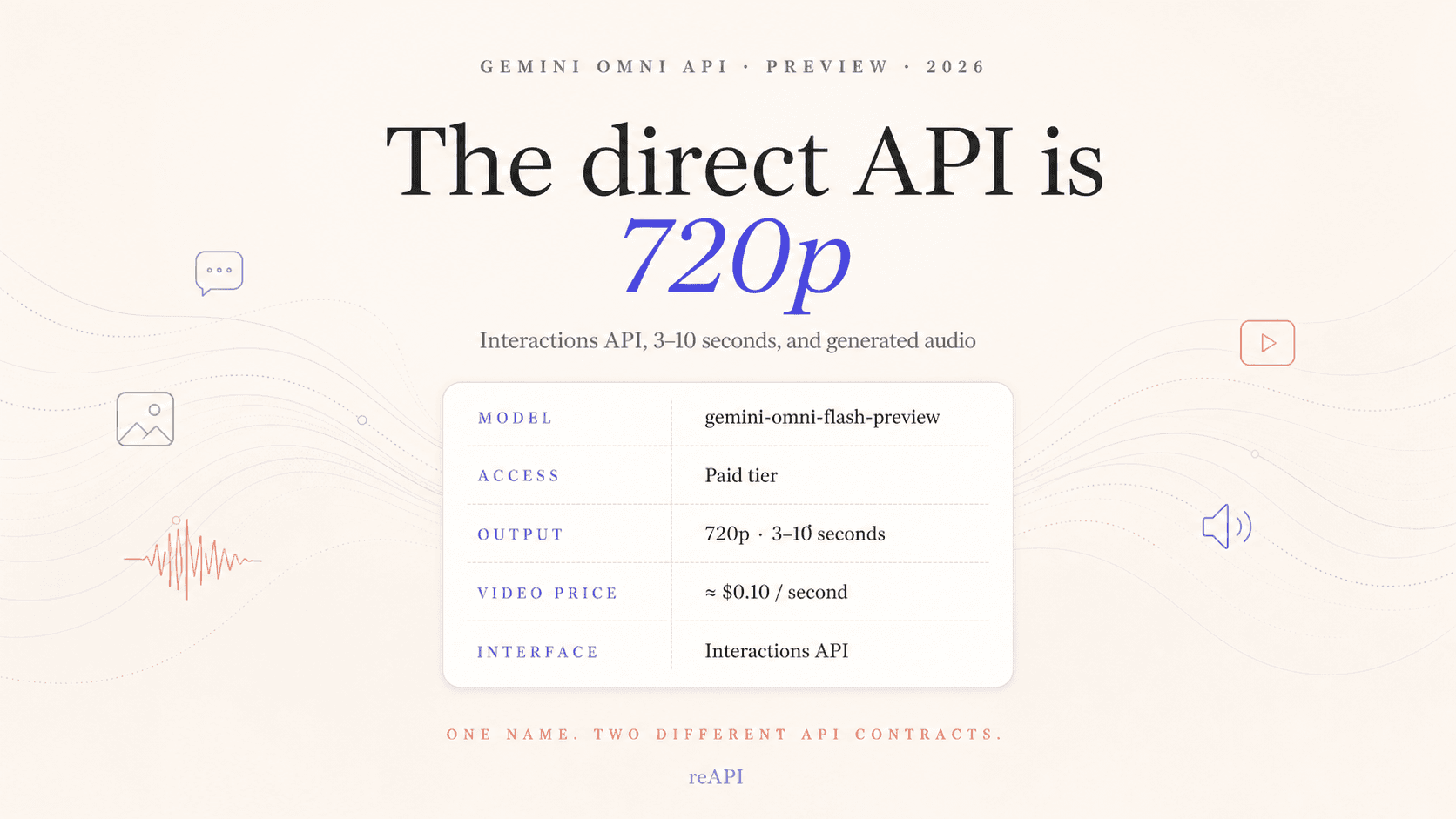
Google's direct Gemini Omni API is now available as a paid public preview under the model ID gemini-omni-flash-preview. It runs through the Gemini Interactions API, generates 3–10 second video at 720p and 24 FPS, and costs about $0.10 per second of video output. It can create video from text or images, generate audio with the video, and edit a result across multiple turns by passing a previous_interaction_id.[1][2]
Those specifications describe Google's direct Gemini Developer API. They do not describe every API carrying the name Gemini Omni. In particular, reAPI's gemini-omni is a supplier-routed video contract with a different endpoint, model name, request body, resolution tiers, and billing method. Treat the two as separate integrations.
Gemini Omni API specs at a glance
| Item | Google direct public preview |
|---|---|
| Model ID | gemini-omni-flash-preview |
| API | Gemini Interactions API |
| REST endpoint | POST https://generativelanguage.googleapis.com/v1beta/interactions |
| Access | Paid Gemini API tier; no free tier |
| Input | Text, images, and video for editing |
| Output | Video with generated audio |
| Output length | 3–10 seconds |
| Output specification | 720p, 24 FPS |
| Aspect ratio | 16:9 or 9:16 |
| Context window | 1,048,576 tokens |
| Video output price | $17.50 per 1M output tokens, approximately $0.10 per second |
| Stateful editing | Yes, through previous_interaction_id |
| Lifecycle | Preview; interface and limits may change |
Google added the model to public preview on June 30, 2026. Its release notes and model card are the cleanest sources for the output limits: both identify 720p video between 3 and 10 seconds, while the model card also specifies 24 FPS and the 1,048,576-token context window.[2][3]
The correct model ID and endpoint
The direct model ID is:
gemini-omni-flash-previewDo not shorten it to gemini-omni in a direct Google request. That shorter identifier belongs to reAPI's supplier-routed contract, not the Gemini Developer API.
Google exposes Omni through the Interactions API rather than the older long-running video-generation pattern used by Veo. A minimum REST request looks like this:
curl -X POST \
  "https://generativelanguage.googleapis.com/v1beta/interactions?key=$GEMINI_API_KEY" \
  -H "Content-Type: application/json" \
  -d '{
    "model": "gemini-omni-flash-preview",
    "input": "A continuous handheld shot of a tabby cat crossing a sunny kitchen. Natural room audio, no dialogue."
  }'
The direct REST response returns an interaction with a steps array. The generated MP4 appears as video content in a model_output step. Google's Python and JavaScript SDKs add an output_video convenience field, so SDK code and raw REST parsing are not identical.[1]
For portrait output, add a response format:
{
  "response_format": {
    "type": "video",
    "aspect_ratio": "9:16"
  }
}
Landscape 16:9 is the default. The public guide does not document a numeric duration request field like reAPI's route does. Google states that output falls within 3–10 seconds and shows natural-language timing and timecodes in prompts, such as [0-3s], [3-6s], and [6-10s].[1]
How direct Google pricing works
Gemini Omni Flash Preview is available only on the paid tier. Google's current standard prices are:[4]
| Meter | Direct Google price |
|---|---|
| Input tokens, any listed modality | $1.50 per 1M tokens |
| Text output, including thinking tokens | $9.00 per 1M tokens |
| Video output, including thinking tokens | $17.50 per 1M tokens |
Google converts 720p video into output tokens at 5,792 tokens per second. At $17.50 per million tokens, that is about $0.101 per output second. A rough video-output estimate is therefore:
3-second output  ≈ $0.30
6-second output  ≈ $0.61
10-second output ≈ $1.01
These are estimates for the video-output component, not guaranteed invoice totals. Input media, input text, text output, and thinking-token consumption can add to the charge. Retries and additional editing turns are also new billable interactions.
The important distinction is that Google does not publish a flat "$X per generation" price for this preview. It bills token consumption. If a third-party route quotes a fixed price for an 8-second or 10-second job, that is the third party's product contract.
Multi-turn video editing with the Interactions API
Stateful editing is the strongest reason to use Google's direct interface. The first request creates a video and returns an interaction ID. A second request points to that state with previous_interaction_id:
import base64
from google import genai

client = genai.Client()

first = client.interactions.create(
    model="gemini-omni-flash-preview",
    input="A woman playing violin outdoors in soft morning light.",
)

edited = client.interactions.create(
    model="gemini-omni-flash-preview",
    previous_interaction_id=first.id,
    input="Remove the violin. Keep everything else the same.",
)

with open("edited.mp4", "wb") as file:
    file.write(base64.b64decode(edited.output_video.data))
Each turn produces a new video. The model carries forward the video state and conversation, so the editing prompt can name only the requested change. Google's guidance favors short edit instructions and suggests adding "Keep everything else the same" when preserving the rest of the scene matters.[1]
State has an operational cost. If you set store: false, the result cannot be edited later through previous_interaction_id. Persist the interaction ID alongside the asset record when later revisions are part of the product workflow. If you do not need editing, Google recommends background=false, store=false, and stream=false for a faster synchronous request.
Input support and current preview limits
The model card lists text, image, and video input. Video input is capped at 10 seconds when used for editing, while generated output remains 3–10 seconds at 720p and 24 FPS.[3]
The guide supports several request shapes:
- text-to-video;
- image-to-video from a starting image;
- multiple subject or style reference images;
- stateful editing of a previously generated result;
- editing an uploaded video through the Files API.
That broad list needs a preview-stage warning. Google's current limitations say uploaded audio references are unsupported, even though the model generates an audio track with video. Referencing multiple videos is unsupported. Video extension, interpolation between first and last frames, and voice editing are also unavailable. Generic video references up to three seconds can pass API schema validation but are not processed correctly by the model at present.[1]
There are regional restrictions too. Editing uploaded videos is not currently available in the European Economic Area, Switzerland, or the United Kingdom, although users in those regions can edit video generated by the model. Image editing involving minors and certain recognizable people carries additional restrictions.
Other engineering limits worth planning around:
- no provisioned throughput;
- no system instructions,
temperature,top_p, stop sequences, or dedicated negative-prompt parameter; - English is fully supported, while other languages have not been formally evaluated;
- content safety filters apply to both prompts and generated media;
- every generated video carries an invisible SynthID watermark;
- large outputs should use URI delivery instead of inline base64.
The dedicated negative-prompt field is missing, but negative instructions can still be written in the ordinary prompt: "No dialogue," "No scene cuts," or "Do not add text."
Google direct API vs reAPI's gemini-omni
The names are similar enough to cause implementation mistakes. The contracts are not interchangeable:
| Contract detail | Google direct preview | reAPI supplier route |
|---|---|---|
| Model | gemini-omni-flash-preview | gemini-omni |
| Endpoint | /v1beta/interactions | /api/v1/videos/generations |
| Execution | Interaction response; inline or URI media | Async task submission and polling |
| Output resolution | Google documents 720p | Supplier delivery tiers: 720p, 1080p, 4K |
| Duration | 3–10 second output; prompt timing | Explicit duration: 4, 6, 8, or 10 |
| Images | Interactions multimodal content | Public image_urls, with 0, 1, or 3 entries |
| Video input | Direct editing workflow and preview restrictions | One public video_urls entry, supplier-route rules |
| Multi-turn state | previous_interaction_id | No equivalent field in the video-generation contract |
| Billing | Token-based; about $0.10 per output second | Per-job supplier-route pricing |
| Result shape | Interaction steps / SDK output_video | Task output.video_urls |
reAPI's Gemini Omni API reference documents the supplier route. It accepts a prompt of up to 2,000 characters, explicit duration and resolution fields, 16:9 or 9:16, public URL inputs, and task polling. Its 1080p and 4K options are supplier delivery tiers; they are not evidence that Google's direct public preview exposes those resolutions.
Here is the equivalent minimum shape on reAPI:
{
  "model": "gemini-omni",
  "prompt": "A continuous handheld shot of a tabby cat crossing a sunny kitchen.",
  "duration": 6,
  "resolution": "1080p",
  "aspect_ratio": "16:9"
}
The route returns a task ID, which the client polls until output.video_urls is available. It does not return a Google interaction ID and should not be treated as a wrapper around the direct Interactions API.
Disclosure: reAPI publishes this article and operates the reAPI supplier-routed endpoint described above. Direct-Google specifications and prices in this guide come from Google's documentation; reAPI contract details come from our published API reference. The distinction is stated because reAPI has a commercial interest in the routed product.
Which API should you use?
Use Google's direct preview when the product specifically needs conversational editing, a stored interaction history, or a direct Google billing relationship. It is also the clearest route when a team wants to build against the newest Google interface and accepts preview lifecycle risk.
Use a supplier-routed contract when a fixed request schema, explicit resolution and duration tiers, public URL inputs, and a common async task pattern are more useful than Google interaction state. Validate the route's own pricing and media constraints rather than copying Google's settings into it.
This choice is separate from choosing a video model. If the actual question is whether to keep Veo in a production workflow, read the Gemini Omni vs Veo 3.1 comparison. If the decision is about multimodal reference control and generation style, the Gemini Omni vs Seedance 2.0 comparison covers that search intent. This page is only about the Gemini Omni API contract.
Frequently asked questions
Is Gemini Omni API available now?
Yes. Google released gemini-omni-flash-preview on the paid Gemini Developer API tier on June 30, 2026. It is a public preview, not a generally available production model.[2]
What resolution does the direct Gemini Omni API support?
Google's model card currently documents 720p output at 24 FPS. Do not infer direct 1080p or 4K support from a third-party Gemini Omni route.[3]
How much does Gemini Omni video cost?
Google charges $17.50 per 1M video output tokens and calculates 720p video at 5,792 tokens per second. That works out to approximately $0.10 per output second, before other input or output consumption.[4]
Can Gemini Omni edit the same video more than once?
Yes. Pass the prior interaction's ID as previous_interaction_id in the next Interactions API request. Keep storage enabled and persist the ID if the user may return for another edit.[1]
Does Gemini Omni accept an audio reference?
Not in the current direct API preview. It generates audio with video, but Google's limitation list says uploading audio references is unsupported.[1]
Is gemini-omni the Google model ID?
No. The direct Google model ID is gemini-omni-flash-preview. gemini-omni is the identifier used by reAPI's separate supplier-routed contract.
Sources
- Google AI for Developers. Generate and edit videos with Gemini Omni Flash. Updated July 30, 2026. ai.google.dev/gemini-api/docs/omni
- Google AI for Developers. Gemini API release notes — June 30, 2026. ai.google.dev/gemini-api/docs/changelog
- Google AI for Developers. Gemini Omni Flash model card. ai.google.dev/gemini-api/docs/models/gemini-omni-flash
- Google AI for Developers. Gemini Developer API pricing — Gemini Omni Flash Preview. Retrieved July 30, 2026. ai.google.dev/gemini-api/docs/pricing
Author

Categories
gemini-omniWhich API should you use?Frequently asked questionsIs Gemini Omni API available now?What resolution does the direct Gemini Omni API support?How much does Gemini Omni video cost?Can Gemini Omni edit the same video more than once?Does Gemini Omni accept an audio reference?Is gemini-omni the Google model ID?SourcesMore Posts
Suno V6 API: What Changes in Your Existing Integration
Update your Suno V6 API integration with exact version values, V6 Mini and Wild choices, snake_case fields, current prices, and asynchronous task handling.
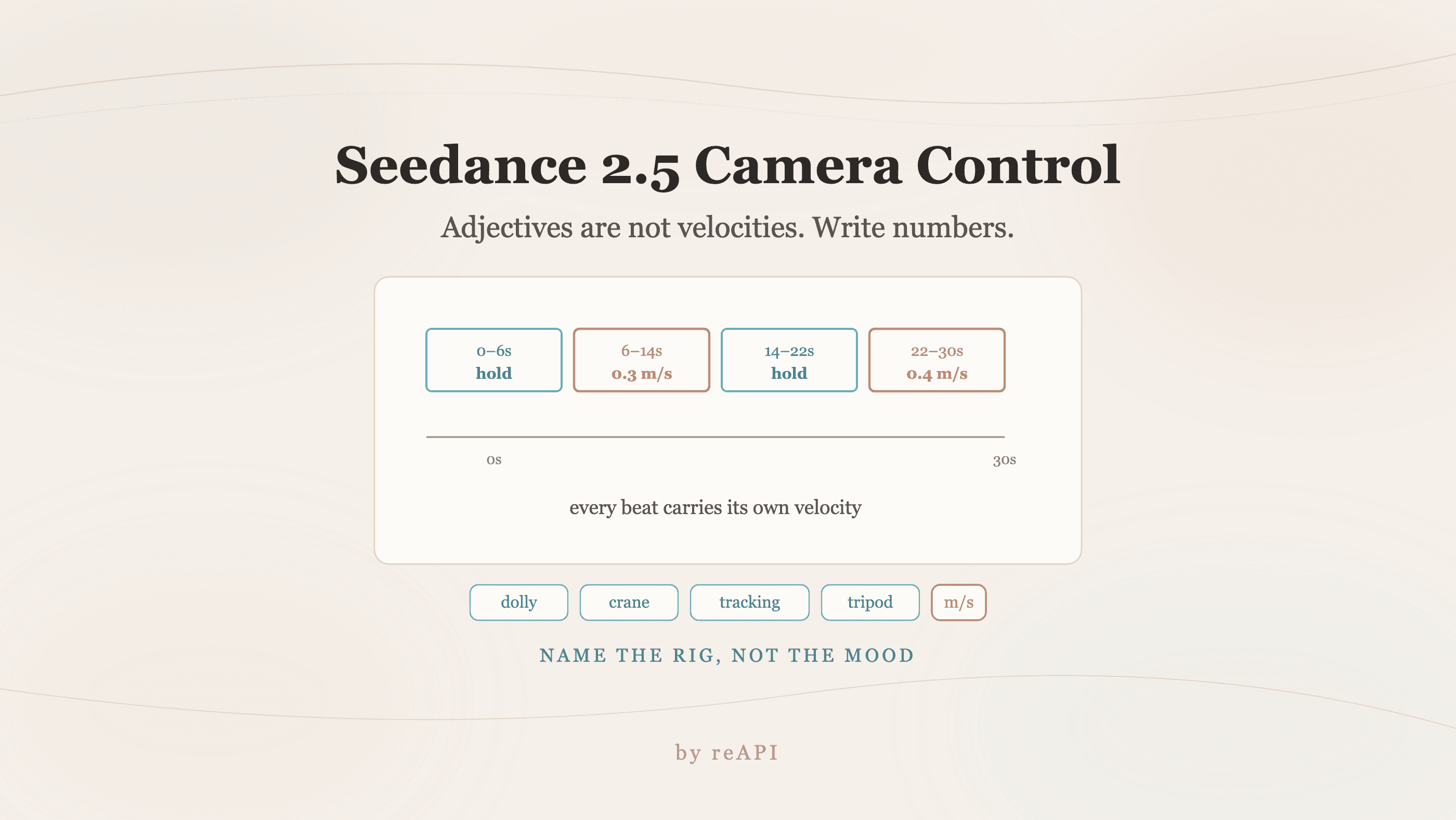
Seedance 2.5 Camera Control: Write Numbers, Not Adjectives
Seedance 2.5 camera control fails on mood words because adjectives map to fast default motion. Use explicit velocities, named rigs, and timestamped beats.
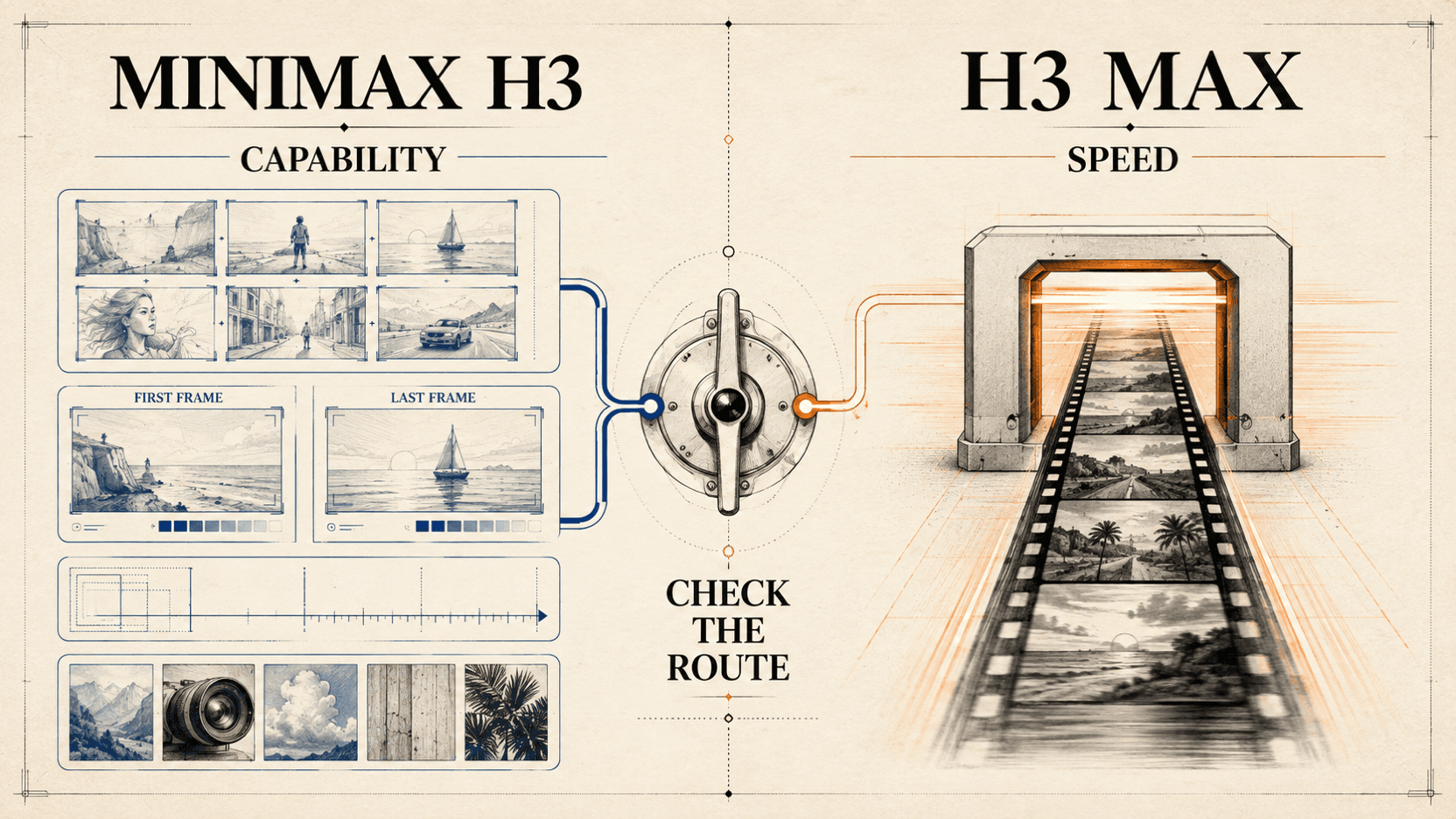
MiniMax H3 Max vs H3: Speed, Controls, and API Routes
Compare MiniMax H3 Max vs MiniMax H3 by speed, resolution, reference inputs, API route, public weights, and the workflow each model fits.