
Seedream 5.0 Pro: ドキュメント化された制限と再テスト
Seedream 5.0 Pro で発生するドキュメント化されたリクエスト制限と既定デフォルトから、制御されたテストが必要なビジュアル欠陥を区別します。
Seedream 5.0 Pro のバグとして報告されている多くの問題は、ドキュメント化されたビヘイビアまたはハード制限であり、ピクセルが生成される前にリクエストを拒否します。ビジュアル欠陥は異なるカテゴリです。公開されたモデル固有のベンチマークがない場合は、個々のレポートから成功率を割り当てる代わりに、制御されたテストで再現してください。
このガイドはエッセイではなく、リファレンスとして書かれています。症状をテーブルで見つけ、該当するセクションを読み、ドキュメント化されたフィックスまたはテスト手順を適用してください。
TL;DR
- 長いプロンプトの失敗は ByteDance で文書化され、しきい値があります。
promptフィールドのレファレンスは 300 中国語文字以下または 600 英語単語以下を推奨し、結果を明確に述べています。単語数が多すぎると情報が分散されるため、モデルは詳細を無視し、画像に要素がない状態で戻ります[1]。 - 検証の成功はモデルが対応できることではありません。 reAPI のハード上限は 32,000 文字[5]で、600 英語単語をはるかに超えています。
- Seedream 固有の解剖学的失敗率を確立する公開ベンチマークはありません。 余分な手足や歪んだ比率が見られる場合は、プロンプトを保存し、ワークフローを変更する前に繰り返し実行を測定してください。
- 多くの「失敗」は列挙可能な拒否です: 512×512 はピクセル下限未満、参照は 10 に制限、各参照は 30 MB および 3600 万ピクセル未満である必要があります[1][2]。
- ウォーターマークはデフォルトであり、欠陥ではありません。 ByteDance の Ark API では、
watermarkはfalseを渡さない限りtrueです[1]。reAPI はこれをオフにしています[5]。 - **制御されたテストは数セント: ** 疑わしいプロンプトの 10 回の 1K 実行は、公開レートで 32 セント かかります。[6]
症状を見つける
| 表示されているもの | 実際に起きていること | 次へ |
|---|---|---|
| 要求した項目の一部が画像にない | ドキュメント化されたプロンプト長を超えたビヘイビア | 要素が欠けている |
| 余分な手足または歪んだ比率 | ドキュメント化されたガラントの修正パラメータなしのビジュアル欠陥 | ビジュアルテスト |
| API はなにも生成せずにエラーを返す | ドキュメント化された制限の有限リストからの制限 | 拒否 |
| コーナーに「AI 生成」マークがある | アップストリームのデフォルトはウォーターマークオン | ウォーターマーク |
| 4 つの変種を要求して 1 つの画像を取得 | このモデルではグループ出力がサポートされていない | 拒否 |
| 先月は機能していて今は異なる動作 | バージョンスタンプ付きスナップショットが変更 | テストループ |
症状: プロンプトの要素が足りない
12 個の要件を書き、9 個を取得して、どの 3 つが消えたかについて何も返答がありません。これは本番環境で最も高価な障害であり、最も文書化されたものです。
ByteDance の prompt パラメータレファレンスは 300 中国語文字または 600 英語単語以上を推奨していないと述べ、理由を明確に述べています。単語数が高くなりすぎると情報が分散され、モデルが詳細を無視してポイントにのみ注意を払う可能性があります。その結果、画像にいくつかの要素が欠けます[1]。これは、独自の製品の障害モード を数字で説明しているベンダーです。
単語数が唯一のメトリック ではない理由。 ドキュメント化された単語制限は、すべての要求された要素が表示されることを保証していません。各サブジェクト、オブジェクト、空間的関係、衣装の詳細、背景要件を個別の受け入れチェックとして扱い、コントロールスイートを使用してプロンプトがそれらを落とし始める場所を見つけます。
否定がそれを悪化させる理由。 Seedream 5.0 Pro には negative-prompt パラメータがありません。ByteDance の API にもなく、reAPI にもありません[1][5]。「修正なし、完全な対称性なし、プラスチックの皮膚なし、商業的なスマイルなし、人工的なまつげなし、完璧な白い歯なし、グラマー照明なし」というようなテールは、あなたが望まないものに対して、同じ注意予算から約 30 語を費やします。
フィックス。
- 最初の 2 つの文で交渉の余地がありません。サブジェクト、存在する必要があるオブジェクト、それらの空間的関係。
- センテンスごと 1 つの要素。1 つの句に 3 つの要件を埋める コンマチェーンなし。
- 繰り返し実行が要件を削除する場合は、ベースシーンを簡素化し、2 番目の呼び出しで二次要素を追加してください。
- レンダリングしたいテキストを二重引用符に入れてください。これは ByteDance の指定された手法であり、フォークロアではありません[3]。
- プロンプトをチェックリストとして読み直し、出力の各アイテムにチェックを入れてください。
ByteDance のプロンプトガイドは、lite、4.5、4.0 のモデルをカバーし、5.0 Pro に先行します。これは、機能する形について明確です。つながった自然言語でのサブジェクト + アクション + 環境、スタイル、色、光、コンポジションを補助句として。独自の反例は、「傘を持つ女の子、樹木が並ぶ通り、油絵のような繊細なブラシストローク」が回避するバージョンとしてマークされており、簡潔で正確なプロンプトが一般に豊かな語彙を積み重ねることに勝つと述べています[3]。
症状: 余分な手足と歪んだ比率
このシンプトムの公開モデル固有ベンチマークはなく、修正を保証するドキュメント化されたパラメータもありません。悪い結果をテストケースとして扱ってください。正確なプロンプト、参照、モデルスナップショット、出力ティアを保存してから、プロンプトが結果を変更したかどうかを決定する前にリクエストを繰り返します。
独自の失敗が隠れた、または重複する手足の周りにクラスタ化される場合は、見える体の配置を明示的にしてから、保存されたベースラインと比較してください。
| 高リスク セットアップ | カウントが壊れる理由 | リスクを低減するプロンプト言語 |
|---|---|---|
| ヒップまたはひざは緩い生地の下 | 隠れた関節は脚の固定を停止 | 「2 つの下腿がドレープの下から出ており、足首で交差している」 |
| 交差した脚、すくめられた足 | 重複するふくらはぎは、どのすねがどれであるかを曇らせる | 「足首で交差した脚、両足が見える」 |
| 絡んだ手、手を背中に | 隠れた指は追加を招待 | 「両手はテーブルの上に平らに置かれ、指が見える」 |
| 2 つの人物が近くに立つ | 手足が間違った体に割り当てられる | 「彼女の腕が彼の肩の上、彼の手がポケットの中」 |
「エレガントに座っている」は、これらのカウントのいずれかを開いたままにします。退屈な明示的なバージョンは、舞台指示のように読みます。それが何であるからです。
プロンプトより重要なプロセスルール。 実行数、モデルスナップショット、参照、出力ティアを固定しながら、プロンプト詳細を 1 つだけ変更してください。測定された成功率を保存されたベースラインと比較してください。5 つのサンプルをモデル全体の障害率として提示しないでください。
ロールを修正する修復。 インタラクティブ編集により、完成した画像の領域をマーク できます。入力に描画するか、プロンプトに <point> / <bbox> 座標タグを書き込んで、その領域のみで編集します[2]。1 つの悪い手を持つキーパーは完全な再生成を必要としません。マークされた領域の直外のピクセルを後で確認してください。ローカル編集はその隣人をすることができます。これは Seedream モデル間で 5.0 Pro に独占的であり、reAPI の現在のパラメータセットの一部ではありません[2][5]。
症状: リクエストは生成される前に失敗する
朗報です: このスタックは決定的です。それを一度列挙し、独自の検証にエンコードし、それにヒットするのをやめます。
| 送信内容 | 結果 | 理由 |
|---|---|---|
size: "512x512" | 拒否 | ピクセル下限 921,600 未満; ドキュメントはこの正確な値を無効な例として使用します[1] |
| 4,624,220 総ピクセルを超える寸法 | 拒否 | これは 5.0 Pro キャップです; ティアは 1K と 2K です[2] |
| 11 番目の参照画像 | 拒否 | 5.0 Pro は 10 に制限; lite、4.5、4.0 は 14 に対応[1] |
| 40 MB リファレンス写真 | 拒否 | 参照は 30 MB および 3600 万ピクセル未満である必要があります[1] |
| 一方で 15 px 未満の参照、または 1:16 ~ 16:1 外 | 拒否 | ドキュメント化された入力境界[1] |
Base64 data: イメージ | ゲートウェイで拒否 | パブリック HTTP(S) URL のみ、reAPI 全体で[5] |
n、seed、または negative_prompt フィールド | 拒否 | 厳密なスキーマ; 未知のキーは検証に失敗します[5] |
| 4 つのイメージが予期されるリクエスト | 返される 1 つのイメージ | 5.0 Pro でグループ出力がサポートされていません; reAPI は呼び出しごとに正確に 1 つを返します[2][5] |
| ストリーミングリクエスト、または Web 検索をリクエスト | 利用不可 | 両方ともサポート 5.0 lite でサポート、5.0 Pro ではサポートされていません[2] |
| ByteDance が取得できない参照 URL | 拒否 | 参照 URL はパブリックアクセス可能である必要があります[1] |
同じファミリーの 2 つのビヘイビア は拒否ではありませんが、同じ方法でバイトします。
URL は有効期限切れになります。 ByteDance の独自 API では、リテンションは 24 時間[2]です; reAPI では 72 時間[5]です。返された URL を永続的なストレージとして扱うパイプラインは、デッドリンクを提供し始め、故障が数日後に保存したデータベースで表示されます。
ブロックされた出力は課金されたままです。 reAPI では、生成前に拒否されたプロンプトまたは参照は払い戻されます。生成され、出力チェックによってブロックされる画像は、コンテンツポリシーエラーを返し、画像を非表示にし、課金されたままになります。生成はすでにアップストリームで発生したため[5]。
症状: 要求していないウォーターマーク
1 つのブール値。ByteDance の Ark API では、watermark はデフォルトで true に設定されており、すべての画像の右下隅に AI 生成マークを刻印します[1]。人々は統合し、配送し、クライアントがそれを指摘したときのバッジに気付きます。
reAPI はウォーターマークをオフにしており、watermark フィールドは受け入れられますが無視され、以前のリクエスト形式に対して統合した呼び出し元用に保持されます[5]。
その間にチェックする価値のある 2 つの親戚。output_format on Ark はデフォルト jpeg で、PNG がリクエストされるため、reAPI の現在のサーフェスではこのフィールドも受け入れられ、無視されます[1][5]。size のデフォルトは 2K であり、より高額なティアですので、繰り返し処理中にそれを省略した人は誰でも、ドラフトに対してより高いレートを支払っていました[2]。
1 つのノブが存在し、発明された名前の下で説明されているのを見ているため、知る価値があります。optimize_prompt_options.mode on Ark。デフォルトで standard、品質コストで下限レイテンシの fast[2]。これはこのモデルでドキュメント化された唯一のモードスイッチです。
テストスイートを実行する2つの方法
単一のビジュアル欠陥は、モデル全体のレート または サンプリング分散 から プロンプト効果を確立またはセパレートしません。1K 画像が $0.032 で、疑わしいプロンプトの 10 回の実行は 32 セント かかります。[6] コントロールセットを実行し、結論を描く前にカウントしてください。
失敗スイートを両方の方法で保持します。5 から 10 のプロンプトは本当に壊れた、それが実行された精密なアスペクト比とティアで保存された。
メソッド 1 — ドラフトティアで手で再現
- 保存されたプロンプットの各々 5 回 1K で実行し、変更なく成功率を記録します。これはベースラインです。
- 正確に 1 つのことを変更します。プロンプトを短縮し、キー要素を前面に置くか、明示的なカウント言語を追加します。
- 同じ 5 を再実行し、成功率を比較してください。
- ウィナーを保持してから、配達可能なもので 2K で承認されたプロンプトを 1 回レンダリングします。
測定中はティアを一定に保ちます。解像度を変更すると失敗のサーフェスが変わり、ランの半分が 1K で半分が 2K であるスイートは、実行可能な内容を教えません。
メソッド 2 — API 経由でスイートをバッチ処理
フィックスが安定したら、10 プロンプトスイートは午後のクリックではなくループです。各プロンプトを N 回送信してタスク ID を収集します:
for i in $(seq 1 5); do
  curl -s https://reapi.ai/api/v1/images/generations \
    -H "Authorization: Bearer $REAPI_API_KEY" \
    -H "Content-Type: application/json" \
    -d '{
      "model": "doubao-seedream-5-0-pro",
      "prompt": "<one failed prompt from your suite>",
      "aspect_ratio": "3:4",
      "quality": "basic"
    }' | jq -r '.id'
done
次に、各 ID が落ち着くまでポールします。ポーリング は無料です。50 回の実行スイートはちょうど 50 個のドラフト画像と何も かかりません[5]:
curl -s https://reapi.ai/api/v1/tasks/$TASK_ID \
  -H "Authorization: Bearer $REAPI_API_KEY" | jq '.status, .output.image_urls[0]'
2 つの操作上の注意。ドキュメント化されたレート制限は、分当たり 500 画像、アカウントごと、モデルバージョンごとであり、大量のスイートを一度にファンアウトする場合は実制限です[2]。モデル ID が変更されたときは、スイート全体を再実行してください。ByteDance はバージョンスタンプ付きスナップショットを配送し、現在のもの は doubao-seedream-5-0-pro-260628[4]であり、この層での動作はそれらの間で静かに変わります。
FAQ
Seedream 5.0 Pro には特に手の問題がありますか?
Seedream 5.0 Pro の解剖学的エラー率を分離する公開ベンチマークはないため、個々の結果を モデル全体の主張にしないでください。正確なプロンプトと参照を保存し、1 つのティアで繰り返し、そのテストセットの測定された成功率を報告してください。
プロンプトはどのくらい長くできますか?
reAPI は最大 32,000 文字を受け入れます[5]。ただし ByteDance は 300 中国語文字以下または 600 英語単語以下を推奨し、それを超えると要素が削除される と説明しています[1]。離散要件と単語を数えて、繰り返しテストがそれらを削除する場合はリクエストを分割します。
再生成せずに 1 つの悪い手を修正できますか?
ByteDance API では、マークされた領域またはポイント/ bbox タグ を使用した インタラクティブ編集で できます[2]。これは Seedream モデル間で 5.0 Pro に独占的であり、reAPI の現在のパラメータセットには含まれていません[5]。
512×512 リクエストが失敗したのはなぜですか?
最小値を下回っています。Seedream 5.0 Pro には 921,600 ~ 4,624,220 総ピクセルが必要であり、ドキュメントは正確な理由で 512×512 を無効な例として指定しています[1]。
1 つの呼び出しで 4 つの変種を取得できますか?
このモデルではできません。グループ画像出力は 5.0 Pro ではサポートされていません。ただし 5.0 lite、4.5、4.0 にはあります[2]。4 つの呼び出しを送信してください。API は async なので、並列で実行されます。
モデルは参照写真のカメラアングルを継承しますか?
ByteDance のガイドは制御可能な部分に対応しています。参照から取るべきものを明確に状態し、別々に生成されるシーンが何であるかを指定してください。[3] 参照を ロックしていることを前提として、独自の画像でカメラビヘイビアをテストしてください。
これらの問題はそれを間違ったモデルにしますか?
必ずしもそうではありません。リクエスト制限とデフォルトはドキュメント化されたフィックスがあります。ビジュアル欠陥については、モデル全体のアネクドートに依存する代わりに、独自のプロンプトの制御セット で受け入れられた画像ごとのコストを比較してください。
修正できるものを修正、ロールバックできないものをロール
パラメータドキュメント をいったん読んでください。多くの報告された障害は、プレーンテキストに置かれている制限またはデフォルトです。次に、ドキュメントが解決できないビジュアル欠陥用の失敗スイートを構築してください。長いプロンプト問題には数字が付いており、拒否リストは独自の検証に属し、ウォーターマークは 1 つのブール値です。残りは、明示的なプロンプトとコントロール付き再実行を使用して、公開されたドラフト価格で測定する必要があります。
References
- Volcano Engine. Image generation API — prompt guidance, reference-image limits, parameter defaults. Retrieved July 2026 from volcengine.com/docs/82379/1541523
- Volcano Engine. Doubao Seedream 5.0 Pro guide — capability matrix, interactive editing, resolution tiers, rate limit, retention. Retrieved July 2026 from volcengine.com/docs/82379/2582774
- Volcano Engine. Seedream 4.0-5.0 prompt guide — prompt structure, quoted text rendering, reference-image instructions. Retrieved July 2026 from volcengine.com/docs/82379/1829186
- Volcano Engine. Model release announcements — doubao-seedream-5-0-pro-260628. Retrieved July 2026 from volcengine.com/docs/82379/1159178
- reAPI. Seedream 5.0 Pro API reference — request body, limits, errors, retention. Retrieved July 2026 from reapi.ai/docs/seedream-5-0-pro
- reAPI. Seedream 5.0 Pro — live pricing table. Retrieved July 2026 from reapi.ai/models/seedream-5-0-pro
Further reading
- reAPI. Seedream 5.0 Pro Seedance 2.5 Workflow: What Actually Ships. reapi.ai/blog/seedream-5-0-pro-seedance-2-5-workflow
- reAPI. Seedream 5.0 Pro model page. reapi.ai/models/seedream-5-0-pro
著者

カテゴリ
他の記事
Kling Motion Control:v2.6 vs v3、料金と準備
Kling Motion Control v2.6またはv3を使う際の向きモード、ソース長、料金階層、参照画像の選択で、顔と体のドリフト問題を軽減できます。
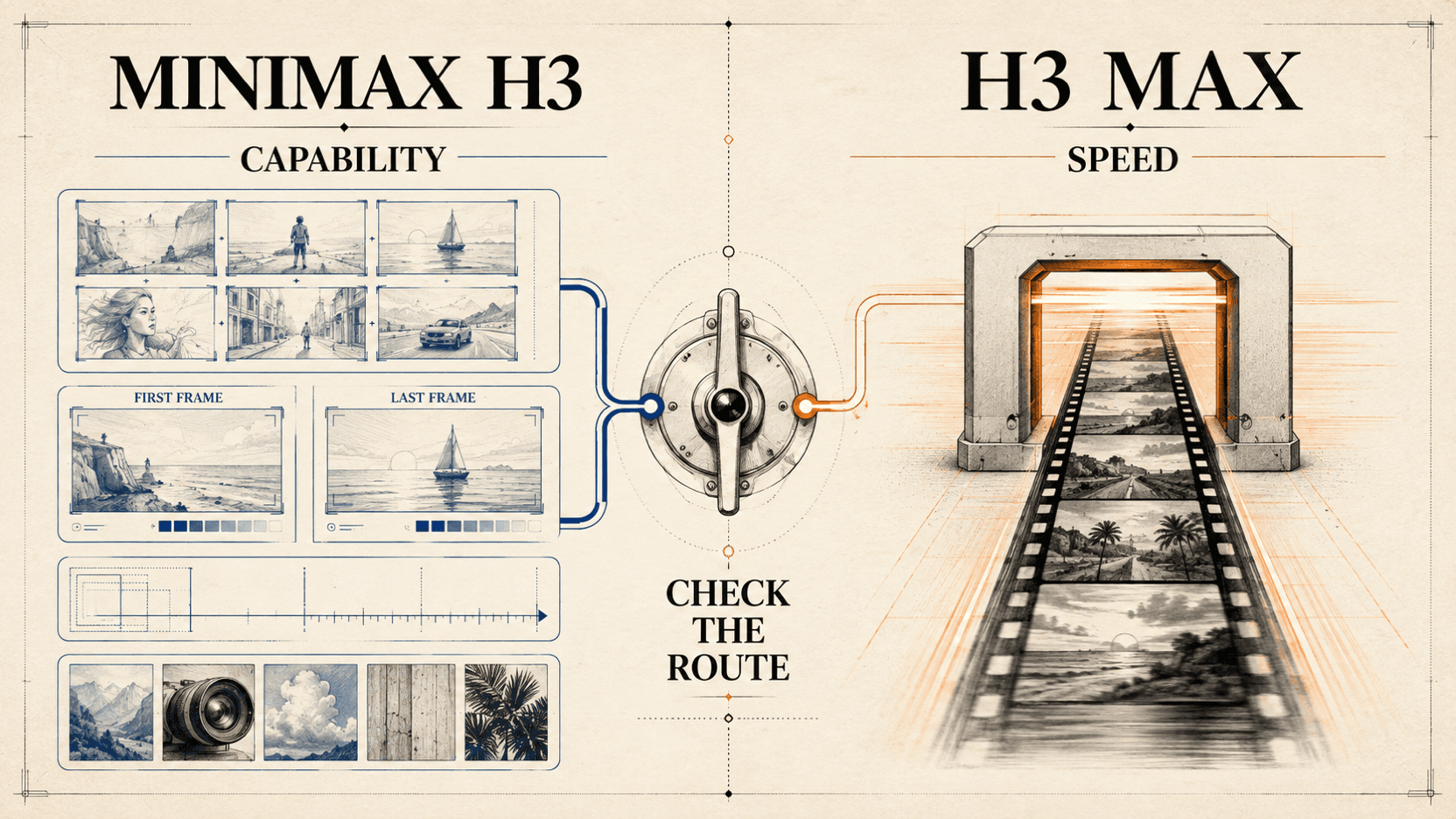
MiniMax H3 MaxとH3:速度、制御、APIルート比較
MiniMax H3 MaxとH3を速度、解像度、参照入力、APIルート、公開重み、対応ワークフローを比較して選択基準を詳しく解説します。
商品写真APIで1枚からストア対応画像を量産する
1枚の商品写真をAPIでストア対応画像に変える実践的なワークフロー。商品特性を保ちながら1Kで検証し、承認済み画像のコストを追跡する手法です。