GPT Image 2の使い方:テキストレンダリングと思考モード
GPT Image 2の使い方:99%のテキストレンダリング精度で合成工程が不要になること、思考モードの役割、Nano Banana 2に劣る点、プロンプト変更を解説します。
OpenAIは2026年4月21日、新しいgpt-image-2モデルを搭載したChatGPT Images 2.0を発表し、翌日からロールアウトを開始しました[1]。注目の変更は解像度ではなく、画像内の生成テキストが機能するようになったことです。
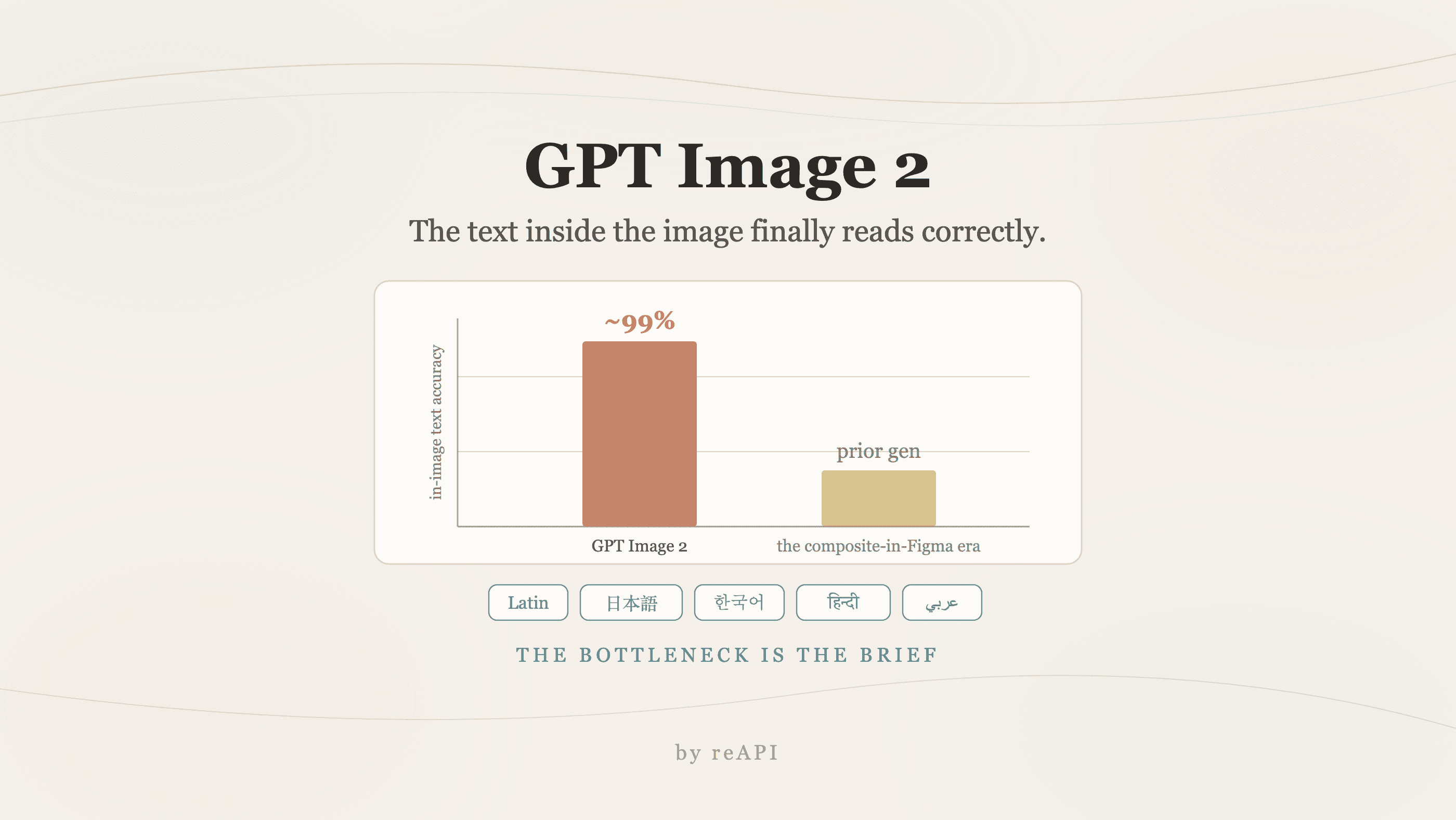
「ほぼ機能し、いくつかの愛らしいタイプミスがある」程度ではなく、ラテン文字、日本語、韓国語、ヒンディー語、ベンガル語、アラビア語、およびその他の言語スクリプトで約99%の精度を実現しています[1]。これまで2年間の標準的なワークフローは、画像を生成してからFigmaで実際のテキストを上に重ねることでした。そのステップはほぼ不要になりました。
GPT Image 2を上手に使うには、主に2つのことに注力する必要があります。テキストレンダリングを活用できるほど正確なブリーフを書くこと、そして思考モードをいつオフにするかを理解することです。
TL;DR
- テキストレンダリングの精度は約99%。非ラテン文字スクリプトも母語レベルに近い品質[1]。
- 思考モードでは、モデルがウェブを参照し、複数のバリエーションを計画し、返す前に出力を自己検証できます[1]。
- ネイティブ2K解像度で16:9対応、2025年12月のナレッジカットオフ[1]。
- DALL-E 3の完全な後継。DALL-E 3は2026年5月12日に廃止、中間版のGPT Image 1.5も同様[1]。
- 完全に新しいアーキテクチャ。従来の2段階パイプラインではなくシングルパス生成で、通常3秒未満[1]。
- フォトリアリズムの領域では最高ではない。Nano Banana 2は純粋なフォトリアリズムと4K出力で優位。GPT Image 2はテキスト忠実度とプロンプト遵守で優位[1]。
GPT Image 2とは
GPT Image 2はOpenAIのフラッグシップ画像モデルで、3つのサーフェスに搭載されています:ChatGPT内のImages 2.0として、Codexコーディングエージェント内のインラインアセット生成として、そしてgpt-image-2 APIとして[1]。
このアーキテクチャはDALL-Eラインからの明確な決別です。OpenAIは拡散ベース、自己回帰、またはハイブリッドかについて確認を避け、2段階推論パイプラインからシングルパスジェネレータへの移行という完全に新しいアーキテクチャであると述べるだけです。実際の結果は、より高速な生成とプロンプト意味論と描画出力のより緊密な結合です[1]。
テキストレンダリングのブレークスルー
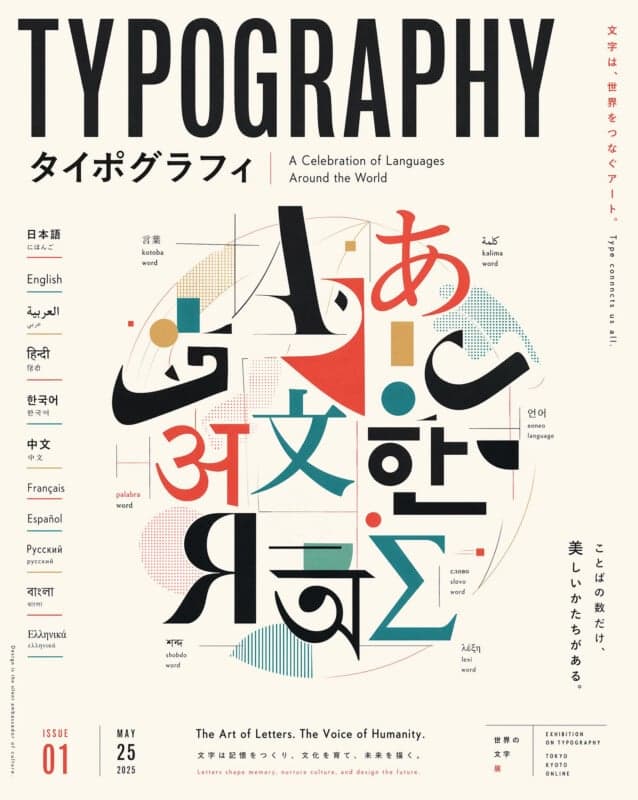
具体的な改善は、異なるワークフローのロックを解除するため分離する価値があります[1]:
- ラテン文字のスペリング約99%。密集したメニューテキスト、パッケージラベル、栄養パネル、長い編集見出し、UIコピーを含みます。
- 非ラテン文字は主要言語でネイティブレベルに近い精度。以前のモデルはこれらを装飾として扱っていました:視覚的には妥当だが、意味的には無意味。
- 小さなテキストと密集した構成のアイコノグラフィ。フォームフィールド、バッジラベル、法的な小さな文字も読みやすく表示。
- テキストとデザイン言語の間のスタイル一貫性。ブルックリンのカフェサインと東京の地下鉄ポスターが、同じモデルの一般的な出力ではなく、異なるデザイナーの作品として読めます。
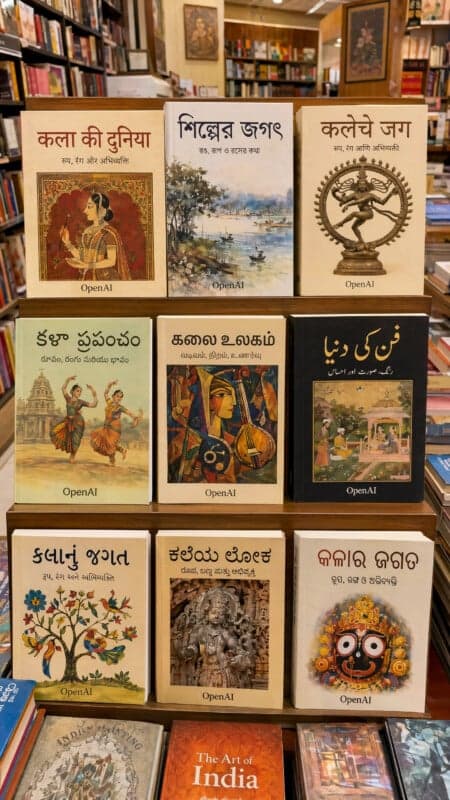
書店の例が学習する価値があります。各タイトルは異なるインド系スクリプトで表示され、それぞれが言語の読者が識別できる一貫したテキストです[1]。これは地域化されたコンテンツパイプラインを開く機能です:地域のアドクリエイティブ、多言語パッケージング、インド言語のeコマースサムネイル、以前は不可能だった速度で。
思考モード
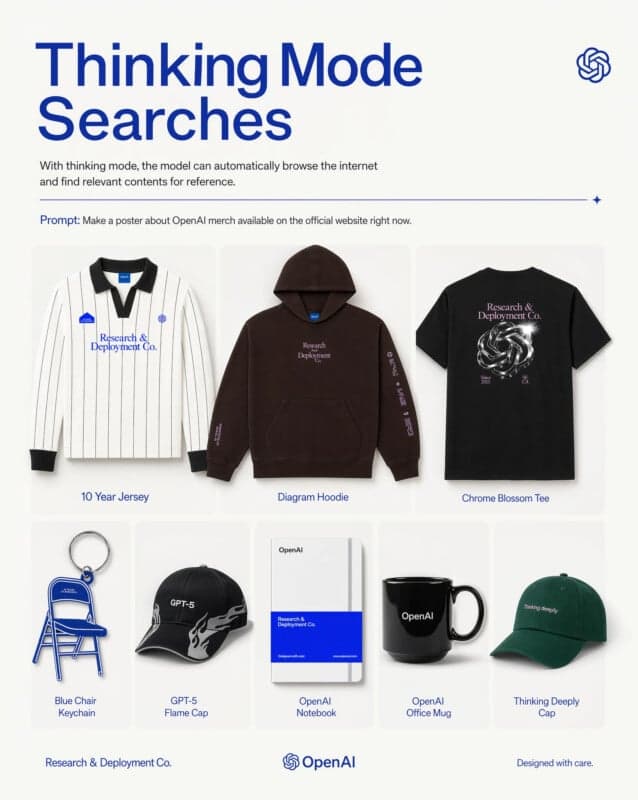
思考モードは、モデルとの相互作用方法を変える機能です。標準的なプロンプティングでは、あらゆる画像モデルと同じことをします。プロンプトを読み、ピクセルを生成します。思考モードがオンの場合、さらに[1]:
参照素材をウェブから検索。プロンプトが実在のブランド、製品、または時間に敏感なコンテンツに名前を付けるとき。
生成前に複数の出力バリエーションを計画。これは1つのプロンプトが3つのサイズのアドキャンペーンまたは5パネルのコミックを生成することになる理由です。
返す前に自己検証。描画されたテキストが正しくスペリングされており、レイアウト階層が保持されたことを確認。
OpenAIが主に示すデモンストレーションは、自社ウェブサイト上の現在利用可能なマーチャンダイズに関するポスターを求める単一のプロンプトで、モデルが見に行ったため正確な構成を生成しました。リファレンスアップロード、手動製品リストはありません[1]。
「現在のヒーロページのスタイルで」のようなフレーズを含むブリーフの場合、これは手動の参照収集ステップを削除します。シンプルなビジュアルの一括生成の場合、コストが高く、時間がかかるため、オフにしてください。
商業グレードの出力
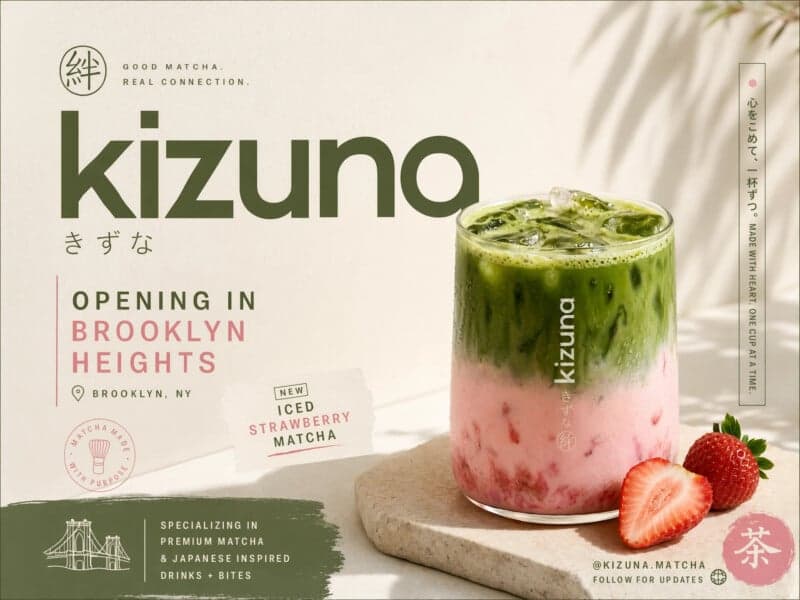
上記の広告は、完全に合成された単一プロンプト生成です。妥当な製品写真、2つのスクリプトの一貫したブランドワードマーク、二次的なタイポグラフィの詳細、位置とソーシャルハンドル付きの読みやすいアナウンスメント、写真、タイプ、テクスチャ、パレット間のスタイル一貫性を持っています[1]。
2年前、これは生成画像の古典的な失敗ケースでした。モデルは写真を生成できましたが、構成内の任意の実テキストはガーブル化されたグリフに脱進しました。
その含意は直接命名する価値があります:ほとんどの中小企業マーケティングでは、ボトルネックはもはやビジュアル制作ではありません。ブリーフです。
より深い構造理解
OpenAIのポジショニングラインは「ビューポイント付き画像生成」です。つまり、モデルはコーパスの統計カバレッジではなく、描画するものの構造理解を持っています。実際には[1]:
- 命令追従は構成リクエストで改善します:左揃えの見出し、右の製品、右下のブランドマーク。
- 世界知識がより強い。モデルは製品ショットが撮影されたはずのカメラ、ビンテージカバーが模倣すべき用紙ストックを知っています。
- キャラクタの一貫性は複数パネルのシーケンスにわたって保持されます。
- アイコン的識字が改善されたため、定期表、解剖図、建築計画が、妥当に見える無意味ではなく正しく表示されます。
これは、純粋にフォトリアリスティックモデルから最も明確に異なる軸です。フォトリアリスティックなスティルライフでは、Nano Banana 2は競争力があるか先行しています。モデルが何かを知る必要とそれを正しく描写する構成が必要な場合、GPT Image 2が主導します[1]。
適用されない場所
誠実な制限[1]:
- アイデンティティクリティカルなブランドワークのデザイナー交換ではない。初稿品質は優れています。クリエイティブディレクターは依然として監督すべき。
- フォトリアリズムリーダーではない。Nano Banana 2と専門家フォト現実的モデルは、ハイパーリアルなスティルライフとポートレートに優位を保ちます。
- 思考モードは低速で高価。シンプルなビジュアルの一括生成の場合、それを無効にします。
- コンテンツポリシーが適用される。実在する公の人物、著作権で保護されたキャラクター、特定の商業参照は制限されます。
reAPIでGPT Image 2を使う方法
reAPIは非同期タスクエンドポイントでモデルを公開しています。送信はtask_idを返します。準備ができるまでポーリング。
curl https://reapi.ai/api/v1/images/generations \
  -H "Authorization: Bearer YOUR_API_KEY" \
  -H "Content-Type: application/json" \
  -d '{
    "model": "gpt-image-2",
    "prompt": "Editorial poster for a Kyoto coffee shop opening, hand-lettered headline in cream serif, warm cinematic light, legible address line at the bottom",
    "size": "16:9",
    "resolution": "2k"
  }'
統合を書く前に知っておくべき3つのこと。
解像度は価格設定の次元です。ゲートウェイは1K、2K、4Kを公開し、それぞれ独自のレートを持つため、解像度の選択は費用の選択です。現在のレートはreapi.ai/models/gpt-image-2にあります。これはどの記事で引用された数字よりも権威あるソースです。
メディア入力はパブリックURLのみです。どのモデルでもプラットフォームでbase64、data:ペイロードなし。
プロンプト精度はここで以前のモデルよりも多く報酬をもたらします。DALL-E 3で機能していたブリーフ、漠然としていて視覚的に焦点を当てたもの、このモデルが明示的なレイアウト、タイポグラフィ、参照命令で行うことに比べて劣ります。上限は高く、下限はより正確なインプットが必要です[1]。
完全なリクエストと応答形状はreapi.ai/docs/gpt-image-2リファレンスにあります。
FAQ
GPT Image 2とは何ですか?
2026年4月21日に発表されたOpenAIのフラッグシップ画像生成モデル。DALL-E 3とGPT Image 1.5を置き換えます。ChatGPT内のImages 2.0、Codex内、そしてgpt-image-2 APIとして出荷されます[1]。
GPT Image 2はテキストをどの程度正確に描写しますか?
ラテン文字は約99%。日本語、韓国語、ヒンディー語、ベンガル語、アラビア語を含む主要な非ラテン文字スクリプトでは母語レベルに近い精度[1]。
思考モードとは何ですか?
モデルが参照素材をウェブで検索し、生成前に複数のバリエーションを計画し、描画されたテキストとレイアウトを出力する前に自己検証するモード。コストが高く、時間がかかるため、シンプルな一括生成の場合、オフにします[1]。
GPT Image 2はどの解像度をサポートしていますか?
ネイティブ2K、既存アスペクト比と並んで16:9サポート[1]。reAPIで、1K、2K、4Kは個別に価格設定されたオプションとして公開されています。
GPT Image 2はNano Banana 2より優れていますか?
異なる軸で優位。Nano Banana 2は純粋なフォトリアリズムと4K出力で優位。GPT Image 2はテキスト忠実度、プロンプト遵守、統合思考モードで優位[1]。
DALL-E 3はどうなりましたか?
2026年5月12日に廃止されました。GPT Image 2が置き換えます。また中間版GPT Image 1.5も同様[1]。
GPT Image 2はreAPIでbase64画像入力を受け入れますか?
いいえ。プラットフォーム上のすべてのモデルはメディア入力に対して公開http(s) URLのみを取得します。
GPT Image 2のプロンプトをどのように書くべきですか?
DALL-E 3より明確に。以前のモデルが無視していた構造的な詳細に現在このモデルが機能するため、漠然とした視覚的説明ではなく、明示的なレイアウト、タイポグラフィ、参照命令を提供します[1]。
ブリーフの更新。モデル文字列だけでなく
このリリースの有用なサマリーは、ボトルネックの移動です。生成テキストが使用不可能だった場合、制約はモデルでした。現在、読める日本語の二次タイプを備えたカフェ広告が単一のプロンプトから出てくるため、制約は正確に説明できることです。
それは、任意のパイプラインの移行に実用的な結果を持っています。前の世代の用のプロンプトテンプレートは、構造的な命令を無視したモデルに対してチューニングされており、これを過小使用します。明示的なレイアウトとタイポグラフィを使用してそれらを書き直します。実世界を参照するブリーフのために思考モードを維持し、ボリュームのためにオフに、そして価格設定の次元であるため解像度を意図的に選択します。ブリーフが決して求めない機能に対して支払わずにGPT Image 2を使用する方法です。
References
- OpenAI. GPT Image 2 — model card, capabilities, and API reference. Retrieved July 2026 from platform.openai.com/docs/models
- OpenAI. Pricing — per-image and per-token rates by model. Retrieved July 2026 from platform.openai.com/docs/pricing
Further reading
- reAPI. How to use Nano Banana 2 Lite. reapi.ai/blog/how-to-use-nano-banana-2-lite
- reAPI. GPT Image 2 endpoint reference. reapi.ai/docs/gpt-image-2
- reAPI. Model catalog. reapi.ai/models
著者

カテゴリ
他の記事
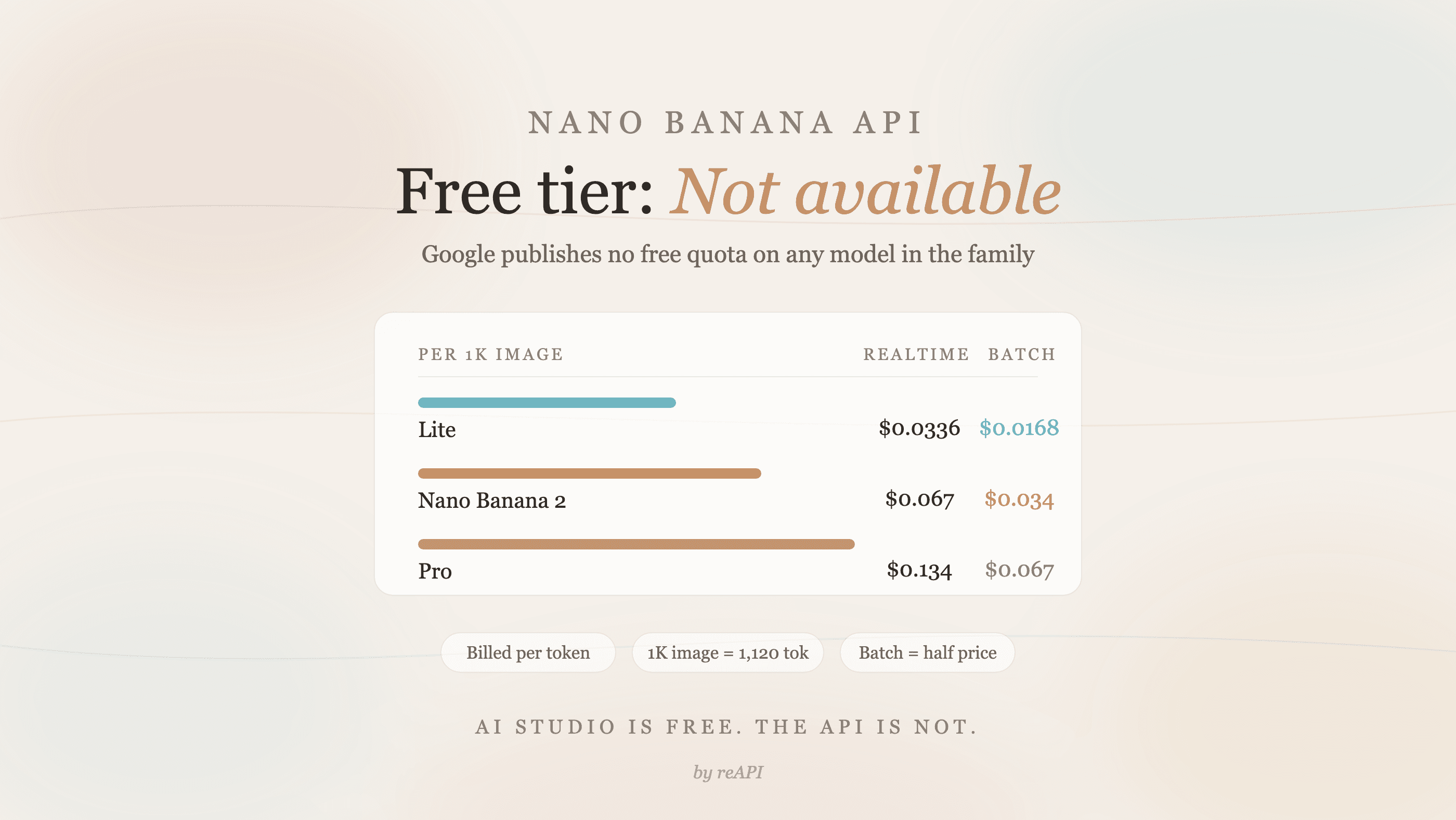
Nano Banana API に無料枠なし:Google の実際の請求内容
Nano Banana API に無料枠はありません。Google はすべてのモデルで「利用不可」と表示しています。実際の画像単価、バッチ処理料金、$0.02 の価値を説明します。
Gemini 4 Argon はいつから使える?公開日と現在の利用方法
Gemini 4 Argon は Gemini API と Google AI Studio で利用できます。9月の初回発表と10月13日の提供拡大を区別し、有料開発者 API、Ultra・Pro の一般向けサービス、モデル ID、地域、共有コンテキストと1リクエストの出力上限、クライアントによる継続処理を解説します。
reAPI で GPT API が 20% 割安:5 つのモデル
reAPI の GPT API 料金が OpenAI 標準価格から 20% 割安です。GPT-5.4、GPT-5.5、GPT-5.6 Sol・Terra・Luna の実料金を比較します。