Claude Code 使用指南:Anthropic 的终端编码代理
Claude Code 指南:百万 token 上下文、80.8% SWE-bench 得分、Plan Mode、多平台运行、安装和与 Cursor 对比。
学习如何使用 Claude Code 要从理解它是什么开始:Anthropic 的编码代理工具,运行在你的终端中,读取整个代码库,从自然语言指令执行开发任务[1]。自正式发布以来,它已在 GitHub 上积累了 101,000 个星标和 15,500 个分支,使其成为 2026 年最广泛采用的 AI 编码工具之一[2]。
与早期工具的结构差异值得明确阐述,因为它决定这个工作流是否适合你。Copilot 风格的自动补全根据你已经写的内容建议下一行。Claude Code 读取整个项目、规划方法、同时编辑多个文件、运行测试、处理失败、反复迭代、提交代码。你不需要告诉它哪些文件重要。
本指南涵盖它的功能、运行位置、安装方法、它特别擅长的五项工作、与 Cursor 和 Copilot 的对比,以及当你想在自己的产品中而不是终端中实现这种行为时应该做什么。
概览
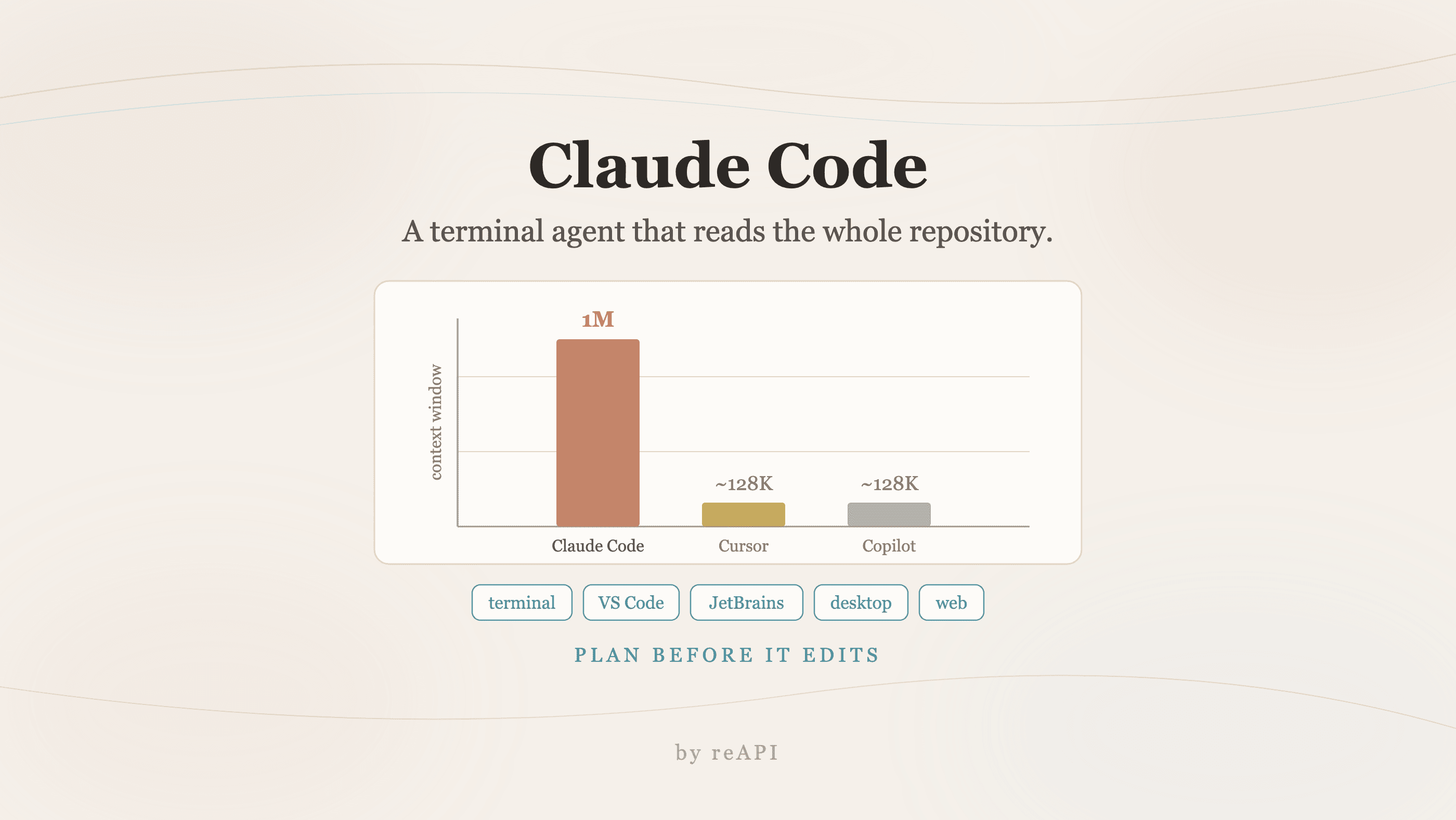
- 百万 token 上下文窗口,在一次会话中大约 25,000 到 30,000 行代码,无需分段[1]。
- SWE-bench Verified 得分 80.8%,撰写时公开报告的最高分[1]。
- Plan Mode 在修改任何内容之前展示文件逐一的计划,这是在生产代码库上进行自主操作的关键[1]。
- 几乎在所有地方运行:终端 CLI、VS Code、Cursor、Windsurf、JetBrains、桌面应用、网页和 GitHub issue 上的
@claude[1]。 - 访问需要 Claude Pro 或 Max 订阅,或具有 API 访问权限的 Claude 控制台账户[1]。
- MCP 支持将它连接到数据库、内部 API、工单和可观测性工具,让它不仅可以推理代码库[1]。
Claude Code 是什么
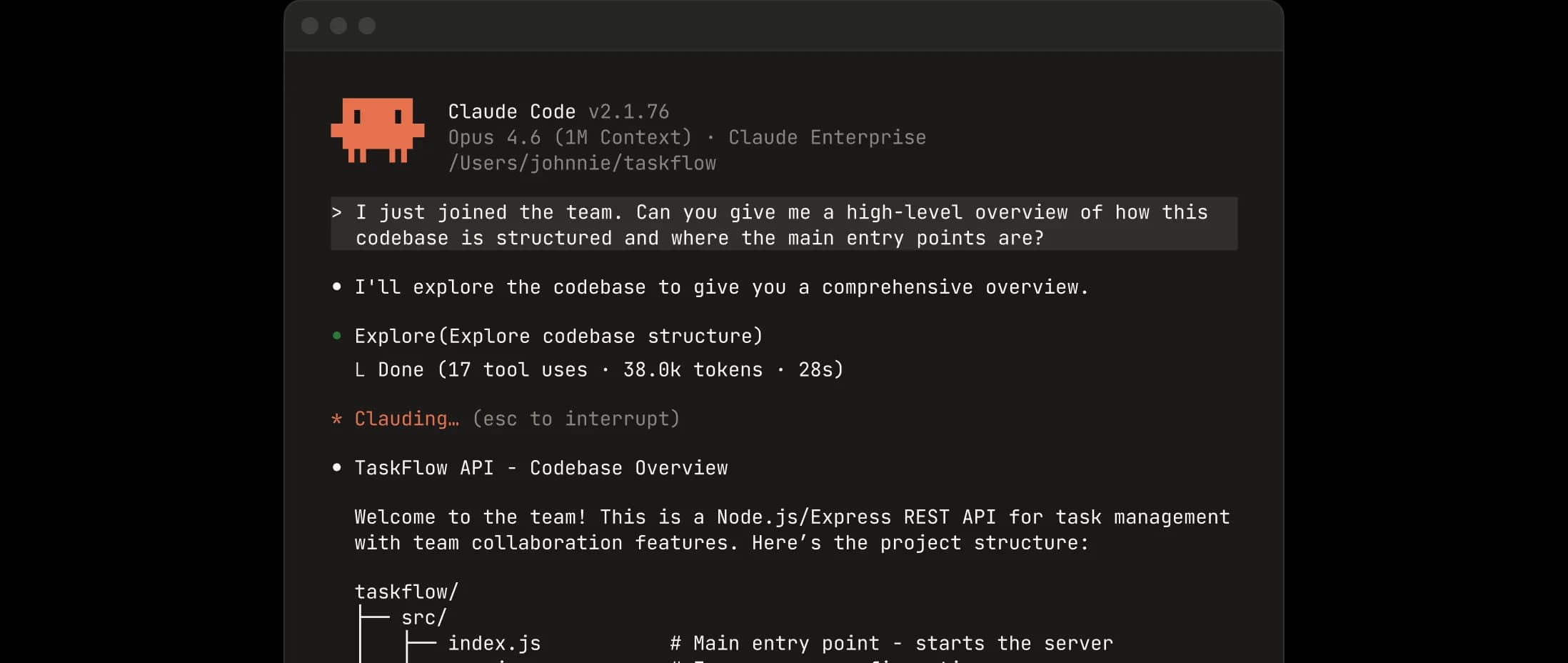
Claude Code 是一个编码代理而不是补全引擎。指向一个项目,它按资深开发者的方式导航结构:从入口点开始、沿着依赖图、建立组件交互方式的工作模型、然后进行架构上一致而非仅仅局部正确的更改。
这个区别在实际消耗工程时间的任务上意义最大。调试在生产环境中行为不同于暂存环境的问题。实现一个功能需要 ORM 更改、三个端点更新和一次迁移。这些是多文件问题,多文件问题正是完整上下文代理区别于自动补全的地方。
重要的能力
百万 token 上下文窗口
Claude Code 在一个上下文窗口中读取最多 100 万个 token,在单个会话中大约 25,000 到 30,000 行代码,无需分块或检索增强[1]。当重构触及 40 个文件跨越 200,000 行代码库时,你不需要给它一个文件列表。它自己找到。
80.8% 的 SWE-bench Verified 得分
SWE-bench Verified 根据开源代码库的真实 GitHub issue 评估模型,按建议修复是否通过代码库自身的测试套件评分。Claude Code 达到 80.8%,这是可用工具中公开报告的最高数字[1]。这个基准衡量的是真正的代码库理解而非孤立片段的模式匹配,这就是为什么它比大多数编码评估更能跟踪真实的有用性。
Plan Mode
在执行任何东西之前,Claude Code 呈现一个结构化计划:它将修改哪些文件、将进行什么更改、顺序如何。你审阅它、质疑它、调整它,之后才批准[1]。
这是让其余功能在生产代码库上可用的特性。受监督的自主性在不在循环中成本最高的时刻保持开发者在循环中。
代理团队
多个 Claude Code 实例同时处理问题的不同部分,由一个领导代理协调,分配子任务和合并结果[1]。对于一个功能可以分解为独立工作流的情况——后端更改、前端更新和文档更新并行进行——这会压缩日历时间而不仅仅是 token 时间。
Claude Code 运行的地方
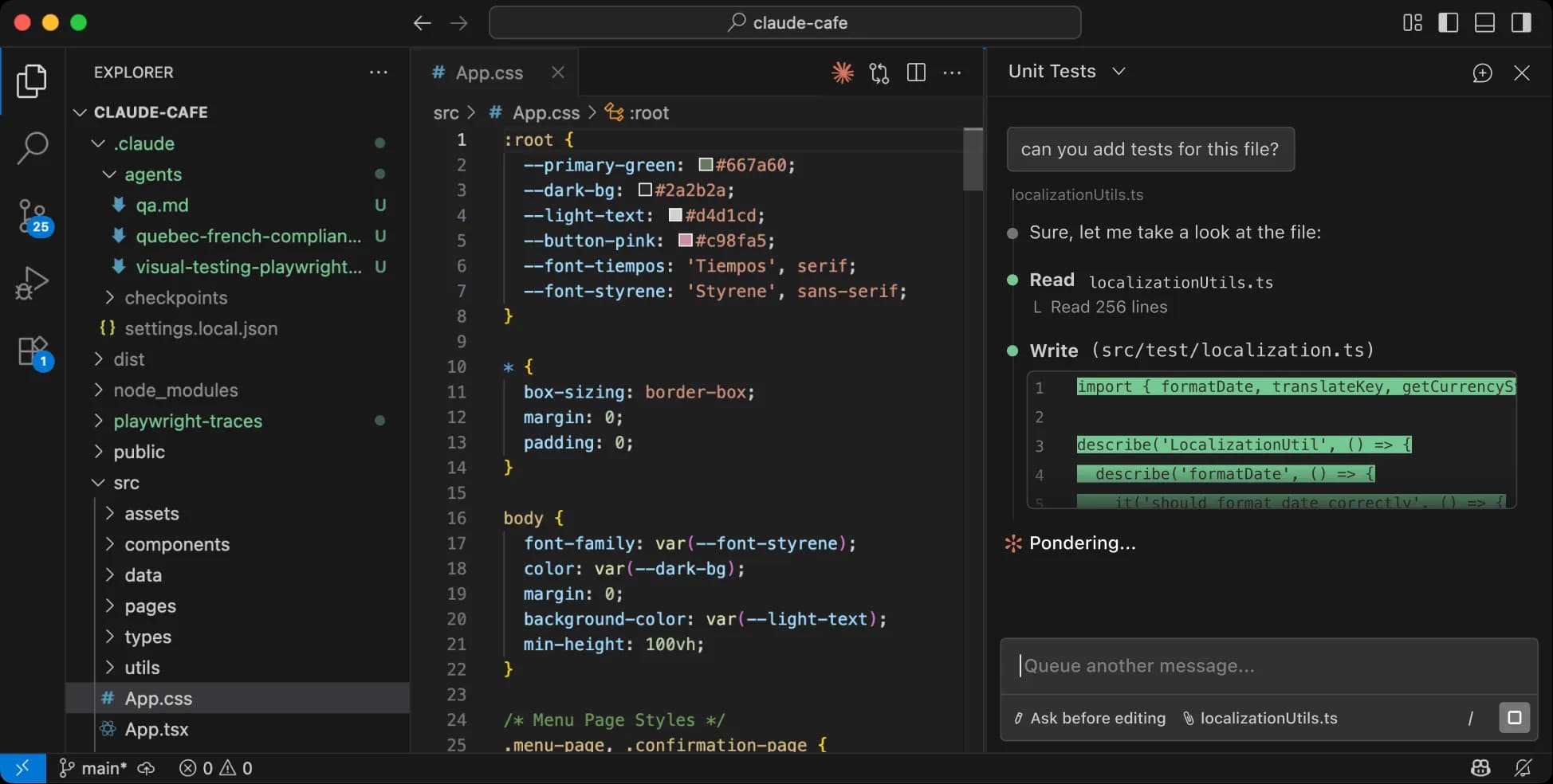
广泛采用有一个无聊的解释:它在开发者已经在的地方与他们相遇[1]。
- 终端 CLI 是核心体验。导航到项目、运行
claude、描述任务。 - VS Code 扩展,带有可视化 diff 审查和交互式更改选择。同一个扩展也适用于 Cursor 和 Windsurf。
- JetBrains 插件涵盖 IntelliJ IDEA、PyCharm、WebStorm 等。
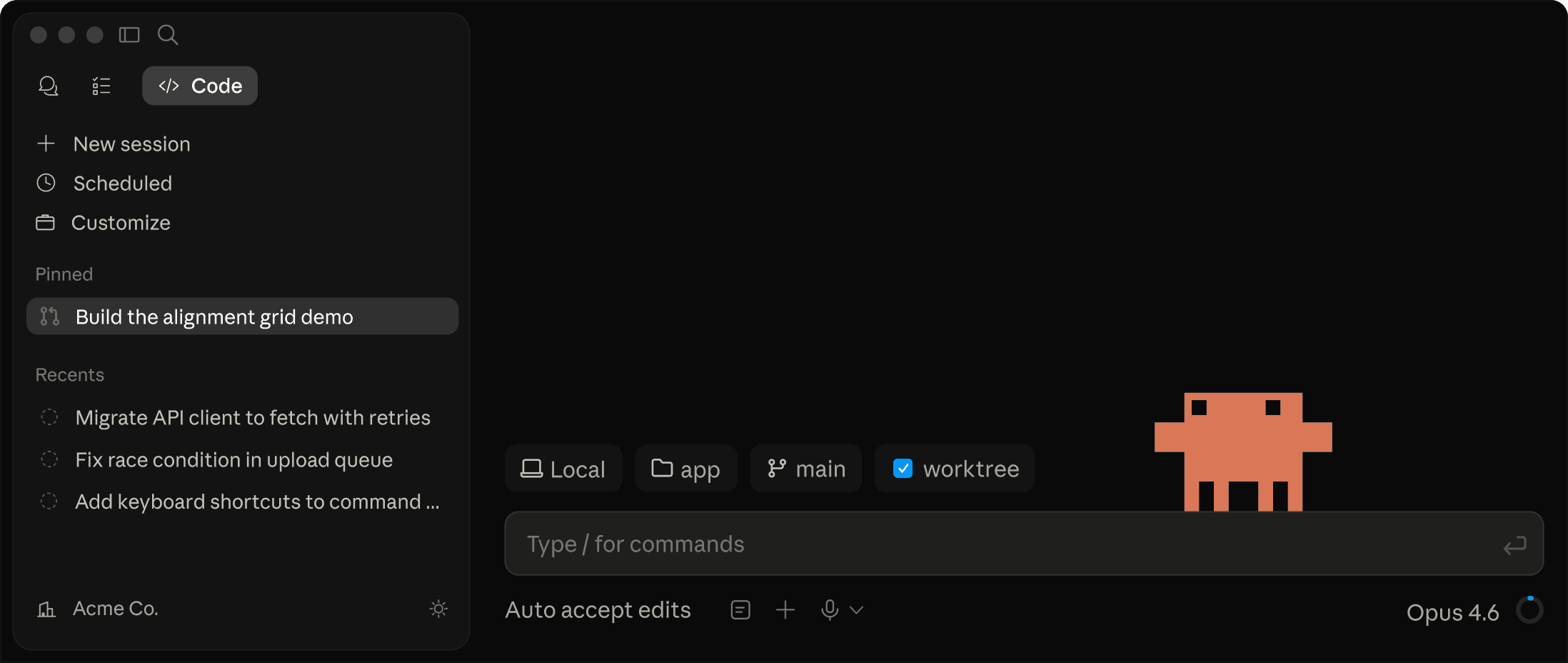
- 桌面应用添加了并行会话间的可视化 diff 审查、会话调度和长时间运行作业的云执行。
- 网页 claude.ai/code,无需本地安装,以及 Claude iOS 应用。
- GitHub:在 issue 上标记
@claude并获得一个 pull request,无需要求队友改变他们的工作方式。
如何使用 Claude Code:安装和首次运行
macOS 和 Linux:
curl -fsSL https://claude.ai/install.sh | bash或使用 Homebrew:
brew install --cask claude-codeWindows:
irm https://claude.ai/install.ps1 | iex或使用 WinGet:
winget install Anthropic.ClaudeCode然后导航到你的项目并运行 claude。它索引项目结构并询问你想要做什么。
一个步骤比安装方法更重要。在代码库根目录创建 CLAUDE.md 并将你的约定放在其中:你使用什么测试框架、哪些文件绝不能自动修改、你如何命名事物[1]。它在每个会话开始时被读取。团队使用它来编码制度知识,一个资深开发者会在入职期间传递这些知识,这是工具中单一最高杠杆的配置。
configured model not available
先检查当前连接,再决定是否需要购买订阅。运行 /status,记录服务提供方、base URL 和鉴权来源。保留完整错误信息、HTTP 状态码、Claude Code 版本和请求 ID;分享前删去凭证及私有提示词内容。已保存的 Claude 登录状态不一定是当前请求的凭证来源。[4][5]
先核对模型。 Anthropic 文档将 “There's an issue with the selected model” 解释为模型名称无法识别或缺少访问权限。“Configured model not available” 是需要排查的现象,并非已单独核实的官方错误码。在交互会话中打开 /model;对于使用 -p 的命令,检查 --model。同时查看 ANTHROPIC_MODEL 和 model 设置中是否留有旧的覆盖配置。组织限制需要管理员协助,换一种拼写不会获得访问权限。[6]
让密钥与端点对应。 Claude Code 将 ANTHROPIC_AUTH_TOKEN 作为 Bearer token 发送,将 ANTHROPIC_API_KEY 放入 x-api-key。替换或移除任何配置前,先核对 /status 实际显示的凭证来源。网关凭证可能优先于已保存的 Claude 登录;/login 无法修复无效的网关密钥。[4][5]
reAPI 当前原生 Messages 路由的 base URL 是 https://reapi.ai/api,完整端点是 https://reapi.ai/api/v1/messages。使用该当前 reAPI 账户的密钥,并明确指定受支持的 ID:claude-haiku-5-5、claude-sonnet-5-5、claude-opus-5-5、claude-fable-5 或 claude-fable-5-1。本教程其他位置的 https://api.reapi.ai/v1 示例属于独立的旧工作区;不要假定其中的密钥或模型选择适用于当前原生路由。参见原生 Messages 参考文档。端点和代码审查只能确认这一区分,不能证明 Claude Code 已通过端到端测试,也不能证明每项工具功能都已验证。[7]
当前模型详情可参阅 Claude Sonnet 5.5 页面。
区分鉴权、访问权限与额度。 在 Anthropic 直连 API 中,401 表示鉴权问题,402 表示计费问题,403 表示资源访问权限问题。429 可能表示速率限制,也可能表示支出上限;额度耗尽后,反复重试无法解决。在充值前先确认实际承担费用的账户。网关响应需要单独解释:reAPI 当前原生实现会将上游的 401 或 403 转换为面向客户端的 502,因此上游失败并不能证明你的 reAPI 密钥需要更换。[8]
查看错误来自哪里。 文档中的 “Upstream rejected the request” 对应 Claude apps gateway 返回的某些未分类 400 响应。仅凭这段文字无法证明错误由 reAPI 发出。将脱敏后的消息、状态码和请求 ID 提供给网关运营方,以便其检查底层拒绝原因。[9]
单独处理地区错误。 单独出现的 403 也可能涉及账户权限或企业代理。若明确提示地区不可用,需要核对 Anthropic 的支持地区政策。不确定是否符合条件时,联系相应账户或服务提供方的支持团队。更换网关并不意味着可以例外于这些限制。[10][11]
它特别擅长的五项工作
大代码库重构。 当重构涉及数十个文件并需要对签名、导入和测试同时进行一致的更改时,协调是困难的部分。Claude Code 建立依赖映射、找到每个调用位置、进行协调的更改、在向你显示结果前运行套件。Rakuten 的团队记录了它在大型多语言库内的激活向量提取方法上自主工作七个小时,产生了对参考实现的 99.9% 数值精度[1]。
跨文件调试。 当 bug 在用户行为中出现但源于三个由不同人在不同时间编写的模块之间的交互时,完整上下文导航让它跟踪执行路径、假设失败模式、编写诊断、修复被破坏假设的每个地方而不是最明显的那个。
未测试代码的测试生成。 它读取实现、从代码和任何存在的文档推断预期行为、生成覆盖正常路径、边界情况和错误条件的测试。它倾向于在这样做时找到 bug。
Git 工作流自动化。 用平文描述提交,包括要排除什么,它处理暂存、提交消息、推送和一个带有结构化描述的 pull request。使用 GitHub MCP 集成,它可以读取开放 issue、实现修复、运行测试、用完整上下文打开 PR。
架构分析。 指向一个不熟悉的代码库并要求它解释架构。你得到组织、每个主要组件、服务间数据流和关键路径的结构化演练。对于入职、技术尽职调查和写没人写过的文档很有用。
MCP 集成
Claude Code 支持模型上下文协议,Anthropic 连接模型到外部工具和数据的开放标准[1]。这将其推理扩展超过代码库:在写迁移前查询生产数据库以理解数据模型、在实现前读取工单以理解验收标准、在调试前检查可观测性平台寻找错误模式。
插件目录包含一个日益增长的社区集成库,所以大多数常见工具已经被覆盖。
Claude Code、Cursor 或 Copilot
| Claude Code | Cursor | GitHub Copilot | |
|---|---|---|---|
| 界面 | 终端 CLI + IDE 扩展 | 自定义 VS Code 分支 | IDE 扩展 |
| 上下文窗口 | 100 万 token | 约 128K token | 约 128K token |
| SWE-bench 得分 | 80.8% | 未报告 | 未报告 |
| 代理操作 | 完整:计划、执行、测试、提交 | 部分(composer 模式) | 部分(Copilot Workspace) |
| 多文件编辑 | 原生、协调的 | 是 | 有限 |
| 价格 | Claude Pro/Max,$20 到 $100/月 | $20/月 | $10 到 $39/月 |
本指南始终参考的比较行来自相同的来源[1]。
诚实的看法是这些不是真的在竞争相同的时间。Cursor 是一个整合了 AI 的 VS Code 分支:快速内联补全、多模型支持、可视 IDE。Copilot 是最广泛部署的因为它附带企业 Microsoft 订阅内,对常规补全处理良好而无需对复杂多文件工作作为完整代理运行。
大多数同时使用两者的开发者用 Cursor 进行日常编辑,用 Claude Code 处理需要深度代码库理解的任务:大型重构、架构更改、安全审计、微妙的跨文件 bug。
当你想在自己的产品中实现这种行为时
Claude Code 是 Anthropic 的代理,当工作发生在你的终端时是正确的工具。这是错误的形式以适应不同的工作:在你的 CI 中放置代码审查机器人、为你的客户的迁移代理、读取代码库并回答关于它的问题的内部工具。这些都不是开发者笔记本上的 CLI。
这项工作需要直接的模型。访问 Claude Code 本身运行通过 Claude Pro 或 Max 订阅,或具有 API 访问权限的 Claude 控制台账户[1],当你构建自己的代理时你在该第二层工作。
reAPI 通过 OpenAI 兼容的 /v1/chat/completions 端点暴露 Claude 模型,所以一个客户端和一个密钥涵盖 Claude 以及 GPT 和 Gemini:
from openai import OpenAI

client = OpenAI(
    api_key="YOUR_REAPI_KEY",
    base_url="https://api.reapi.ai/v1",
)

resp = client.chat.completions.create(
    model="claude-opus-5",
    messages=[{"role": "user", "content": "Review this diff and report issues with severity."}],
    max_tokens=16000,
    stream=True,
)
原生 Anthropic /v1/messages 表面也可用,所以为任一格式编写的 SDK 无需改变就能工作。模型页面和费率在 reapi.ai/models,当前 Opus 代的端点参考在 reapi.ai/docs/claude-opus-5。
为你自己的代码库使用 Claude Code。当代理必须在别人的地方运行时使用 API。
常问问题
什么模型为 Claude Code 提供动力?
它运行在 Anthropic 当前前沿 Claude 模型上,默认跟踪 Anthropic 最近发布的任何东西而不是留在一个版本。查看 Anthropic 的文档了解你的计划在任何给定时间背后的模型。
Claude Code 是免费的吗?
不是。它需要 Claude Pro 或 Max 订阅,价格在 $20 到 $100 每月之间,或具有 API 访问权限的 Claude 控制台账户[1]。
Claude Code 能处理多大的代码库?
上下文窗口是 100 万 token,在单个会话中大约 25,000 到 30,000 行代码无分段[1]。更大的代码库仍然工作,因为它导航依赖图而不是一次加载所有东西。
CLAUDE.md 是做什么的?
在每个会话开始时读取的持久的每项目说明:编码约定、测试框架、绝不能自动修改的文件。这是团队编码入职知识的地方[1]。
Claude Code 比 Cursor 更好吗?
他们解决不同的问题。Cursor 是一个带有快速内联编辑的完整 IDE;Claude Code 是一个终端代理,具有大得多的上下文窗口和完整的计划-执行-测试-提交操作。很多开发者同时运行两者[1]。
Claude Code 能打开 pull request 吗?
能。它直接集成 git,在 GitHub issue 上标记 @claude 返回一个 pull request。使用 GitHub MCP 集成,它可以读取 issue、实现、测试、用完整上下文提交[1]。
Plan Mode 是什么?
一个审查门。Claude Code 在进行更改前呈现文件逐一的计划并等待批准[1]。
我如何构建自己的编码代理?
通过 API 而不是 CLI 调用模型。将 OpenAI 兼容的客户端指向 https://api.reapi.ai/v1 并设置模型字符串,或使用原生 Anthropic /v1/messages 表面。
选择正确的层
Claude Code 在一个属性上赚取采用:它将整个项目保持在视野中并对其行动,而不是猜测下一行。百万 token 窗口、80.8% SWE-bench 得分和 Plan Mode 是同一个设计决策的三个表达式,它们在重构、跨文件调试和不熟悉的代码库上落得最硬。
知道你的问题处于哪个层。如果工作在你的代码库和你的终端中,安装它并在任何其他东西前写一个好的 CLAUDE.md。如果工作在你发运给其他人的产品内,你想要底下的模型 API,而不是顶上的 CLI。学习如何很好地使用 Claude Code 主要意味着认识到你实际上在做这两者中的哪一个。
参考资料
- Anthropic. Claude Code — overview, capabilities, surfaces, and configuration. Retrieved July 2026 from platform.claude.com/docs/claude-code
- Anthropic. Claude Code — official repository. Retrieved July 2026 from github.com/anthropics/claude-code
- Anthropic. Claude Code documentation. Retrieved July 2026 from docs.claude.com/en/docs/claude-code/overview
- Anthropic. 连接 Claude Code 与 LLM 网关. 核对日期:2026-10-23。 连接、凭证请求头和
/status. - Anthropic. 鉴权. 核对日期:2026-10-23。 鉴权优先级.
- Anthropic. Claude Code 错误参考. 核对日期:2026-10-23。 所选模型错误;模型配置.
- reAPI. 原生 Messages 参考. 核对日期:2026-10-23。 已对照当前文档及原生路由的模型允许列表。 Claude Sonnet 5.5 端点和请求头.
- Anthropic. API 错误. 核对日期:2026-10-23。 HTTP 错误与请求 ID. 网关特有的状态行为已单独对照 reAPI 当前原生路由实现核实。
- Anthropic. 配置 Claude apps gateway. 核对日期:2026-10-23。 上游错误消息.
- Anthropic. 安装和登录排错. 核对日期:2026-10-23。 登录后的 403;安装响应.
- Anthropic. 支持地区政策. 核对日期:2026-10-23。 支持地区和使用条件.
进一步阅读
- reAPI. How to use Claude Opus 5. reapi.ai/blog/how-to-use-claude-opus-5
- reAPI. How to use Claude Fable 5. reapi.ai/blog/how-to-use-claude-fable-5
- reAPI. Model catalog. reapi.ai/models
作者

分类
CLAUDE.md 是做什么的?Claude Code 比 Cursor 更好吗?Claude Code 能打开 pull request 吗?Plan Mode 是什么?我如何构建自己的编码代理?选择正确的层参考资料进一步阅读更多文章
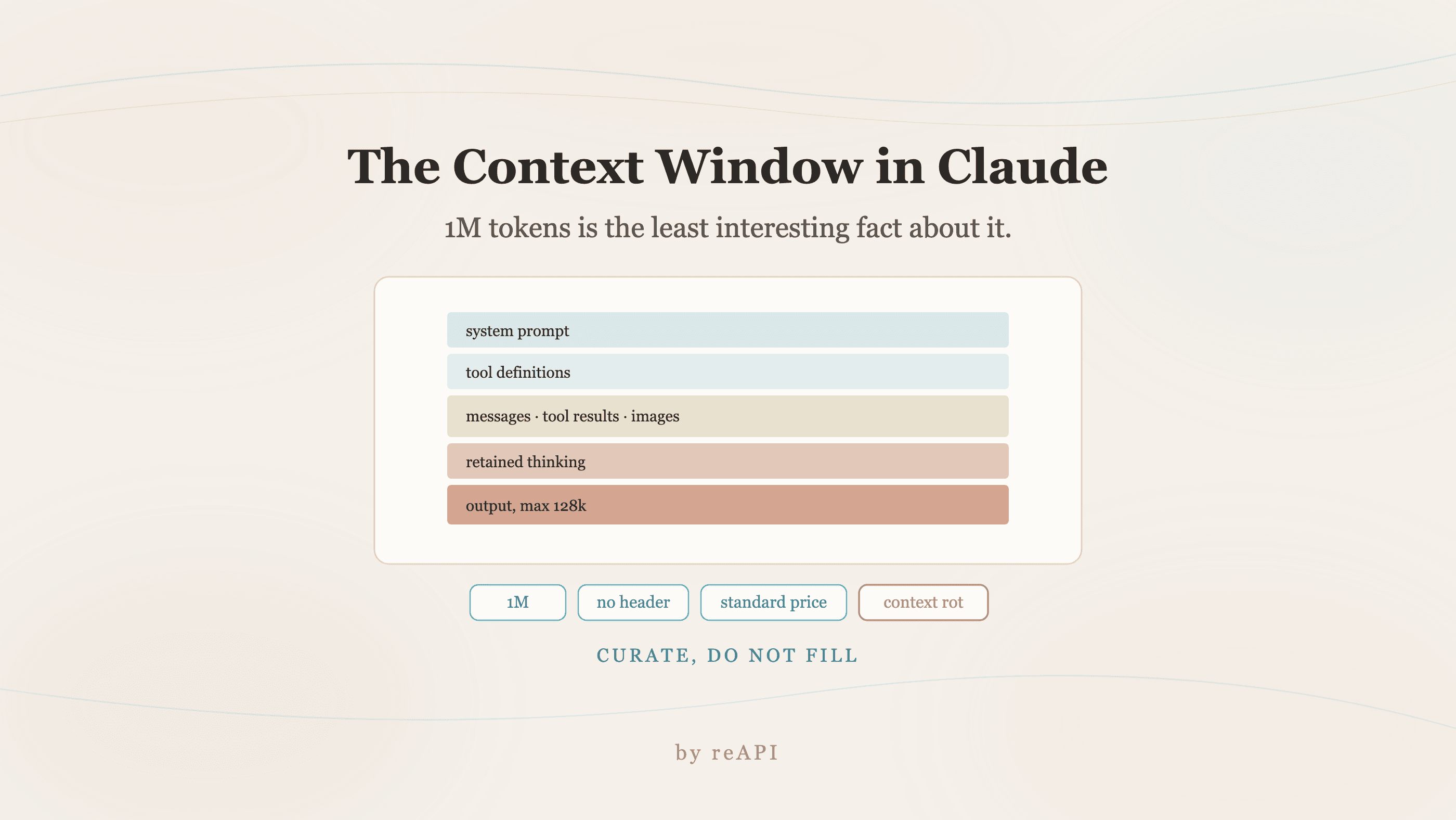
Claude 上下文窗口是什么,以及什么会占用它
Claude 当前模型上下文窗口是 100 万 token,工具定义、保留思考和缓存输入都占用空间。更多 token 不一定更好。
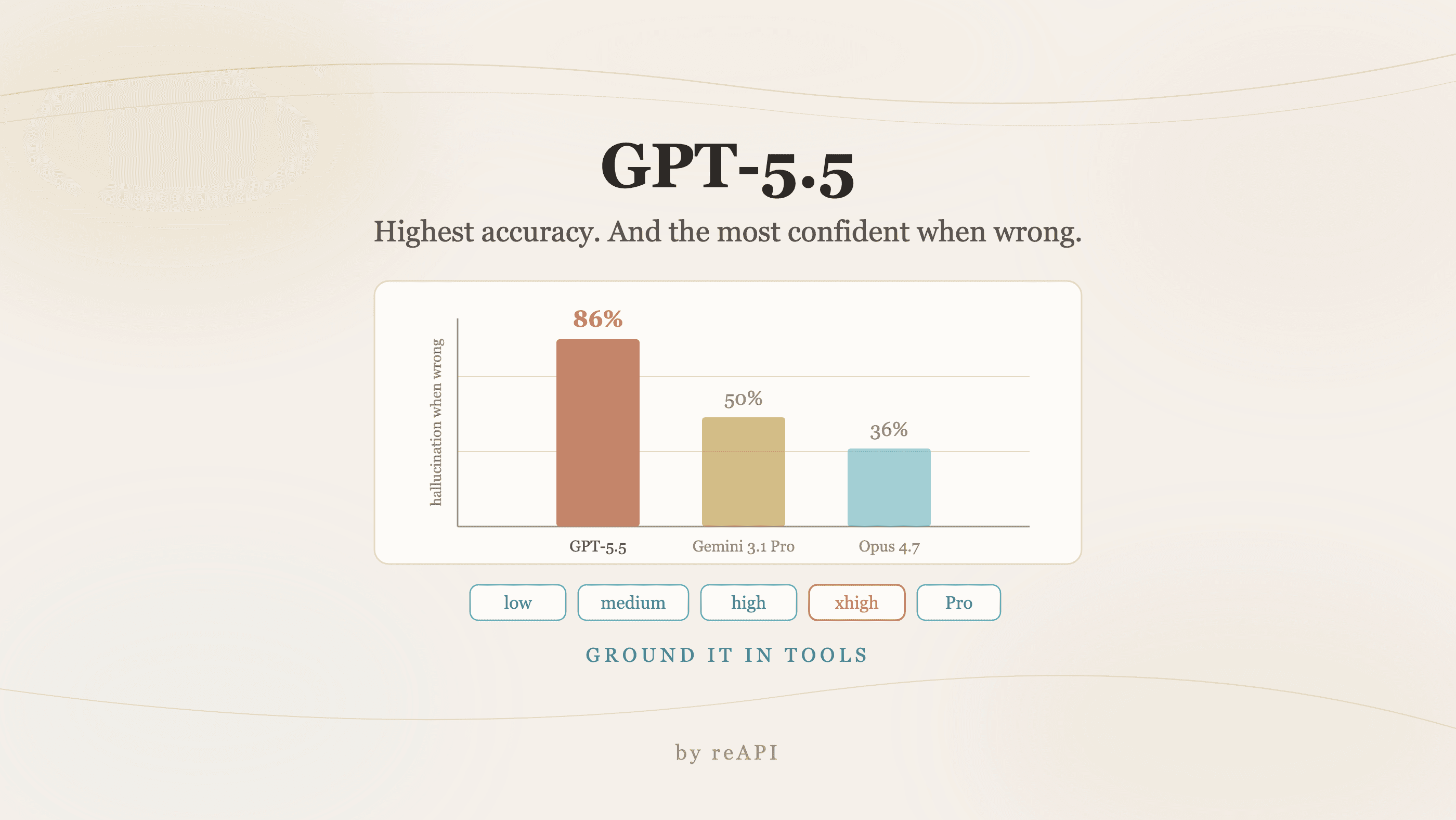
如何使用 GPT-5.5:代理能力与唯一弱点
GPT-5.5 使用指南:Terminal-Bench 领先、价格上升幅度为何偏小、86% 幻觉率无人提及、以及所需的验证环路。

AI 图像 API 内容过滤:请求被拒的原因
图像 API 的内容过滤分为多个层级。同一个提示词在某个平台可能通过审核,在另一个平台可能被拒绝,但某些安全底线无论如何配置都不会改变。