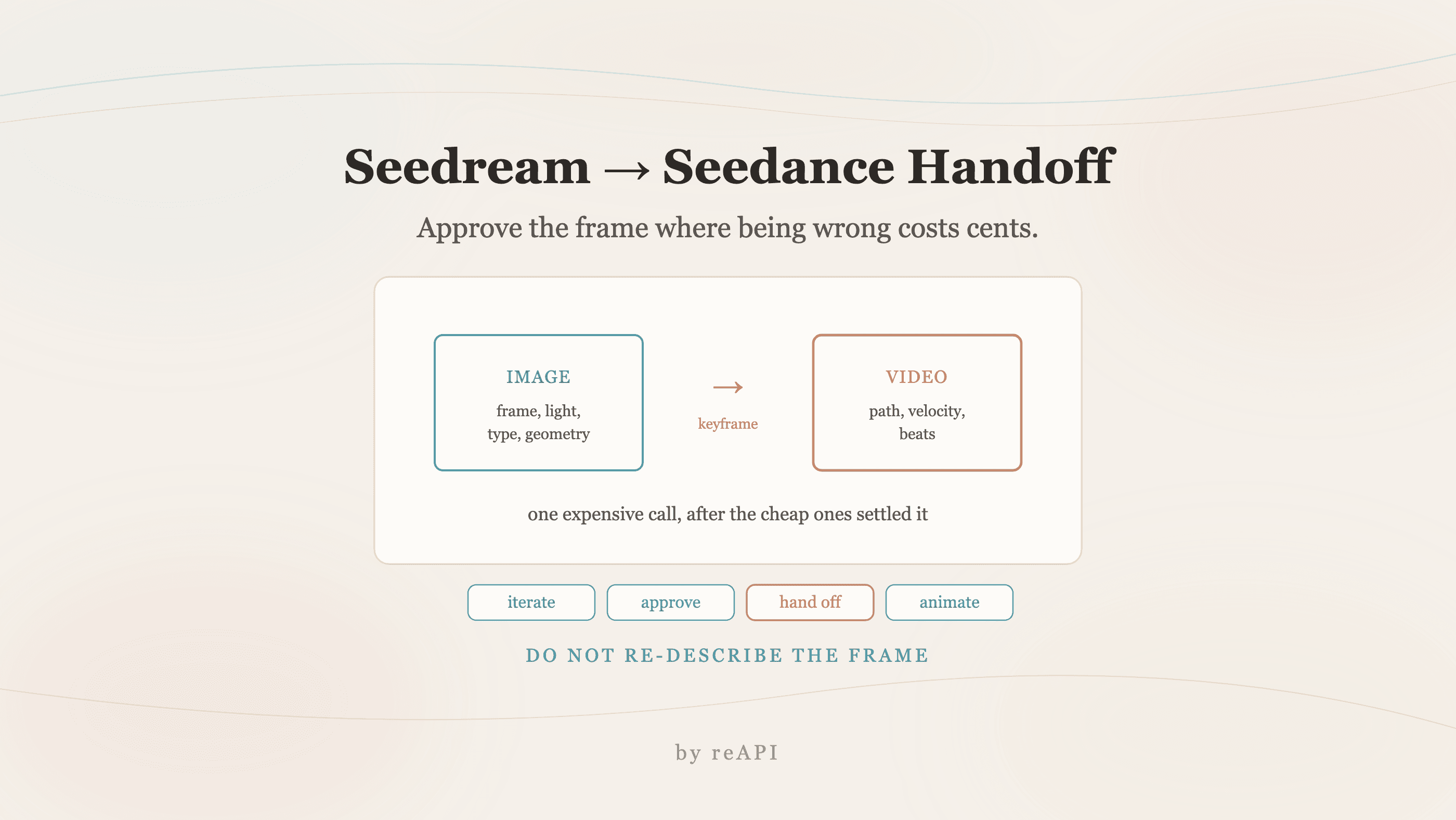
Transferencia de fotograma clave: Seedream a Seedance
Seedream fija composición con imagen barata, Seedance genera movimiento desde ese fotograma aprobado. Qué responsabilidades tiene cada fase y dónde falla.
Video a texto tiene un problema estructural que ningún prompt resuelve: cambiar un detalle reescribe la escena completa. Ajusta la iluminación y el rostro del personaje se desplaza. Arregla la cara y el fondo se mueve. Cada iteración es un tiro completamente nuevo.
La solución es dejar de pedirle a un modelo que haga dos trabajos. Bloquea el fotograma primero con un modelo de imagen, luego entrega ese fotograma aprobado a un modelo de vídeo como referencia. Ese es el flujo de trabajo de Seedream Seedance, y su valor no es mayor calidad por generación. Su valor es que la aprobación se vuelve durable.
TL;DR
- Dos fases, dos modelos. Seedream 5.0 Pro fija el aspecto de la escena. Seedance maneja lo que se mueve.
- La transferencia es una imagen de referencia, no una redescripción. El fotograma aprobado entra como
image_urls. - Seedream toma hasta 10 referencias con ediciones ancladas y tipografía multilingüe a 2K.
- Itera barato en la foto fija, donde una regeneración cuesta centavos y segundos en lugar de dólares y minutos.
- Aprueba el movimiento antes de los detalles. Una vez que el movimiento de la cámara es correcto, las correcciones restantes son locales.
- Algunas afirmaciones de flujo de trabajo en capas no resisten el control. Las comprobamos por separado en lo que realmente se entrega.
Por qué funciona el desacoplamiento
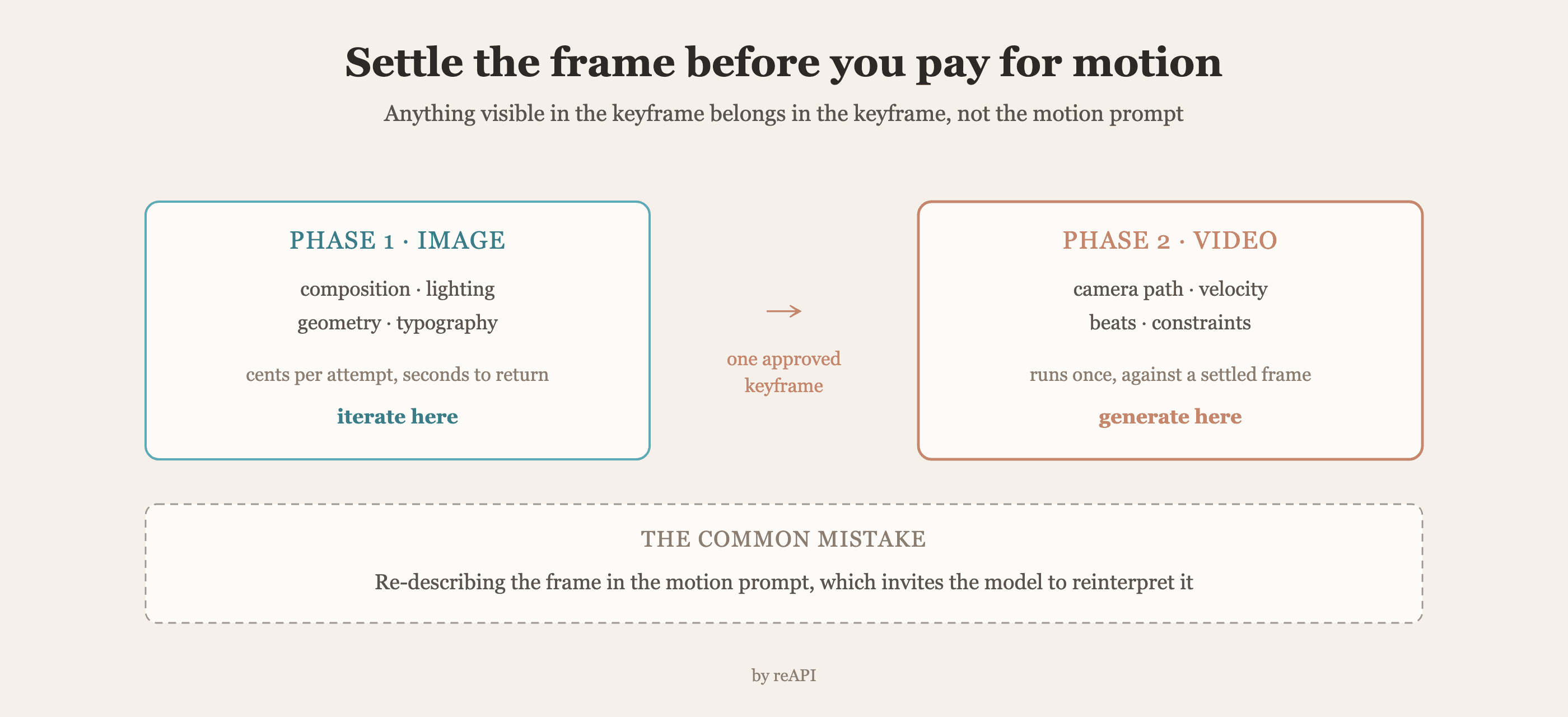
La generación de vídeo es cara en ambos sentidos: cuesta más por llamada que una imagen y tarda lo suficiente como para que un mal resultado desperdicie tiempo real. Pasar cada decisión creativa a través de ese bucle es la razón por la que los equipos informan de quemar la mayor parte de su horario en retomas.
Dividir la tubería cambia lo que cuesta cada iteración.
La fase uno es barata y rápida. Composición, iluminación, geometría del producto, tipografía, color de marca. Estas son decisiones de fotograma fijo, y fijarlas en un modelo de imagen significa que cada intento cuesta unos pocos centavos y vuelve en segundos.
La fase dos hereda un fotograma fijo. La generación de movimiento comienza a partir de algo ya aprobado en lugar de rederivarlo de un párrafo. Menos variables se mueven, así que menos cosas fallan.
El argumento económico es sencillo: la llamada cara debe ejecutarse una vez, después de que las llamadas baratas hayan eliminado la incertidumbre.
Fase uno: fija el fotograma
Seedream 5.0 Pro es el paso de activos. Lo que importa para la transferencia:
Hasta 10 imágenes de referencia con ediciones ancladas, para que un producto o personaje pueda fijarse en lugar de describirse.
Tipografía multilingüe a 2K, preservando el color y diseño exactos, lo que importa cuando el fotograma lleva texto de marca que debe sobrevivir en el vídeo.
Facturación de presupuesto de píxeles, dividida en 2,36 millones de píxeles. Un fotograma 16:9 a 2048×1152 cae en el nivel más barato, que es el tamaño adecuado para la mayoría de fotogramas clave de todos modos. Detalles en el desglose de precios.
La salida de esta fase no es una carpeta de opciones. Es un fotograma aprobado por toma, más el prompt que lo produjo.
curl https://reapi.ai/api/v1/images/generations \
  -H "Authorization: Bearer YOUR_API_KEY" \
  -H "Content-Type: application/json" \
  -d '{
    "model": "seedream-5-0-pro",
    "prompt": "product hero on a stone counter, soft window light from camera left, brand wordmark legible on the label",
    "image_urls": ["https://example.com/packshot.jpg"],
    "size": "2048x1152"
  }'
Fase dos: entrega el fotograma hacia adelante
La transferencia es la parte que la gente entiende mal. El instinto es describir el fotograma aprobado nuevamente en el prompt de vídeo. Eso reintroduce exactamente la ambigüedad que la fase uno eliminó.
Pasa el fotograma en sí:
curl https://reapi.ai/api/v1/videos/generations \
  -H "Authorization: Bearer YOUR_API_KEY" \
  -H "Content-Type: application/json" \
  -d '{
    "model": "seedance-2-5",
    "prompt": "0-5s: [locked medium] no camera movement, steam rises from the cup. 5-12s: [slow dolly in] 0.3 m/s, product stays centered. Do not add text or logos.",
    "image_urls": ["https://cdn.example.com/approved-keyframe.png"],
    "resolution": "1080p",
    "duration": 12
  }'
Observa lo que el prompt de vídeo hace y no contiene. Describe movimiento y restricciones. No redescribe la iluminación, la composición o el producto, porque el fotograma de referencia ya los lleva.
Esa división es la disciplina. Cualquier cosa visible en el fotograma clave pertenece al fotograma clave, no al prompt de movimiento.
Lo que es responsable de cada fase
| Decisión | Fase | Motivo |
|---|---|---|
| Composición y encuadre | Imagen | Barato de iterar, caro de arreglar en movimiento |
| Dirección de iluminación | Imagen | Cambia si solo se describe en un prompt de vídeo |
| Geometría del producto y logo | Imagen | Anclado por referencia en lugar de generado |
| Tipografía y texto de marca | Imagen | Donde la representación de texto es más fuerte |
| Trayectoria y velocidad de la cámara | Vídeo | El movimiento es trabajo del modelo de vídeo |
| Sincronización y ritmo | Vídeo | La estructura con timestamp pertenece al movimiento |
| Restricciones negativas | Ambas | La supresión de texto importa en cada fase |
Las filas que generan la mayor confusión son iluminación y encuadre. Ambas se sienten como si pertenecieran al prompt de vídeo porque ahí es donde sale la salida final. Ponerlas allí significa redecidirlas en cada generación.
De dónde vienen realmente los ahorros
Las afirmaciones de 60% más rápido iteración flotando alrededor de este flujo de trabajo son cifras de marketing, no mediciones. El mecanismo debajo de ellas es real aunque, y vale la pena indicarlo claramente en lugar de como un porcentaje.
Una foto fija rechazada cuesta una generación de imagen. Una foto fija rechazada cuesta una generación de vídeo más la espera.
Una foto fija aprobada es reutilizable. El mismo fotograma clave puede impulsar varias variantes de movimiento, duraciones diferentes, movimientos de cámara diferentes, sin regenerar la escena.
Los edits locales se mantienen locales. Arreglar un destello en el fotograma clave no molesta un movimiento de cámara que ya aprobaste, porque el movimiento aún no ha sido generado.
Ese tercer punto es lo que los equipos descubren tarde. Ordenar la aprobación para que las decisiones baratas se fijen primero no es un truco de productividad, es lo que hace que la llamada cara valga la pena hacer.
Dónde falla la tubería
Redescribir el fotograma en el prompt de vídeo. El error más común. Concede al modelo de vídeo permiso para reinterpretar lo que ya fue fijo.
Aprobar un fotograma clave en la relación de aspecto equivocada. Genera la foto fija en la relación de aspecto que el vídeo usará. Recortar un fotograma clave 1:1 en una toma 16:9 reintroduce decisiones de encuadre.
Omitir la foto fija para tomas "simples". Las tomas simples son exactamente donde la foto fija es más barata, así que la relación de ahorro es más alta.
Tratar la referencia como una sugerencia. Si la salida se aleja del fotograma clave, añade restricciones explícitas atando el vídeo a él en lugar de reescribir la descripción.
FAQ
¿Por qué usar dos modelos en lugar de una llamada text-to-video?
Porque una llamada text-to-video rederiva la escena completa cada vez, así que cambiar un detalle lo cambia todo. Fijar el fotograma primero hace que la aprobación sea durable entre iteraciones.
¿Qué se pasa exactamente entre las fases?
El fotograma clave aprobado como imagen de referencia, más un prompt de movimiento. La descripción visual no se repite.
¿Debería el prompt de vídeo describir la iluminación?
No. Cualquier cosa visible en el fotograma clave pertenece al fotograma clave. El prompt de movimiento cubre trayectoria de cámara, sincronización y restricciones.
¿Cuál debería ser la relación de aspecto del fotograma clave?
La misma que el vídeo usará. Generar una foto fija en una relación diferente y recortarla reintroduce la decisión de encuadre que ya hiciste.
¿Puede un fotograma clave impulsar varios vídeos?
Sí, y eso es gran parte del valor. Duraciones diferentes, movimientos de cámara y recortes pueden compartir un fotograma aprobado sin regenerar la escena.
¿Funciona esto para secuencias multi-toma?
Sí. Aprueba un fotograma clave por toma, luego genera el movimiento de cada toma desde su propia referencia. La consistencia entre tomas viene de las fotos fijas compartiendo referencias, no de un prompt largo.
¿Son exactas las afirmaciones de salida en capas sobre este flujo de trabajo?
Varias especificaciones ampliamente repetidas no resisten los datos de capacidad oficiales. Las comprobamos en lo que realmente se entrega.
Ordenar aprobación, no solo generación
El flujo de trabajo Seedream Seedance se describe como una técnica de calidad, y realmente no lo es. Ambos modelos producen lo que producen si los encadenas o no.
Lo que el encadenamiento cambia es el orden en que las decisiones se vuelven finales. La composición, iluminación y detalle de marca se fijan en una superficie donde estar equivocado cuesta centavos. El movimiento se genera una vez, contra un fotograma que nadie sigue discutiendo. La tubería vale la pena construirla solo por esa razón, y los equipos que informan de los mayores ganancias son los que movieron la aprobación antes, no los que encontraron un prompt mejor.
References
- Volcano Engine. Seedream and Seedance model families. Retrieved July 2026 from volcengine.com
Further reading
- reAPI. Seedream 5.0 Pro Seedance 2.5 workflow: what actually ships. reapi.ai/blog/seedream-5-0-pro-seedance-2-5-workflow
- reAPI. Seedance 2.5 camera control. reapi.ai/blog/seedance-2-5-camera-control
- reAPI. Seedream 5.0 Pro price. reapi.ai/blog/seedream-5-0-pro-price
Autor

Categorías
Más publicaciones
API de MAI Image 2.6: generar, editar y consultar tareas
Integra MAI Image 2.6: envía solicitudes, ordena referencias, elige dimensiones válidas y consulta las tareas para revisar estimaciones y resultados finales.
Generar video con Opus 5.5: dirige tomas de Seedance 2.5
Opus 5.5 video hecho bien: Claude escribe planes, GPT Image 2.5 fija caracteres, Seedance 2.5 renderiza. Prompts, código y costos reales documentados.
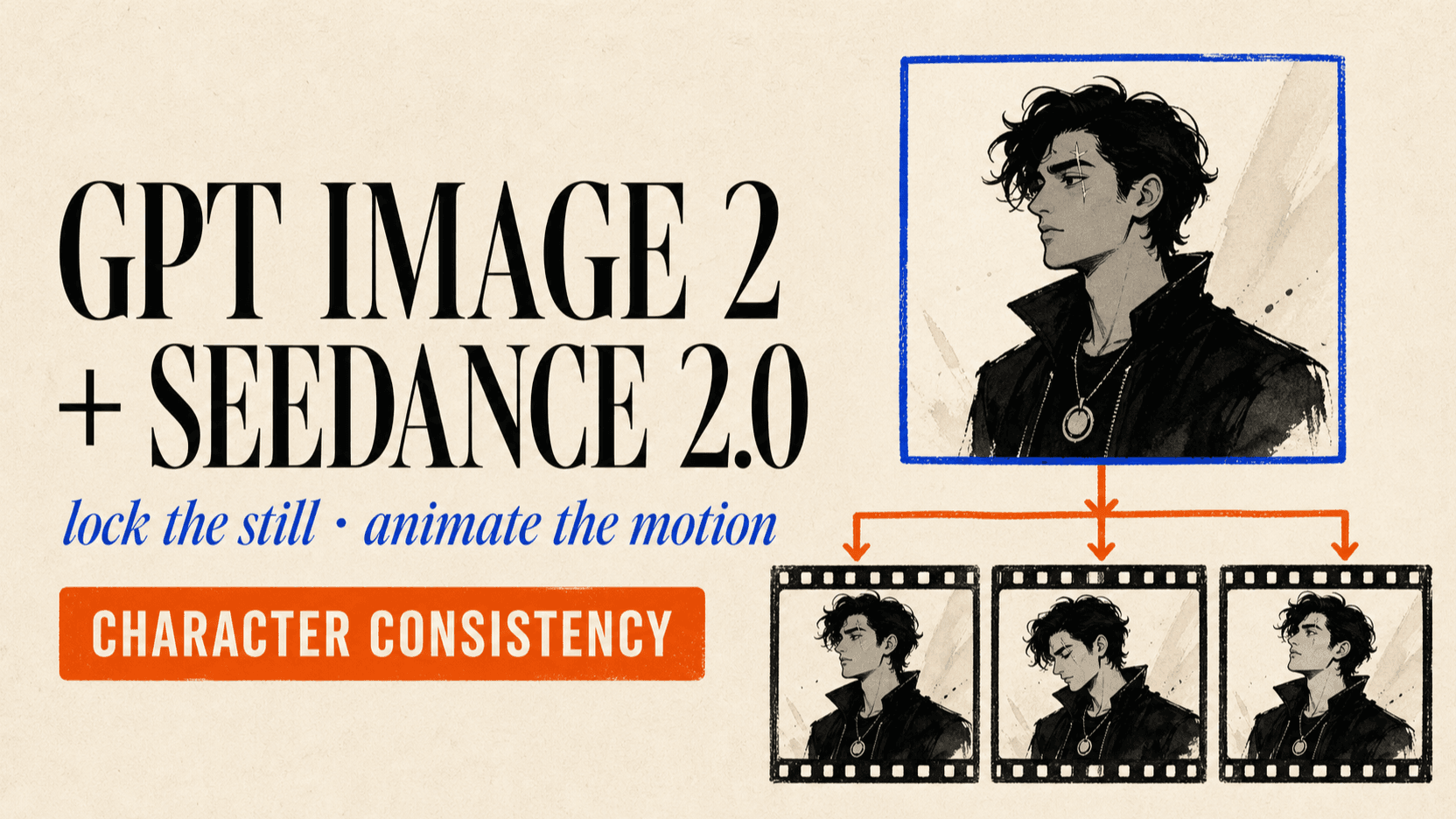
GPT Image 2 y Seedance 2.0: coherencia de personajes
Usa ambos para reducir desviación de caracteres. Construye referencias, anima fotogramas y encadena clips sin perder identidad en secuencias.